
Since February 2, 2026, medical device manufacturers in the United States have worked under FDA’s Quality Management System Regulation, which brings the requirements of ISO 13485 into US law. One change matters for purchasing: supplier audit reports are no longer exempt from FDA inspection. At the same time, the United States has applied tariffs to imported patented medicines and their active ingredients to most companies since September 29, 2026, and many manufacturers are reviewing where their materials come from.
Both point to the same question: how well do you know each of your suppliers, and can you show it? Every new source has to be qualified, and every established one has to keep earning its place. This post looks at how CompuTec ProcessForce helps you do that in SAP Business One.
Rating Every Supplier on the Same Terms
Most purchasing teams know which suppliers cause trouble. The difficulty is showing it with figures, consistently, for every supplier.
The Supplier Scorecard in CompuTec ProcessForce rates each supplier on quality, delivery, and quantity. Complaints, failed Quality Control tests, and returns count against quality. Deliveries are compared with the Purchase Order, so the scorecard shows how often a supplier delivers on time and in the agreed quantity, within tolerances you set for that supplier. The figures cover this month, last month, this year, and last year, and weightings let you decide what matters most to you.
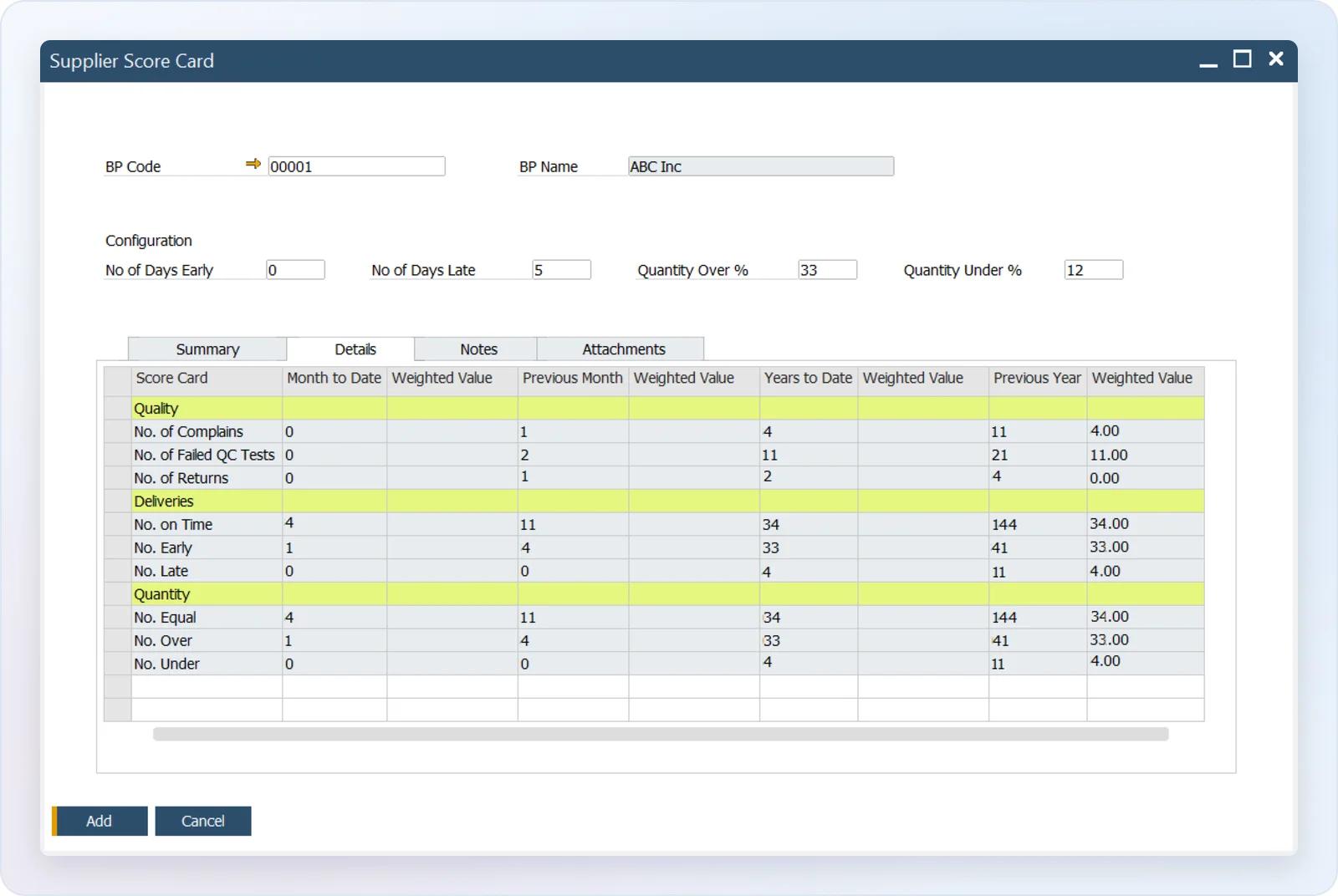
Because the score comes from transactions you already post in SAP Business One, nobody has to maintain it by hand, and it is the same record whether you are reviewing a supplier yourself or showing it to an auditor.
Testing More Where You Know Less
Testing every delivery from every supplier costs time in the laboratory and delays the release of materials you need. Testing too little leaves you relying on certificates alone.
CompuTec ProcessForce links the two. You give each supplier a rating based on what its Supplier Scorecard shows, and that rating decides how often its deliveries are tested: a supplier with a long record of good results might be tested on every twentieth delivery, and one that is new or below target on every delivery. When a Goods Receipt PO is posted, the Quality Control Test is created automatically when the rules call for one, so nobody has to remember the schedule.
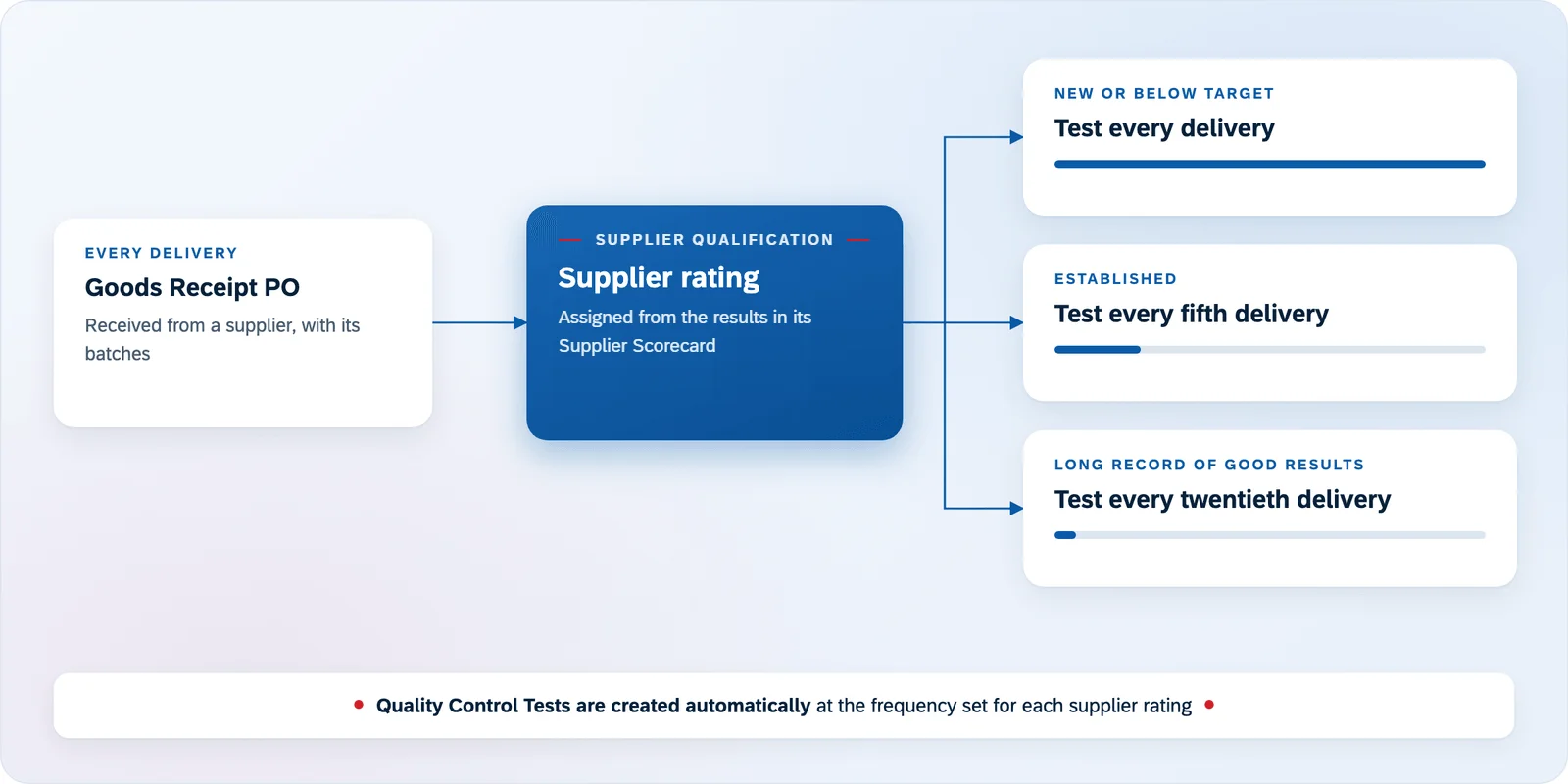
Your laboratory spends its time where the risk is, and you can explain why each supplier is tested as often as it is.
Bringing a New Supplier On Board
When you change where you buy an ingredient or an active substance, the new supplier starts without a history. Give it the rating you test on every delivery, and the Supplier Scorecard builds its record from the first Goods Receipt PO. As the results come in, you have the evidence to move the supplier to a rating with less frequent testing, or to keep it where it is.
Tracing a Problem Back to the Supplier’s Batch
When a finished batch fails a test or a customer complains, you need to know quickly whether a purchased material is the cause, and what else it went into. Batch Traceability in CompuTec ProcessForce shows the path of every batch from the supplier’s raw material batches through intermediate products to the finished goods and the customers who received them, in both directions.
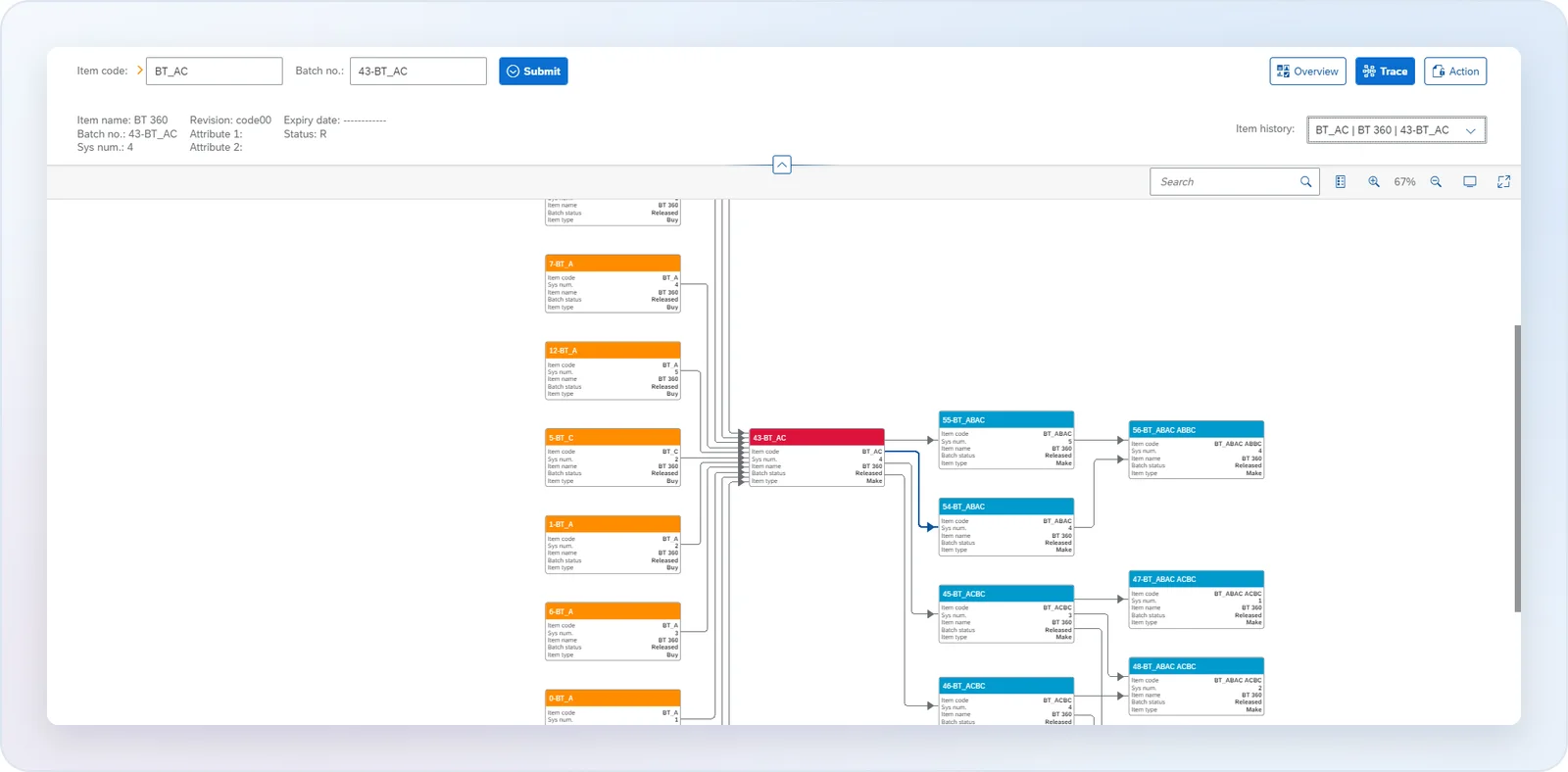
If the supplier’s material is at fault, the Non-Conforming Materials Report records what failed and the action taken, and the complaint against the supplier counts in its Supplier Scorecard.
Contamac, which makes medical-grade lens materials, runs strictly batch-controlled production from raw material to finished goods with CompuTec ProcessForce; you can read their story. For an earlier look at batch tracing and quality, see our post on batch traceability and Quality Control. Our Life Sciences page covers how CompuTec solutions support life sciences manufacturers more broadly, and you can request a demo to see the Supplier Scorecard with your own suppliers.