/Solutions/ Features
Production Execution & Control
Plan Manufacturing Orders, assign the work, capture what happens on the floor, and see what it cost, with an audit-ready record inside SAP Business One.
- Manufacturing Orders
- Production Data Capture
- Costed Production Records

Visibility and Accountability Across Every Production Run
CompuTec ProcessForce manages Manufacturing Orders, material flows, and production records within SAP Business One. CompuTec PDC captures time, materials, downtime, and quality data as production happens. Every action on the floor becomes a document in SAP Business One, so production, costing, and inventory all read from the same records.

The Business Value of Running Production in One System
Production Visibility
- Live Shop Floor Status: Manufacturing Order progress and resource status give managers an accurate picture without waiting for end-of-shift reports.
- Planned vs. Actual: Time, materials, and quantities recorded as they happen make it straightforward to see where production is tracking against the plan.
- Production Cost Data: Actual time and material data feeds directly into Manufacturing Order costs, giving a reliable basis for cost analysis.
Informed Production Management
- Clear Task Ownership: Production tasks are assigned to specific employees or teams, so everyone knows what they are responsible for and when.
- Resource Visibility: Managers can see what every machine and operator is working on, what is planned, and what has been completed, supporting better workload decisions.
- Order Relationships: The relationships between Manufacturing Orders across multi-level production structures are visible in one view, making it easier to assess the impact of delays.
Accurate Production Records
- Capture at Source: Production time, downtime, and material consumption are captured by operators directly on the shop floor.
- Complete Production Document History: Every production activity creates a document in SAP Business One, giving a complete and verifiable record of what happened on each Manufacturing Order.
- Error Correction: Incorrectly posted production documents can be reversed in a structured way, without losing the audit trail.
Production Flexibility
- Range of Supported Devices: CompuTec PDC runs on desktops, industrial touchscreen panels, and Android devices, adapting to the physical realities of different production environments.
- Orderless Production: Record a whole production run in a single document, without stepping through the full order cycle.
- Everything in One System: Every shop floor transaction, whether time, materials, quality, or downtime, is recorded in the SAP Business One database, giving a single source of production data.
Explore Our Production Execution and Control Capabilities
Manufacturing Orders
Create and manage Manufacturing Orders within SAP Business One, with support for multi-level production structures, order relations, and flexible creation methods.
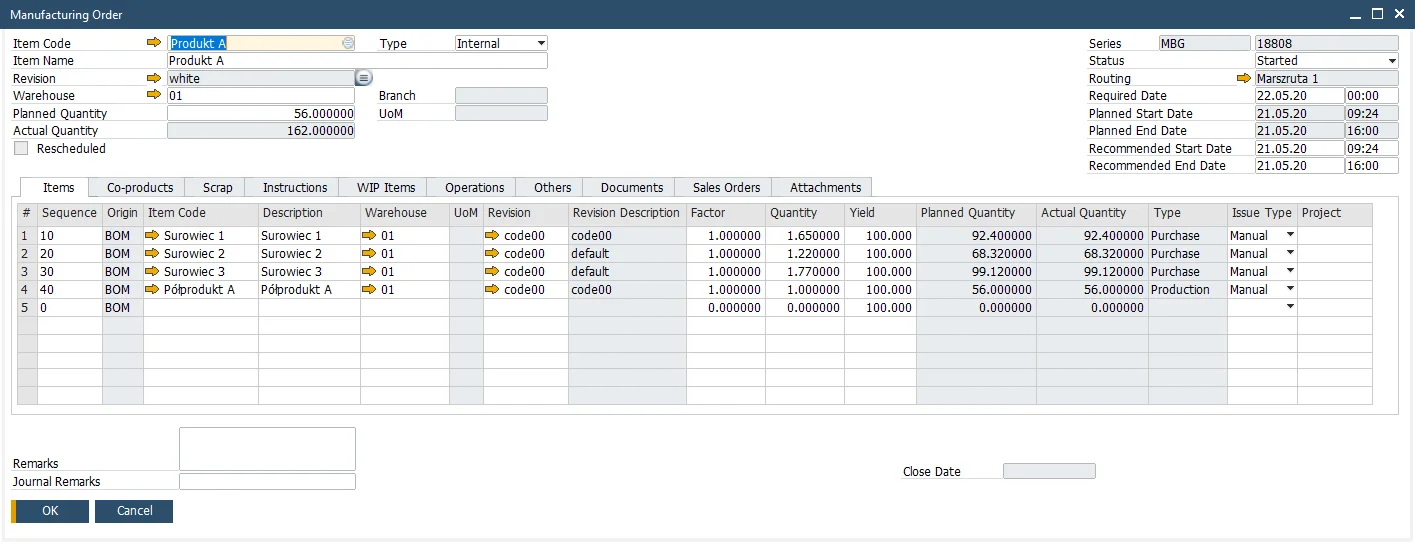
CompuTec ProcessForce | Manufacturing Order
Multiple Creation Methods
Manufacturing Orders can be created manually, from Sales Order lines, from MRP recommendations, or automatically for multi-level product structures using the Planning and Bottleneck Scheduling app.
Multi-Level Order Generation
The Planning and Bottleneck Scheduling app generates all Manufacturing Orders required to fulfill a Sales Order across multiple production levels, with a graphical visualization of the order tree and the ability to adjust planning data before orders are created.
Manufacturing Order Statuses
Orders progress through defined statuses from planned through to closed, with mass status changes available for processing large numbers of orders simultaneously.
Manufacturing Order Pegging
The relationships between Manufacturing Orders, including connections to Sales Orders, Purchase Orders, and other production documents, are visible in an interactive graphical map.
Rework
Dedicated rework orders can be created for production that needs to be repeated or corrected, with material and time consumption recorded against the rework order separately from the original production order.
Orderless Production
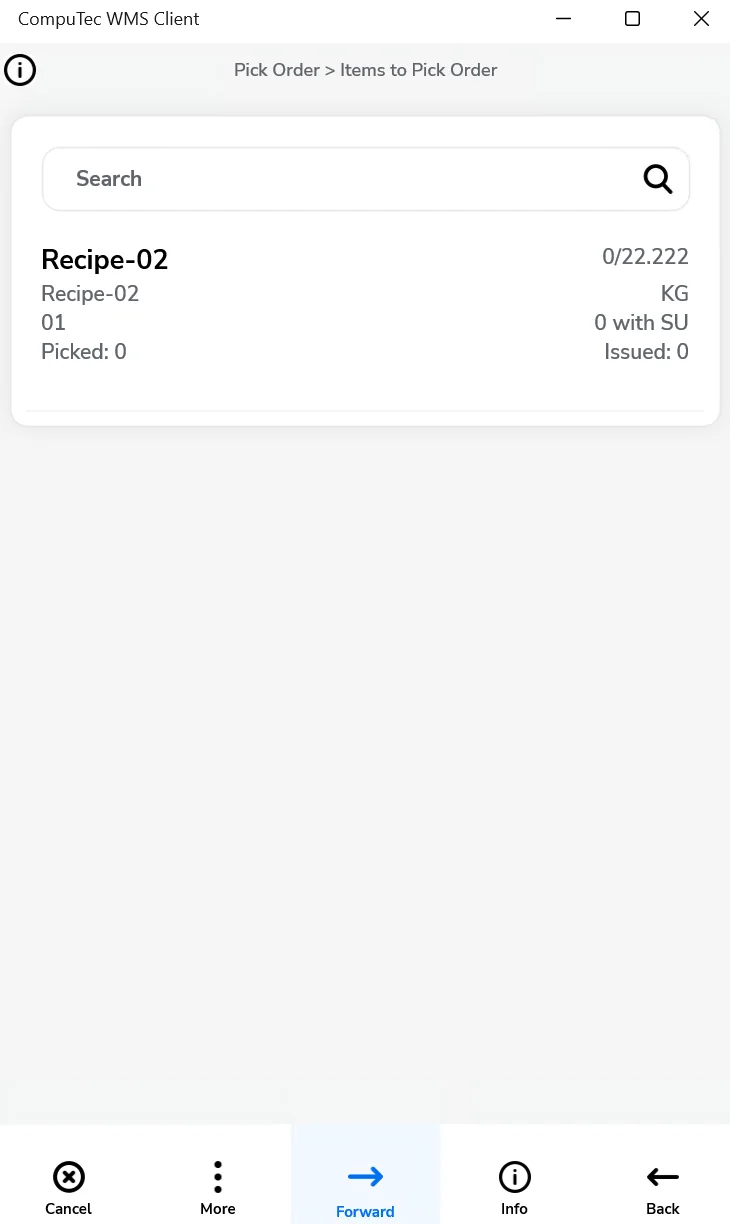
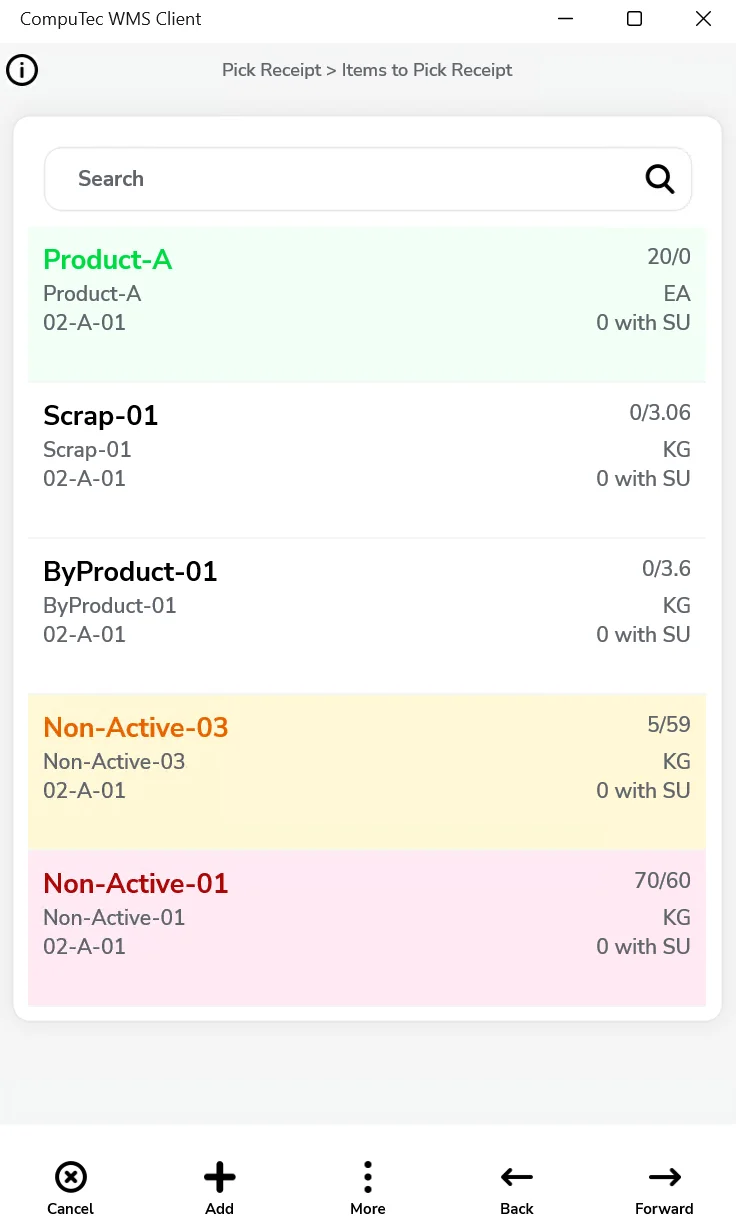
A single Orderless Production Document records the whole run: CompuTec ProcessForce triggers a Manufacturing Order in the background and takes it from release to closure, backflushing materials and creating co-products, scrap, and batch numbers.
- Documentation Center (opens in new tab)
View CompuTec ProcessForce documentation
- Documentation Center (opens in new tab)
View CompuTec PDC documentation
Advantages for Your Industry
Weigh and dispense, continuous line monitoring, rework orders. How you run production depends on your industry.

Interested in exploring what better production visibility and control could mean for your operation?
Accurate production records depend on capturing work as it happens, rather than reconstructing it afterwards. Request a demo to see how that works, or read more about the solutions behind it.
Frequently Asked Questions
What is CompuTec PDC?
CompuTec PDC (Production Data Capture) is a shop floor application that allows operators to record production tasks, Time Bookings, downtime, material consumption, and quality data directly from touchscreen terminals or mobile devices. Every entry creates a document in SAP Business One via CompuTec ProcessForce, keeping production records accurate and up to date without manual back-office data entry.
How are Manufacturing Orders created in CompuTec ProcessForce?
Manufacturing Orders can be created manually, from Sales Order lines, from MRP recommendations, or automatically for multi-level product structures using the Planning and Bottleneck Scheduling app. The app generates all Manufacturing Orders required for a Sales Order across multiple production levels, with a graphical view of the order tree and the ability to adjust planning data before orders are created.
Does CompuTec ProcessForce support orderless production?
Yes. An Orderless Production Document records a complete production run in one place, rather than stepping through a Manufacturing Order. CompuTec ProcessForce still creates that order behind the scenes, so costing, batch, and inventory records come out the same as any other run. It suits repetitive production, where working through a separate Manufacturing Order for every run would add unnecessary steps.
How does CompuTec PDC record time and activity on the shop floor?
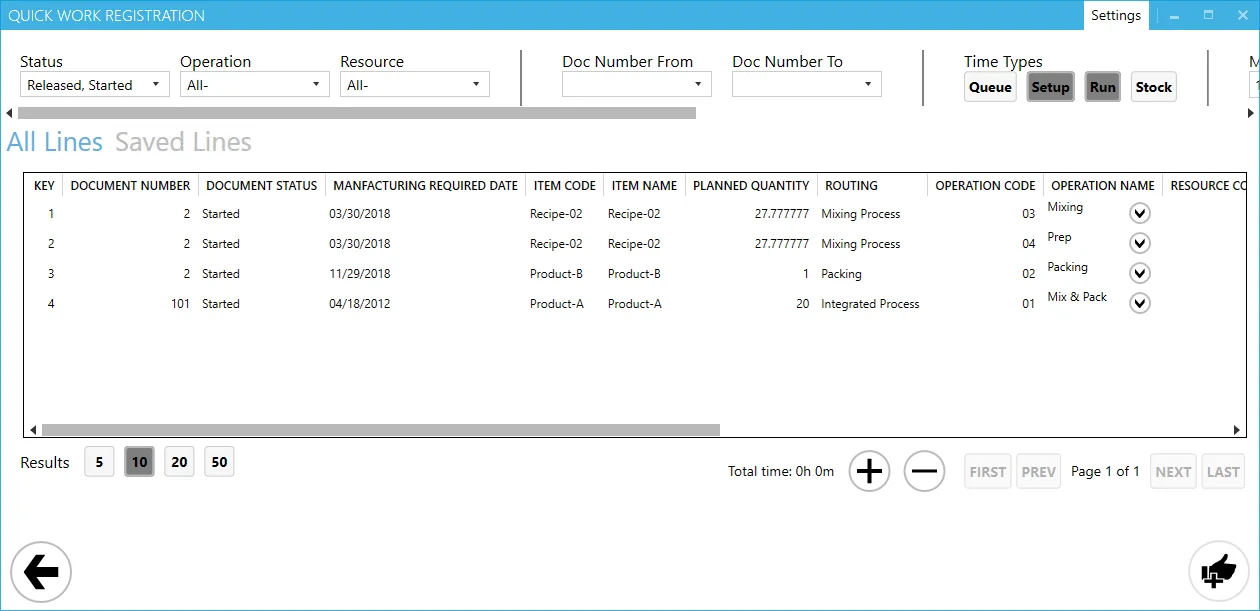
Operators select their task from an assigned or shared task list on their CompuTec PDC device and record setup time, run time, and downtime as they work. Each recording creates a Time Booking document in SAP Business One, linked to the specific Manufacturing Order and operation. Downtime is recorded with configurable reason codes for accurate analysis.
What is the Manufacturing Cockpit?
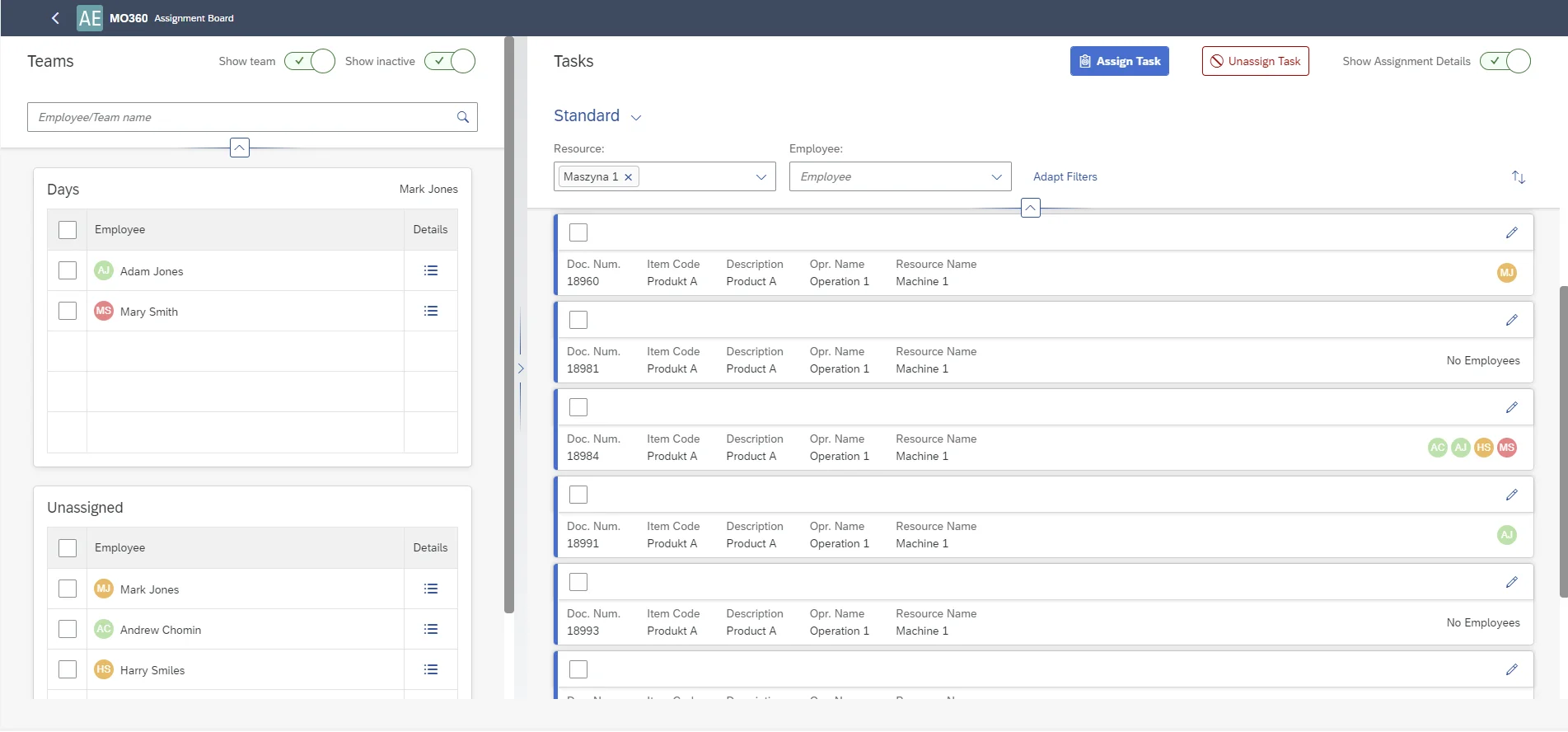
The Manufacturing Cockpit is a real-time analytics and monitoring tool for Manufacturing Order progress. It features a Gantt chart visualization of planned and active operations, a current task flow view, and an Assignment Board for assigning employees and teams to specific operations. It is included in the CompuTec PDC license.
Does CompuTec ProcessForce support subcontracting?
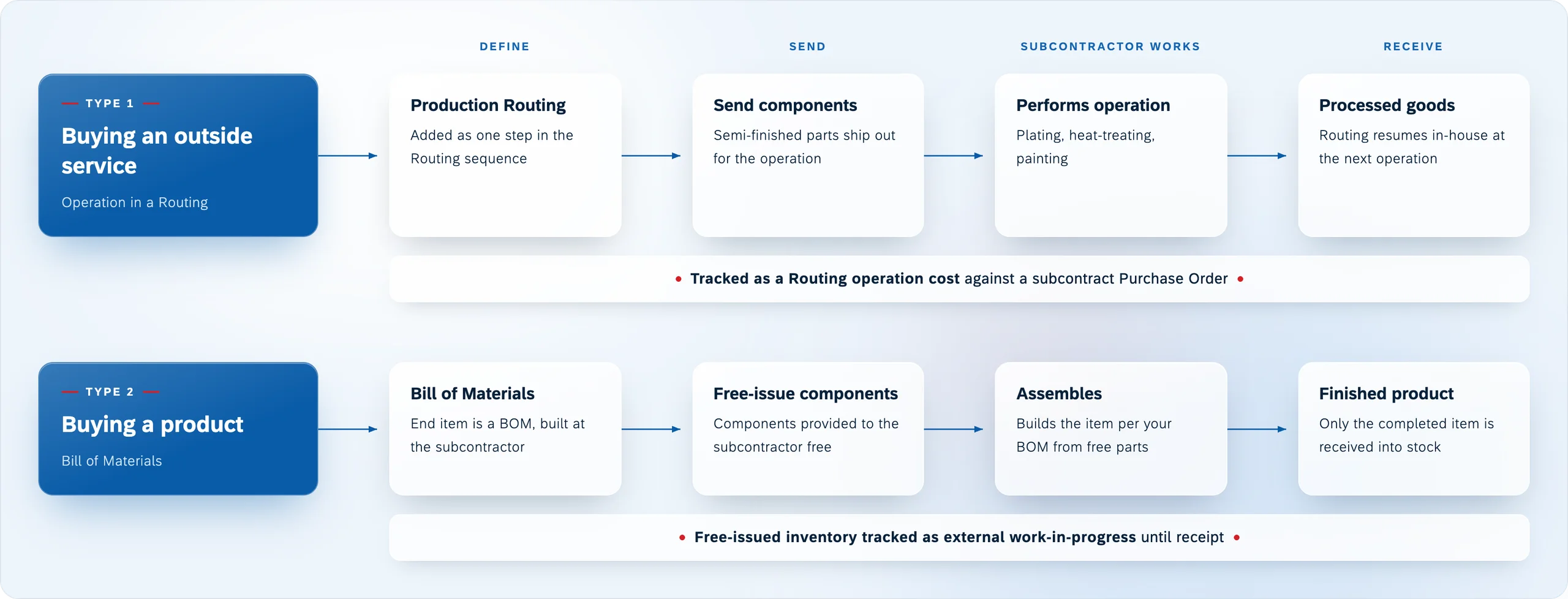
Yes. External subcontractors are defined as subcontractor-type resources within CompuTec ProcessForce and included as operations within the routing. Subcontract Assembly and Free Issue Materials are managed within the Manufacturing Order structure, keeping all production steps visible in one place.
Can Quality Control Tests be integrated into the production process?
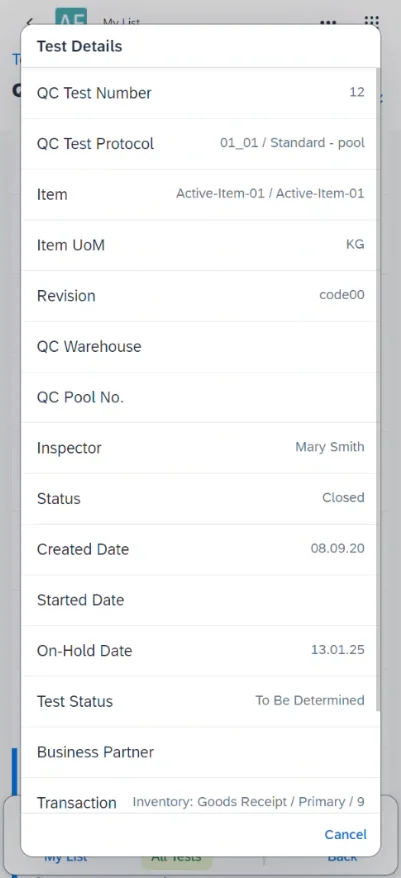
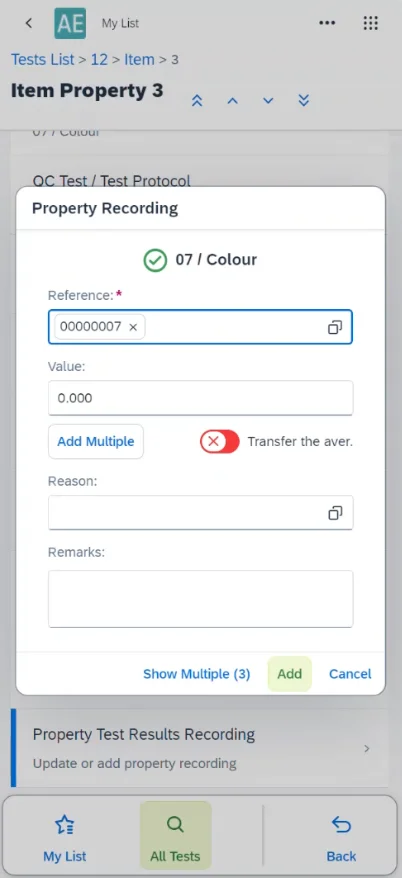
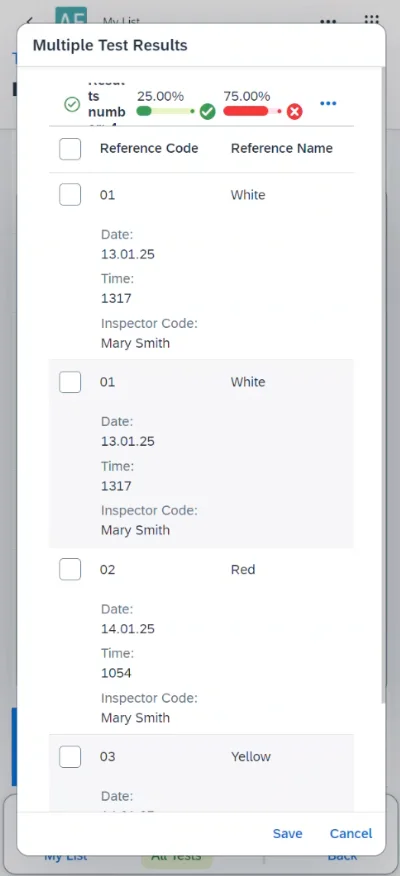
Yes. Quality Control Test Protocols can be linked to specific routing operations, embedding quality checks into the production sequence. Quality Control documents can also be triggered automatically by Manufacturing Order events. Test results can be recorded directly from the CompuTec PDC interface on the shop floor.
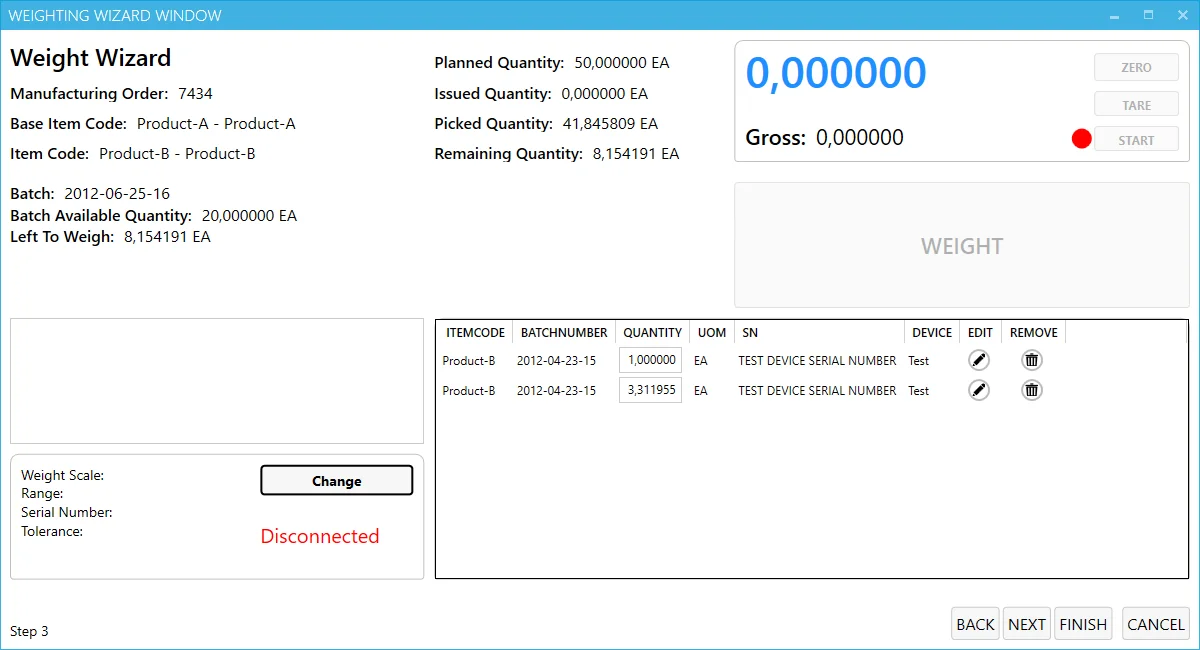
What is Weigh and Dispense in CompuTec PDC?
Weight scale integration in CompuTec PDC connects to physical weighing devices to guide operators through a step-by-step process for issuing materials to production by weight. The system shows planned, already issued, and already picked quantities for each item, and only allows batches with Released status to be selected, supporting accurate and controlled material dispensing.
Can planned and actual production times be compared?
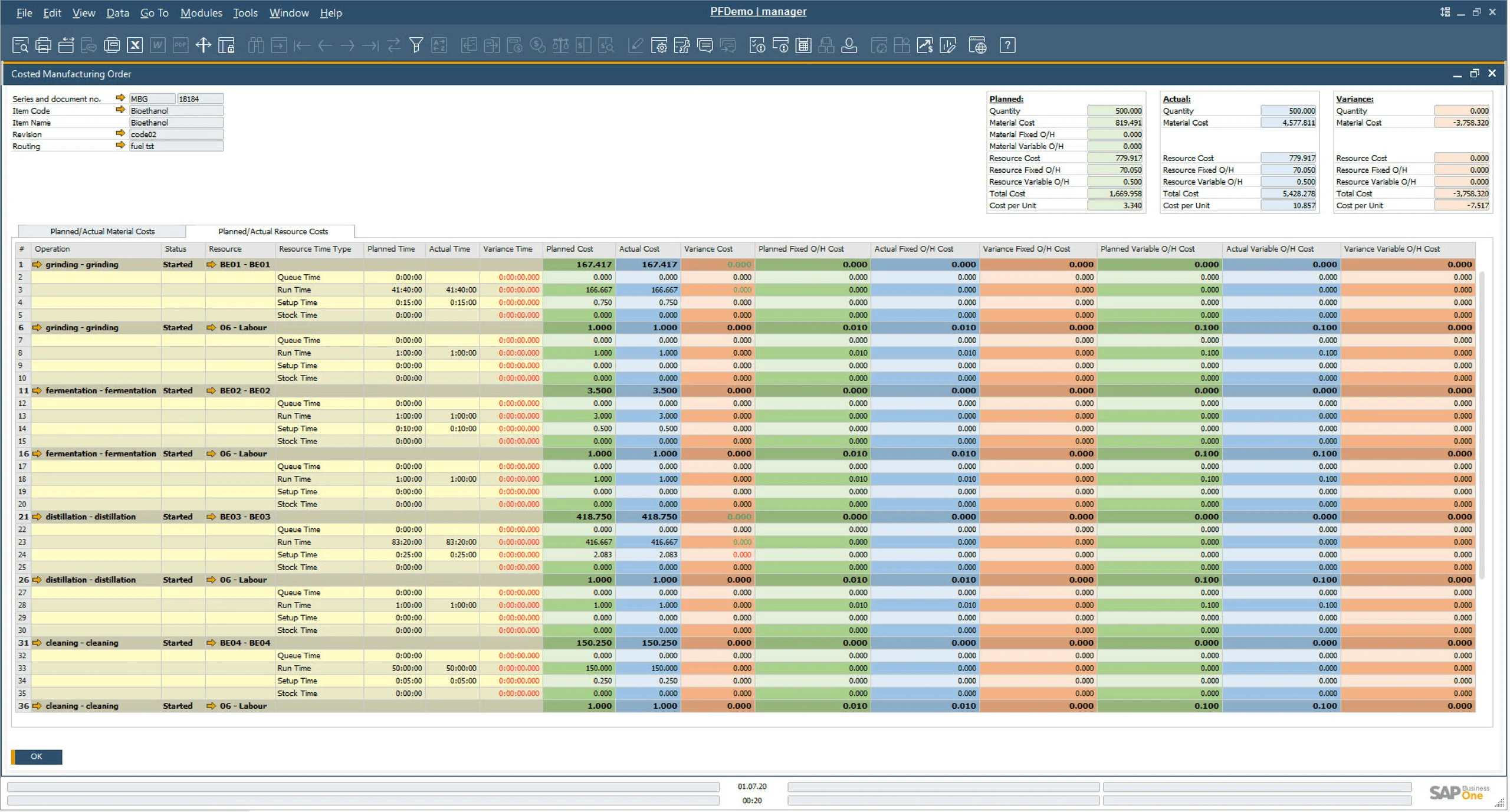
Yes. Time Booking data recorded via CompuTec PDC can be compared against planned operation times from the routing, showing where production took longer or shorter than planned. This data is also used in the costed Manufacturing Order report for accurate production cost analysis.
Does CompuTec PDC work without CompuTec ProcessForce?
No. CompuTec PDC requires CompuTec ProcessForce to be installed, as it records production data by creating Time Booking documents within CompuTec ProcessForce in SAP Business One.
Our Solutions & Services
Fully integrated, AI-ready solutions for SAP Business One, plus the implementation, hosting and support to run them.













Bill of Materials & Routings
Product & Process Definition
Product Costing
Cost Rollup & Calculation
MRP II & Scheduling
Material & Capacity Planning
Production Execution & Control
Manufacturing Order Execution
Quality Control & Complaints
Quality Tests & Non-Conformances
Traceability & Compliance
Batch Traceability & Audit Trail
Plant Maintenance
Equipment Maintenance Planning
GS1 & Logistics
GS1 Barcodes & Label Automation
Reporting & Analytics
Analytical Pages & Dashboards
Blog
From technical updates to industry trends — stay informed with the latest feature releases, expert business insights, and upcoming global events.

Events & Webinars
Join Us in Amsterdam This October
CompuTec brings news on AI and the SAP Business One Web Client to two back-to-back partner events in Amsterdam, October 19–22, 2026.

SAP Business One
CompuTec WebUp Now Covers the Latest SAP Business One 10.0 Web Client Views

CompuTec WMS
Custom Row Colors and More in CompuTec WMS 3.2608.1

Events & Webinars
The Web Client-First Era: SAP Business One Version 11, AI, and the CompuTec Roadmap

CompuTec ProcessForce
Focusing on the Next Generation