/Solutions/ Features
Quality Control & Complaint Management
CompuTec ProcessForce manages quality control tests, non-conformance reports, and complaint records within SAP Business One, keeping quality documentation connected to the batches, orders, and transactions it relates to.
- Testing at Every Stage
- Configurable to How You Work
- Mobile Quality Control Testing
- Batch-Linked Complaints

Quality built into every stage of production
CompuTec ProcessForce integrates quality control directly into your production and procurement processes. Test Protocols are defined per item and production stage, inspections are triggered automatically, and results are recorded in the laboratory or on the shop floor via mobile devices. CompuTec PDC, CompuTec WMS, and CompuTec Labels extend these capabilities into the shop floor, warehouse, and labeling operations.

The Business Value of Integrated Quality Control
Consistent Quality Standards
- Defined Once, Applied Every Time: Test Protocols are set per item and stage, so the same standards are applied consistently across every production run.
- Embedded in the Production Process: Quality checks are triggered automatically at defined points — goods receipt, production milestones, incoming and outgoing shipments — so inspections are never missed.
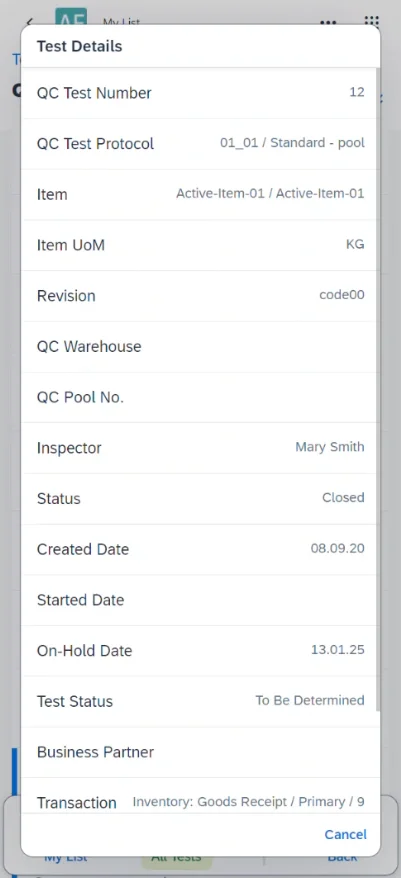
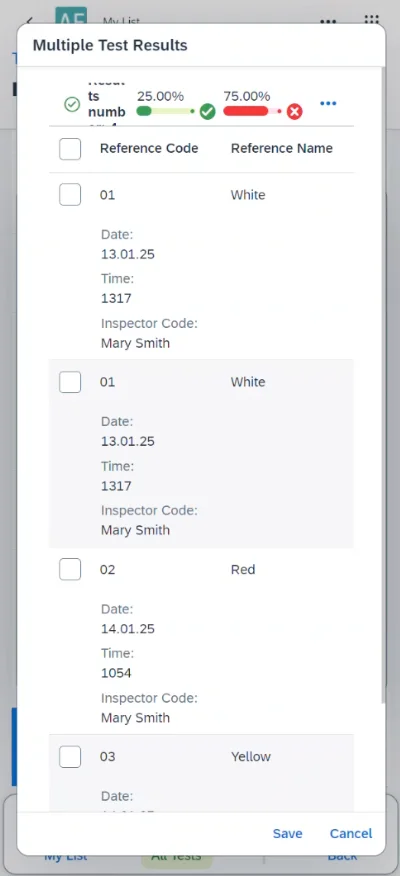
- Results Where They Happen: Test results are recorded on the shop floor via the Quality Testing Mobile app or CompuTec PDC, keeping quality data accurate and up to date.
Faster Response to Non-Conformances
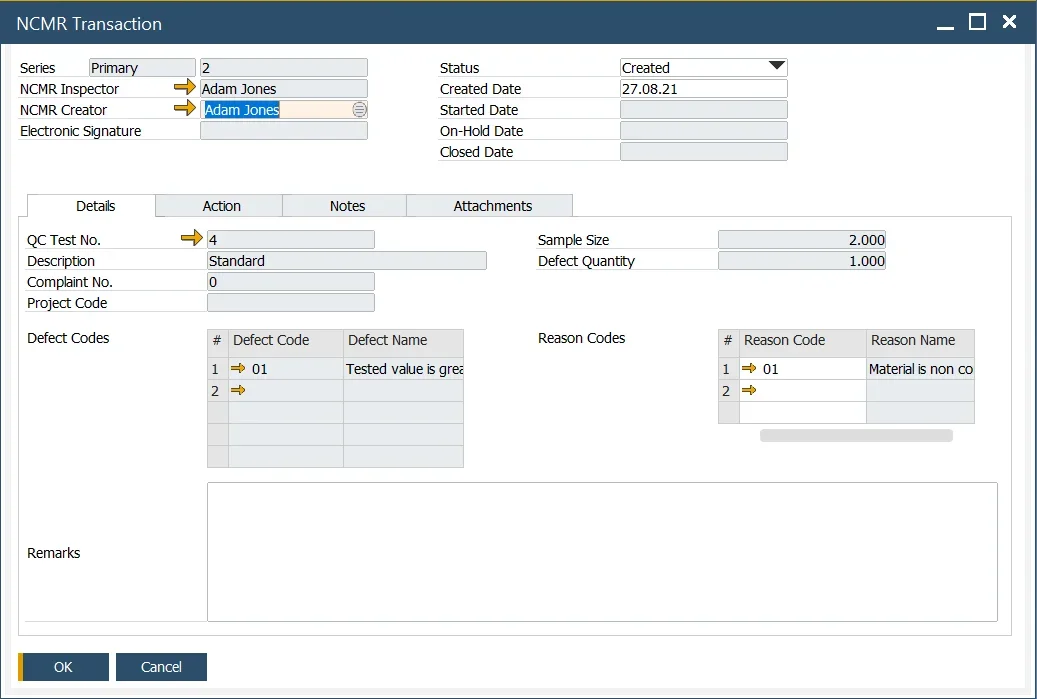
- Issues Documented Immediately: When a test fails, an NCMR can be generated to formally record the non-conformance, the affected material, and the corrective action required.
- Batch Status Control: Affected batches can be placed on hold immediately, preventing non-conforming material from being used in production or shipped to customers.
- Root Cause Visibility: NCMRs are linked to the affected batches, making it straightforward to investigate the source of a quality issue using the batch traceability tools.
Supplier Quality Management
- Performance-Based Inspection Frequency: Quality control inspection frequency can be adjusted automatically based on supplier rating, focusing testing effort where it is most needed.
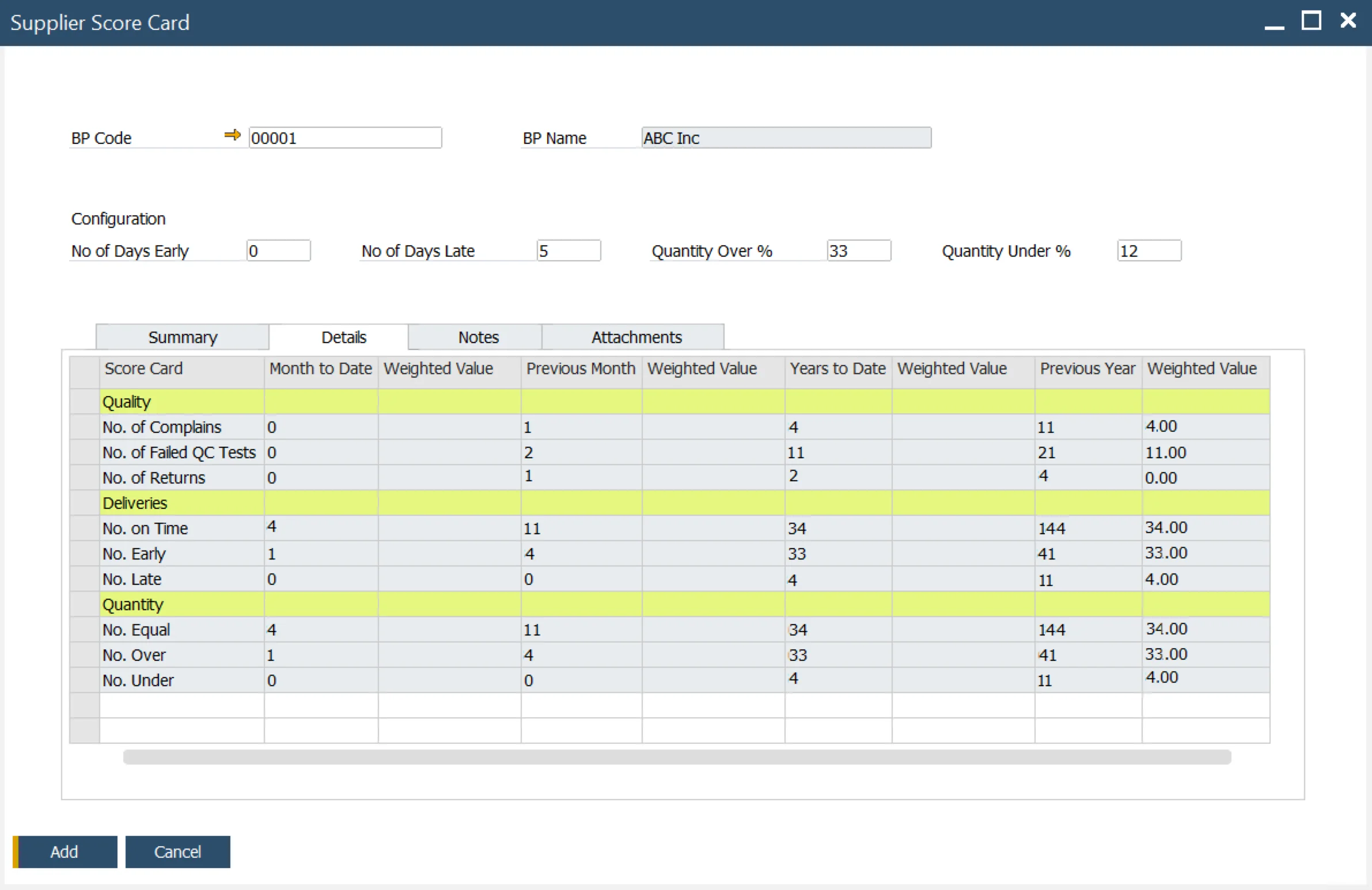
- Supplier Scorecard: Supplier performance is evaluated across quality, delivery accuracy, and timeliness using a weighted scorecard, supporting more informed procurement decisions.
- Incoming Goods Documentation: CompuTec WMS records Vehicle Inspections, batch and serial data at goods receipt using barcode scanners, feeding accurate incoming material data directly into quality control processes.
Quality Documentation and Reporting
- Certificate of Analysis: A Certificate of Analysis can be generated from quality control test results, providing documented evidence of quality for a specific batch or production run.
- Quality Control Test Report: Test results across items, batches, and time periods support quality trend analysis.
- Compliant Labeling: CompuTec Labels automates label generation from batch and quality control data, supporting accurate and consistent labeling of inspected goods throughout the operation.
Explore Our Quality Control and Complaint Management Capabilities
Quality Control Master Data
The building blocks every test is assembled from, defined once and reused across protocols.
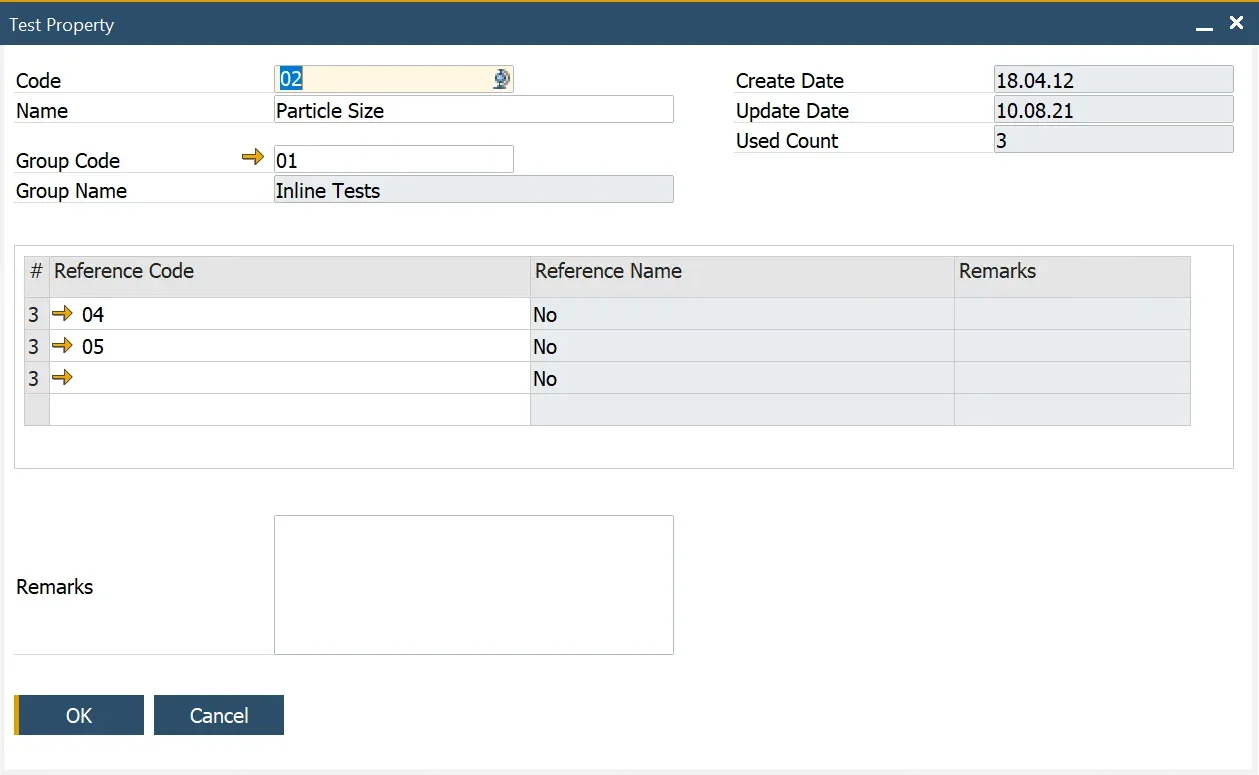
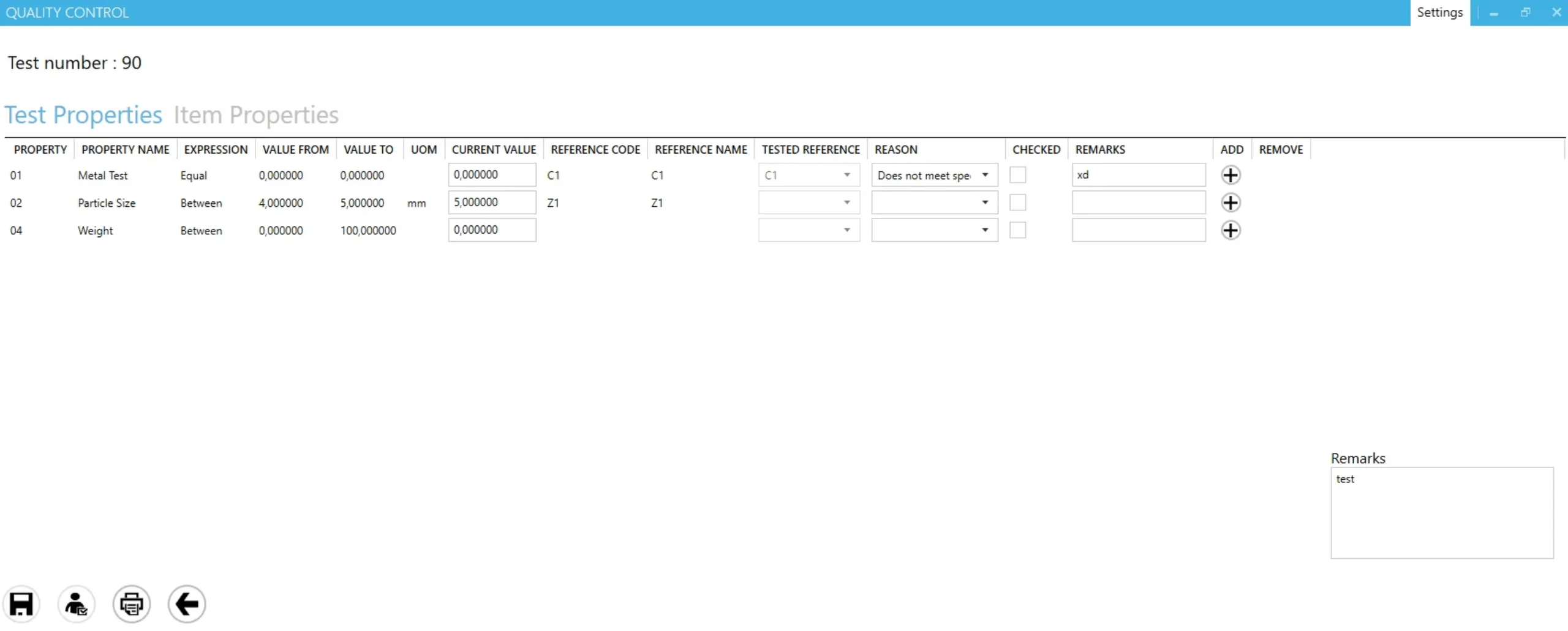
CompuTec ProcessForce | Test Properties
Test Properties
Test Properties are the individual characteristics a test checks, such as particle size, pH, or color, with the expected result defined as a value, a range, or a reference code, including units of measurement.
Defects
Defect codes categorize what went wrong when material fails inspection, giving a consistent vocabulary for analyzing failure patterns across items, batches, and suppliers.
Reason Codes
Reason codes record why a Test Property or Item Property failed, and the NCMR adds its own reasons to document the cause of the non-conformance.
Inspectors
Inspectors are defined as master data and assigned to tests, so every recorded result is attributable to the person who carried out the inspection.
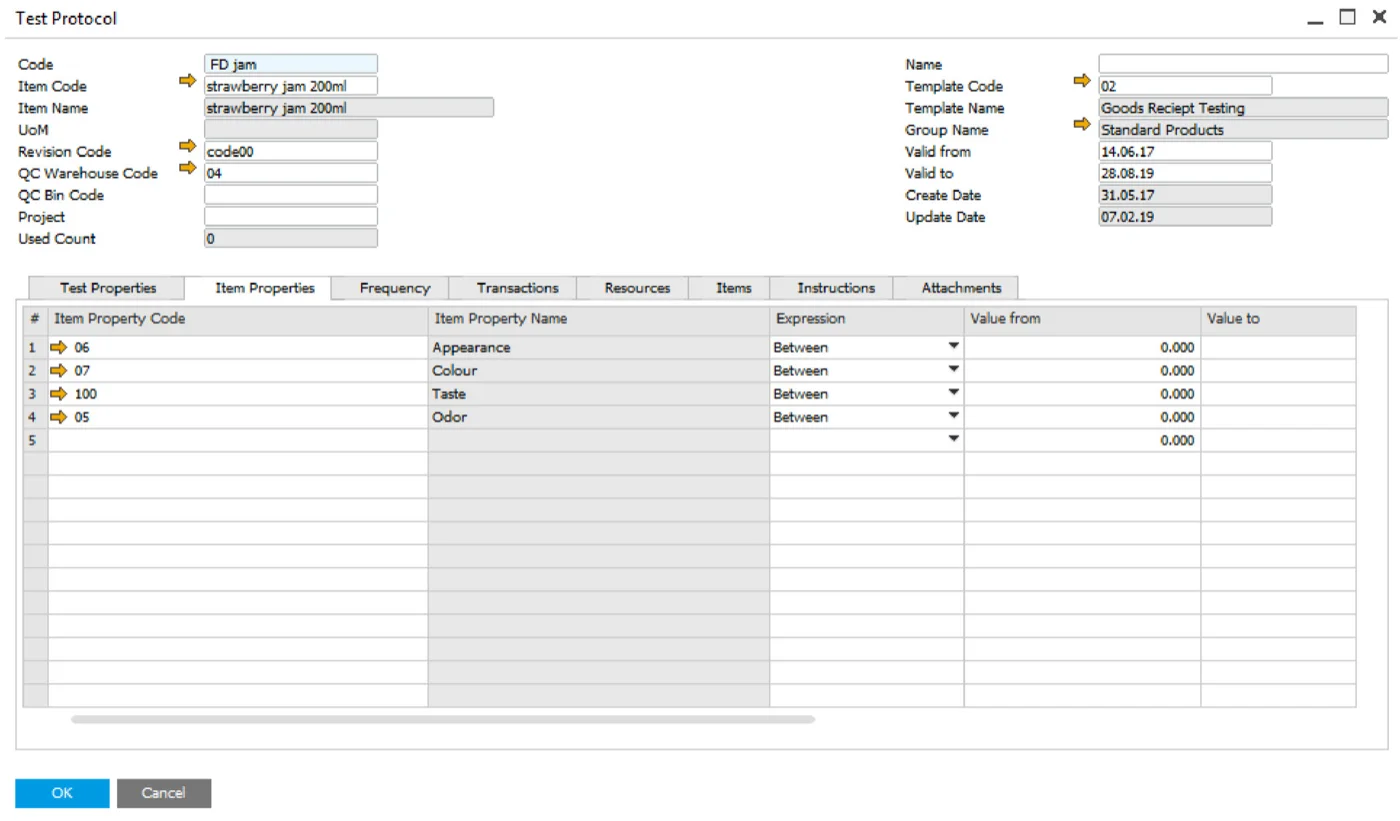
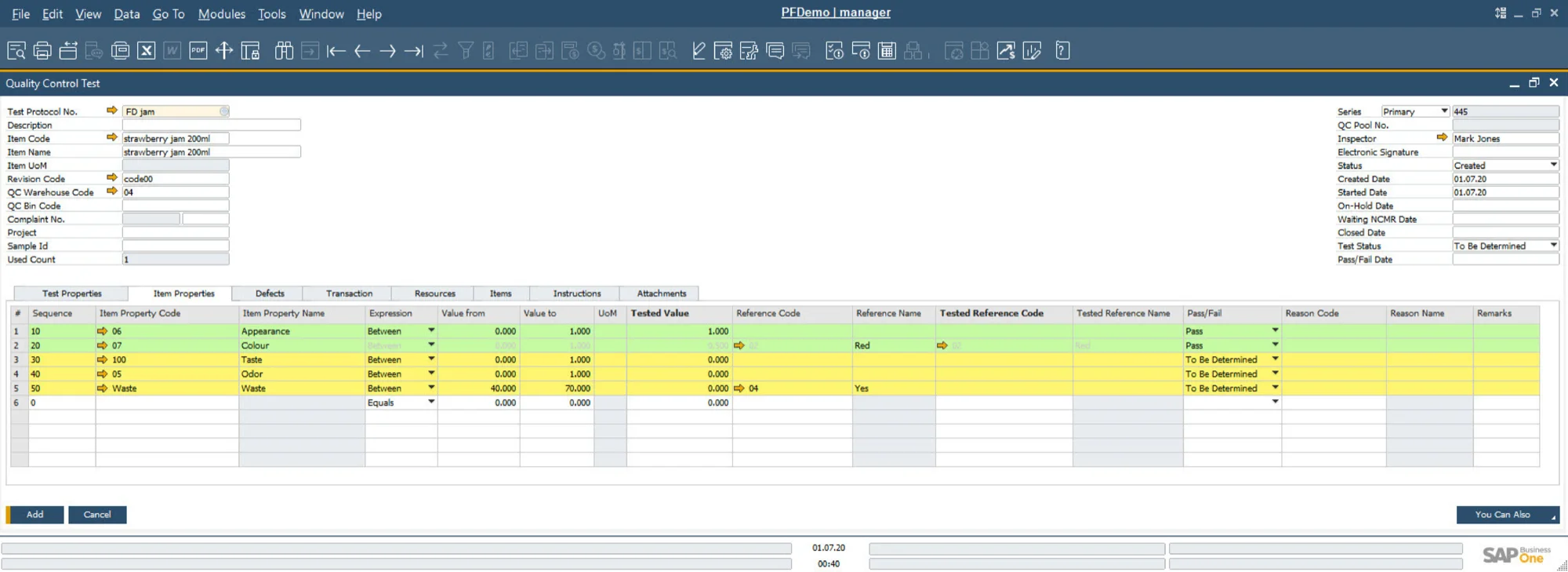
- Documentation Center (opens in new tab)
View CompuTec ProcessForce documentation
- Documentation Center (opens in new tab)
View CompuTec PDC documentation
Advantages for Your Industry
HACCP in food, GMP in life sciences, AS9100 in aerospace. The standards you work to, and the documentation that proves them, depend on your industry.

What could quality control and complaint management look like in your operation?
CompuTec ProcessForce builds quality control into your production process, from Test Protocols and sampling plans to non-conformance reports and complaint handling, with every record connected to the batches and orders it relates to. Take a closer look at CompuTec ProcessForce and CompuTec PDC, or ask for a demo to see how it would handle your own products and quality standards.
Frequently Asked Questions
What quality control capabilities does CompuTec ProcessForce include?
CompuTec ProcessForce includes configurable Test Protocols, Quality Control Tests Pools, ISO 2859-1-based Quality Plans, automatic quality control document creation, multiple test result recording, non-conforming materials reporting, Certificate of Analysis generation, supplier quality tracking, and a Supplier Scorecard. Quality test results can also be recorded on a mobile device using the Quality Testing Mobile app.
Can quality control tests be triggered automatically?
Yes. Quality control documents can be configured to be created automatically based on defined business events, for example, when a Goods Receipt PO is created or when a Manufacturing Order reaches a specific status. This ensures inspections are not missed at critical production stages.
What is a Quality Control Tests Pool?
A Quality Control Tests Pool groups multiple individual samples from the same lot and evaluates the overall pass/fail status based on predefined acceptance rules. It supports statistical sampling approaches and can be configured in line with the ISO 2859-1 norm for sampling procedures for inspection by attributes.
Can quality control tests be recorded on a mobile phone or tablet?
Yes. The Quality Testing Mobile app allows quality technicians and shop floor operators to access and complete quality control tests on a tablet or other mobile device, with results recorded directly in CompuTec ProcessForce in real time.
What happens when a quality test fails in CompuTec ProcessForce?
When a quality test fails, a Non-Conforming Materials Report can be generated to formally document the non-conformance, the affected material, defect codes, and the corrective action required. The affected batch can also be placed on hold immediately to prevent non-conforming material from being used or shipped.
What is a Certificate of Analysis in CompuTec ProcessForce?
A Certificate of Analysis is a document generated from quality control test results, providing formal evidence of the quality of a specific batch or production run. It can be shared with customers or brand owners as part of quality reporting.
What is the Supplier Scorecard in CompuTec ProcessForce?
The Supplier Scorecard evaluates supplier performance across quality, delivery accuracy, and timeliness using a weighted scoring system. It gives procurement teams an objective, data-driven basis for assessing and comparing supplier performance over time.
Does CompuTec ProcessForce support Vehicle Inspections at goods receipt?
Yes. The Vehicle Inspection feature allows the condition of delivery vehicles and their cargo to be documented at the point of goods receipt, linked to the relevant purchase document. This provides a structured record of incoming delivery conditions.
Does CompuTec ProcessForce include complaint management?
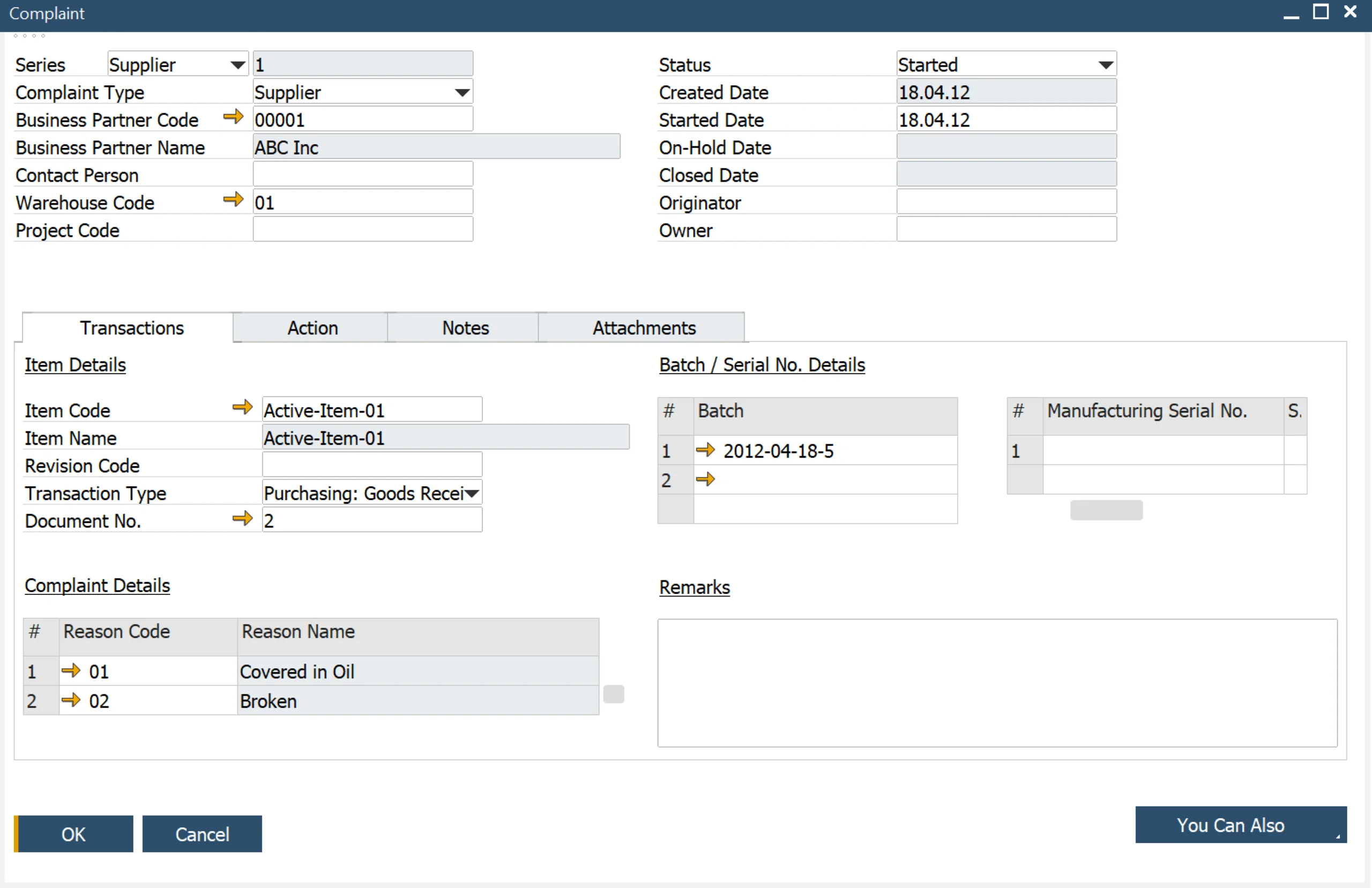
Yes. Complaints from customers, suppliers, or internal departments can be recorded, categorized using complaint groups and reason codes, and tracked through to resolution. Each Complaint is linked to the specific batches involved, making it straightforward to investigate root causes using the batch traceability tools.
How do CompuTec PDC, CompuTec WMS, and CompuTec Labels extend quality control?
CompuTec PDC captures production task and time data from the shop floor, supporting documentation of quality-relevant activities at operation level. CompuTec WMS records batch and serial data at every warehouse transaction using barcode scanners and mobile devices, feeding batch information captured at goods receipt into quality control processes. CompuTec Labels automates label generation from batch, serial, and quality control data, with templates that pull batch status, expiry dates, and inspection results in real time.
Our Solutions & Services
Fully integrated, AI-ready solutions for SAP Business One, plus the implementation, hosting and support to run them.













Bill of Materials & Routings
Product & Process Definition
Product Costing
Cost Rollup & Calculation
MRP II & Scheduling
Material & Capacity Planning
Production Execution & Control
Manufacturing Order Execution
Quality Control & Complaints
Quality Tests & Non-Conformances
Traceability & Compliance
Batch Traceability & Audit Trail
Plant Maintenance
Equipment Maintenance Planning
GS1 & Logistics
GS1 Barcodes & Label Automation
Reporting & Analytics
Analytical Pages & Dashboards
Blog
From technical updates to industry trends — stay informed with the latest feature releases, expert business insights, and upcoming global events.

Events & Webinars
Join Us in Amsterdam This October
CompuTec brings news on AI and the SAP Business One Web Client to two back-to-back partner events in Amsterdam, October 19–22, 2026.

SAP Business One
CompuTec WebUp Now Covers the Latest SAP Business One 10.0 Web Client Views

CompuTec WMS
Custom Row Colors and More in CompuTec WMS 3.2608.1

Events & Webinars
The Web Client-First Era: SAP Business One Version 11, AI, and the CompuTec Roadmap

CompuTec ProcessForce
Focusing on the Next Generation