/Solutions/ CompuTec Solutions
CompuTec WebUp
An SAPUI5 customization and automation toolkit for the SAP Business One Web Client, following SAP Fiori design principles so your changes look and feel native.
- Layout & Field Control
- Validation & Automation
- Smart Actions
- Better User Experience
- More Productive Teams

The SAP Business One Web Client, Configured for Your Business
CompuTec WebUp lets administrators and consultants customize the SAP Business One Web Client at the presentation layer, leaving core SAP Business One objects and source code unchanged. Built on SAPUI5 and following SAP Fiori design principles, it maintains the native look and feel while adding the flexibility to adjust view layouts, add validations, and configure JavaScript-based automations. Changes are versioned, reversible, and stored in your company database.

Shape the SAP Business One Web Client Around Your Workflows
Cleaner, More Focused Interfaces
- Simplified Screens: Show only the fields and information each user needs, so screens are quicker to read and act on.
- Field and Section Control: Adjust field location and behavior, section structure, and layout to match how your team works with each screen.
- Native SAPUI5 Look: Built on SAPUI5, customizations keep the standard SAP Business One Web Client design, so screens stay familiar to your users.
Flexible, Accessible Customization
- Browser-Based Configuration: Adjust layouts, field visibility, and section structure directly in the browser through a side panel.
- Script When You Need It: Automations, validations, and Smart Actions are built in JavaScript, supported by the Monaco Editor, IntelliSense, and built-in templates.
- Embedded Help: Direct links to SAP Business One Web Client extensibility documentation are built into the interface, so guidance is available at the point of configuration.
Guided, Accurate Data Entry
- Mandatory and Read-Only Fields: Require the fields that matter before a document is saved, and set others to read-only to protect key values.
- Value States and Highlighting: Flag fields with a warning, error, or information state and a message on focus, guiding users toward correct input.
- Validation Rules: Check data before or after a document is saved, with clear messages that tell users what to correct.
Consistent, Automated Processes
- Document-Event Triggers: Run actions automatically on events such as adding or updating a document, for example creating an Activity when a Sales Order is added.
- Smart Actions: Attach reusable actions to buttons and fields that respond to what is happening on screen, keeping processes consistent.
- Post Documents via the Service Layer: Automations can create new SAP Business One documents through the Service Layer, not only change the current screen.
Stable and Maintainable Customizations
- Version Control: Every change creates a new version automatically, with the previous version kept as a backup so you can roll back at any time.
- Stored in Your Database: All customizations are saved directly in your company database, keeping configuration tied to your environment.
- SAP Upgrade-Friendly: Customizations that use the SAP Business One Web Client Extensibility Framework are deployed as standard SAP Web Client Extensions, reducing the risk of conflicts during SAP Business One upgrades.
Ready for the Web Client Transition
- Aligned with SAP's Direction: SAP is investing in the SAP Business One Web Client as its future interface, so customizing it now aligns your system with where SAP is heading.
- A Head Start for Users: Teams work in a Web Client shaped around their tasks today, ahead of any wider move.
- Configurations Carry Over: The views, validations, and actions you build stay in place as Web Client use grows across your business.
Features
Interface & Layout Control
Arrange the SAP Business One Web Client interface to match how your team works by repositioning controls, adding new ones, and showing or hiding fields, sections, and buttons directly in the browser.
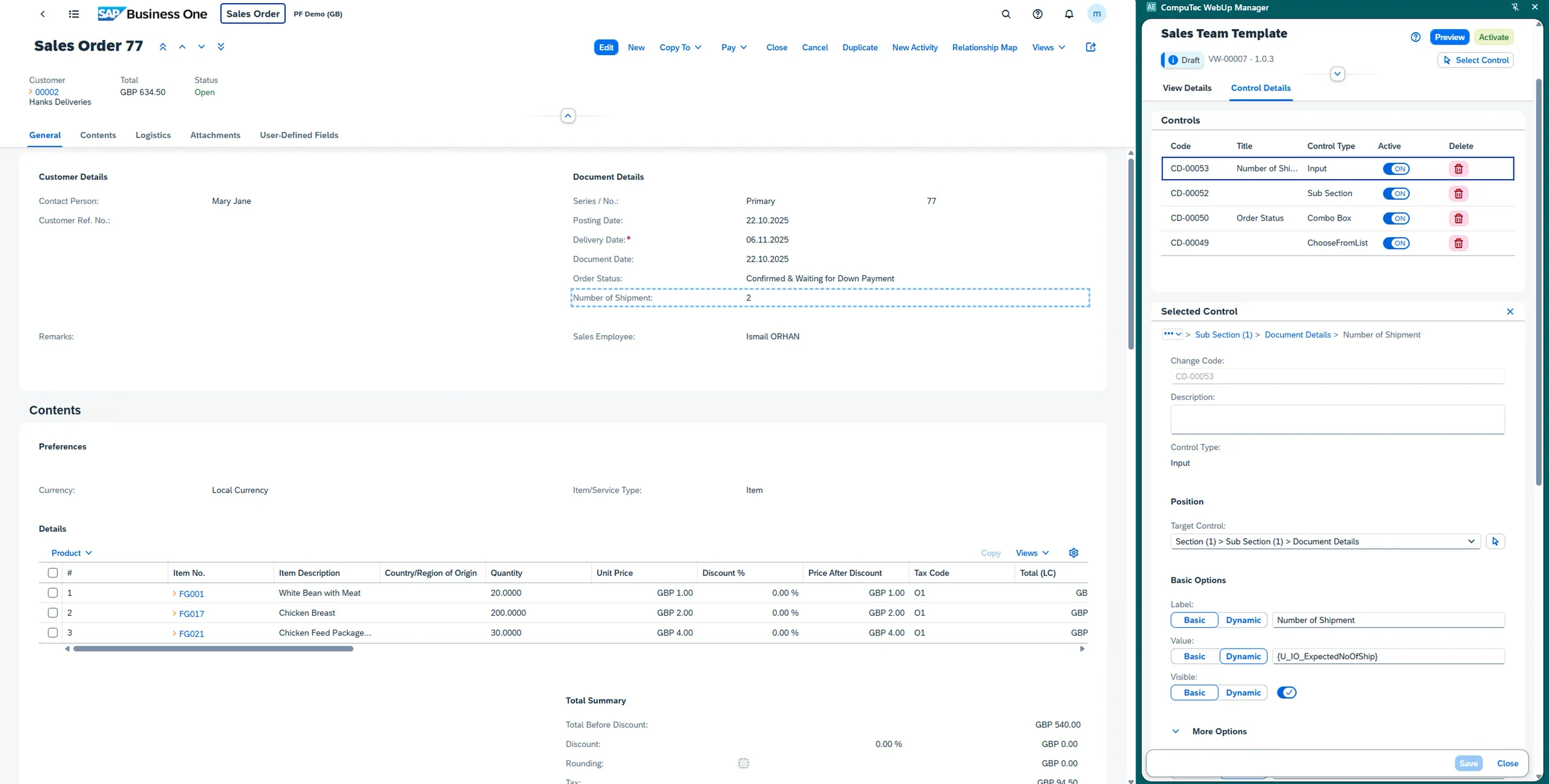
CompuTec WebUp | Interface & Layout Control
Control Repositioning
Move fields, buttons, and other controls to different positions or sections within a screen, bringing the most important information to the foreground.
Add New Controls
Add new controls to supported SAP Business One Web Client screens, from fields and buttons to structural sections, subsections, and groups, going beyond the default configuration.
Visibility Management
Show or hide fields, sections, and action buttons to present each screen in the most relevant way for how your team works.
Custom Labels and Tooltips
Rename control labels to match your internal business terminology, and add tooltips to guide users with helpful context at the point of data entry.
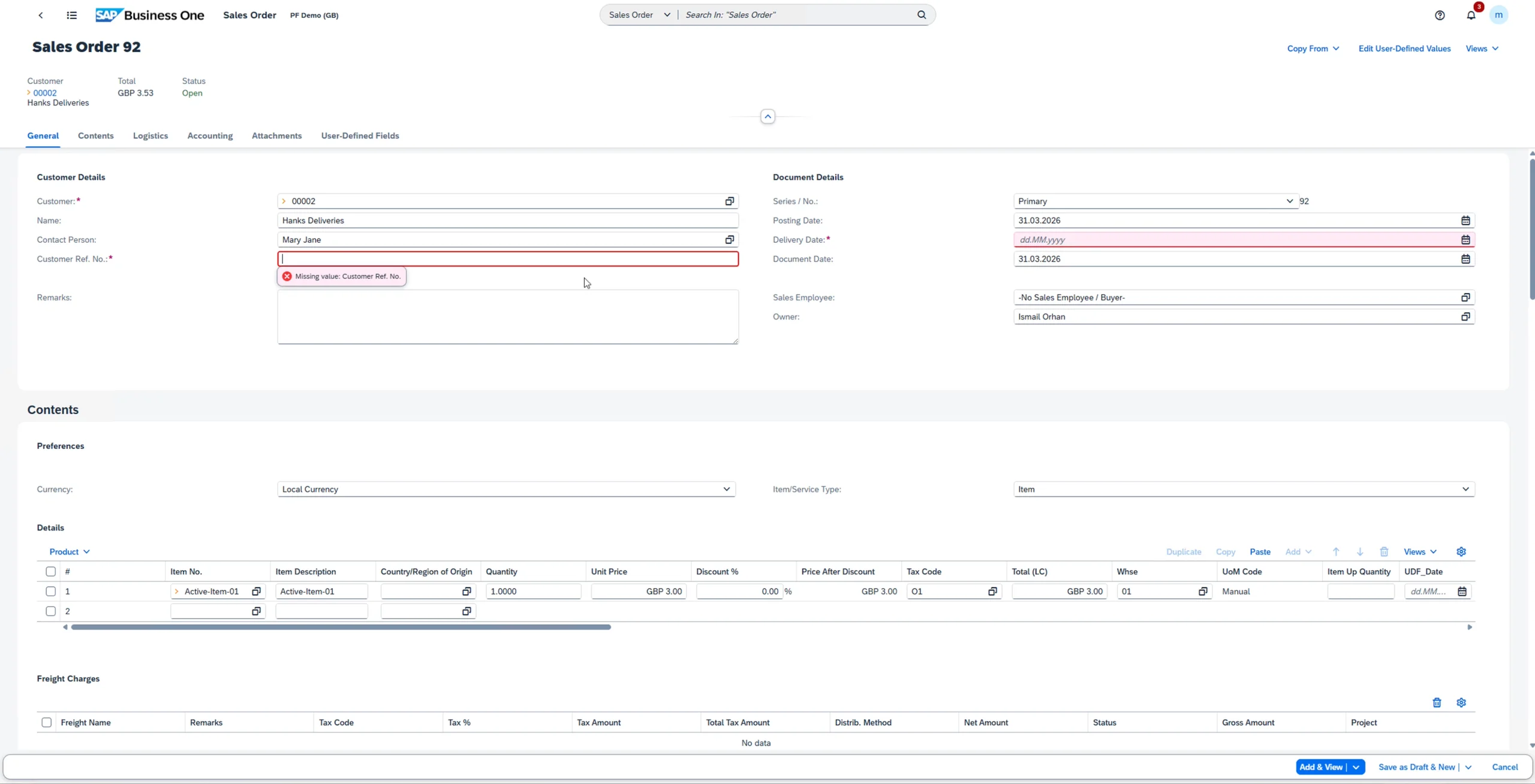
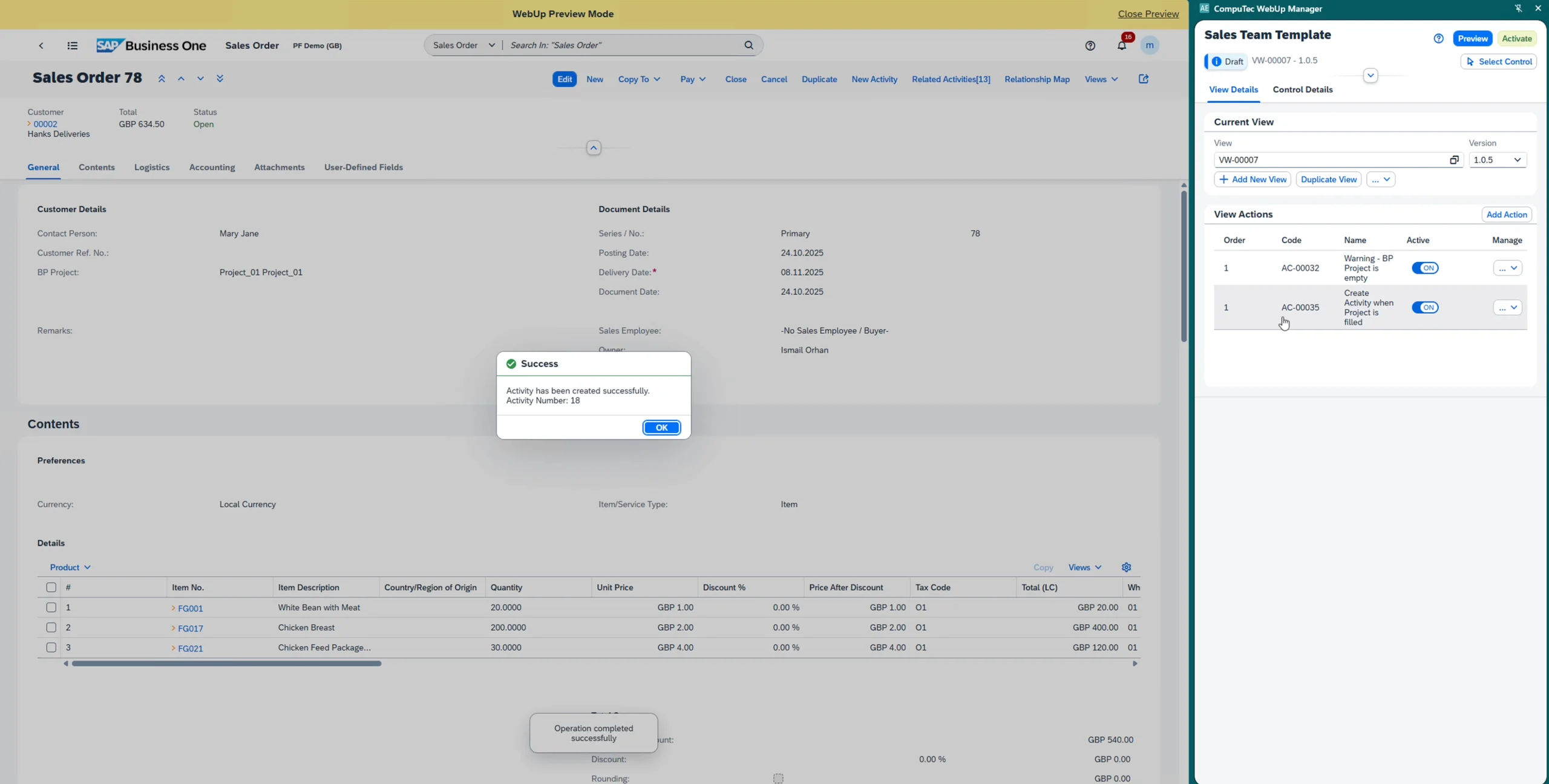
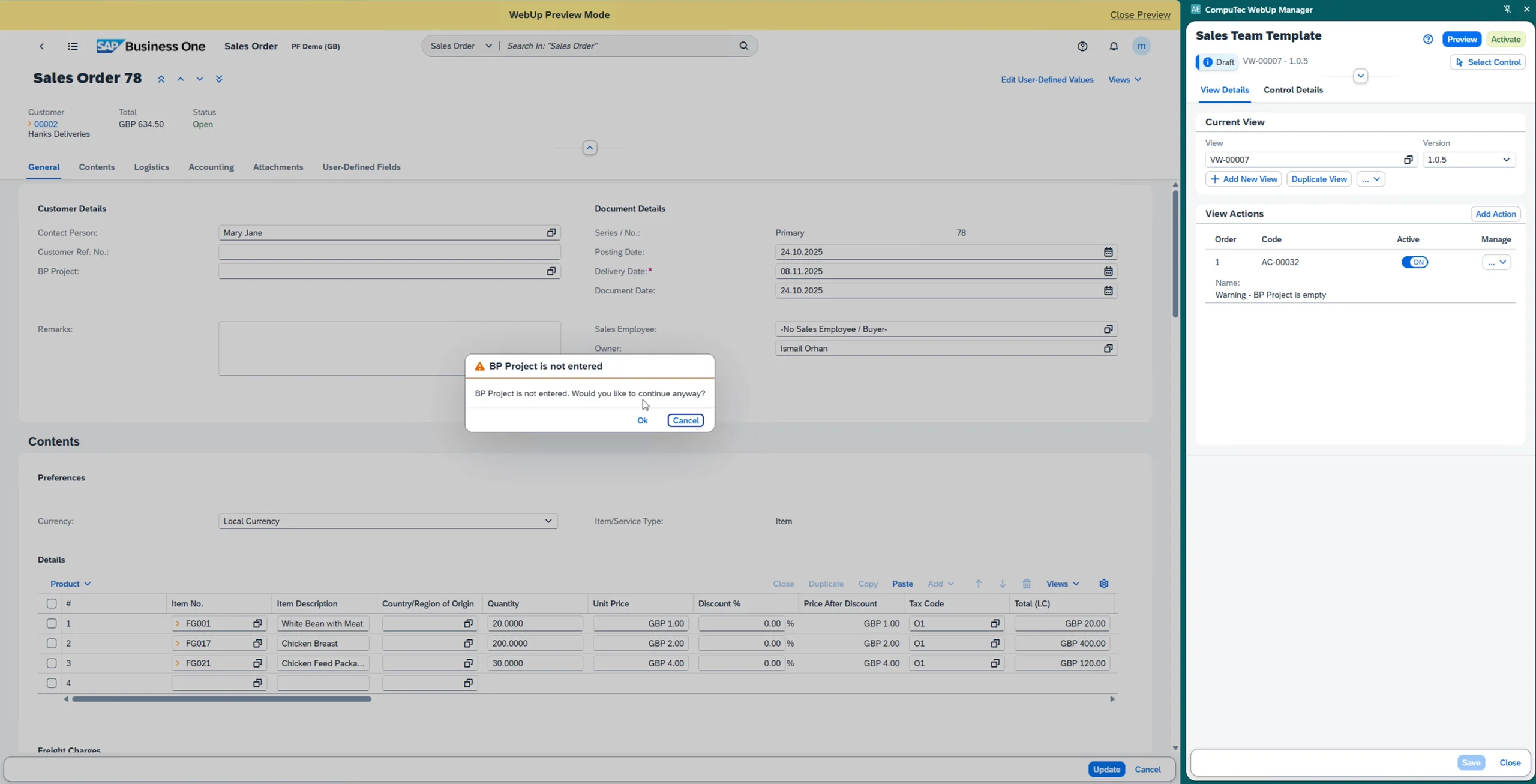
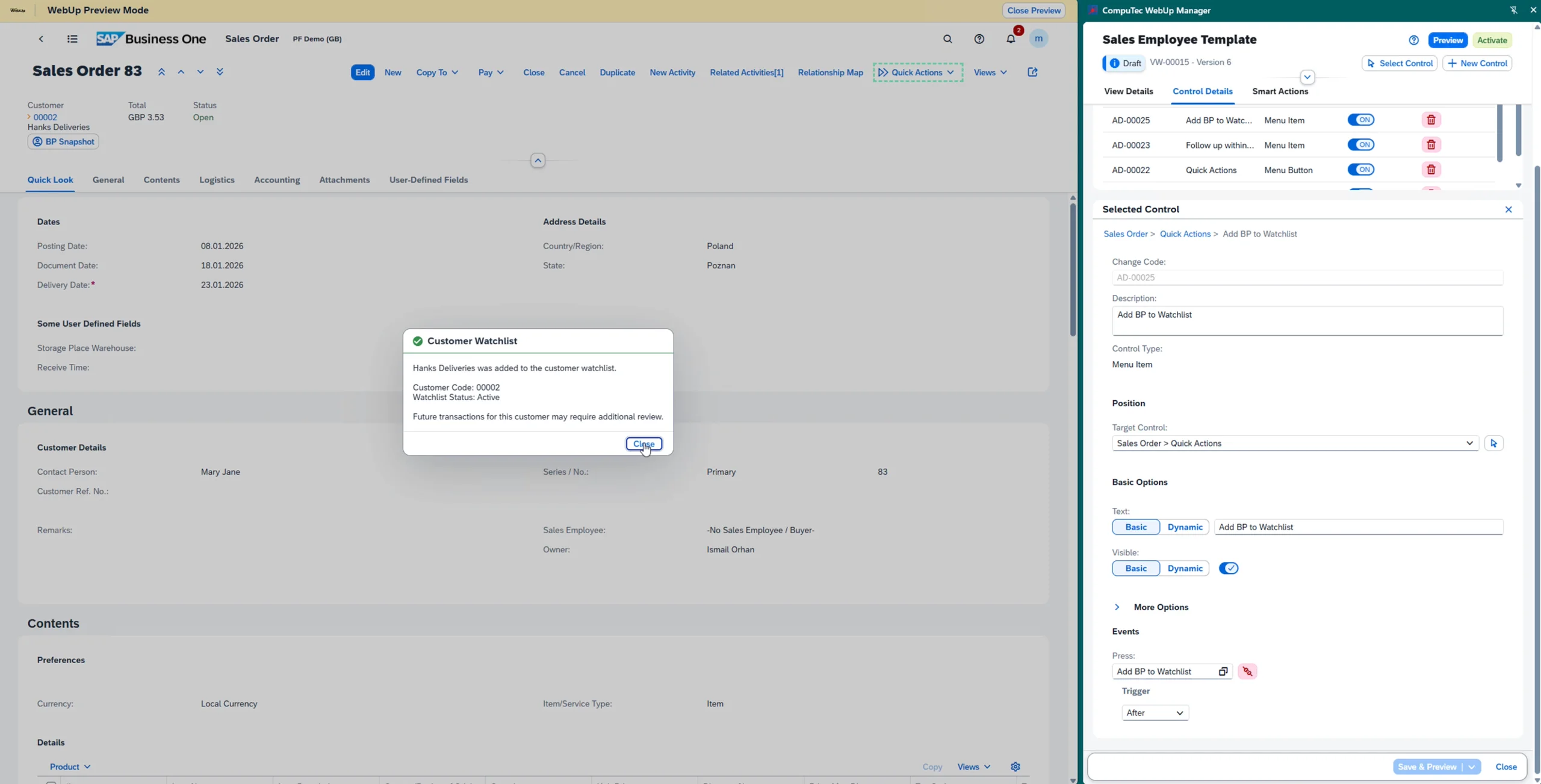
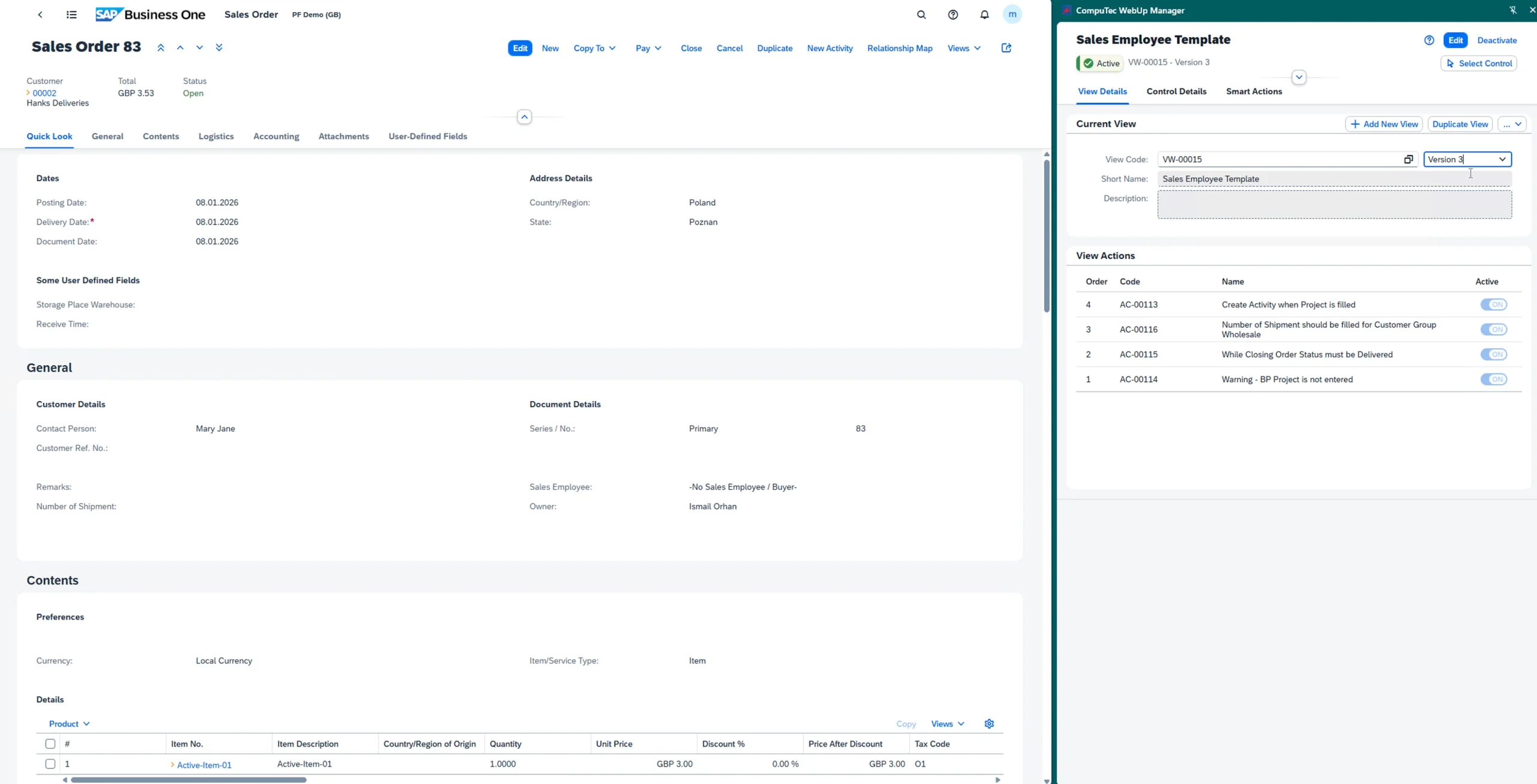
CompuTec WebUp in Action
Step-by-step video guides showing how to customize and automate the SAP Business One Web Client using CompuTec WebUp.
- View brochure (PDF, opens in new tab)
View our brochure
- View documentation (opens in new tab)
View CompuTec WebUp documentation

Ready to configure the SAP Business One Web Client for your team?
CompuTec WebUp adapts the SAP Business One Web Client to match how your team actually works, from adjusting layouts and field visibility to adding custom validation rules and automated actions. Get in touch to discuss your requirements or request a live demonstration.
Frequently Asked Questions
Does CompuTec WebUp require programming skills?
Many customizations (hiding fields, repositioning controls, renaming labels, setting mandatory fields) are made through the browser-based side panel with no coding required. Automations, validations, and Smart Actions use JavaScript, and the built-in Monaco Editor, IntelliSense, ready-made templates, and code snippets keep that approachable for anyone with some scripting experience.
Does CompuTec WebUp work with the SAP Business One Desktop Client?
No. CompuTec WebUp is designed exclusively for the SAP Business One Web Client. It does not apply to or affect the Desktop Client in any way.
Should we start customizing the Web Client now, or wait?
SAP is investing in the SAP Business One Web Client as its future interface. Starting now means your team benefits from a tailored experience sooner, and your system is ready as day-to-day work moves to the Web Client.
Is CompuTec WebUp available for both SAP HANA and Microsoft SQL databases?
Yes. CompuTec WebUp fully supports both SAP HANA and Microsoft SQL Server database platforms.
Does CompuTec WebUp support on-premise and cloud deployments?
Yes. CompuTec WebUp works in both on-premise and cloud environments, including private cloud and SAP Customer Cloud Center (CCC) public cloud deployments.
What can CompuTec WebUp customize, and how are those changes stored?
CompuTec WebUp customizes the screens and controls that the SAP Business One Web Client exposes through its Extensibility Framework, covering layout, visibility, field behavior, new controls, validations, and automations. All configurations are saved directly in your company database. Where a configuration is supported by the Extensibility Framework, it is automatically deployed as a standard SAP Web Client Extension through the SAP Business One Extension Manager, keeping your customizations stable and manageable.
Can I test changes before they go live?
Yes. CompuTec WebUp includes a built-in preview mode that lets you test any configuration change in real time within the SAP Business One Web Client before activating it. Every change also creates a new version automatically, so you can roll back to a previous configuration at any time.
Does CompuTec WebUp affect the performance of the SAP Business One Web Client?
CompuTec WebUp is built on SAPUI5 and follows SAP Fiori design principles, working within the native SAP Business One Web Client architecture rather than layering on top of it. This means customizations load as part of the standard interface and perform like the native screens.
What does CompuTec WebUp need to run?
CompuTec WebUp works with the SAP Business One Web Client directly and does not require CompuTec ProcessForce, CompuTec WMS, or any other CompuTec solution. The minimum supported version is SAP Business One 10 FP 2502, though we recommend the latest available release. Like all CompuTec solutions, it runs on CompuTec AppEngine (3.0 or later), which is provided free of charge.
Is licensing per user or per database?
Licensing is per user, not per database. Users without a CompuTec WebUp entitlement will not see any applied customizations. Both perpetual and subscription licensing models are available. Contact your SAP partner or reach out to us directly for pricing details.
Our Solutions & Services
Fully integrated, AI-ready solutions for SAP Business One, plus the implementation, hosting and support to run them.













Blog
From technical updates to industry trends — stay informed with the latest feature releases, expert business insights, and upcoming global events.

Events & Webinars
Join Us in Amsterdam This October
CompuTec brings news on AI and the SAP Business One Web Client to two back-to-back partner events in Amsterdam, October 19–22, 2026.

SAP Business One
CompuTec WebUp Now Covers the Latest SAP Business One 10.0 Web Client Views

CompuTec WMS
Custom Row Colors and More in CompuTec WMS 3.2608.1

Events & Webinars
The Web Client-First Era: SAP Business One Version 11, AI, and the CompuTec Roadmap

CompuTec ProcessForce
Focusing on the Next Generation