/Solutions/ SAP Solutions
SAP Crystal Reports
Design, format, and distribute professional business reports from virtually any data source. SAP Crystal Reports is used by over one million users across more than 100 countries.
- Report Design
- Data Connectivity
- Distribution & Export

Business Reporting for SAP Business One and Beyond
SAP Crystal Reports is a reporting tool for designing precisely formatted, data-driven documents, from operational reports and invoices to management summaries and compliance documents. It connects to a wide range of data sources including SAP Business One, SAP HANA, and most major databases, and is the standard reporting engine embedded within SAP Business One. Reports can be designed once and distributed automatically across your organization in a range of formats.

What SAP Crystal Reports Brings to Your Reporting
Built into SAP Business One, Crystal Reports turns your existing data into clear, professional reports, using the access controls you already have rather than a separate platform.
Precise, Professional Report Design
- Pixel-Perfect Formatting: Full layout control over every element, for consistent, publication-ready results.
- Rich Visualizations: Charts, cross-tab reports, custom visualizations, and embedded images present data in formats that are easier to read and act on than raw data tables.
- Multi-Language Support: The interface and report output are available in up to 28 languages, supporting organizations operating across multiple regions.
Broad Data Connectivity
- Wide Data Source Support: Connect to SAP Business One, SAP HANA, Microsoft SQL Server, Oracle, IBM DB2, MySQL, PostgreSQL, Salesforce, and many more data sources from a single report.
- Flat File and Web Data: Flat files, Microsoft Excel, XML, and web logs are all supported alongside relational databases.
- Single Report, Multiple Sources: Data from different sources can be combined into a single, cohesive report without manual exports or reconciliation.
Interactive Reports
- Drill-Down Capability: Users can click through summary figures to see the underlying detail, exploring data without needing a separate query tool.
- Sorting and Filtering: Built-in sorting, filtering, and parameter controls let users tailor report output to their specific needs at the point of viewing.
- Grouping and Subtotals: Report data is grouped by date, warehouse, business partner, or any other field, with automatic subtotals at each level.
Distribution and Access Control
- Automated Delivery: Reports are scheduled and distributed automatically, ensuring teams receive current information without manual intervention.
- Multiple Output Formats: Reports are exported and shared in a range of formats including PDF, Microsoft Excel, and Word.
- User Rights Management: Access, viewing, refresh, export, and print permissions are managed per user, keeping sensitive data appropriately controlled.
Features
Create Reports
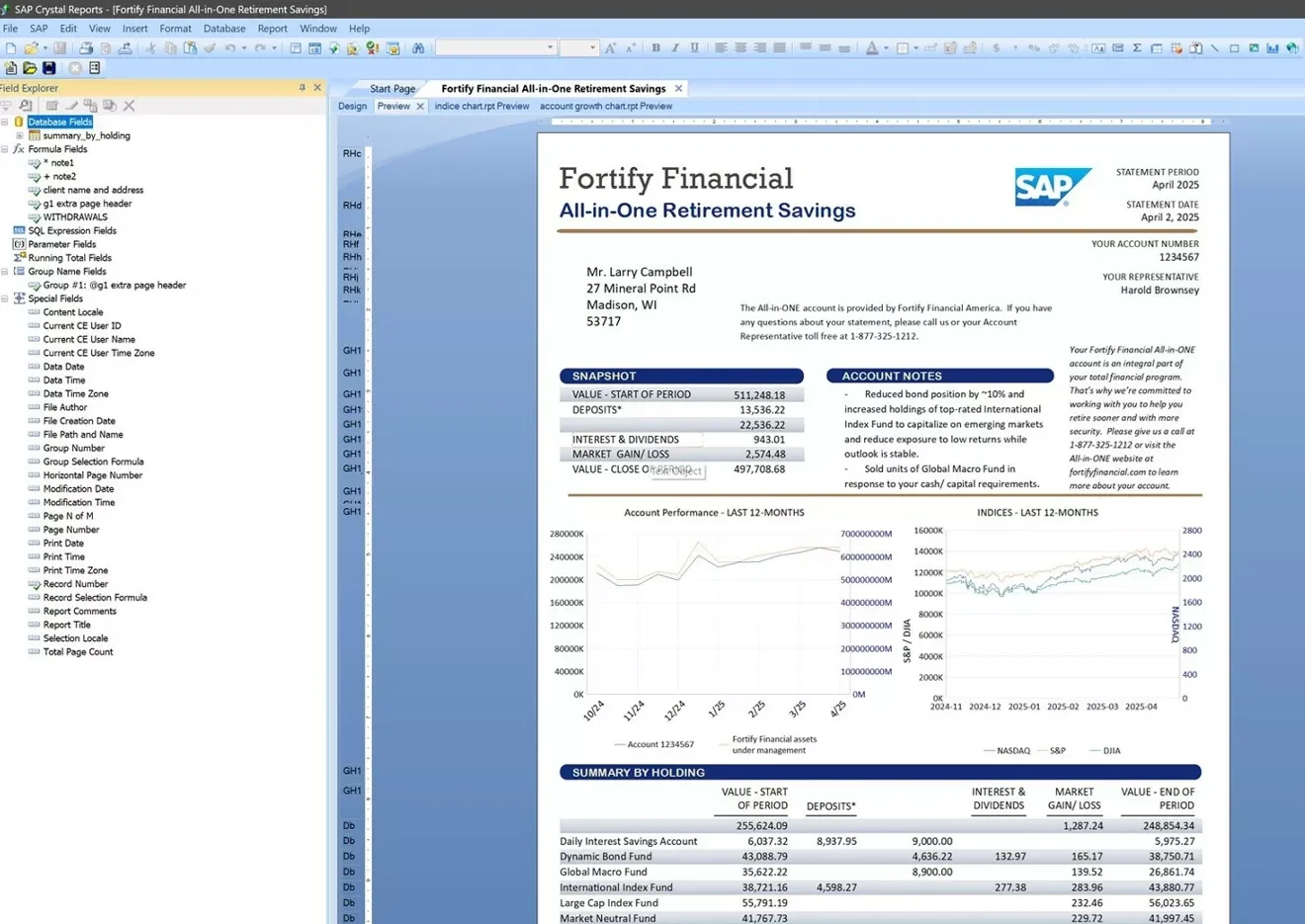
Design precisely formatted reports and documents using an intuitive drag-and-drop interface, with tools for both straightforward and advanced reporting needs.
SAP Crystal Reports
Drag-and-Drop Report Design
Build reports visually by placing and arranging fields, tables, charts, and other elements, with wizards available to guide users through common report structures.
Pixel-Perfect Formatting
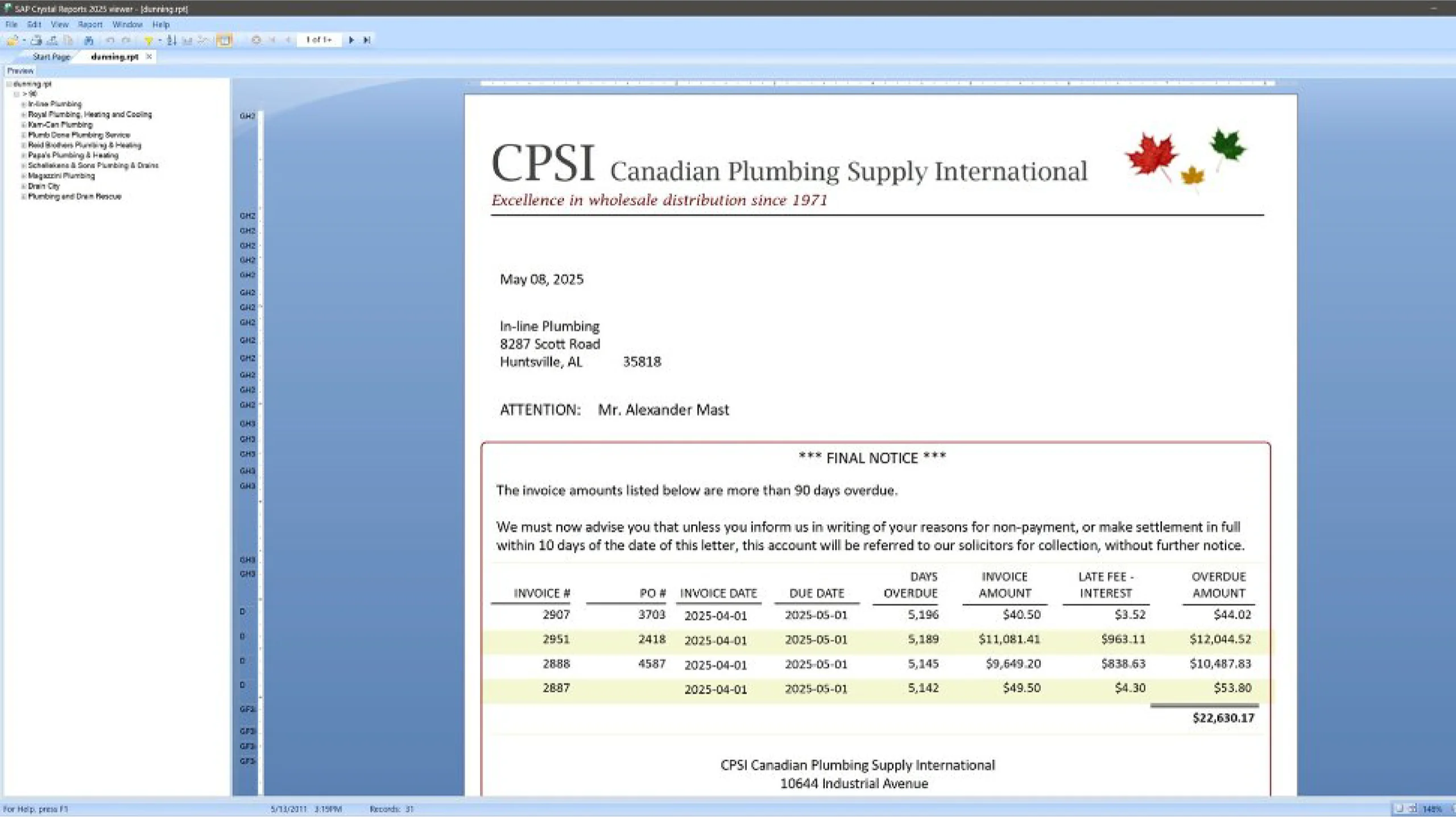
Every element of a report, including text, tables, images, and layout, is positioned and formatted with precise control across configurable sections such as headers, details, and footers, producing consistently professional output. Field-level formatting extends to number formatting, fonts, colors, and clickable hyperlinks to websites or email addresses.
Parameters and Flexible Reporting
Add static or dynamic parameters, with prompt types including multi-value, single-value, and checkbox selections, so users can filter and adjust report output at the point of viewing without modifying the underlying report design.
Drill-Down Capability
Users can click through summary figures to explore the underlying detail, making reports more useful for analysis without building separate queries.
Embedded Images and Barcodes
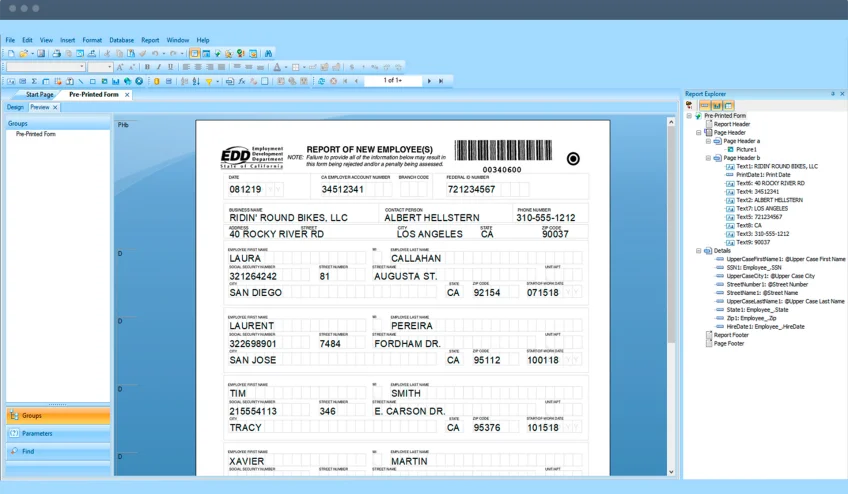
Dynamic images and barcodes are embedded directly in reports and documents, supporting use cases such as product labels, invoices, and logistics documents.
Subreports
A report can include subreports for tasks such as invoice summaries, with each subreport parameterized independently so the same report adapts to what the user needs to see.
Custom Formulas and Calculations
Formula fields calculate values, transform data, and build conditional logic directly within the report, extending what raw data alone can show.
- View documentation (opens in new tab)
View SAP Crystal Reports documentation

Want to see how SAP Crystal Reports could handle your invoices, statements, and reports?
SAP Crystal Reports turns your SAP Business One and CompuTec Solution Suite data into the invoices, statements, and reports your business runs on. Get in touch to talk through what you need.
Frequently Asked Questions
What is SAP Crystal Reports and how does it relate to SAP Business One?
SAP Crystal Reports is a report design and distribution tool that connects to a wide range of data sources and produces precisely formatted output. It is the standard reporting engine embedded within SAP Business One and is used to design and deliver invoices, financial reports, operational documents, and other formatted business output directly from your SAP Business One data.
What types of reports and documents can be created?
SAP Crystal Reports handles a wide range of formatted output, including invoices, statements, sales reports, operational reports, compliance documents, and management summaries. Any document where layout, formatting, and data accuracy matter can be built and maintained as a Crystal Report.
What data sources does SAP Crystal Reports connect to?
SAP Crystal Reports connects to a broad range of data sources including SAP Business One, SAP HANA, Microsoft SQL Server, Oracle, IBM DB2, MySQL, PostgreSQL, Microsoft Access, Salesforce, and Sage. Flat files including Microsoft Excel, XML, and text files are also supported, as well as JDBC and ODBC connections which also make it possible to combine SAP Business One data with external sources such as legacy systems or separate databases in a single report.
Can non-technical users design reports?
Yes. The report designer uses a drag-and-drop interface with wizards for common report types, making it accessible to users with a good understanding of their data but without a development background. For more advanced formatting, formula logic, or complex data structures, some technical knowledge is helpful, but day-to-day report modification does not require it.
Can reports be distributed automatically?
Yes. Reports can be scheduled to generate and distribute automatically, delivered by email or saved to a network folder at defined times, ensuring teams receive current information without manual intervention.
In what formats can reports be exported?
Reports are exported in a range of formats including PDF, Microsoft Excel, Microsoft Word, and CSV, making it straightforward to share formatted read-only documents or data sets ready for further analysis.
Can reports include calculated fields or formulas?
Yes. SAP Crystal Reports includes a formula language for calculations, data transformations, and conditional content, so figures like totals, variances, or custom labels can be generated within the report itself.
Is SAP Crystal Reports available as a standalone product or only as part of SAP Business One?
Both. SAP Crystal Reports is available as a standalone product and is also embedded within SAP Business One as the standard reporting engine. Businesses already using SAP Business One have access to Crystal Reports functionality within their existing environment, while those needing standalone reporting across other data sources can license it separately.
Our Solutions & Services
Fully integrated, AI-ready solutions for SAP Business One, plus the implementation, hosting and support to run them.













Blog
From technical updates to industry trends — stay informed with the latest feature releases, expert business insights, and upcoming global events.

Events & Webinars
Join Us in Amsterdam This October
CompuTec brings news on AI and the SAP Business One Web Client to two back-to-back partner events in Amsterdam, October 19–22, 2026.

SAP Business One
CompuTec WebUp Now Covers the Latest SAP Business One 10.0 Web Client Views

CompuTec WMS
Custom Row Colors and More in CompuTec WMS 3.2608.1

Events & Webinars
The Web Client-First Era: SAP Business One Version 11, AI, and the CompuTec Roadmap

CompuTec ProcessForce
Focusing on the Next Generation