/Solutions/ CompuTec Solutions
CompuTec PDC — Production Data Capture
Capture labor time, downtime, material movements, and production progress at the point of execution, keeping your data current and your costs accurate.
- Real-Time Visibility
- Time & Material Capture
- Full SAP Business One Integration
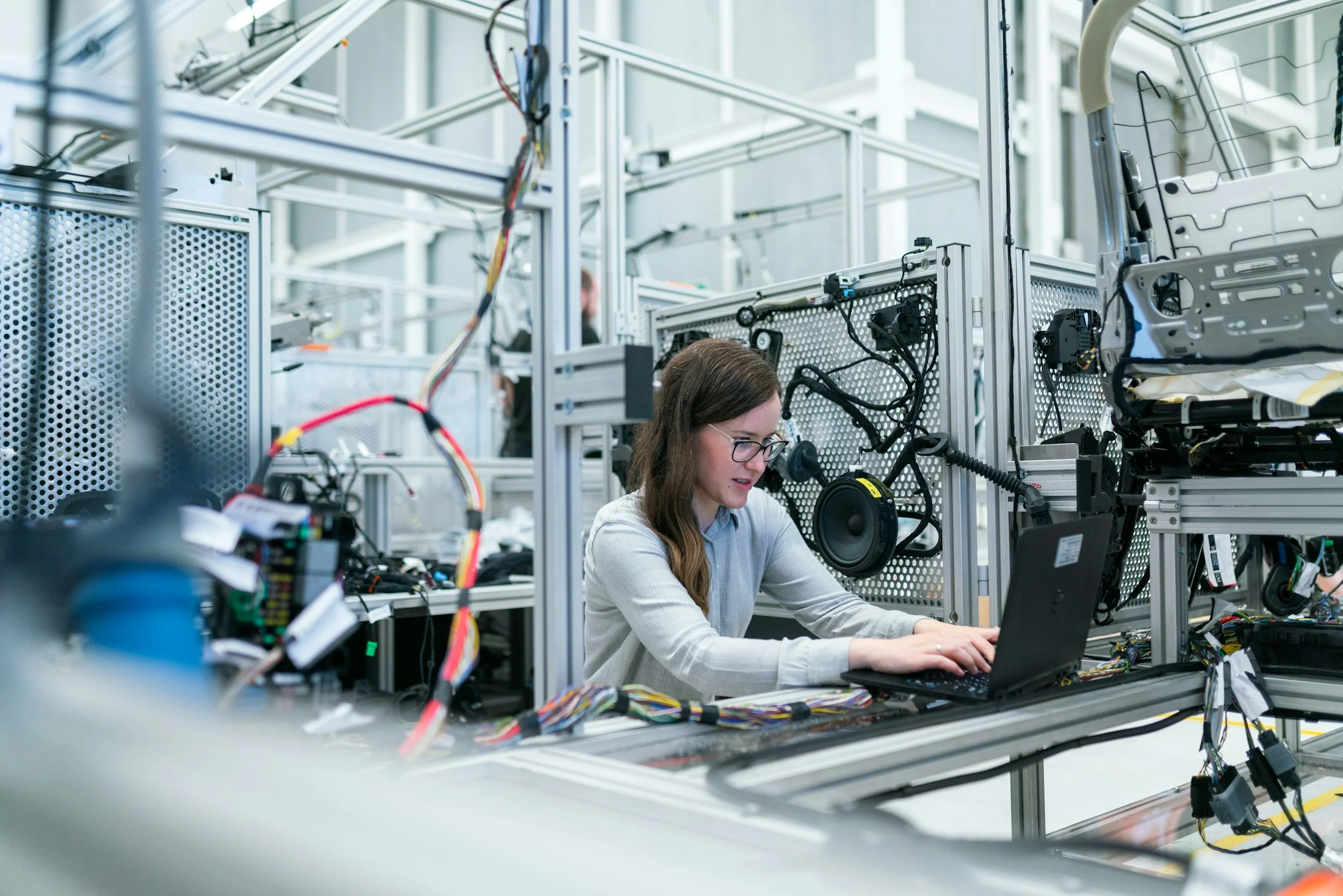
Shop Floor Data Capture for SAP Business One
CompuTec PDC extends CompuTec ProcessForce with dedicated shop-floor data capture tools. Labor time, task progress, material movements, and downtime are recorded at the point of execution and fed directly into SAP Business One in real time, giving your operation an accurate, live data foundation.
Data Captured Where the Work Happens
Live Shop Floor Visibility
- Real-Time Data Flow: Monitor Manufacturing Orders as they progress, giving management and production staff a shared, current picture of the operation.
- Proactive Correction: Identify floor-level disruptions as they happen and act on them before they affect output.
- Finance and Production Aligned: Enable finance and production to work from the same data, reducing miscommunication and delay.
Higher Labor Productivity
- Task Assignment: Allocate work to individuals or teams based on priority and skill set.
- Operator Instructions: Deliver task instructions and supporting materials directly to the workstation on screen, rather than on paper.
- Shift Handovers: Give incoming shifts a clear view of open tasks and current status, keeping production continuous.
Accurate Costing and Time Capture
- Precise Time Bookings: Capture setup, run time, and downtime accurately at the source, removing the need for manual reconciliation after the fact.
- Planned vs. Actual Analysis: Compare planned and actual reported quantities to see whether output is keeping pace with the plan.
- Reliable Cost Data: Provide the cost accounting team with actual, real-time figures.
Reduced Downtime and Idle Time
- Downtime Reporting: Log downtime and its cause immediately at the machine, supporting faster response and better root cause analysis over time.
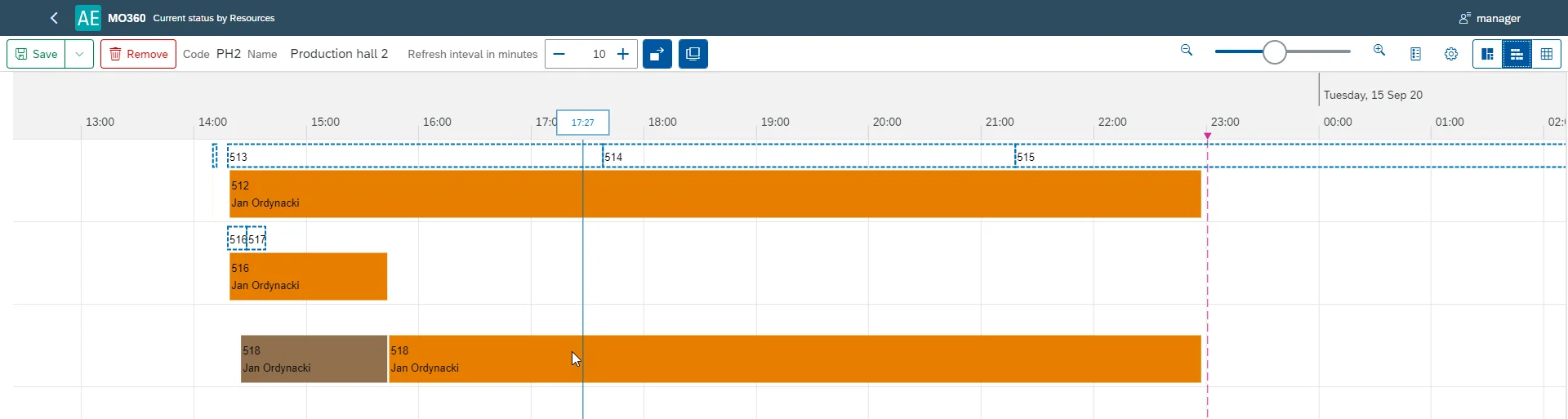
- Resource Status: View current activity and upcoming tasks for every resource in one place.
- Utilization: Keep operators focused on prioritized work by reducing idle time between assignments.
Reliable Stock and Quality Data
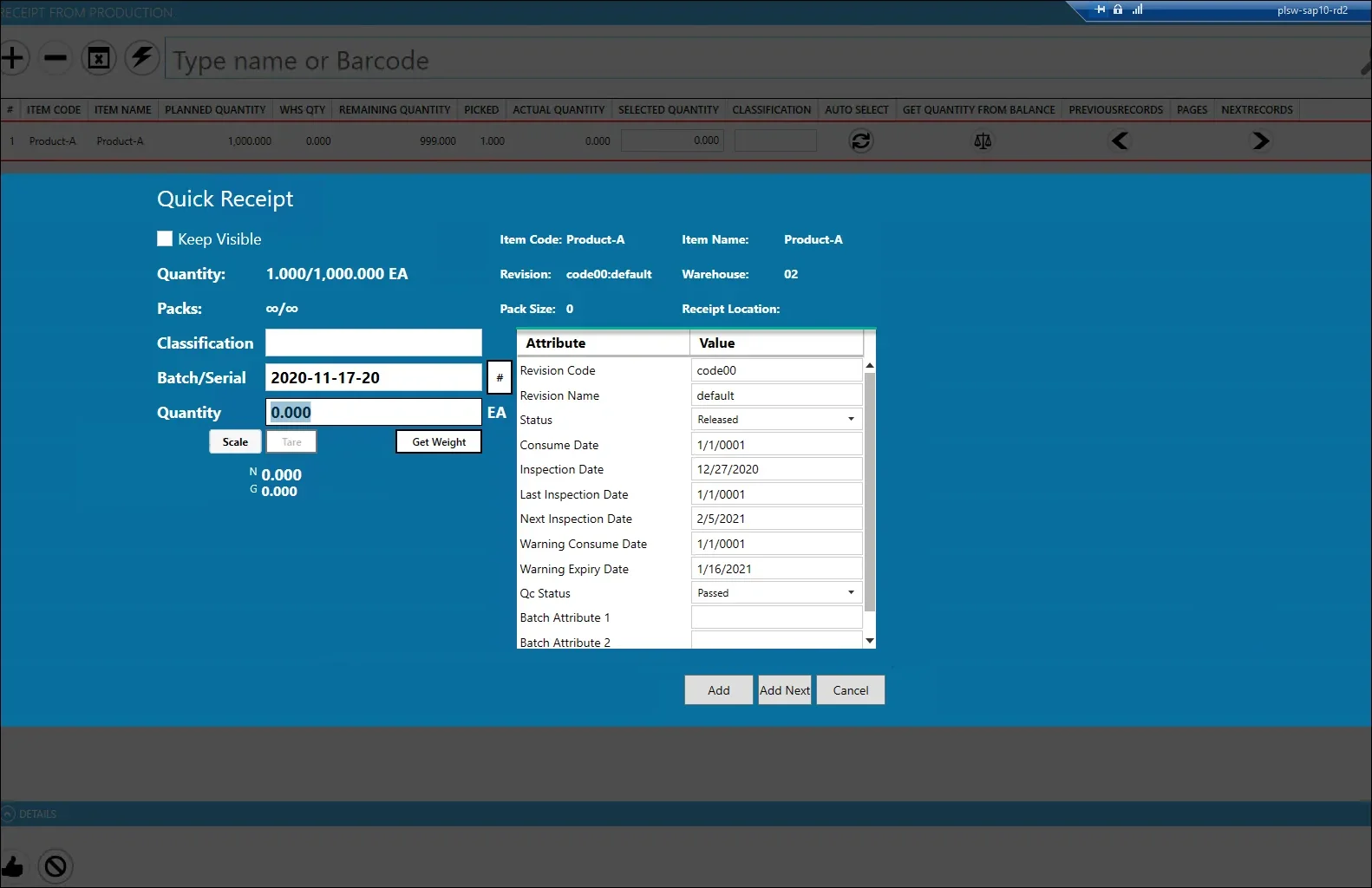
- Paperless Transactions: Create Pick Orders and Goods Receipts directly from the shop floor.
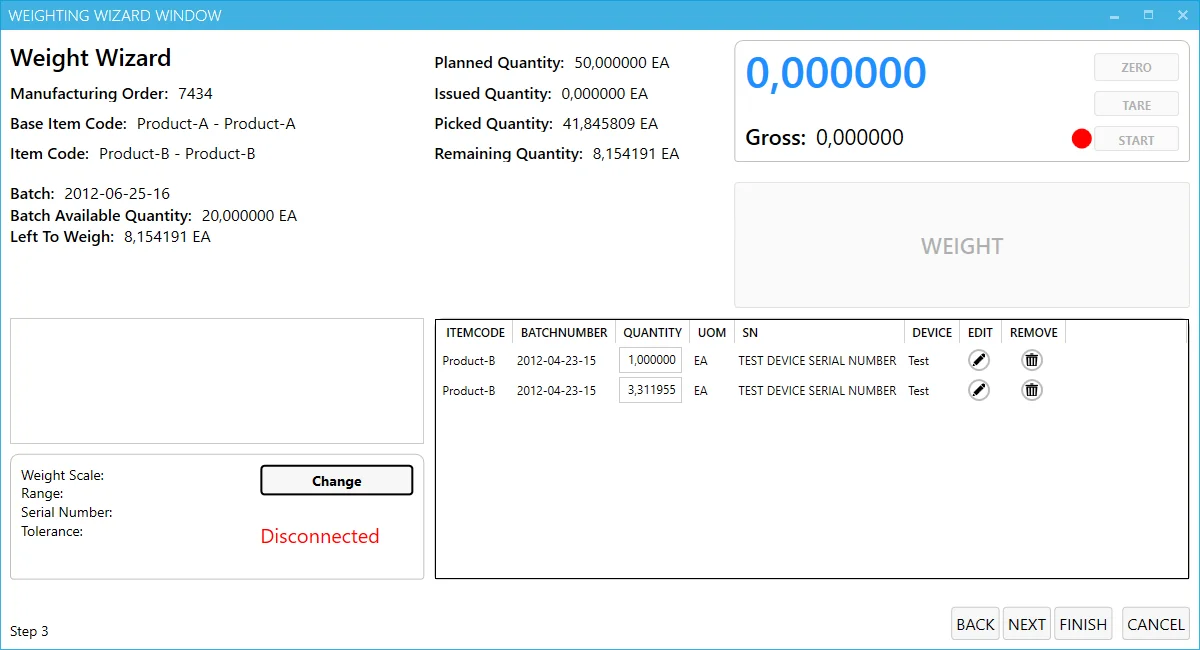
- Scanning and Weighing: Use barcode scanners and industrial scales to capture material data accurately and reduce manual entry errors.
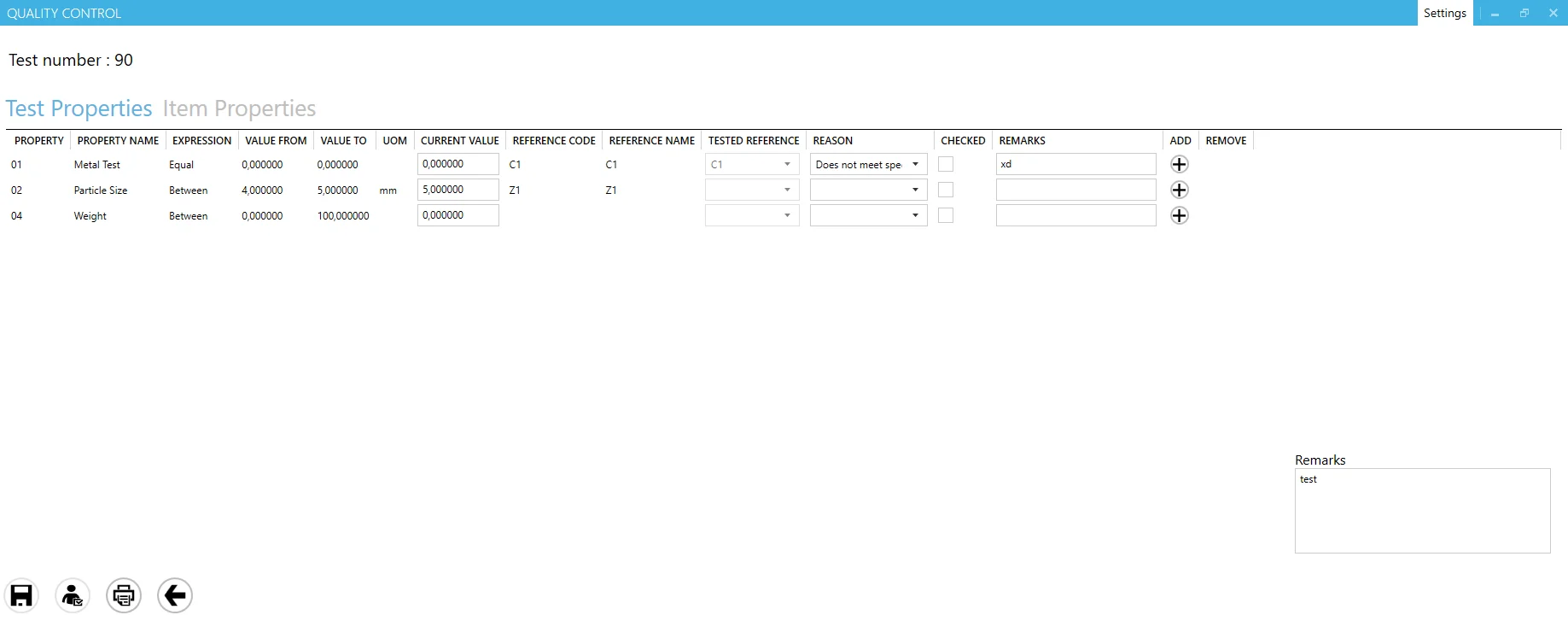
- Quality Recording: Log quality test results at the point of execution, maintaining a complete and auditable document trail.
Flexibility and Extensibility
- Configurable Interfaces: Tailor screen layouts so each role sees only the information relevant to their work.
- Custom Extensions: Build additional functionality using CompuTec AppEngine to address workflows specific to your operation.
- Full SAP Business One Integration: Shop-floor entries become SAP Business One records as they are made, so finance and planning work from production data that is already posted.
Built for Your Industry
Traceability, quality control and compliance work differently in food production than in aerospace. Our solutions are built for those specifics, industry by industry.
Don't see your industry here?
Many of our customers work in industries beyond the ten listed here. Tell us what you need and we'll tell you if our solutions are a good fit.
Features
Task & Production Management
Manage the flow of work from the planning office to the shop floor, assigning, prioritizing, and monitoring production tasks in real time.
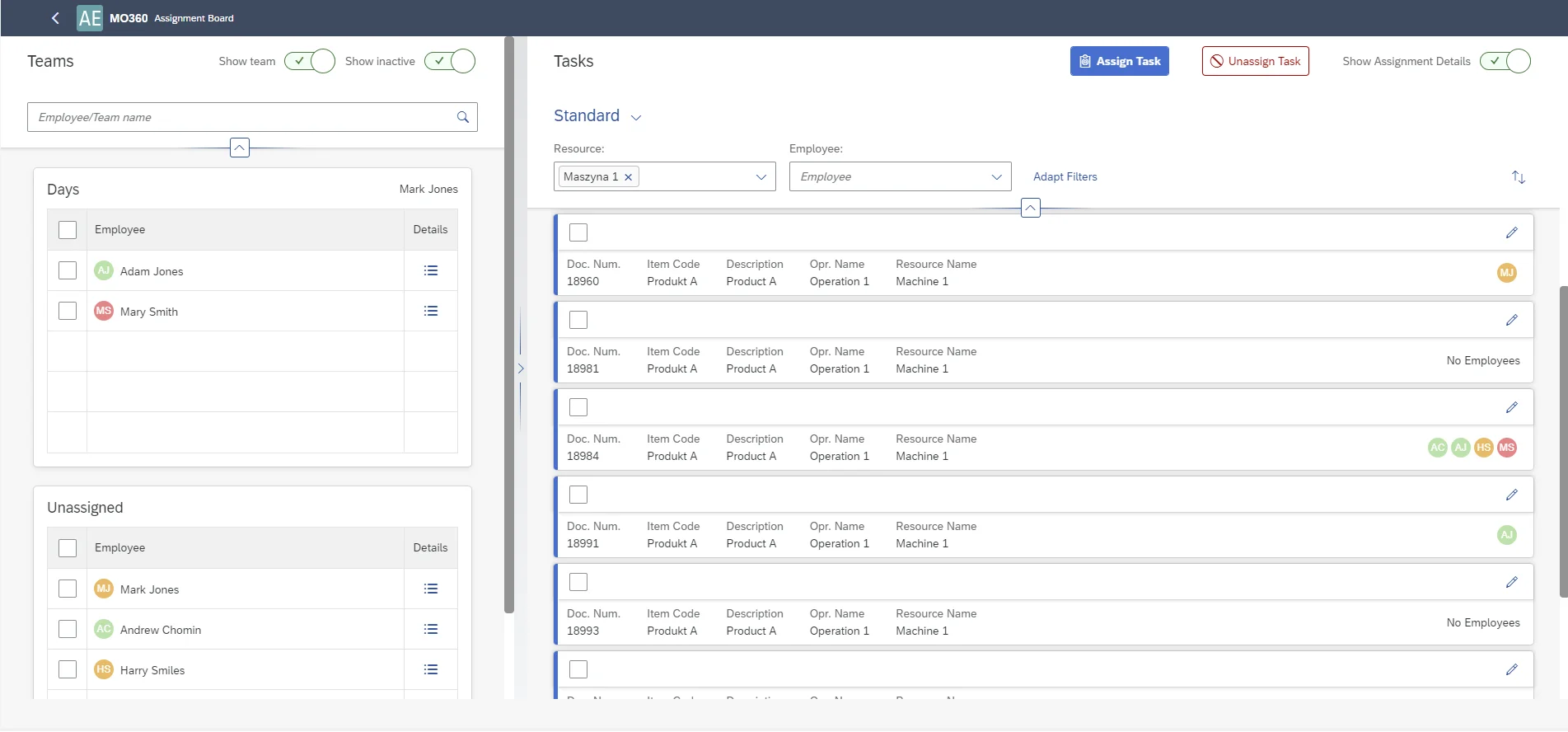
CompuTec ProcessForce | Manufacturing Cockpit
Task Assignment
Managers can allocate tasks to specific individuals or teams from the planning office or the shop floor, or operators can self-assign work from an available queue.
Priority-Based Ordering
Manufacturing Orders and tasks are displayed in priority order and lead time, so operators always have visibility of the most time-critical work.
Live Progress Monitoring
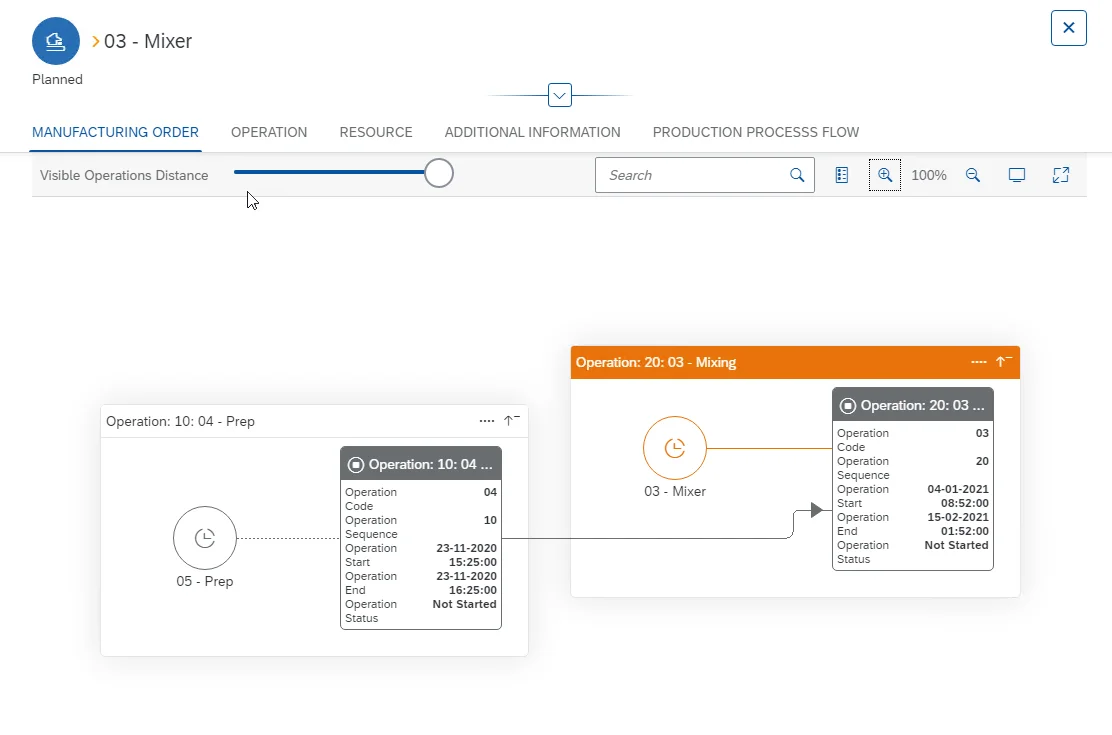
View detailed information and completion status for all current production activities in real time.
Manufacturing Cockpit
A dedicated overview of all Manufacturing Order activity, giving managers a consolidated, real-time view of progress, resource status, and open tasks across the shop floor.
Supporting Document Access
Attach digital manuals, drawings, or reference documents directly to a task so operators have what they need at the point of execution.
Shift Handovers
Create bulk time bookings across open tasks to give incoming shifts a clear picture of where production stands.
- View brochure (PDF, opens in new tab)
View our brochure
- View documentation (opens in new tab)
View CompuTec PDC documentation
Customer Stories

Curious how CompuTec PDC could work in your production environment?
Talk to our team about how production is recorded on your shop floor, or request a demo to see CompuTec PDC in action.
Frequently Asked Questions
Does CompuTec PDC require CompuTec ProcessForce?
Yes. CompuTec PDC is a shop-floor extension for CompuTec ProcessForce and works within the same SAP Business One environment. It uses CompuTec ProcessForce Manufacturing Orders, time bookings, and inventory logic directly, so both solutions need to be in place.
What hardware does CompuTec PDC support?
CompuTec PDC runs on standard PCs and touchscreen production panels. For automated data collection, it supports industrial weighing scales, GS1 barcode scanners, and RFID devices. The hardware setup can be tailored to fit your environment and budget. There is no requirement to use a specific device type.
Is the interface practical for shop-floor operators to use day to day?
Yes. The interface is configurable at the user level, so each operator sees only the buttons and data fields relevant to their role. This keeps the experience straightforward, reduces the risk of data entry errors, and generally supports quicker adoption among shop-floor staff.
Can we assign tasks to teams as well as individuals?
Yes. Authorized managers can assign manufacturing operations to individual employees or to teams, either from the production office or directly on the shop floor. Operators can also self-assign tasks from a prioritized queue, which keeps production moving without requiring constant supervisor involvement.
Can we track downtime events and record the reasons for them?
Yes. Operators can report disruptions immediately at the point they occur, selecting from a configurable list of downtime reasons, such as machine failure, material shortage, or scheduled maintenance. This data is visible to supervisors in real time, supporting faster response and longer-term analysis.
How does CompuTec PDC help with inventory accuracy during production?
Goods Issues and Goods Receipts, including batch assignment, are recorded directly on the shop floor using barcode scanners and weighing scales at the point of use. Because these transactions update SAP Business One and CompuTec ProcessForce in real time, inventory levels reflect actual production activity without the delays of paper-based reporting.
Can CompuTec PDC be extended to support custom workflows?
Yes. Using CompuTec AppEngine, you can build additional functionality, custom reports, or tailored interfaces that go beyond the standard feature set. This makes it possible to adapt CompuTec PDC to processes that are specific to your operation without compromising the core integration with SAP Business One.
Our Solutions & Services
Fully integrated, AI-ready solutions for SAP Business One, plus the implementation, hosting and support to run them.













Blog
From technical updates to industry trends — stay informed with the latest feature releases, expert business insights, and upcoming global events.

Events & Webinars
Join Us in Amsterdam This October
CompuTec brings news on AI and the SAP Business One Web Client to two back-to-back partner events in Amsterdam, October 19–22, 2026.

SAP Business One
CompuTec WebUp Now Covers the Latest SAP Business One 10.0 Web Client Views

CompuTec WMS
Custom Row Colors and More in CompuTec WMS 3.2608.1

Events & Webinars
The Web Client-First Era: SAP Business One Version 11, AI, and the CompuTec Roadmap

CompuTec ProcessForce
Focusing on the Next Generation