/Solutions/ Features
Product Costing
CompuTec ProcessForce calculates the full cost of production, including materials, resources, overheads, co-products, and scrap within SAP Business One, with actual time data contributed by CompuTec PDC.
- Item Costing & Cost Roll-Ups
- Fixed & Variable Overheads
- Cost Simulations
- Cost Centers & Projects
- Costing Reports
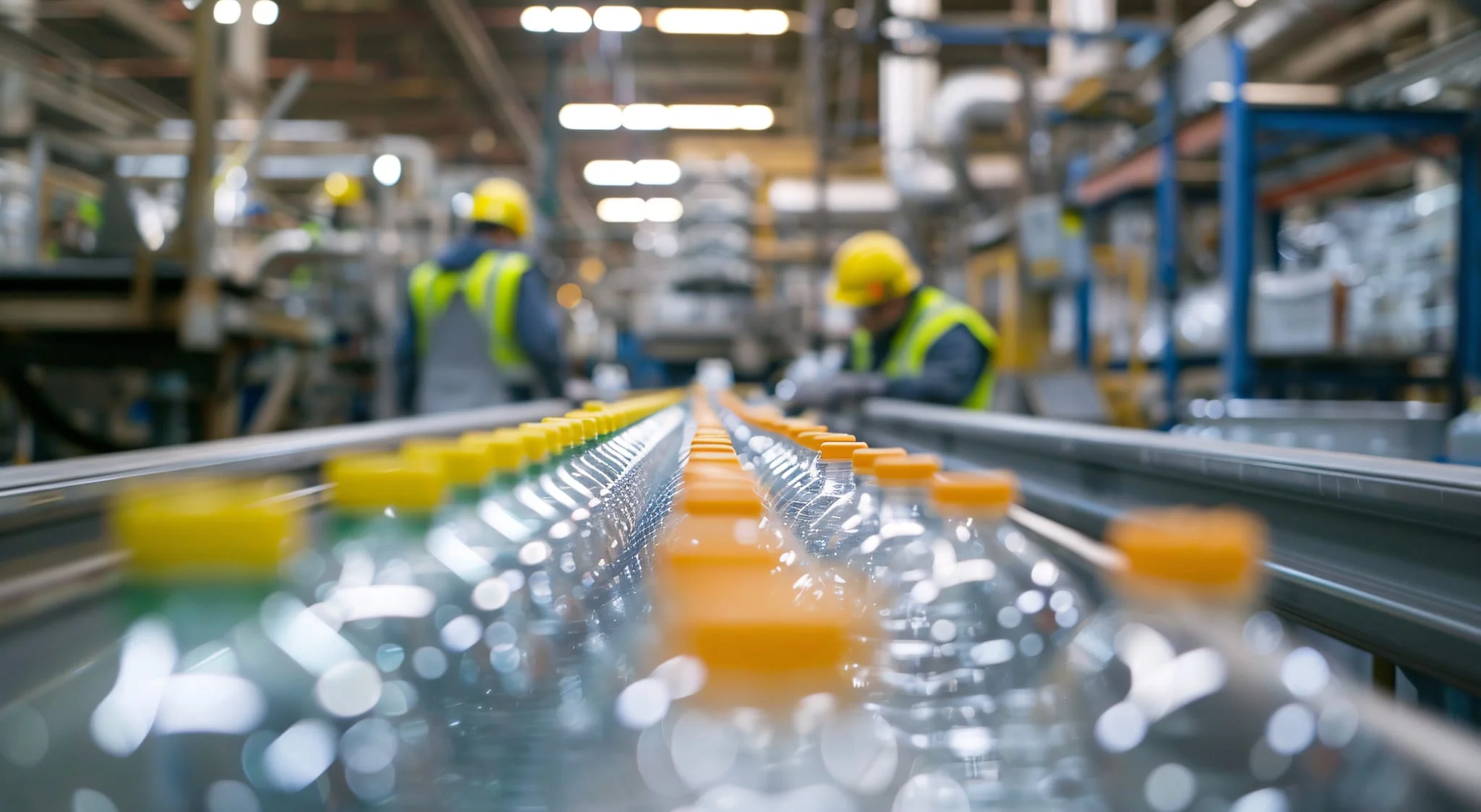
A Complete Picture of What Production Really Costs
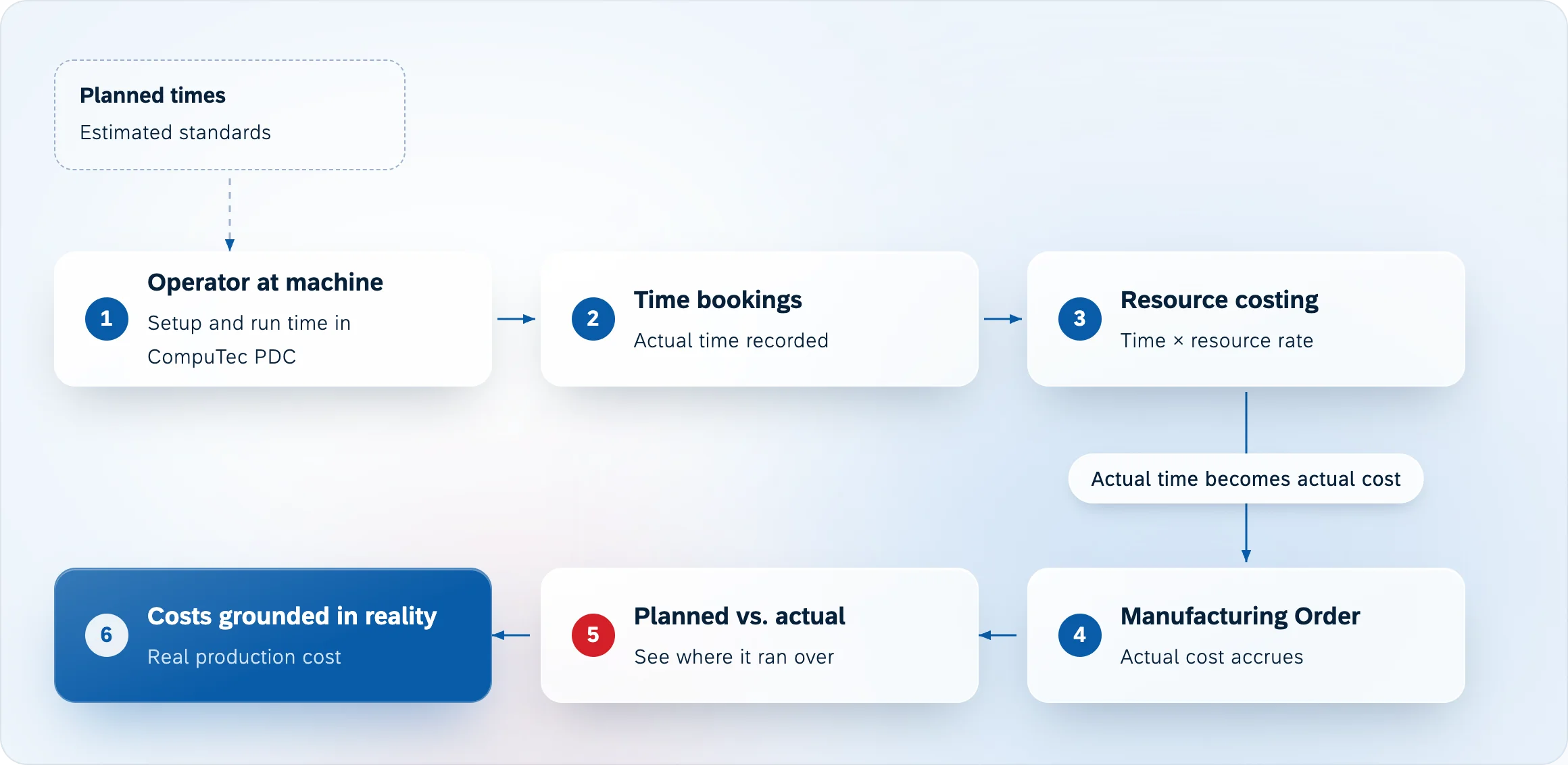
CompuTec ProcessForce builds a detailed cost model for every product you manufacture, from raw material prices through to resource time and overhead allocation. When CompuTec PDC is used alongside it, actual setup and run times recorded on the shop floor feed directly into the cost calculation, replacing planned standards with actual results.

The Business Value of Accurate Production Costing
Pricing with Confidence
- Know Your Costs Before You Quote: A complete cost breakdown covering materials, resources, and overheads gives a reliable basis for margin and pricing decisions.
- Negotiate from a Position of Knowledge: Understanding the full cost of each product makes it easier to assess margin impact of customer or supplier requests.
- Setup Spread Across the Batch: Setup, queue, and stock time are divided across the batch quantity defined on the Bill of Materials, so unit cost is not inflated by activities that happen once per run.
Informed Planning
- Model Costs Before Committing: Simulate the financial impact of supplier changes, price increases, or alternative formulations before any decision is made.
- Compare Formulation Costs: Each BOM revision has its own cost record, so alternative production methods can be evaluated on financial as well as operational grounds.
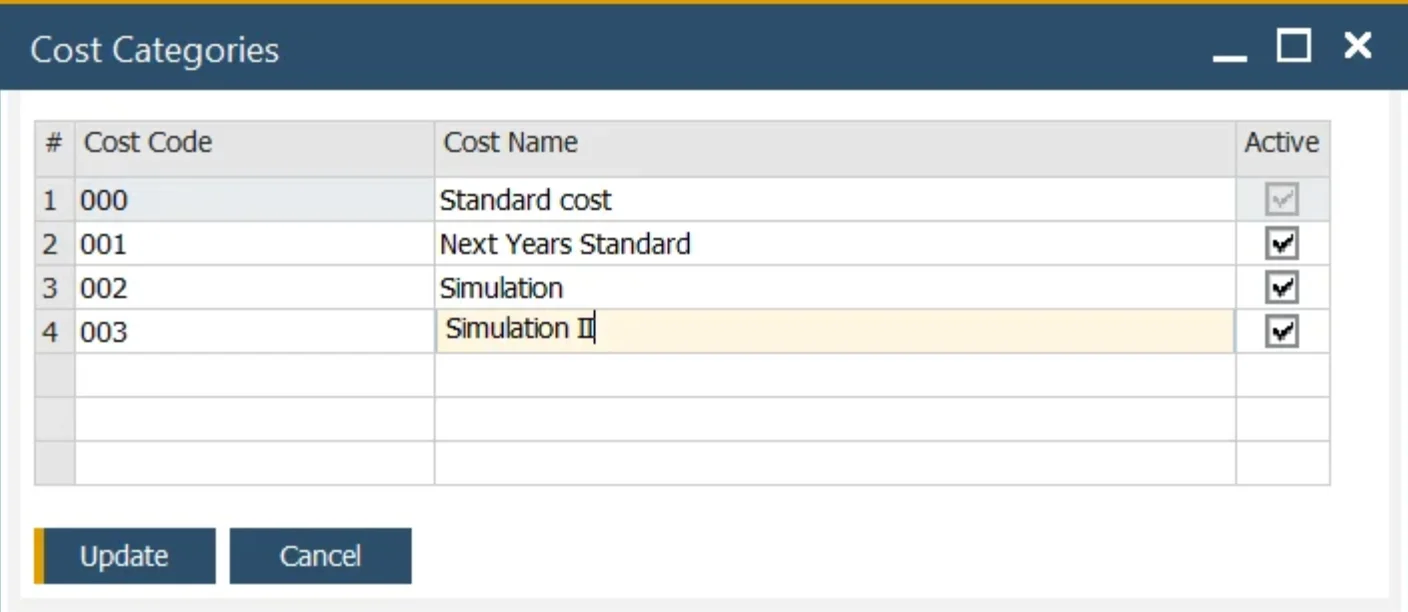
- Safe Scenario Testing: Simulations run in separate Cost Categories, leaving live production valuations unaffected until changes are deliberately applied.
Understand Where Money Is Made or Lost
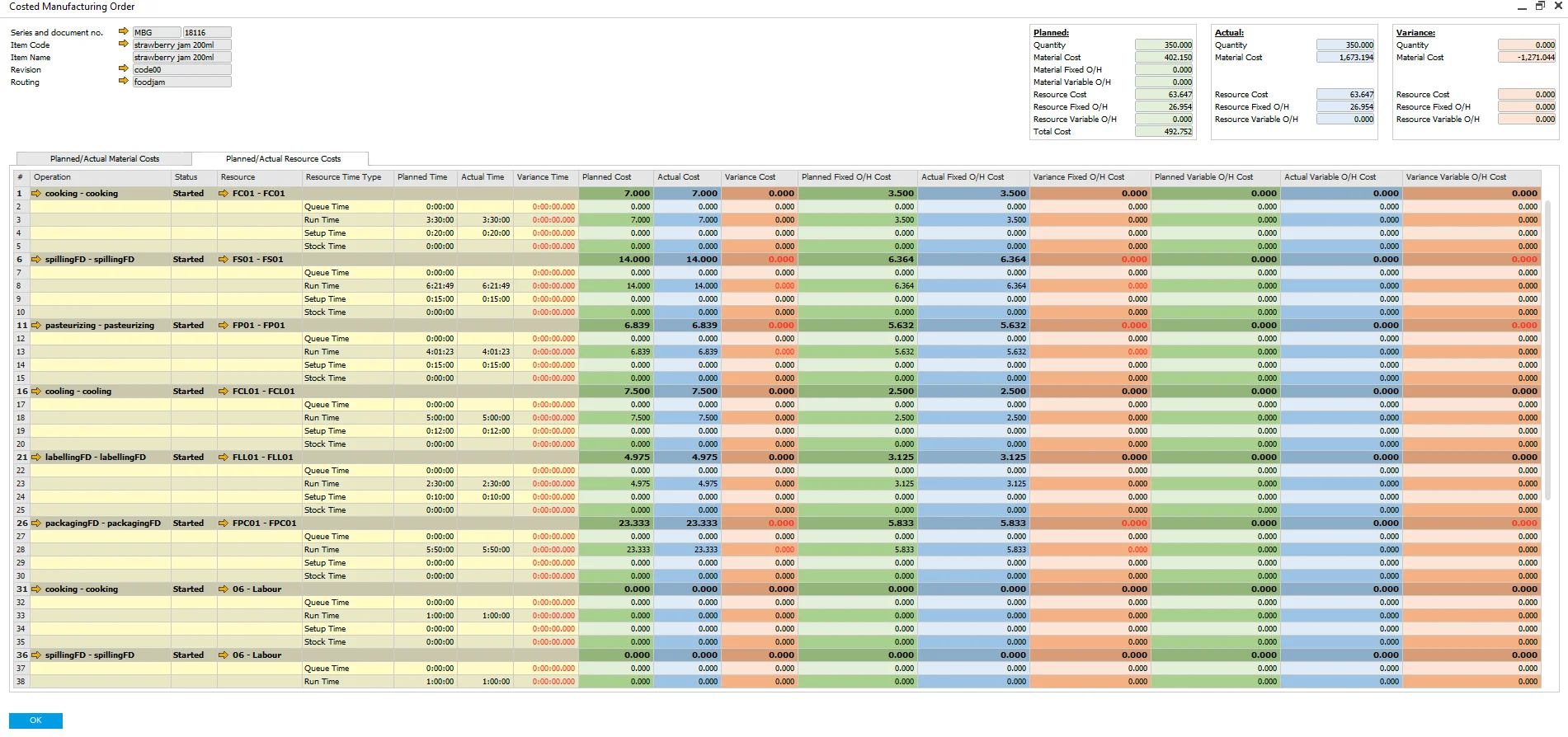
- See Where Costs Diverge: Comparing planned and actual Manufacturing Order costs shows exactly where production is costing more than the standard.
- Actuals, Not Estimates: When CompuTec PDC is used, real setup and run times replace planned values, giving a more accurate cost per order.
- Better Foundations for Future Planning: Variance data gives a reliable basis for refining standard costs and production budgets over time.
Capture the True Cost of Production
- Every Output Accounted For: Co-products, by-products, and scrap are included in the cost model, giving a complete picture of net production cost.
- Overheads Properly Allocated: Fixed and variable overheads are defined at item and resource level, so indirect costs are never overlooked.
- Costs Aggregated Across Every Level: Costs roll up through the full product structure, from raw materials through sub-assemblies to finished goods.
Explore our Product Costing Capabilities
Item Costing
Build a complete cost model for every product you manufacture, covering materials, resources, overheads, and all production outputs.
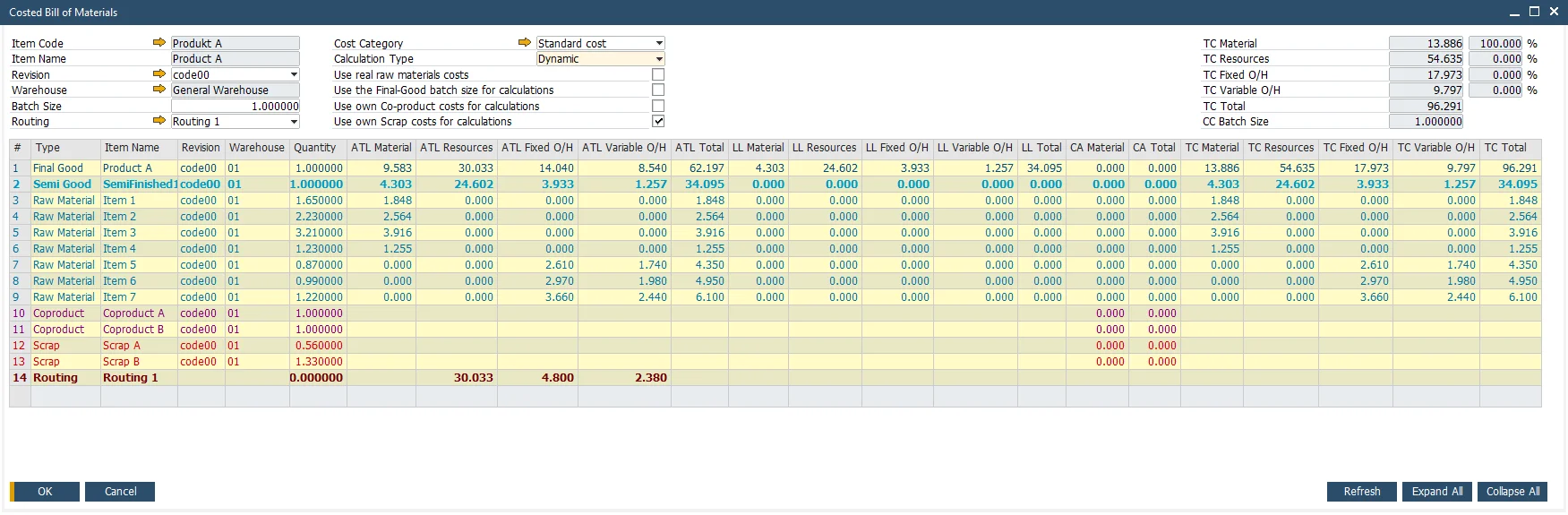
CompuTec ProcessForce | Item Costing
Cost Records per Item, Revision, and Warehouse
A separate cost record is held for each combination of item, revision, and Cost Category, with its own values for each warehouse, so a reformulated product or one made at a second site is costed on its own terms. Marking a revision and a routing as the costing default settles which version the calculation uses.
Material Costs
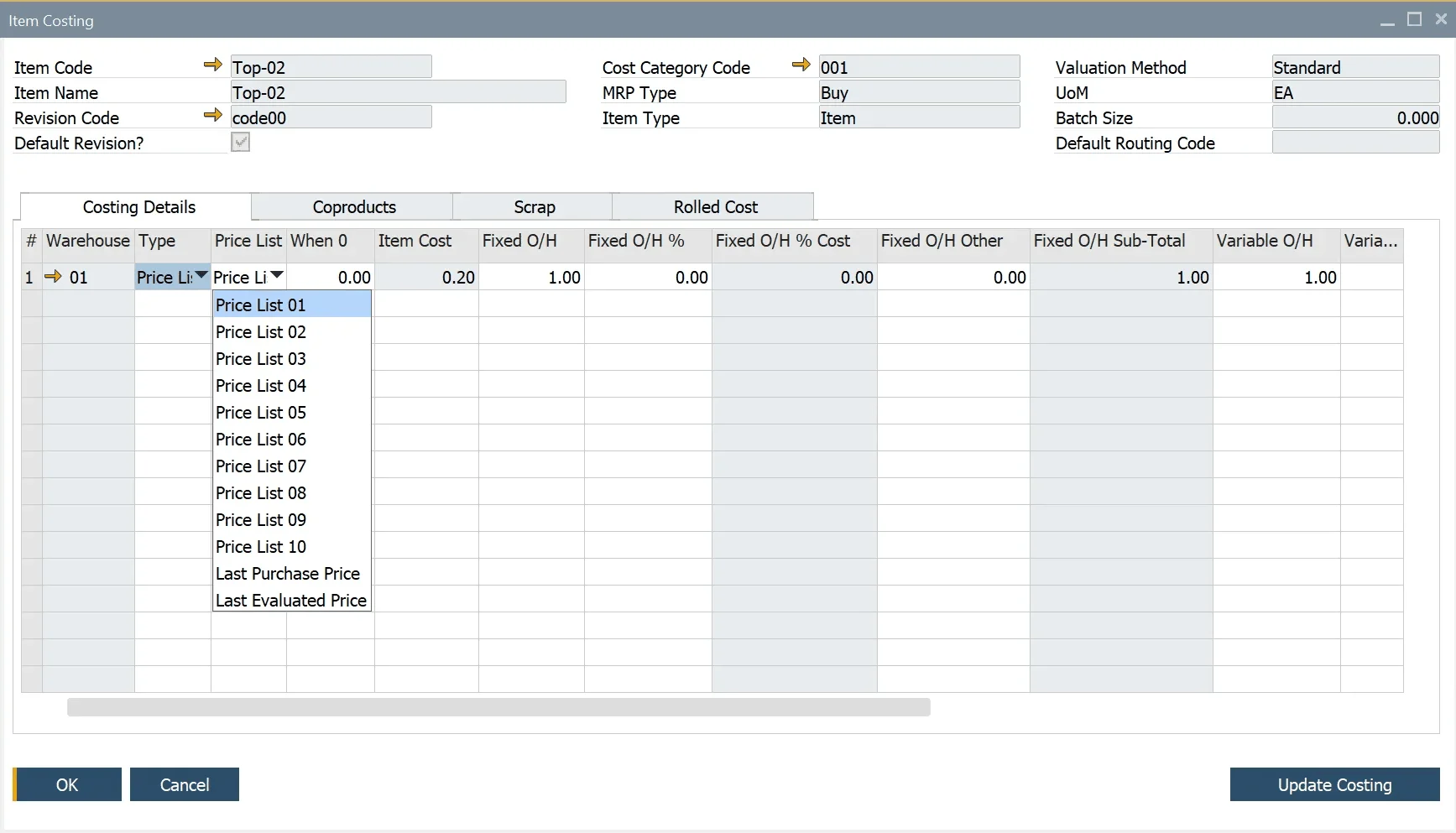
Every component in the product structure carries a cost, taken from a Price List, entered manually, or calculated automatically for semi-finished and finished items. A no-roll-up option keeps an item on the Bill of Materials while leaving its cost out of the product above it.
Resource and Labor Costs
Each machine and labor resource carries its own hourly rate, so the time a product spends in production is costed alongside the materials it consumes.
Fixed and Variable Overheads
Overhead types are defined once in setup and classified as fixed or variable, then applied to items and resources as either a value or a percentage. For items, overheads can differ by warehouse, so a product made in two plants carries the true cost of each.
Co-Products, By-Products, and Scrap
All planned outputs from a production run are included in the cost model, giving a complete picture of net production cost.
- Documentation Center (opens in new tab)
View CompuTec ProcessForce documentation
- Documentation Center (opens in new tab)
View CompuTec PDC documentation
Advantages for Your Industry
Seasonal materials, conversion cost, subcontracted operations. What drives your product cost depends on your industry.

Interested in seeing what production cost visibility looks like in CompuTec ProcessForce?
Cost is built from materials, resources, overheads, and the times recorded on the shop floor, so the figure you price against reflects how the product is actually made. Take a closer look at CompuTec ProcessForce and CompuTec PDC, or ask for a demo to see how product costing works.
Frequently Asked Questions
What is included in a product cost calculation?
Materials from the Bill of Materials, machine and labor resources from the routing, fixed and variable overheads, and operations performed by external subcontractors are all included. Co-products, by-products, and scrap are factored in as well, with co-product values offsetting the cost of the main product and planned scrap included in the overall cost structure.
Where does the cost of a material come from?
Each cost can be taken from a Price List, entered manually, or calculated automatically for semi-finished and finished items. Last Purchase Price and Last Evaluated Price are available as sources, and a no-roll-up option keeps an item on the Bill of Materials while leaving its cost out of the semi-finished or finished product above it.
Can costs be calculated per BOM revision and per warehouse?
Yes. A separate cost record is held for each combination of item, revision, and Cost Category, with its own values for each warehouse, so alternative formulations and products made at different sites are costed independently. Marking a revision and a routing as the costing default settles which version a calculation uses.
What is a Cost Roll-Up in CompuTec ProcessForce?
A Cost Roll-Up calculates the cost of semi-finished and finished goods by aggregating costs from all levels of the BOM structure, including raw materials, resources, co-products, scrap, and overheads. It can be run for individual items or across a range of items and Cost Categories.
Why does batch size affect unit cost?
Setup, queue, and stock time do not change with the quantity produced, so charging them to every unit would distort the cost of a large run. CompuTec ProcessForce spreads them across the batch quantity defined on the Bill of Materials instead, and divides by cycle capacity for cycle-based resources.
Can costs be tracked by cost center, department, or project?
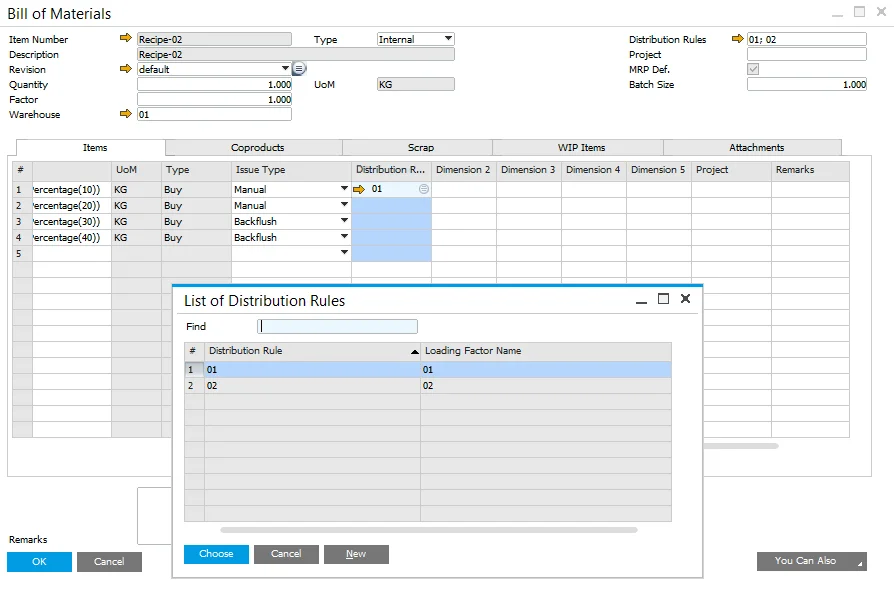
Yes. Cost Center, Distribution Rule, and SAP Business One Project dimensions are carried through Bills of Materials and Manufacturing Orders for items, and through routings, Manufacturing Orders, and time recording for resources. Production cost can then be reported by department, line, or project rather than by product alone.
What costing methods does CompuTec ProcessForce support?
CompuTec ProcessForce supports all SAP Business One costing methods: Standard Costing, Moving Average, FIFO, and Batch/Serial Number costing. The costing method is set at item level in SAP Business One, and CompuTec ProcessForce works within whichever method is in use.
Can I run cost simulations without affecting my live standard costs?
Yes. Additional Cost Categories can be defined alongside the standard 000 category and used to model costs under different assumptions, for example a supplier price increase or an alternative formulation. These simulations do not affect live production valuations until values are deliberately transferred via the Cost Roll-Over function.
Can I compare planned and actual production costs?
Yes. Each Manufacturing Order holds both planned and actual cost data, making it possible to see where production costs differed from the standard. When CompuTec PDC is used alongside CompuTec ProcessForce, actual setup and run times recorded on the shop floor feed directly into the Manufacturing Order cost calculation.
What costing reports are available?
The Costed Bill of Materials shows what each level of the product structure contributes to total cost, and the Costed Manufacturing Order breaks down a single production run across planned and actual materials, resources, and overheads. A Costing Variance Report shows where actual costs differed from the standard, and a Production Efficiency Report compares financial performance across production lines, shifts, or facilities. Beyond these, cost data is available to SAP Business One's own reporting tools, so custom reports can be built with SAP Crystal Reports, Excel via a live SAP HANA connection, or Query Manager.
Our Solutions & Services
Fully integrated, AI-ready solutions for SAP Business One, plus the implementation, hosting and support to run them.













Bill of Materials & Routings
Product & Process Definition
Product Costing
Cost Rollup & Calculation
MRP II & Scheduling
Material & Capacity Planning
Production Execution & Control
Manufacturing Order Execution
Quality Control & Complaints
Quality Tests & Non-Conformances
Traceability & Compliance
Batch Traceability & Audit Trail
Plant Maintenance
Equipment Maintenance Planning
GS1 & Logistics
GS1 Barcodes & Label Automation
Reporting & Analytics
Analytical Pages & Dashboards
Blog
From technical updates to industry trends — stay informed with the latest feature releases, expert business insights, and upcoming global events.

Events & Webinars
Join Us in Amsterdam This October
CompuTec brings news on AI and the SAP Business One Web Client to two back-to-back partner events in Amsterdam, October 19–22, 2026.

SAP Business One
CompuTec WebUp Now Covers the Latest SAP Business One 10.0 Web Client Views

CompuTec WMS
Custom Row Colors and More in CompuTec WMS 3.2608.1

Events & Webinars
The Web Client-First Era: SAP Business One Version 11, AI, and the CompuTec Roadmap

CompuTec ProcessForce
Focusing on the Next Generation