/Solutions/ Features
MRP II & Scheduling
CompuTec ProcessForce extends SAP Business One with a manufacturing-specific MRP II engine and visual production scheduling tools, connecting material availability to shop floor capacity in one planning environment.
- MRP II for Manufacturers
- Visual Production Scheduling
- Capacity & Bottleneck Planning

Material Planning and Scheduling Built for Manufacturers
CompuTec ProcessForce extends SAP Business One with a dedicated MRP II engine designed specifically for the demands of manufacturing planning. It understands item revisions, batch status, expiry dates, and vendor-specific lead times, paired with visual scheduling tools that let planners see and adjust the production plan in real time.
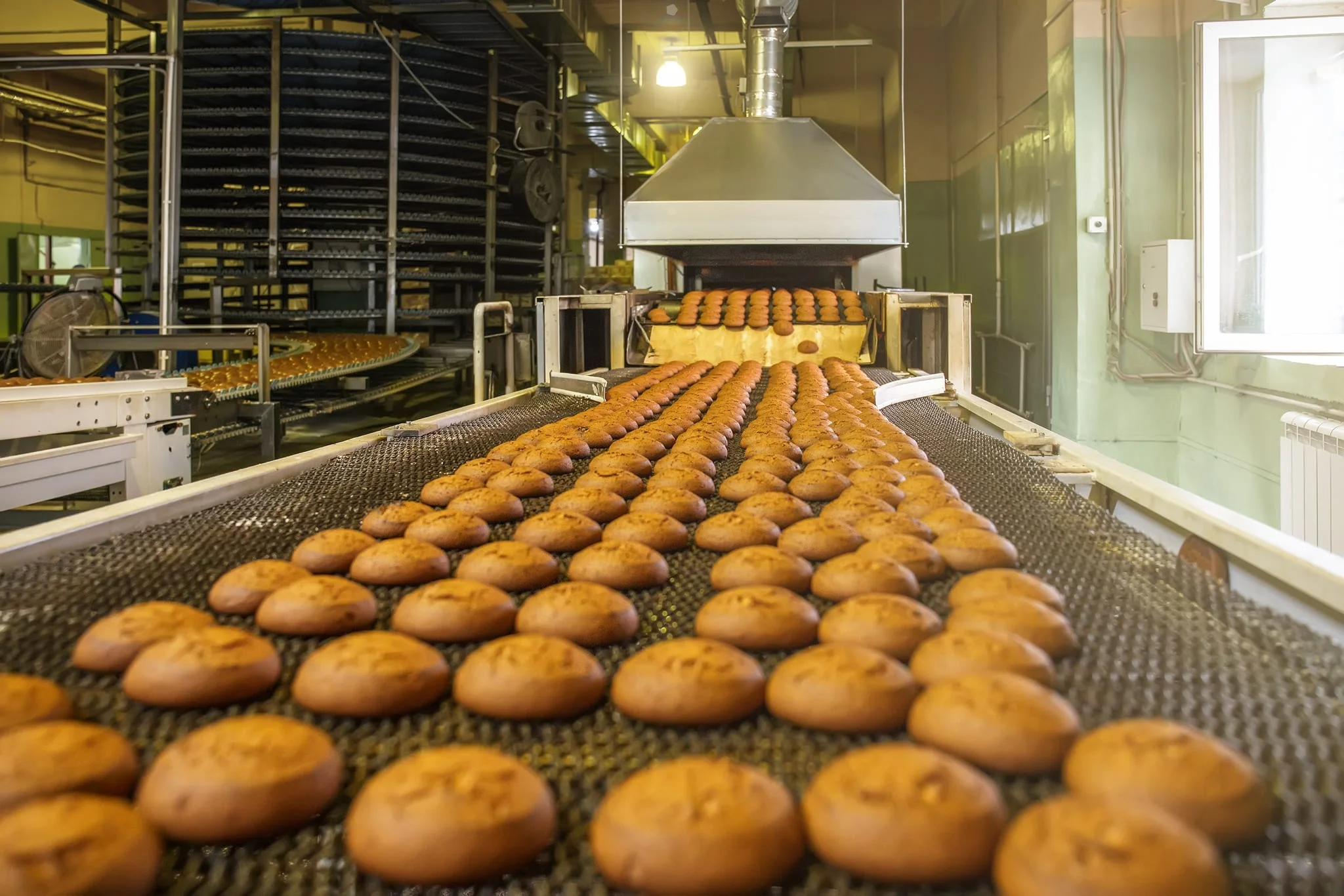
The Business Impact of Better Production Planning
Informed Procurement Decisions
- Order What You Need, When You Need It: MRP II recommendations account for existing stock, open orders, and production lead times.
- Vendor-Specific Lead Times: Lead time rules defined per vendor and shipping type give a more accurate picture of material arrival dates.
- Batch and Expiry Awareness: Batch status and expiry dates are factored in, so only stock that is available for use is counted.
Realistic Production Schedules
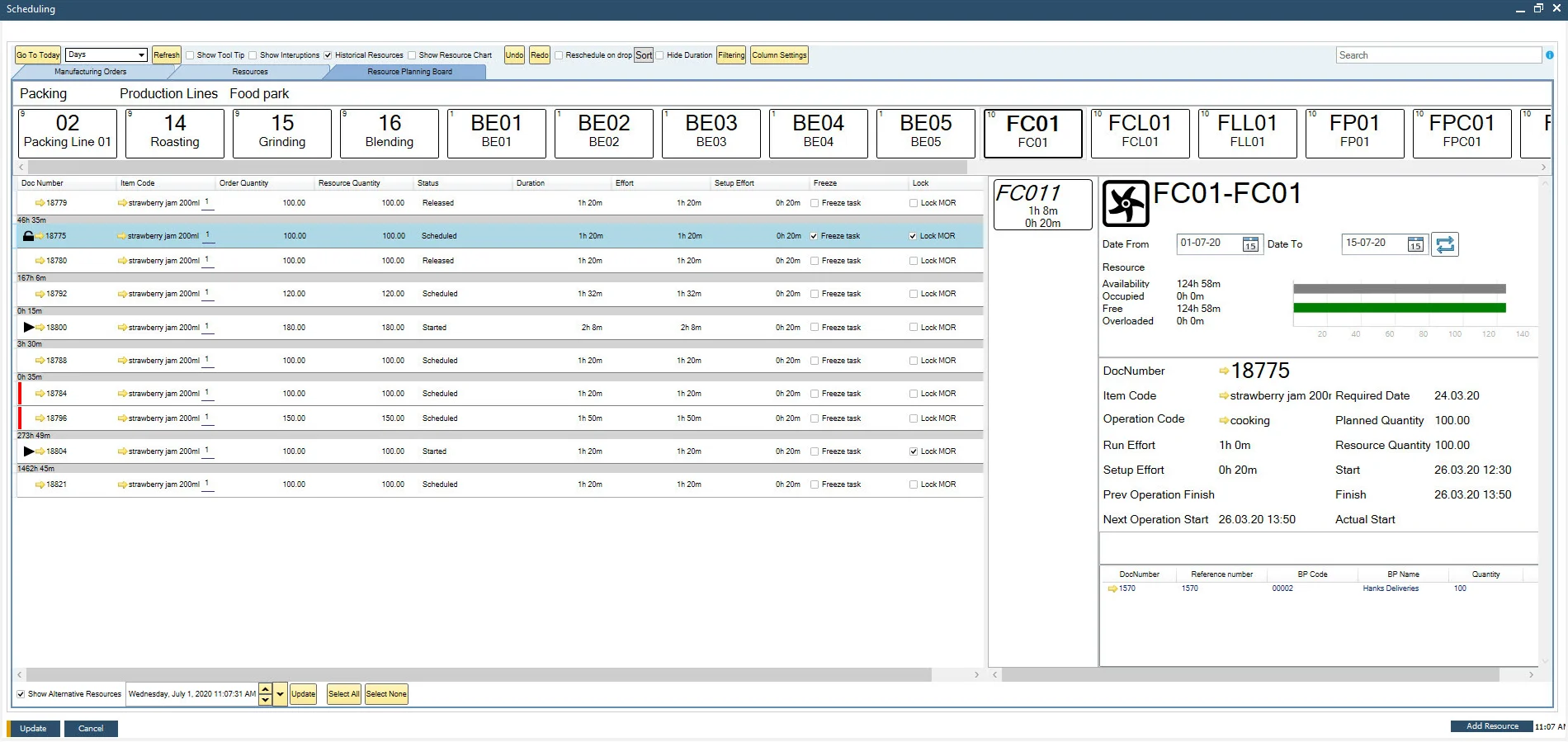
- Plans That Reflect Capacity: Scheduling takes resource availability, working calendars, and operation sequences into account.
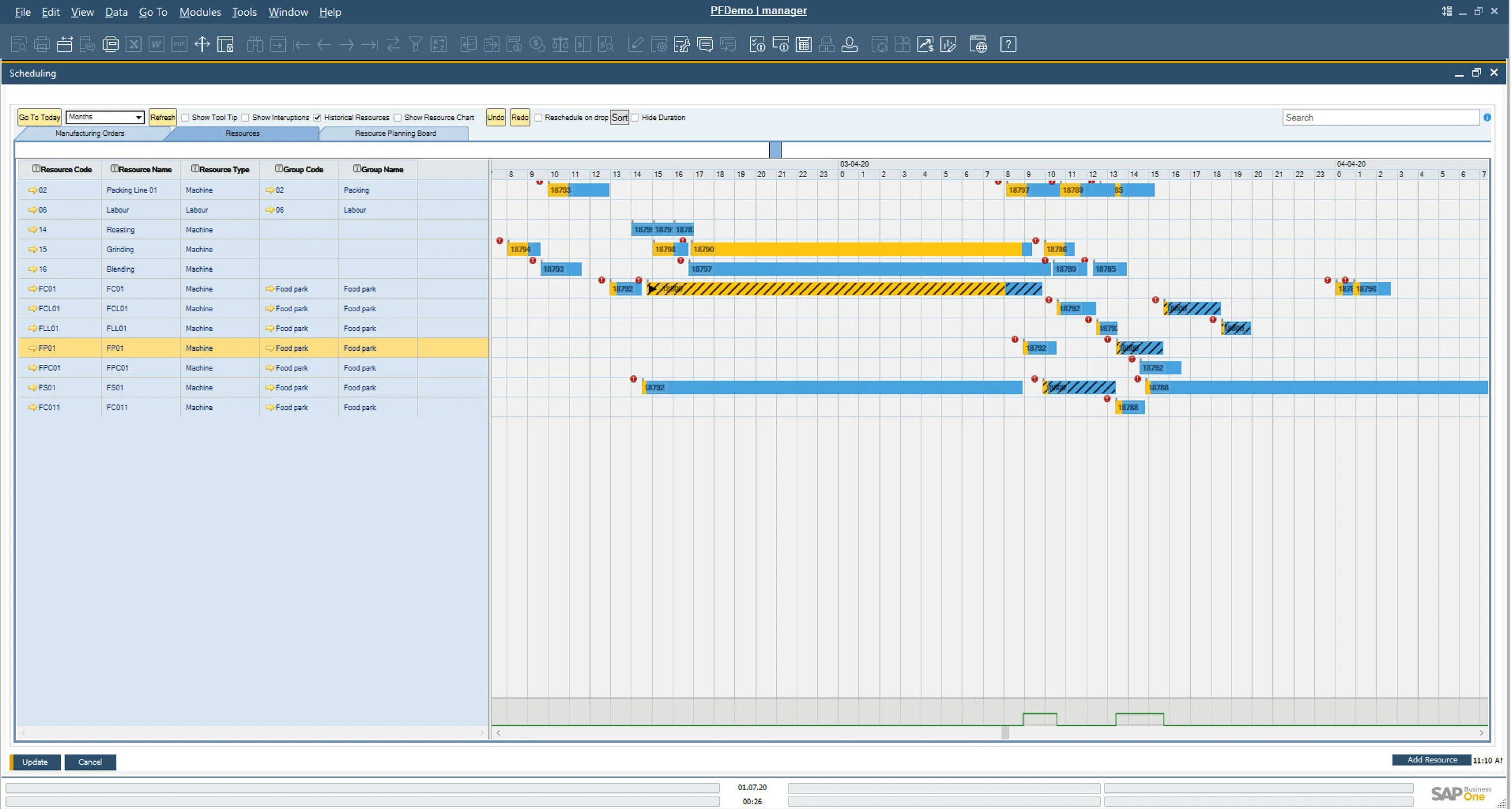
- Visual Adjustment: Planners can drag and drop operations on the Gantt chart, with immediate visibility of the impact on delivery dates.
- Material Shortage Visibility: Shortages are shown on the Gantt chart alongside expected delivery dates, supporting informed rescheduling.
Bottleneck Management
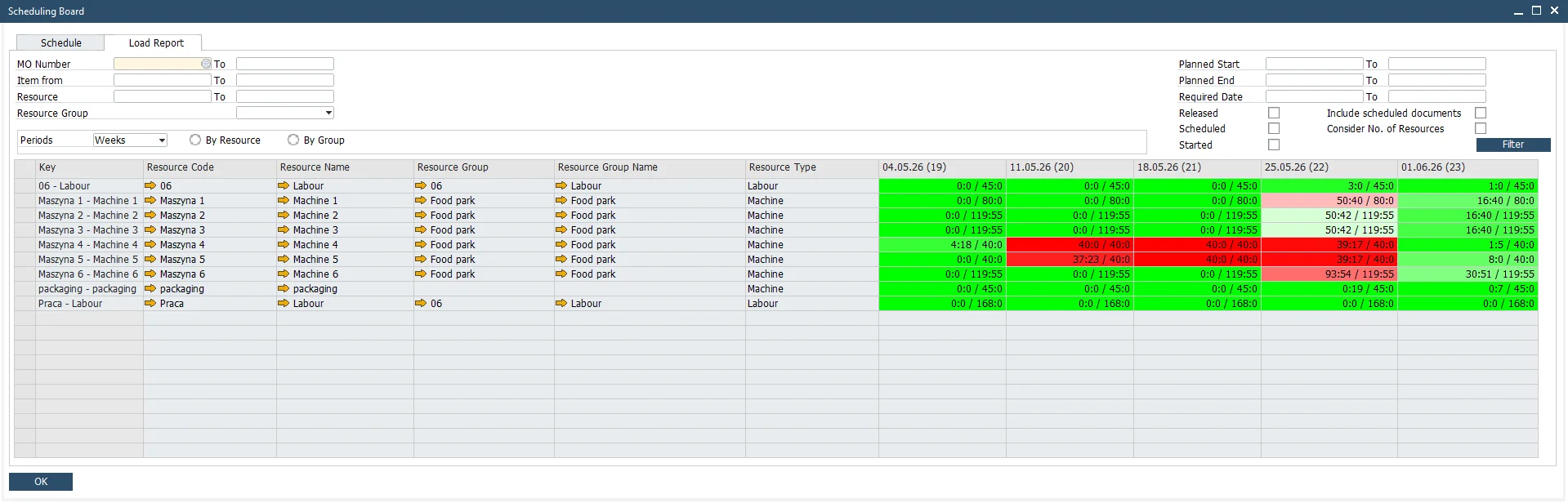
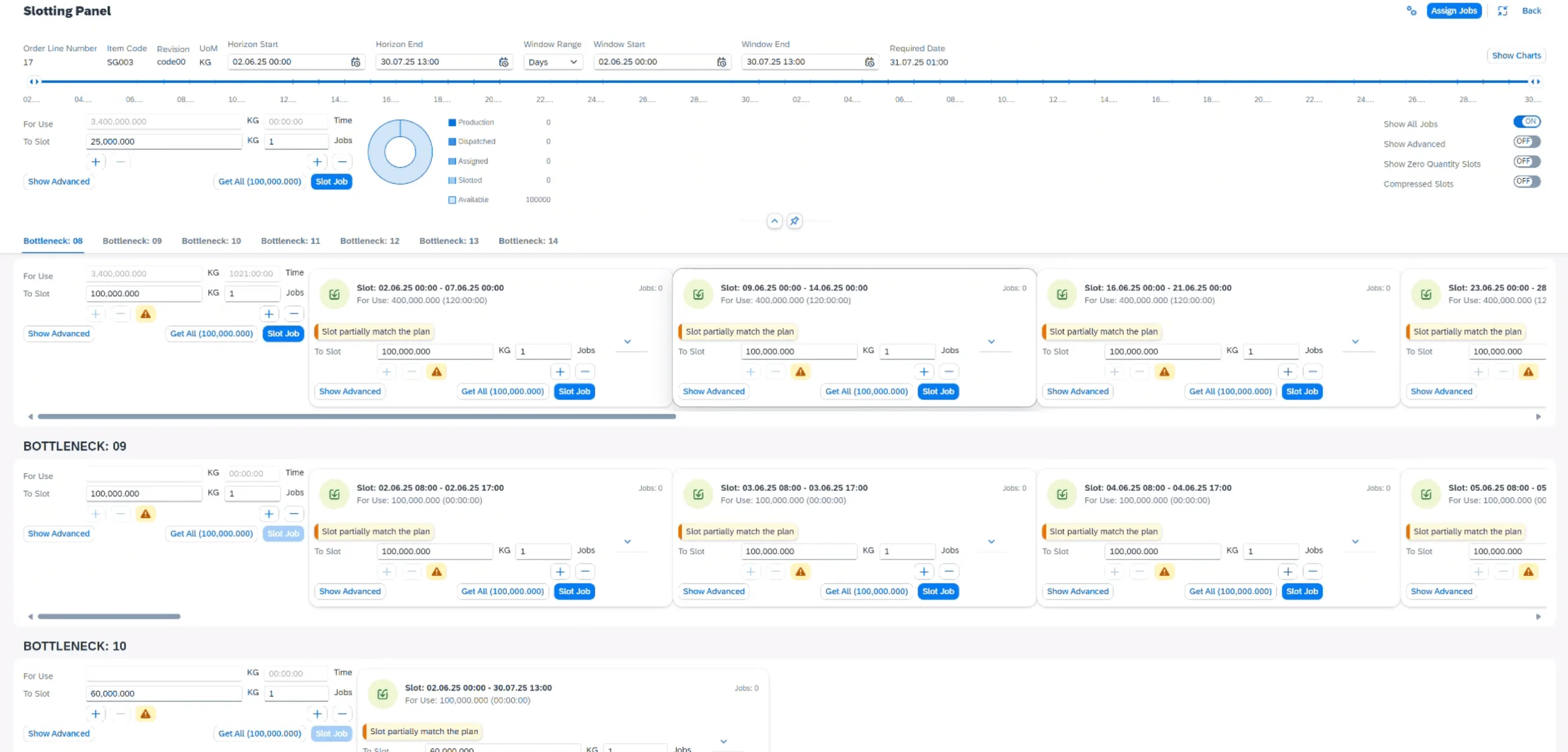
- Focus on What Limits Output: The Bottleneck Planning Board helps planners focus effort on the resources that constrain throughput.
- Structured Slot Assignment: Operations are assigned to bottleneck resources based on quantity, slot alignment, and the scheduling window.
- Reduced Work in Progress: Managing flow through bottleneck resources helps reduce WIP accumulation across the production floor.
Delivery Performance
- Plans Connected to Customer Orders: Manufacturing orders can be created and scheduled directly from Sales Orders.
- Early Warning of Late Orders: The Scheduling Board flags when a delivery date cannot be met and suggests the earliest achievable date.
- Rescheduling With Confidence: Planners can see the impact of schedule changes before committing, supporting better-informed decisions.
Explore our MRP II & Scheduling Capabilities
MRP II
CompuTec ProcessForce includes its own MRP II engine for manufacturing planning, available within your SAP Business One environment. It works across multi-level product structures to recommend what to make, what to buy, and when. Each run is saved as a named scenario over a defined planning horizon, for the whole company or a single warehouse, with full control over which documents count as supply and demand.
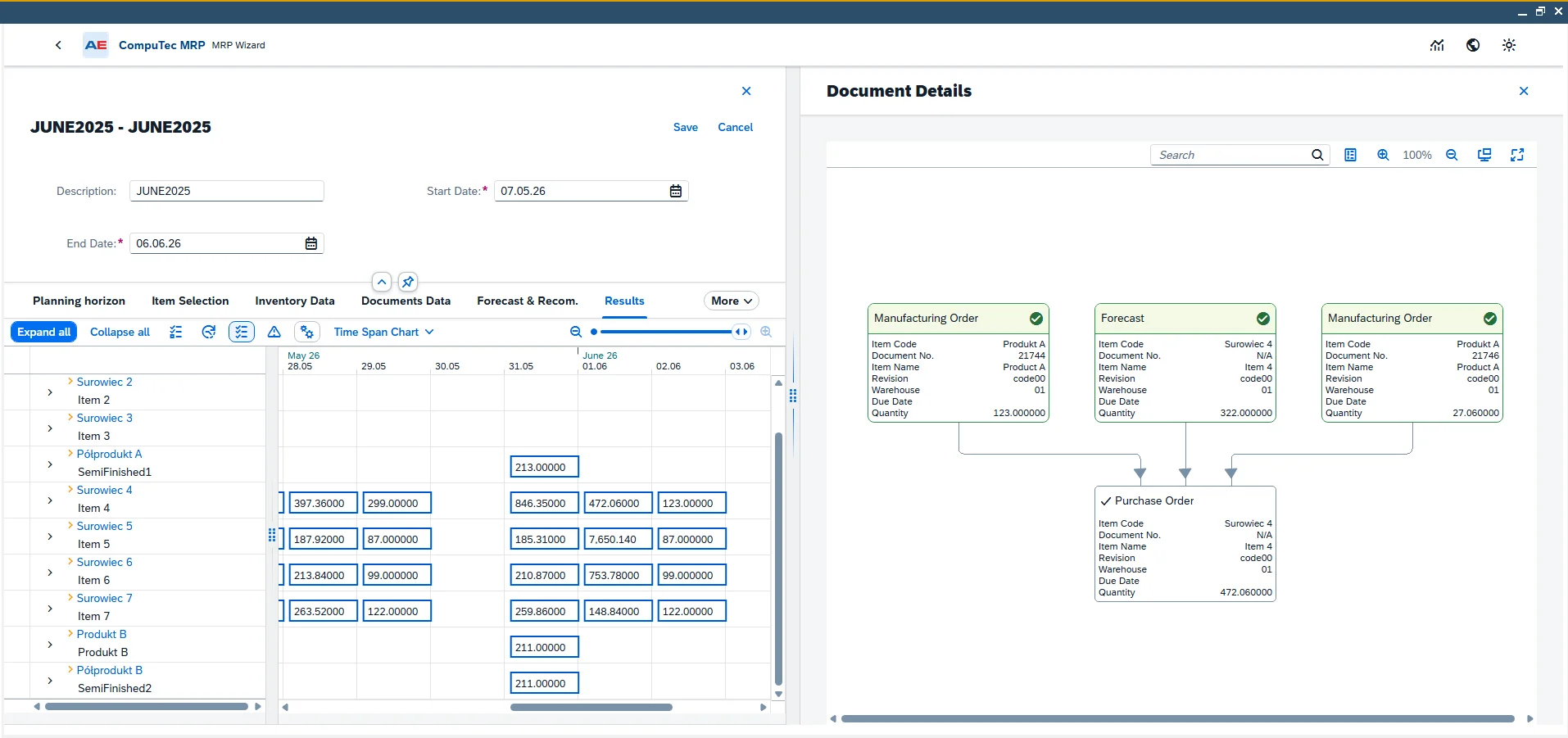
CompuTec ProcessForce | MRP II
Item Revision Awareness
MRP II recommendations take BOM revisions into account, so planned orders are based on the correct formulation for each product.
Batch Status and Expiry Dates
Batch status and expiry dates are included in availability calculations, ensuring that expired or quarantined stock is not counted as available supply.
Vendor-Specific Lead Times
Lead time rules can be defined per vendor, delivery address, and shipping type, giving more accurate Purchase Order timing recommendations.
Forecast Consumption
Forecast documents can be included in the planning run, with backward-forward or forward-backward consumption and configurable lookback and lookahead days controlling how actual orders consume the forecast.
Make or Buy Recommendations
The MRP II engine generates clear recommendations for each level of the product structure, whether to produce internally or purchase externally, and factors planned co-products and scrap into net material requirements. Saved recommendations feed the Order Recommendation function, which creates the purchase and production documents.
Relationship Map
A multi-level pegging visualization tool shows the relationships between forecasts, existing documents, and recommended orders, giving planners a clear view of how the plan is connected.
- Documentation Center (opens in new tab)
View CompuTec ProcessForce documentation
Advantages for Your Industry
Seasonal supply, bottleneck equipment, firm delivery dates. What constrains your plan depends on your industry.

Curious how MRP II and scheduling could work for your production environment?
Every production environment plans differently, shaped by lead times, capacity constraints, and how much of the schedule is already fixed before the week starts. Our team can talk through your planning challenges and where this could help.
Frequently Asked Questions
How does CompuTec ProcessForce MRP II differ from SAP Business One MRP?
CompuTec ProcessForce includes its own MRP II engine, designed for manufacturing planning. It takes into account item revisions, batch status, expiry dates, and internal and vendor-specific lead times, giving more accurate and actionable planning recommendations.
Does CompuTec ProcessForce support forward and backward scheduling?
Yes. Manufacturing orders can be scheduled forward from a start date to determine the earliest possible completion, or backward from a required delivery date to find the latest possible start. Note that the Gantt chart supports forward scheduling only.
Can I manage bottleneck resources in CompuTec ProcessForce?
Yes. Specific resources can be declared as bottlenecks, and the Bottleneck Planning Board provides a dedicated view for assigning and managing operations on those resources. Only one operation in a product tree is scheduled on a bottleneck, so planning stays focused on the true constraint. Jobs move through defined stages, from Available and Slotted through Assigned and Dispatched to Production, giving full visibility of progress through the constraint.
Does CompuTec ProcessForce factor in batch expiry dates when running MRP?
Yes. Batch expiry dates are included in availability calculations, so stock that is expired or close to expiry is not counted as available supply. This is particularly relevant for food, beverage, life sciences, and agribusiness manufacturers.
Can I see material shortages in the scheduling tools?
Yes. A dedicated shortage report within the Gantt chart environment identifies material shortages for specific Manufacturing Orders, alongside expected delivery dates for missing components.
Can Manufacturing Orders be created directly from Sales Orders?
Yes. The Scheduling Board allows Manufacturing Orders for finished and semi-finished products to be created directly from Sales Order lines, keeping the production plan connected to customer delivery commitments.
What happens when a Manufacturing Order cannot be completed by its planned delivery date?
The Scheduling Board identifies orders where the planned delivery date cannot be met and suggests the earliest achievable date based on current resource availability and production constraints.
Does CompuTec ProcessForce MRP II take sales forecasts into account?
Yes. Forecast documents can be included in a planning run, and you control how actual orders consume the forecast, either backward-forward or forward-backward, with configurable lookback and lookahead days. A dedicated view shows which forecasts have been consumed and by which documents.
Can MRP II be run for a single warehouse rather than the whole company?
Yes. A planning run can be scoped to the whole company or to a specific warehouse, and you choose which document types are treated as supply and demand, including purchase and sales documents, Manufacturing Orders, Inventory Transfer Requests, and Blanket Agreements.
How does CompuTec ProcessForce handle resource capacity and efficiency?
Weekly capacity is defined per resource in the Resource Calendar, with exceptions for extra shifts, holidays, and planned time off. A Capacity Adjustment Factor then schedules each resource at realistic efficiency, so a ten-hour operation on a machine running at 80 percent reserves twelve and a half hours instead.
Does MRP II account for co-products and scrap?
Yes. Planned co-products and scrap are factored into net material requirements, so recommendations reflect what a production run genuinely yields and consumes. This matters most in chemicals, food and beverage, and mill products manufacturing, where co-products are a normal output rather than an exception.
Our Solutions & Services
Fully integrated, AI-ready solutions for SAP Business One, plus the implementation, hosting and support to run them.













Bill of Materials & Routings
Product & Process Definition
Product Costing
Cost Rollup & Calculation
MRP II & Scheduling
Material & Capacity Planning
Production Execution & Control
Manufacturing Order Execution
Quality Control & Complaints
Quality Tests & Non-Conformances
Traceability & Compliance
Batch Traceability & Audit Trail
Plant Maintenance
Equipment Maintenance Planning
GS1 & Logistics
GS1 Barcodes & Label Automation
Reporting & Analytics
Analytical Pages & Dashboards
Blog
From technical updates to industry trends — stay informed with the latest feature releases, expert business insights, and upcoming global events.

Events & Webinars
Join Us in Amsterdam This October
CompuTec brings news on AI and the SAP Business One Web Client to two back-to-back partner events in Amsterdam, October 19–22, 2026.

SAP Business One
CompuTec WebUp Now Covers the Latest SAP Business One 10.0 Web Client Views

CompuTec WMS
Custom Row Colors and More in CompuTec WMS 3.2608.1

Events & Webinars
The Web Client-First Era: SAP Business One Version 11, AI, and the CompuTec Roadmap

CompuTec ProcessForce
Focusing on the Next Generation