/Solutions/ CompuTec Solutions
CompuTec AppEngine
CompuTec AppEngine is an AI-ready platform for extending SAP Business One. Build and deploy custom SAPUI5 applications, connect AI agents to your business data, and automate processes across your operations.
- AI & MCP Server
- Custom SAPUI5 Apps
- Lifecycle Management
- Background Automation
- System Integrations
- OpenTelemetry

Extend SAP Business One with an AI-Ready Platform
CompuTec AppEngine is a platform of digital enablers and services for extending SAP Business One and the CompuTec Solution Suite. A built-in MCP Server connects AI agents directly to your business data and processes. Administrators manage the full software lifecycle and monitor system performance through OpenTelemetry, while developers build SAPUI5-based custom applications using the SAP Business One Service Layer.

What CompuTec AppEngine Brings to Your SAP Business One Ecosystem
Embedded AI
- MCP Server: Connect SAP Business One and CompuTec solution data directly to AI agents such as Claude, ChatGPT, and Copilot, through the built-in MCP Server.
- Natural Language Prompts: Prompt AI agents for information about your business operations, such as production status, inventory levels, and costs, and receive answers in plain language.
- External Data Context: AI agents can draw on external sources alongside your internal data, helping inform decisions about supply chain risks, market conditions, and more.
Faster Development
- Web Client Compatibility: Build custom and CompuTec applications for the SAP Business One Web Client for a consistent user experience.
- Simplified SAP Business One Integration: Standard SAP Business One APIs (DI API and Service Layer) are abstracted, letting developers focus on business logic instead of infrastructure.
- Modern Development Stack: Build with modern .NET and SAPUI5, using TypeScript and built-in libraries aligned with current web standards.
Lifecycle Management
- Unified Management: All extensions, users, licensing, and configuration are managed from a single administration panel.
- App Store: Browse, install, update, and manage extensions from a built-in store, with clear visibility of what is installed, what needs updating, and what is available.
- Centralized Logging: Activity across all extensions is tracked in one place, making lifecycle management and troubleshooting faster and more reliable.
Automation & Scheduling
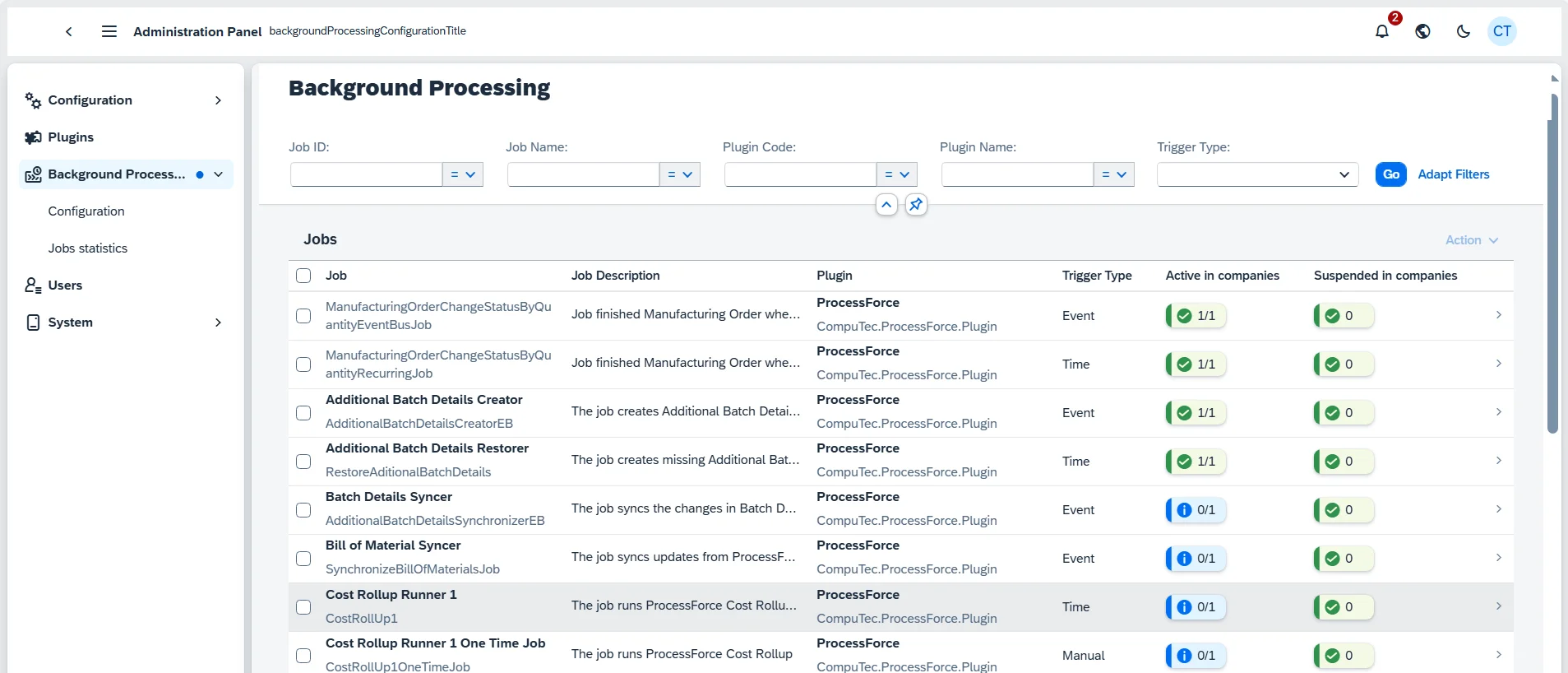
- Background Job Scheduling: Run automated tasks on a schedule or trigger them based on system events, reducing manual work and keeping routine processes running automatically.
- Event-Driven Processing: Configure workflows that respond automatically to business events within SAP Business One and connected CompuTec solutions.
- Job Monitoring: Track all background jobs through a centralized dashboard with full execution history and performance statistics.
Analytics & Reporting
- No Separate Reporting Platform: Reports are built and read inside SAP Business One on your own SQL, OData, or imported data, so there is no extra system to buy, learn, and maintain.
- Self-Service Answers: People get the view they need using filters, grouping, column summaries, charts, and Excel export, and save it as a reusable variant instead of requesting a new report.
- From Report to Action: Selected rows can be acted on directly, releasing Manufacturing Orders, posting documents, or generating PDF documents from SAP Crystal Reports templates, so decisions turn into work without leaving the report.
Monitoring & Observability
- Full System Visibility: Built-in OpenTelemetry instrumentation gives you metrics, traces, and logs across your SAP Business One and CompuTec AppEngine environment.
- Faster Issue Resolution: Diagnose performance bottlenecks and root causes quickly, reducing the time systems are affected.
- Familiar Dashboards: Send telemetry data to external platforms such as Grafana, so your team can monitor CompuTec AppEngine using tools they already use.
Features
AI & the MCP Server
Connect SAP Business One and CompuTec solution data to AI agents through the built-in MCP Server. MCP (Model Context Protocol) is an open, vendor-neutral standard created by Anthropic and now widely adopted across the AI industry.
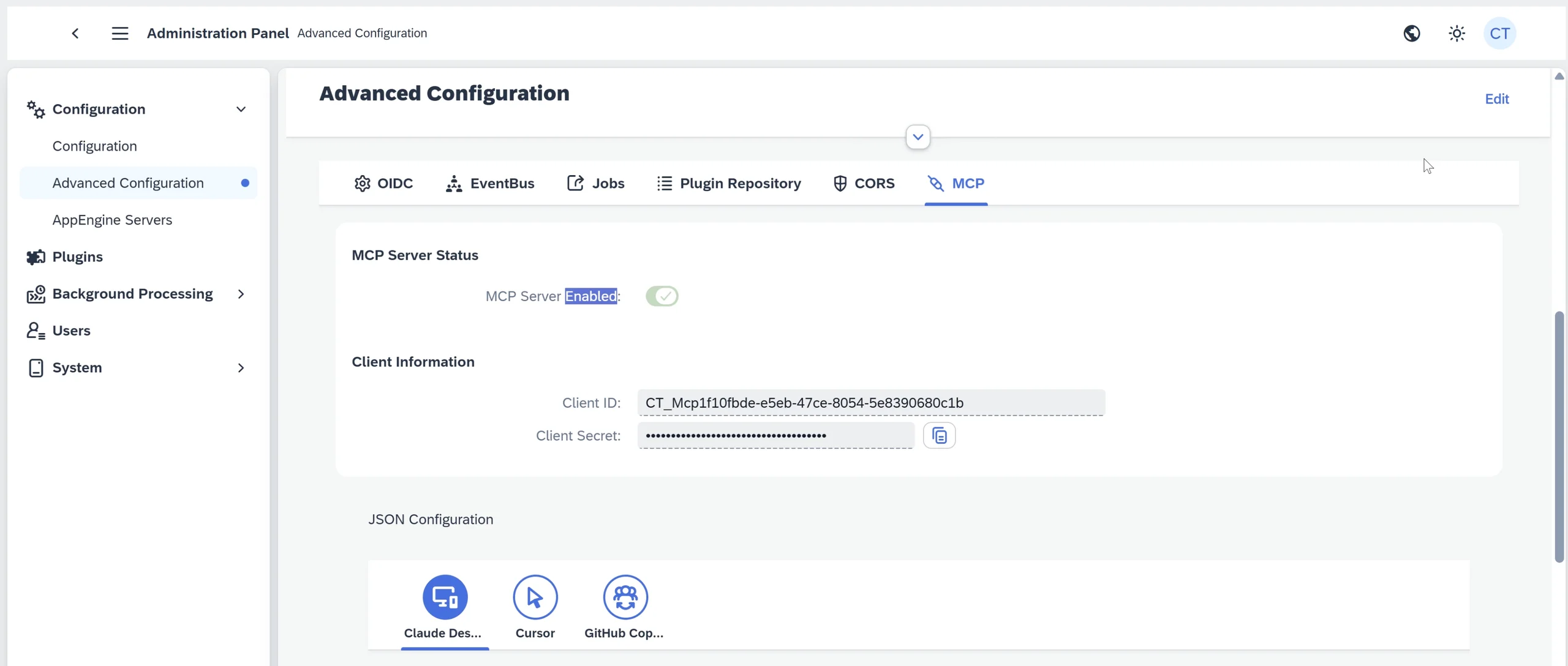
CompuTec AppEngine | MCP Server Configuration
Works with Your AI Tools
Because MCP is an open standard, the same server works with any MCP-compatible AI client, including Claude, ChatGPT, Cursor, Claude Code, and GitHub Copilot, with more expected as the standard grows.
Natural Language Prompts
Ask AI agents about your business in plain language, such as production status or inventory levels, and get answers grounded in live SAP Business One data.
Understands Your Business Data
Predefined resources describe the fields on core business objects such as a Sales Order, Manufacturing Order, or Batch, and map how records relate, for example Items to Bills of Materials, and Manufacturing Orders to Batches, quality control results, and costs. They also expose your own configuration, including warehouses, price lists, tax codes, units of measure, and currencies.
Read, Query & Write
Tools retrieve any business object and run filtered searches across Service Layer entities, including CompuTec ProcessForce Manufacturing Orders, quality control records, and batch and traceability data. Agents can also create documents, update fields, and close or cancel records.
Authentication & Permissions
Authentication runs through OAuth single sign-on via CompuTec AppEngine, so AI agents act under individual user identities rather than shared credentials. Read operations inherit the SAP Business One permissions of the signed-in user, and any change requires an explicit per-user authorization, so without it an agent can read but never write.
Foundation for What Comes Next
The MCP Server is the foundation layer for future agentic solutions across the CompuTec Solution Suite.
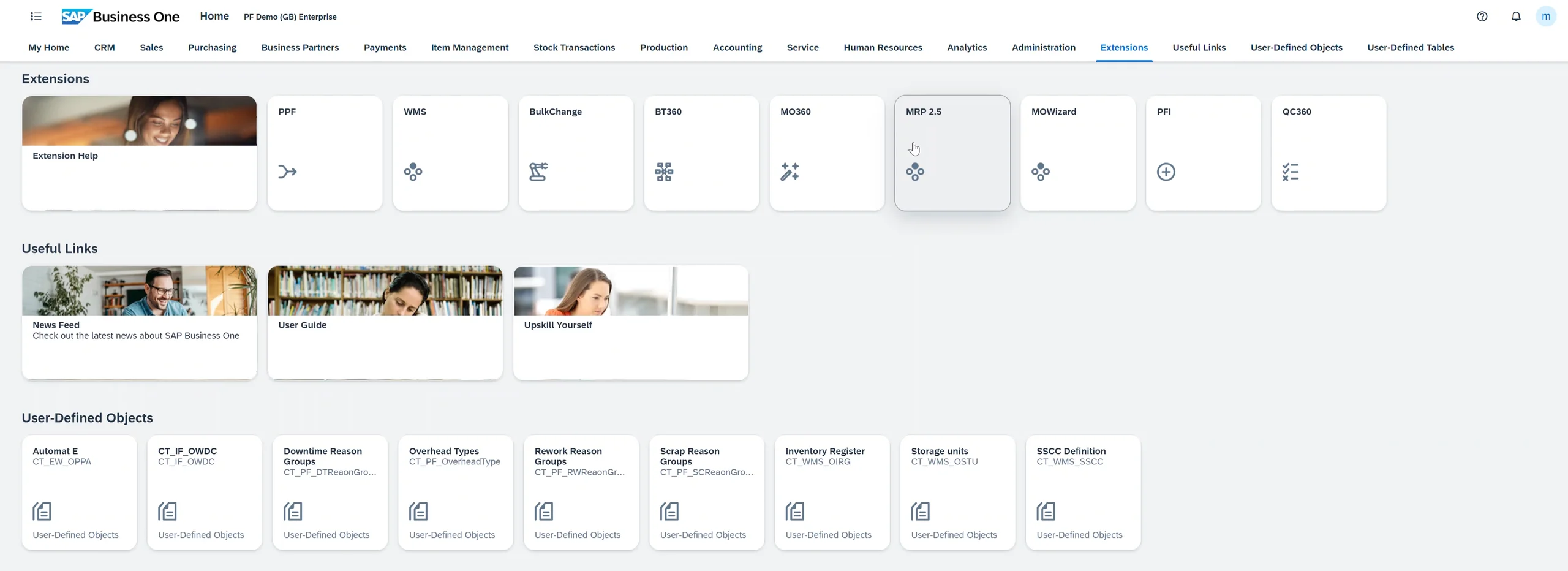
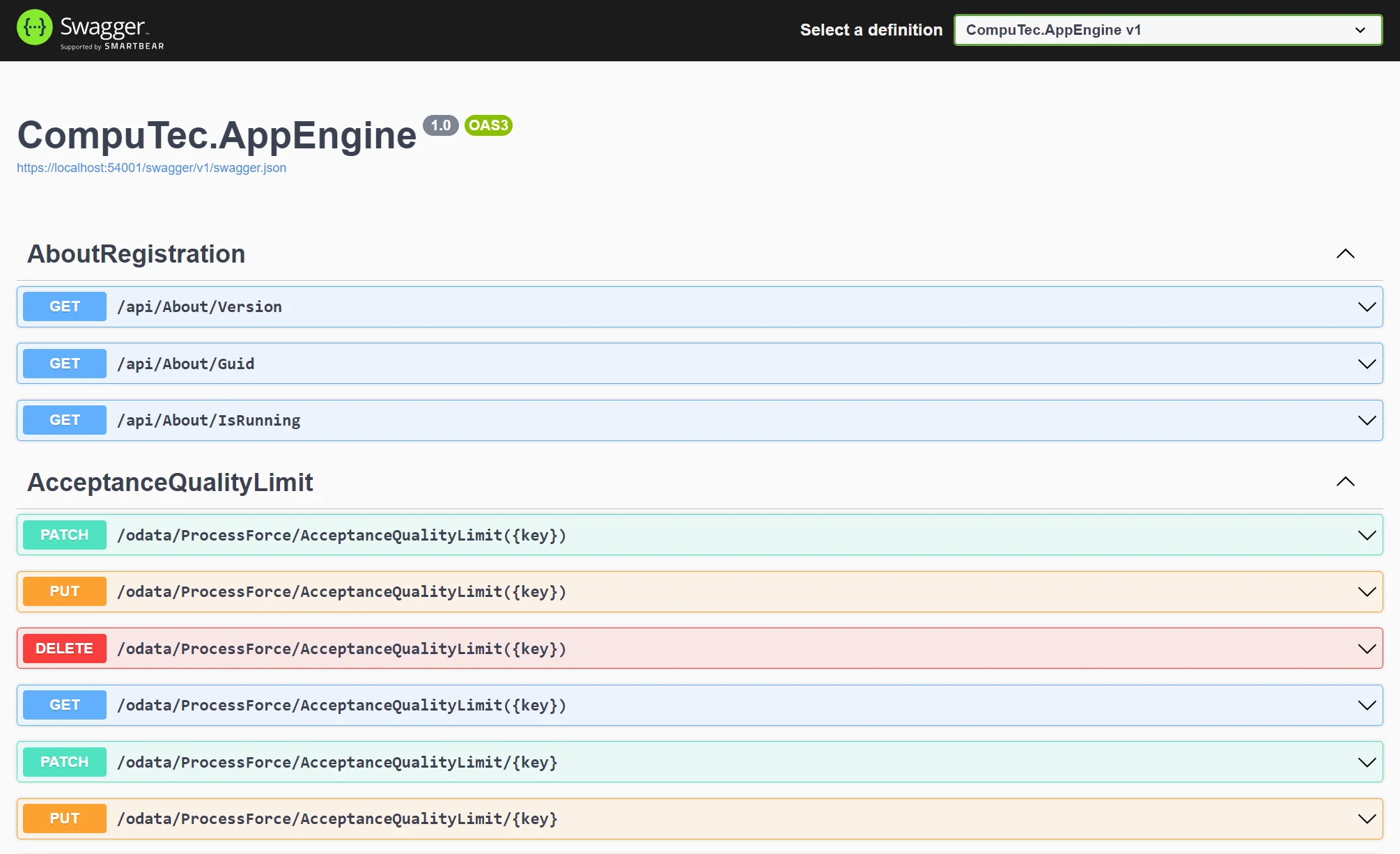
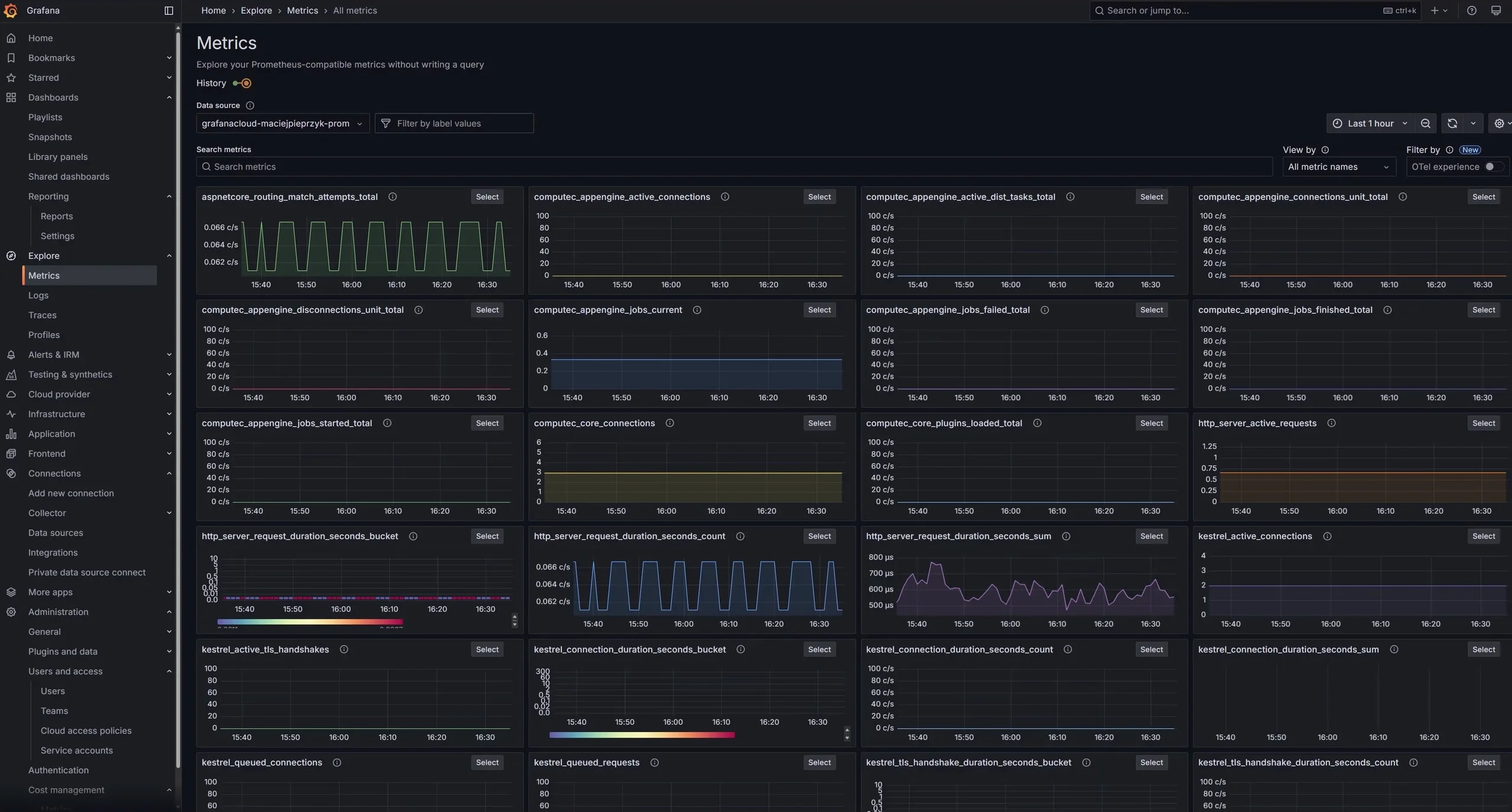
CompuTec AppEngine SAPUI5 Apps
A selection of applications built and deployed by the CompuTec team, each one addressing a specific operational need within SAP Business One and the CompuTec Solution Suite.
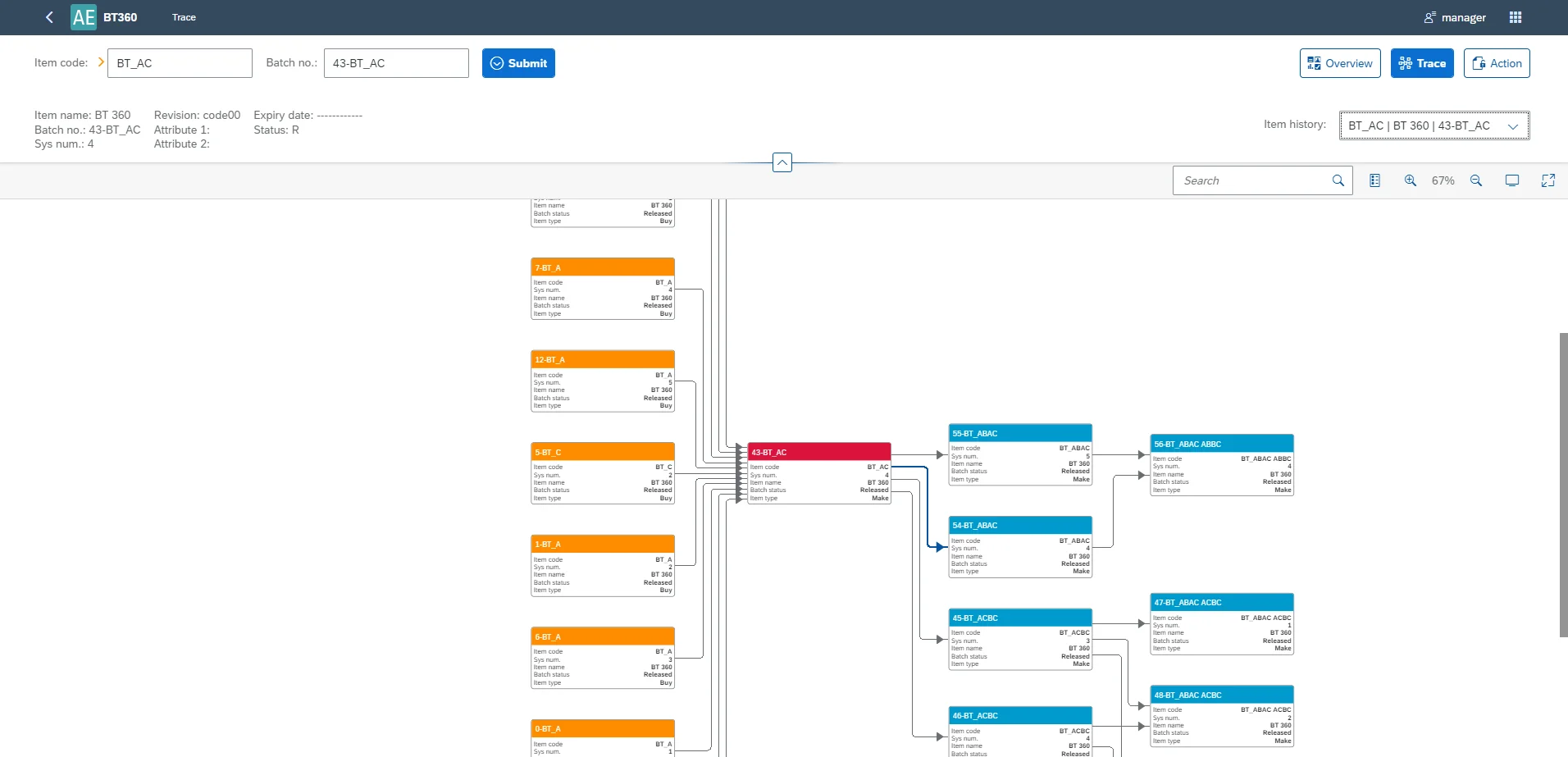
Batch Traceability
Trace the full batch lifecycle, view batch analytics, and update batch status directly from an interactive graph.
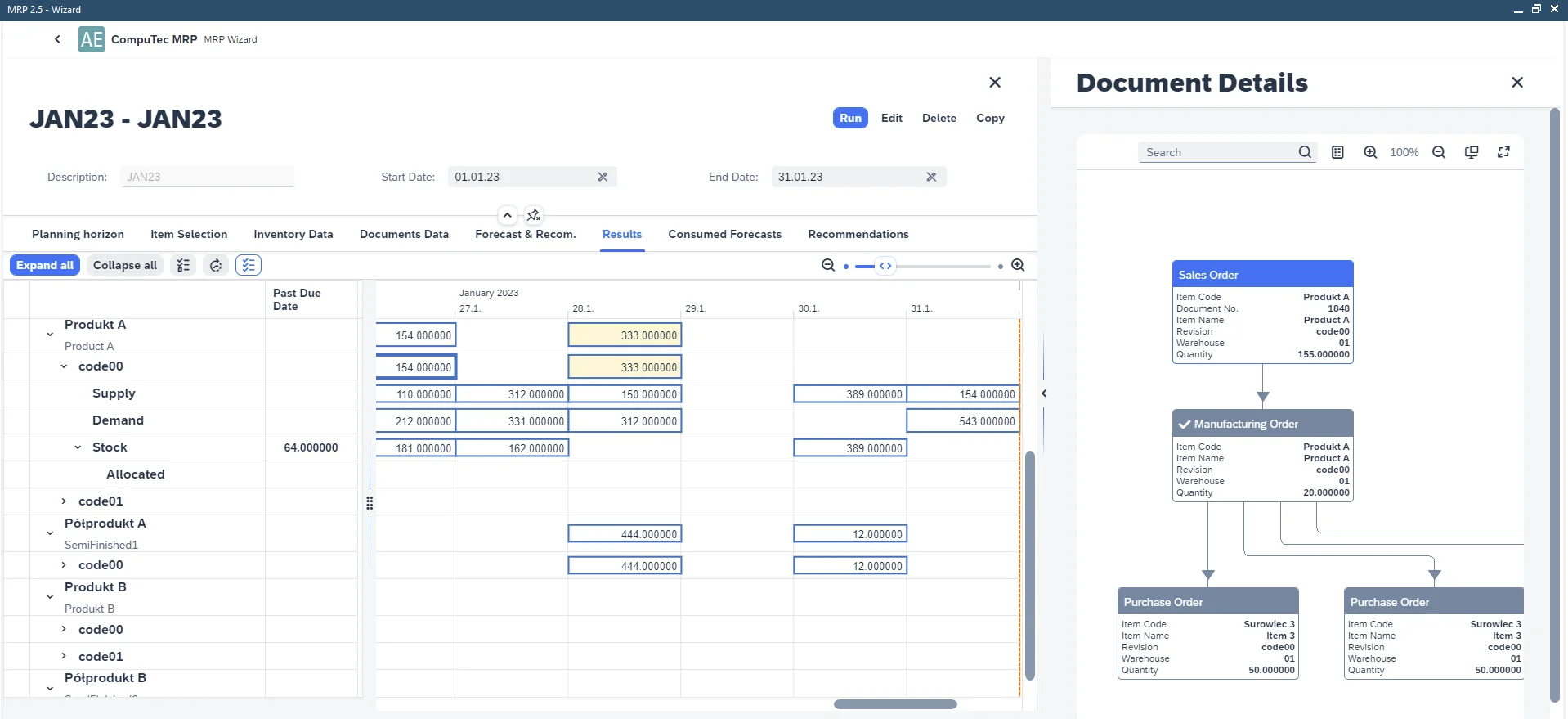
MRP II
Run MRP calculations that factor in Bill of Materials revisions, vendor-specific lead times, batch status, and expiry dates.
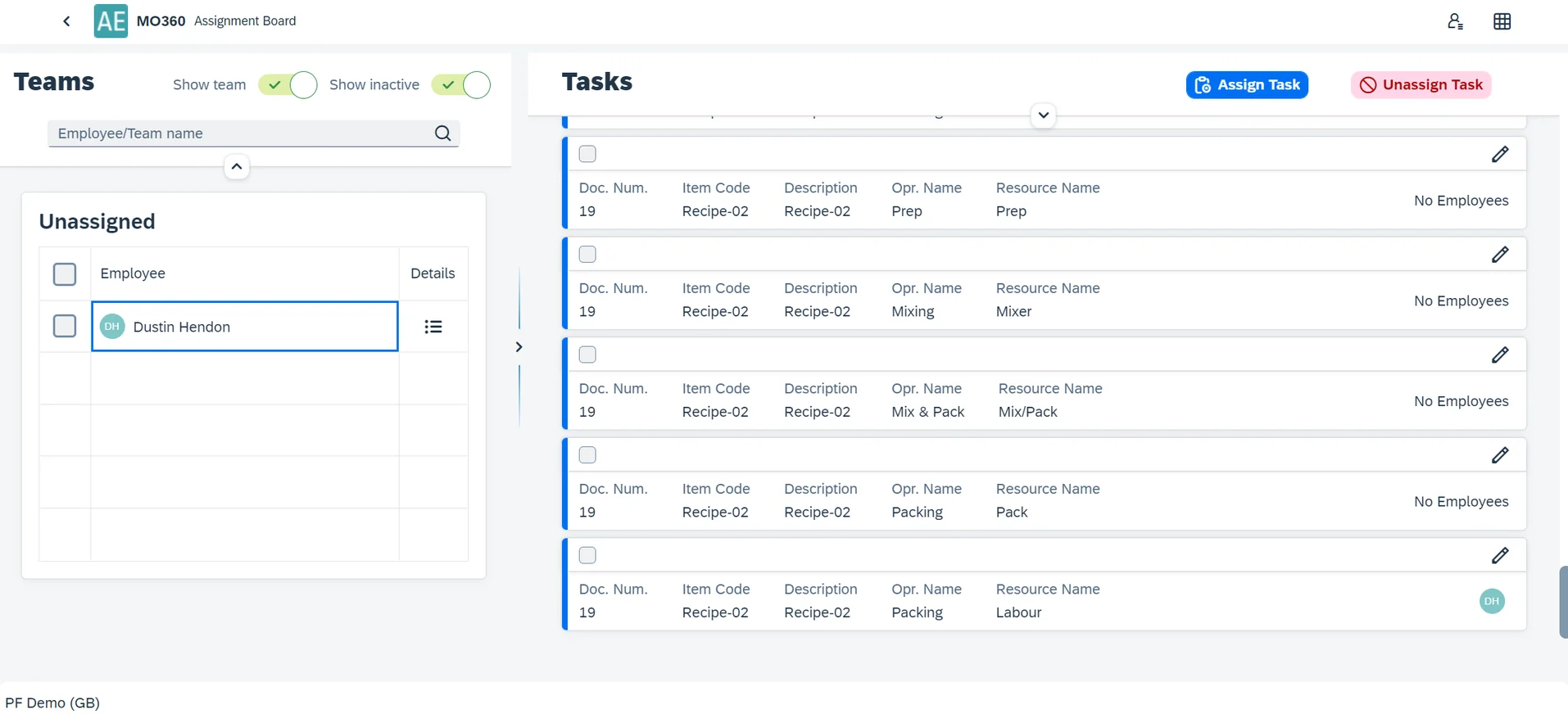
Manufacturing Cockpit
Assign production tasks and monitor live manufacturing order progress on an interactive Gantt chart.
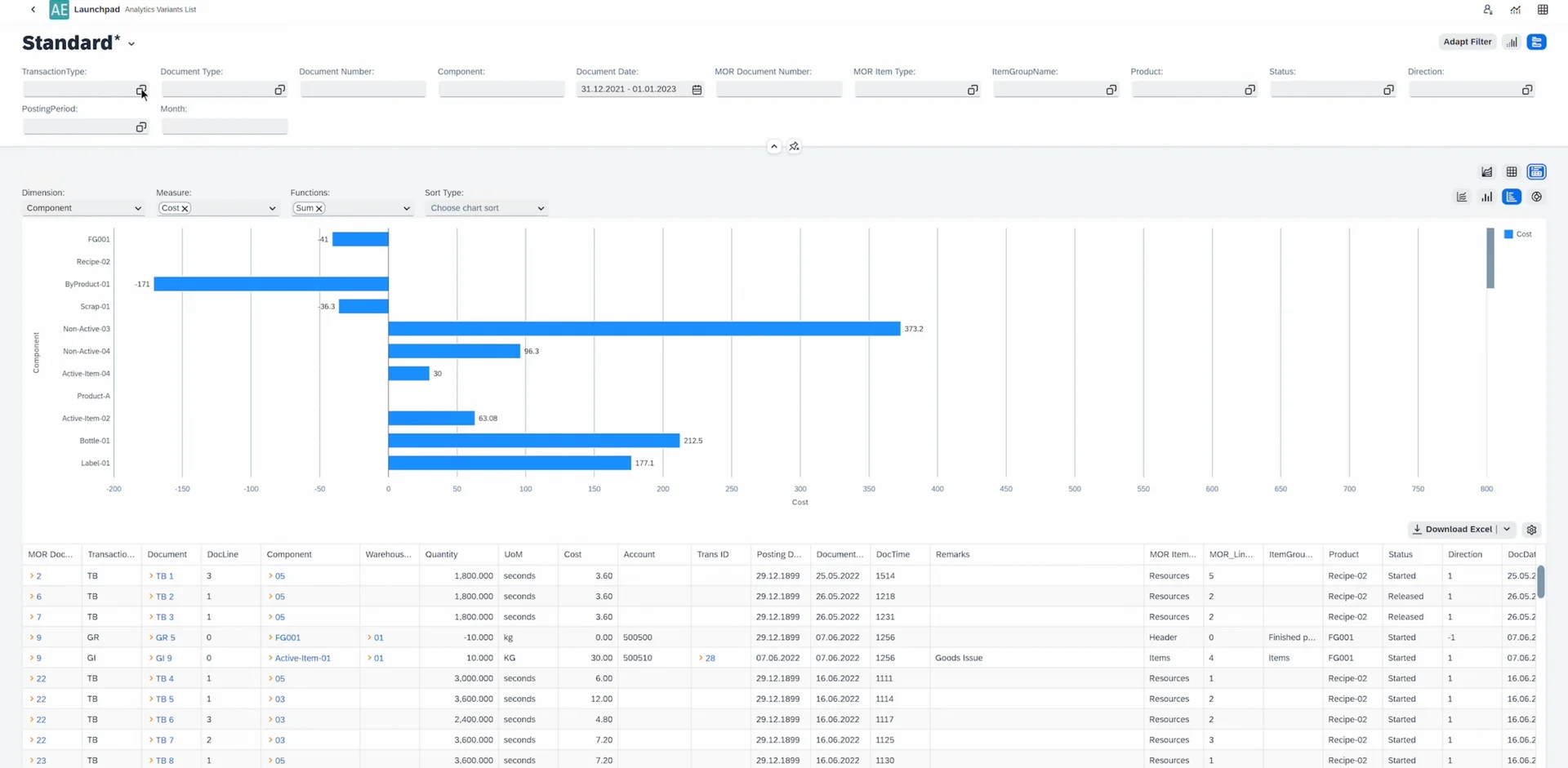
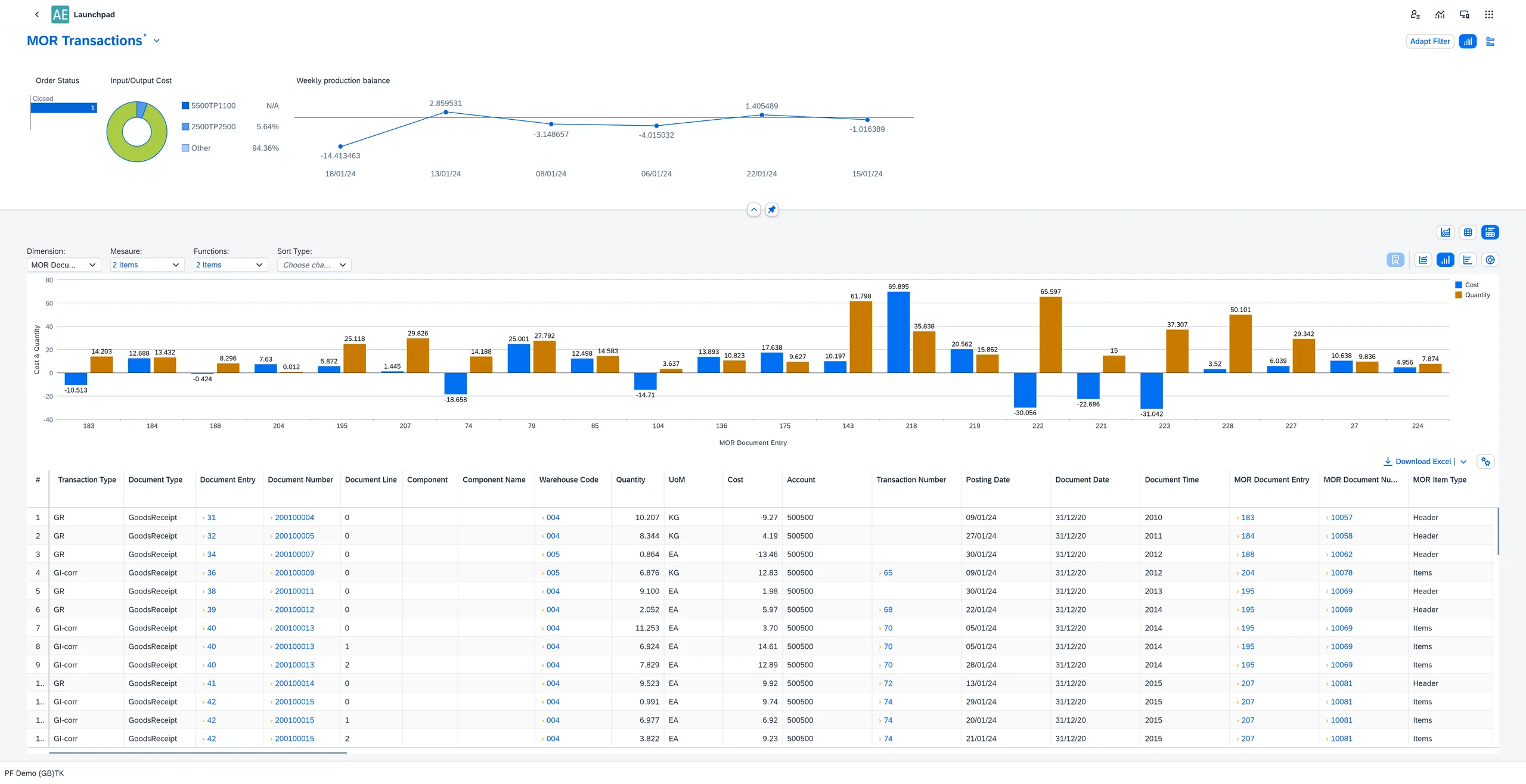
Manufacturing Cockpit Analytical Page
Build and view custom reports based on manufacturing order data without leaving the SAP Business One environment.
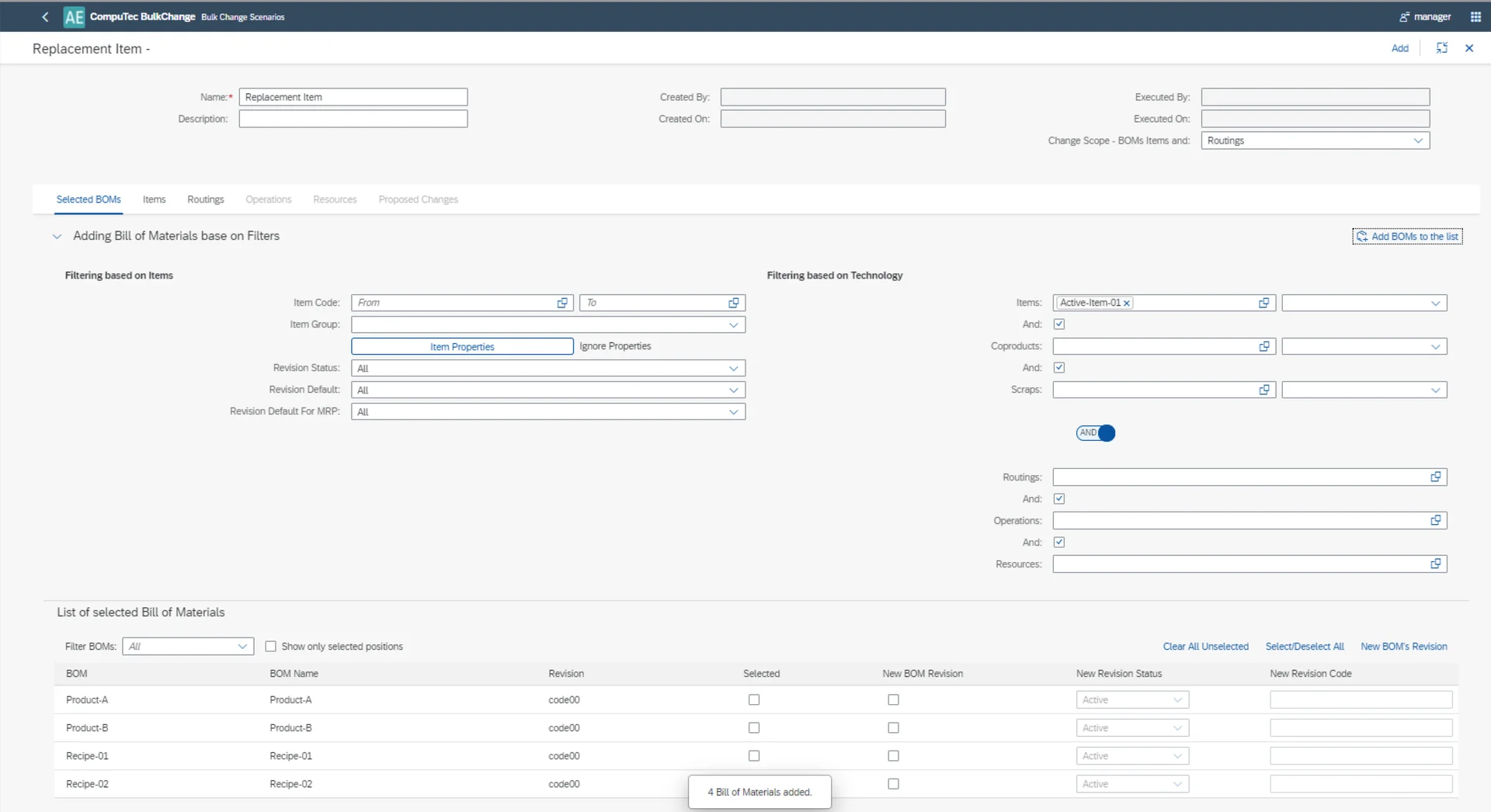
Mass Change
Update large numbers of Bills of Materials simultaneously using a structured, rule-based tool.
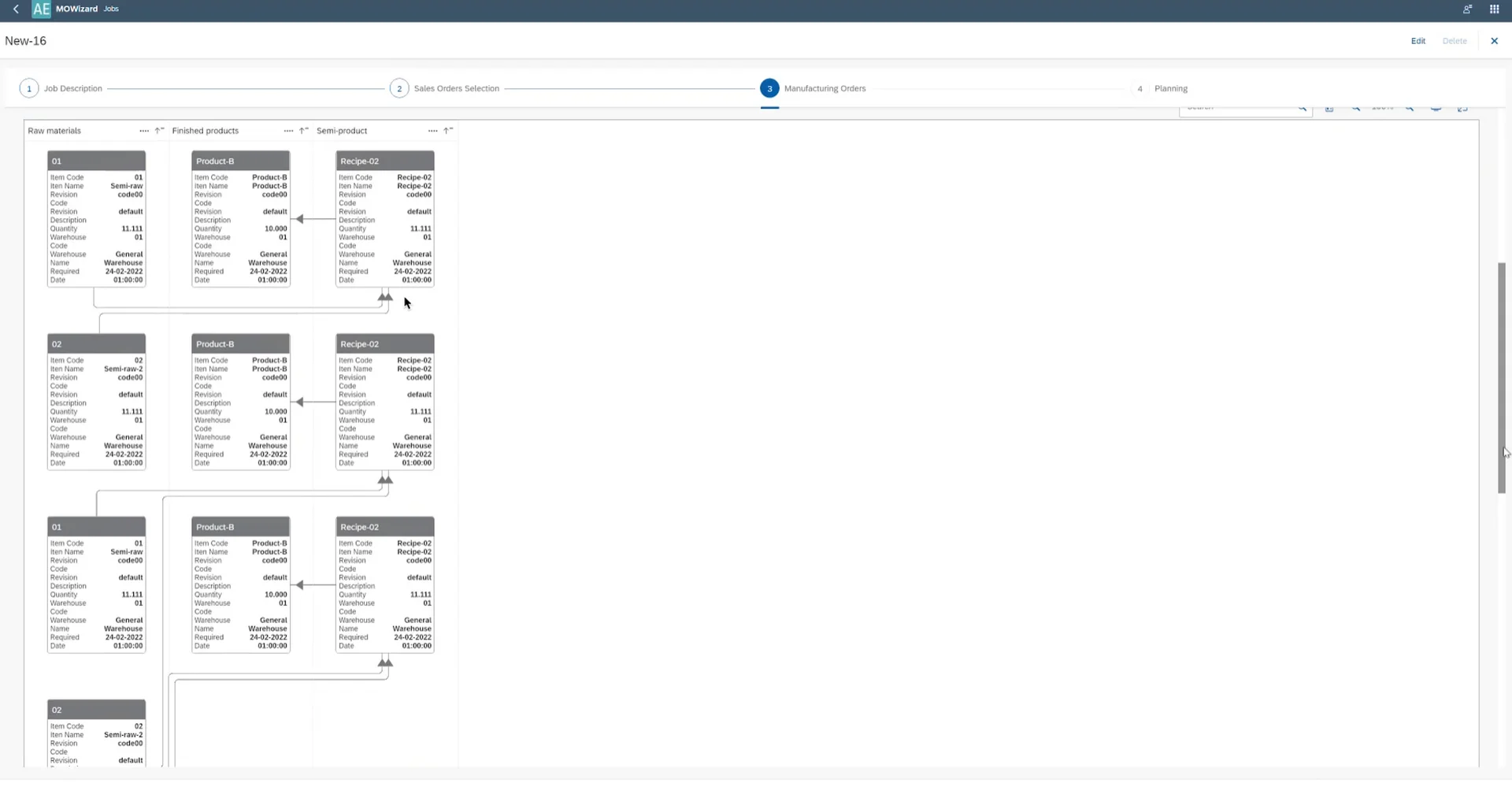
Planning & Bottleneck Scheduling
Generate Manufacturing Orders from Sales Orders at scale and schedule production around real capacity constraints.
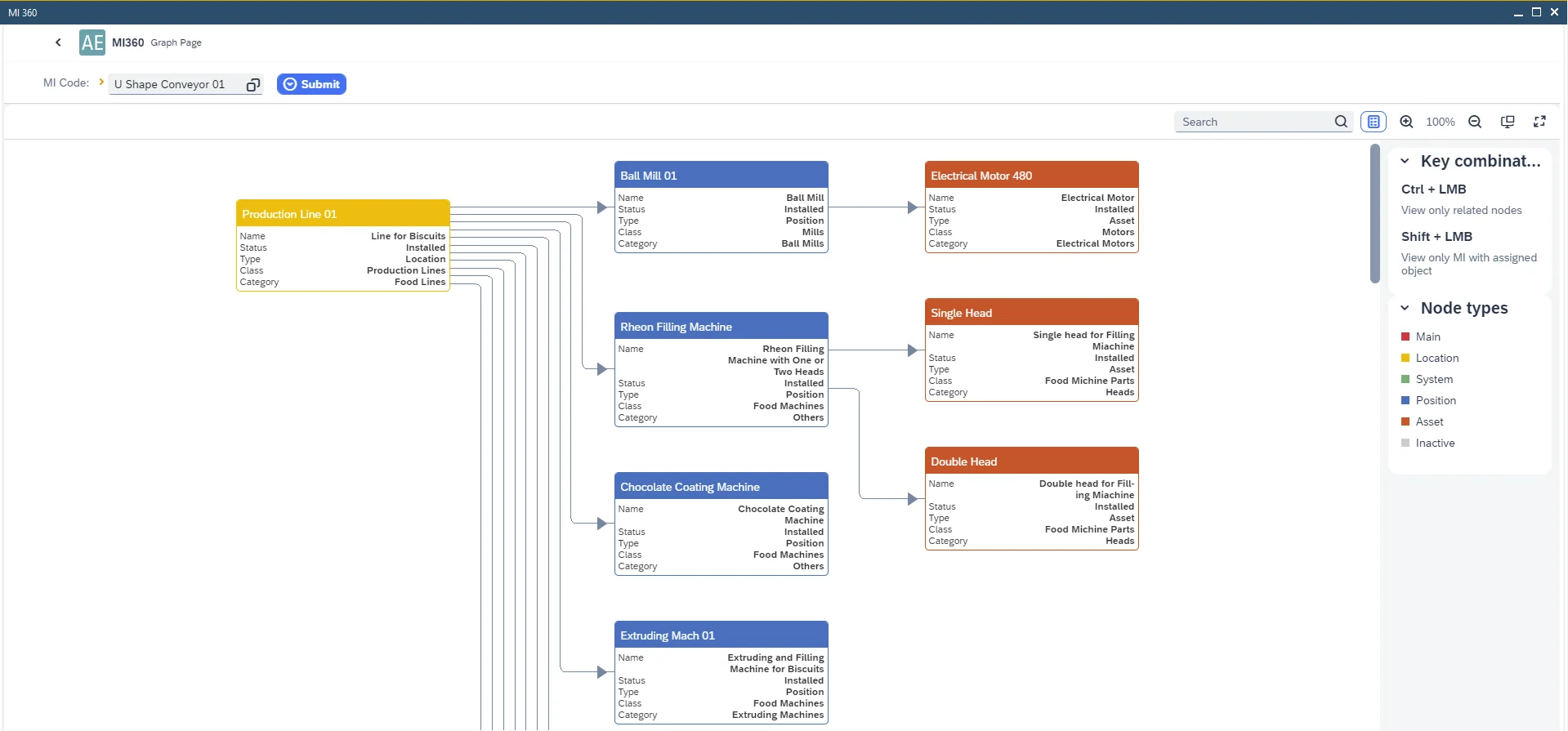
Plant Maintenance Asset Viewer
Visualize the structure of multi-level maintainable items on an interactive hierarchy chart.
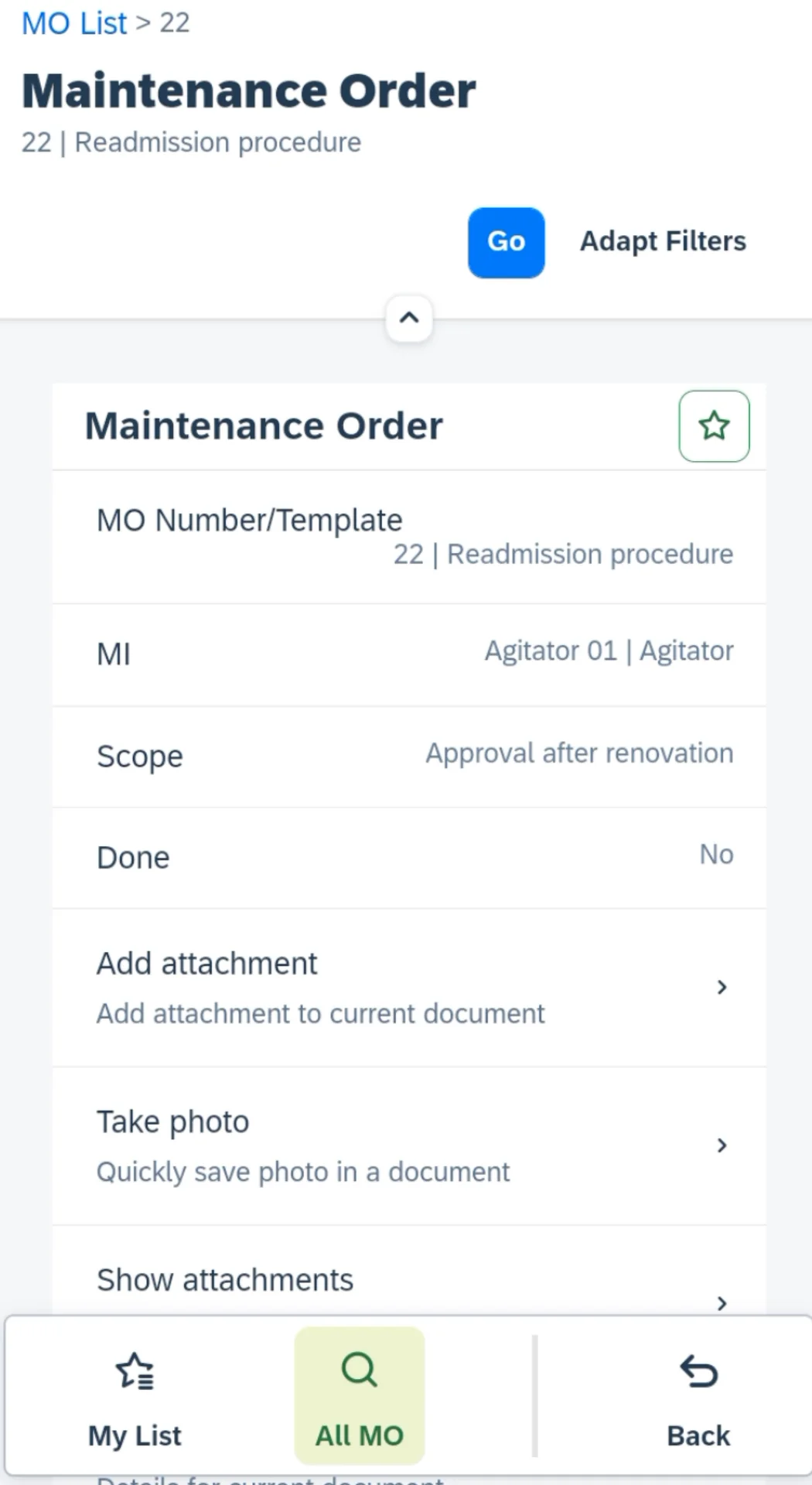
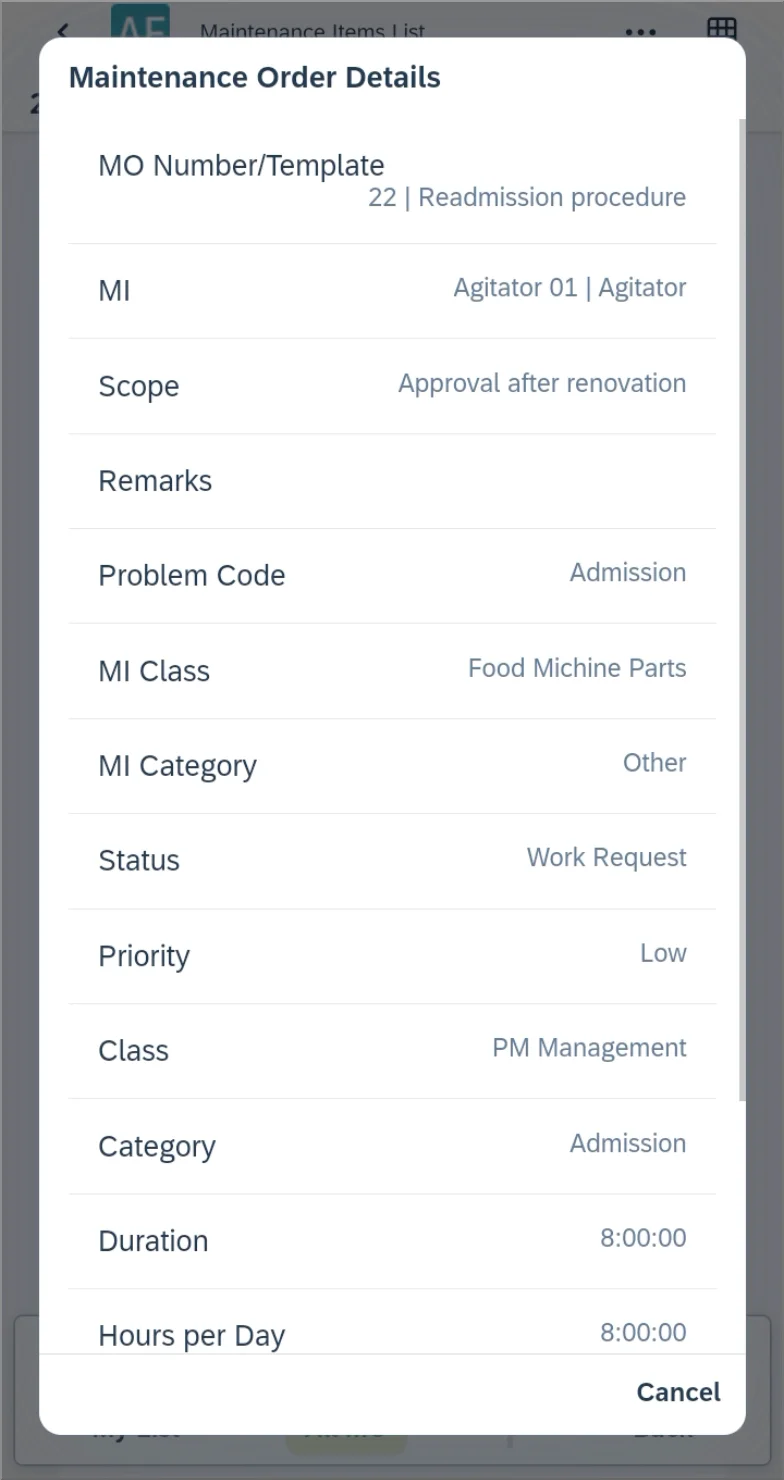
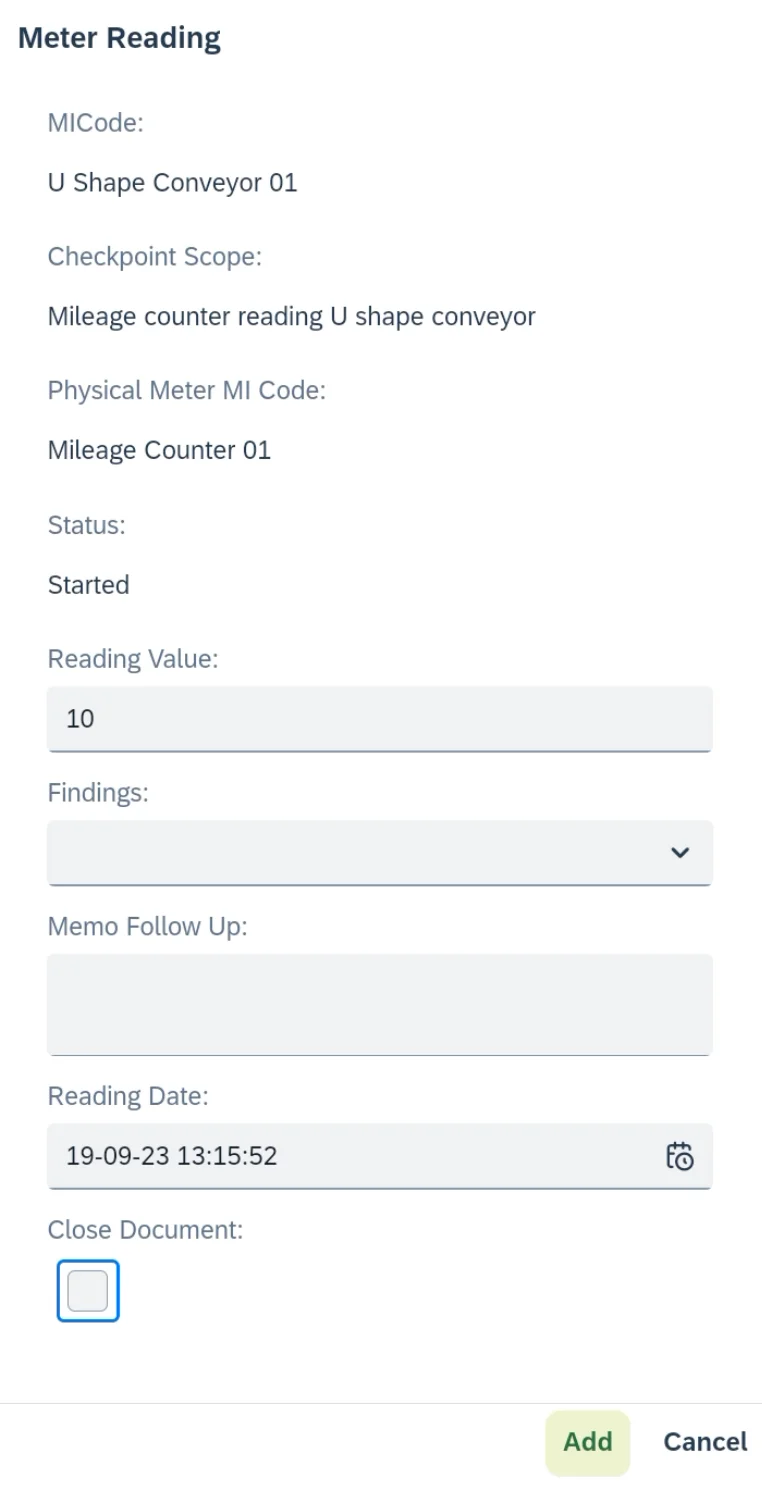
Plant Maintenance Mobile
Log and track maintenance work from mobile devices directly at the asset location.
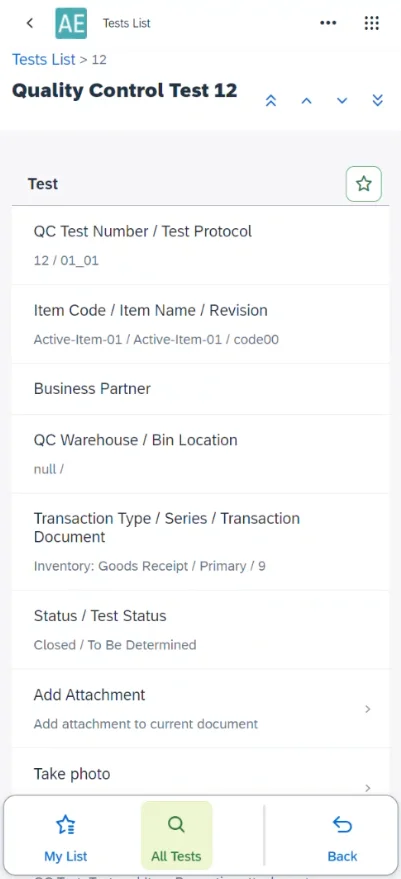
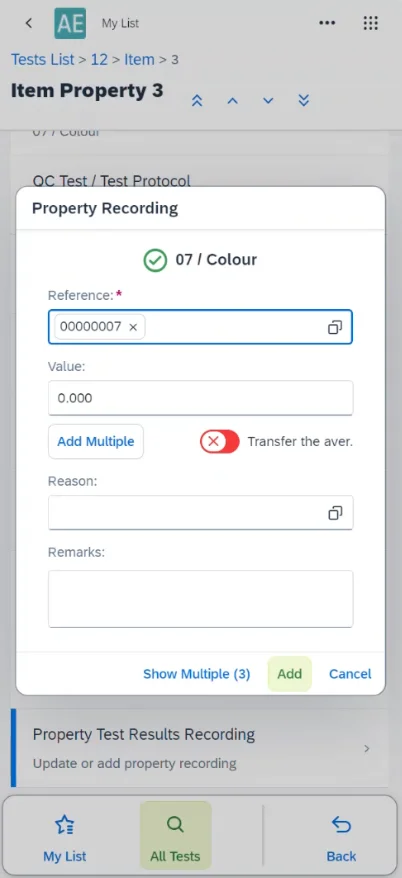
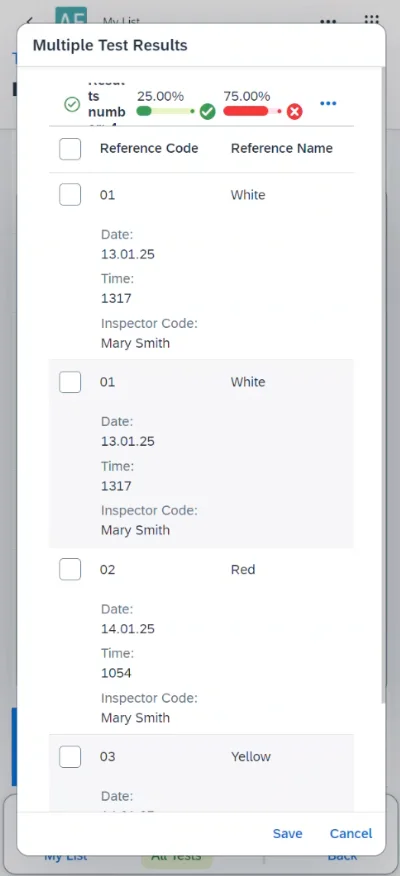
Quality Control Mobile
Record quality control test results on the spot from mobile devices at the inspection point.
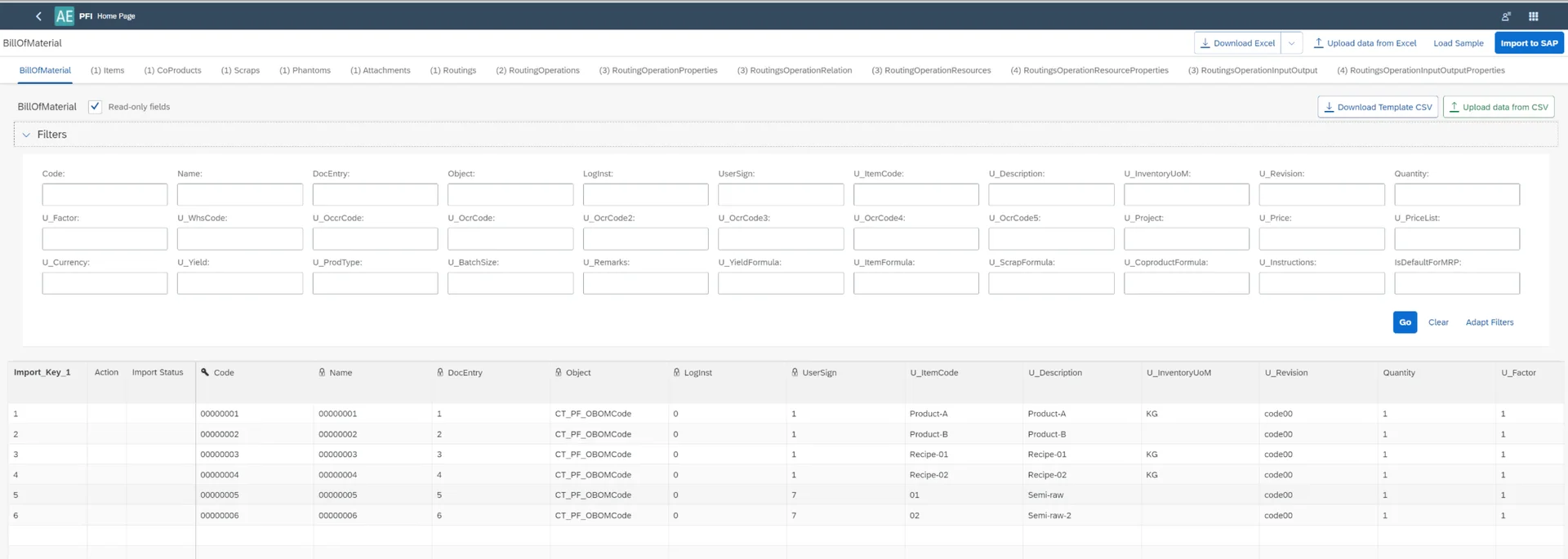
Data Import & Export
Import and export SAP Business One data in bulk using Excel and CSV, with field-level mapping and validation.
- View brochure (PDF, opens in new tab)
View our brochure
- View documentation (opens in new tab)
View CompuTec AppEngine documentation
Customer Stories

Want to know more about extending SAP Business One with CompuTec AppEngine?
Whether you want to run AI in your SAP Business One environment, build custom SAPUI5 applications, automate business processes, or connect external systems, CompuTec AppEngine gives you a single platform for all of it. Talk to one of our experts to find the right approach for your business.
Frequently Asked Questions
What is CompuTec AppEngine and how does it relate to SAP Business One?
CompuTec AppEngine is an extensibility platform that runs alongside SAP Business One. It provides the infrastructure for building, deploying, and managing SAPUI5-based custom applications and automation, without modifying SAP Business One itself. All CompuTec solutions, including CompuTec ProcessForce, CompuTec WMS, CompuTec PDC, and CompuTec Labels, are built on and delivered through CompuTec AppEngine.
Is CompuTec AppEngine compatible with the SAP Business One Web Client?
Yes. Applications built on CompuTec AppEngine by CompuTec, partners, or customers can be accessed directly within the SAP Business One Web Client.
What is the MCP Server and how does it connect CompuTec AppEngine to AI?
The MCP (Model Context Protocol) Server is a digital enabler built into CompuTec AppEngine that acts as a secure adapter between your SAP Business One environment and external artificial intelligence (AI) models. It gives AI tools access to live business data from both SAP Business One and connected CompuTec solutions, as well as external data sources. This makes it possible to query operational data in natural language, surface insights, and in some cases carry out tasks within the system directly.
Which AI agents work with the MCP Server?
The MCP Server works with any MCP-compatible AI client. Claude, ChatGPT, Cursor, Claude Code, and GitHub Copilot are supported today, with more expected as the Model Context Protocol standard grows.
How is our SAP Business One data kept secure when AI agents connect through the MCP Server?
Your data stays under your control. AI access is enabled per company, so it only reaches the companies you choose, and everyone using it signs in with their own SAP Business One credentials. Administrators decide who can read data and who can also make changes, so AI agents work within the same permissions your team already relies on.
How does CompuTec AppEngine handle SAP Business One upgrades?
Custom applications and business logic run as isolated extensions, separate from the SAP Business One core. This means that when SAP Business One is updated, the risk of custom functionality breaking is significantly lower than with traditional direct-modification approaches.
Does building on CompuTec AppEngine require advanced development skills?
Building new custom applications requires development experience. The framework supports .NET and SAPUI5, but the developer toolkit, Visual Studio extension, and reusable component library reduce the effort involved considerably.
Can background processes and automation be managed through CompuTec AppEngine?
Yes. CompuTec AppEngine includes a background job engine that supports three trigger types: manual, time-based (using CRON expressions), and event-based (responding to SAP Business One events). Jobs can be configured per company, run simultaneously from a single trigger, and monitored through a centralized job history and statistics view.
Is CompuTec AppEngine a separate purchase, and can we use it on its own?
CompuTec AppEngine is included at no additional cost as part of the CompuTec Solution Suite. Every CompuTec solution is installed and managed through it, so you already have it. Companies running only SAP Business One can use it too, to add AI capabilities through the MCP Server, which needs no separate license, and to build their own SAPUI5 extensions. SAP Business One partners can use it free of charge to build and deploy solutions for their direct customers; distributing partner-built solutions through other resellers requires a license.
Our Solutions & Services
Fully integrated, AI-ready solutions for SAP Business One, plus the implementation, hosting and support to run them.













Blog
From technical updates to industry trends — stay informed with the latest feature releases, expert business insights, and upcoming global events.

Events & Webinars
Join Us in Amsterdam This October
CompuTec brings news on AI and the SAP Business One Web Client to two back-to-back partner events in Amsterdam, October 19–22, 2026.

SAP Business One
CompuTec WebUp Now Covers the Latest SAP Business One 10.0 Web Client Views

CompuTec WMS
Custom Row Colors and More in CompuTec WMS 3.2608.1

Events & Webinars
The Web Client-First Era: SAP Business One Version 11, AI, and the CompuTec Roadmap

CompuTec ProcessForce
Focusing on the Next Generation