Fans of our Batch Traceability 360 app will be pleased to learn that we’ve given it a bit of an update. We concentrated mainly on improving things “behind the scenes” to enhance performance, so you should see the latest version of the app running a bit faster and more smoothly than previously.
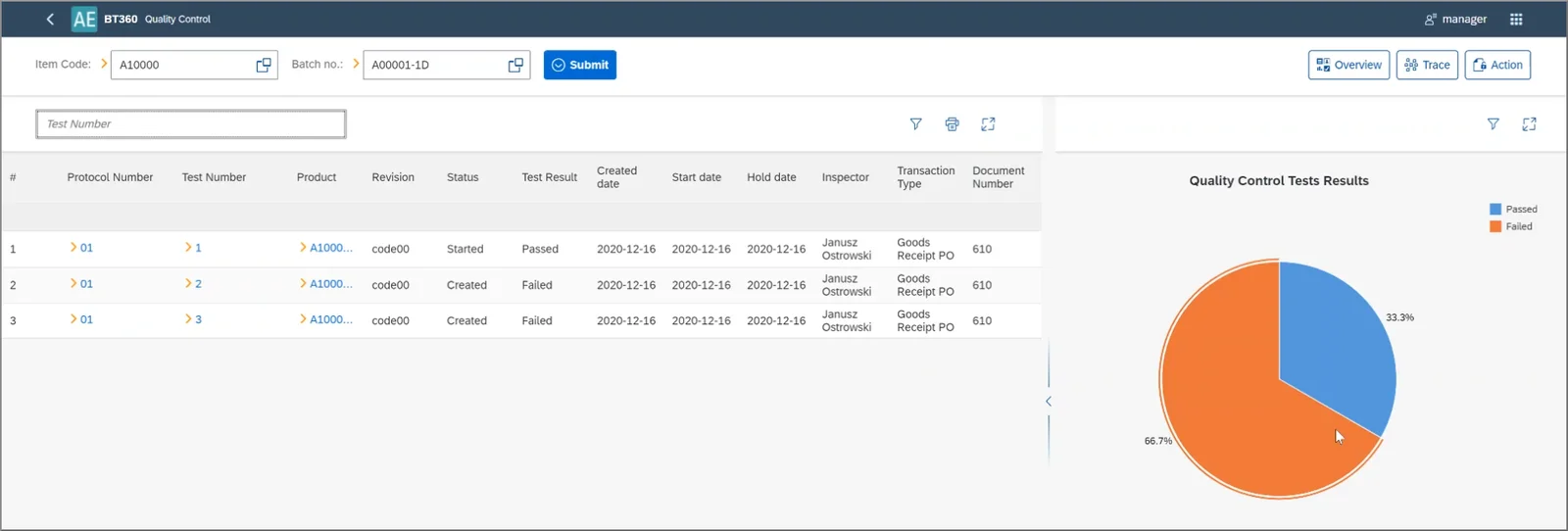
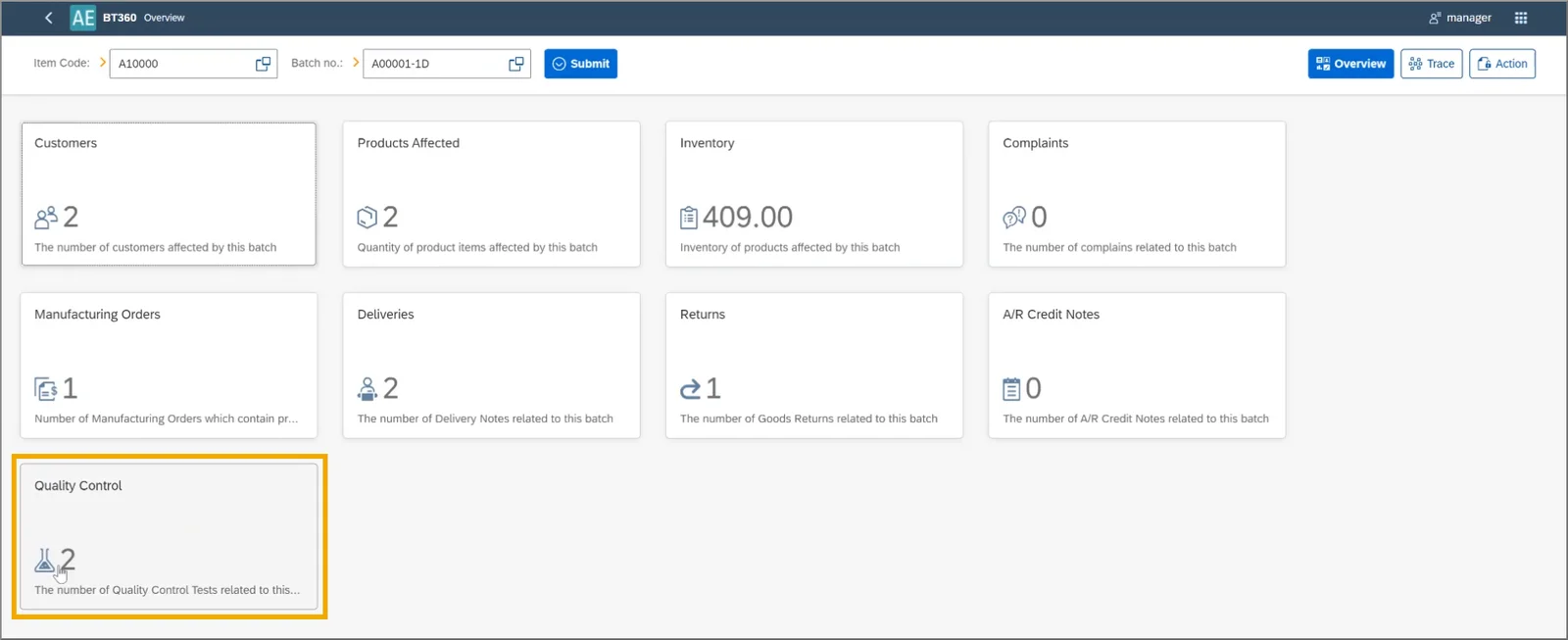
However, that’s not all. We have also added one significant new feature to the Overview section of Batch Traceability 360. In this latest version, you will find a new tile called “Quality Control”, which, when clicked on, will take you to a summary of the Quality Control Tests related to the batch.
You’ll be able to see test statuses and results alongside information about key dates, the responsible quality control inspector, and more. There is also a pie chart that will allow you to compare the number of tests passed and failed for that batch. This is really useful in identifying dubious batches as quickly as possible.