With great pleasure, today we’d like to announce our new app for CompuTec ProcessForce: Batch Traceability 360. The app uses CompuTec AppEngine to connect to the SAP Business One database and then provides you with an incredibly comprehensive summary of pretty much every kind of batch-related data that you can imagine.
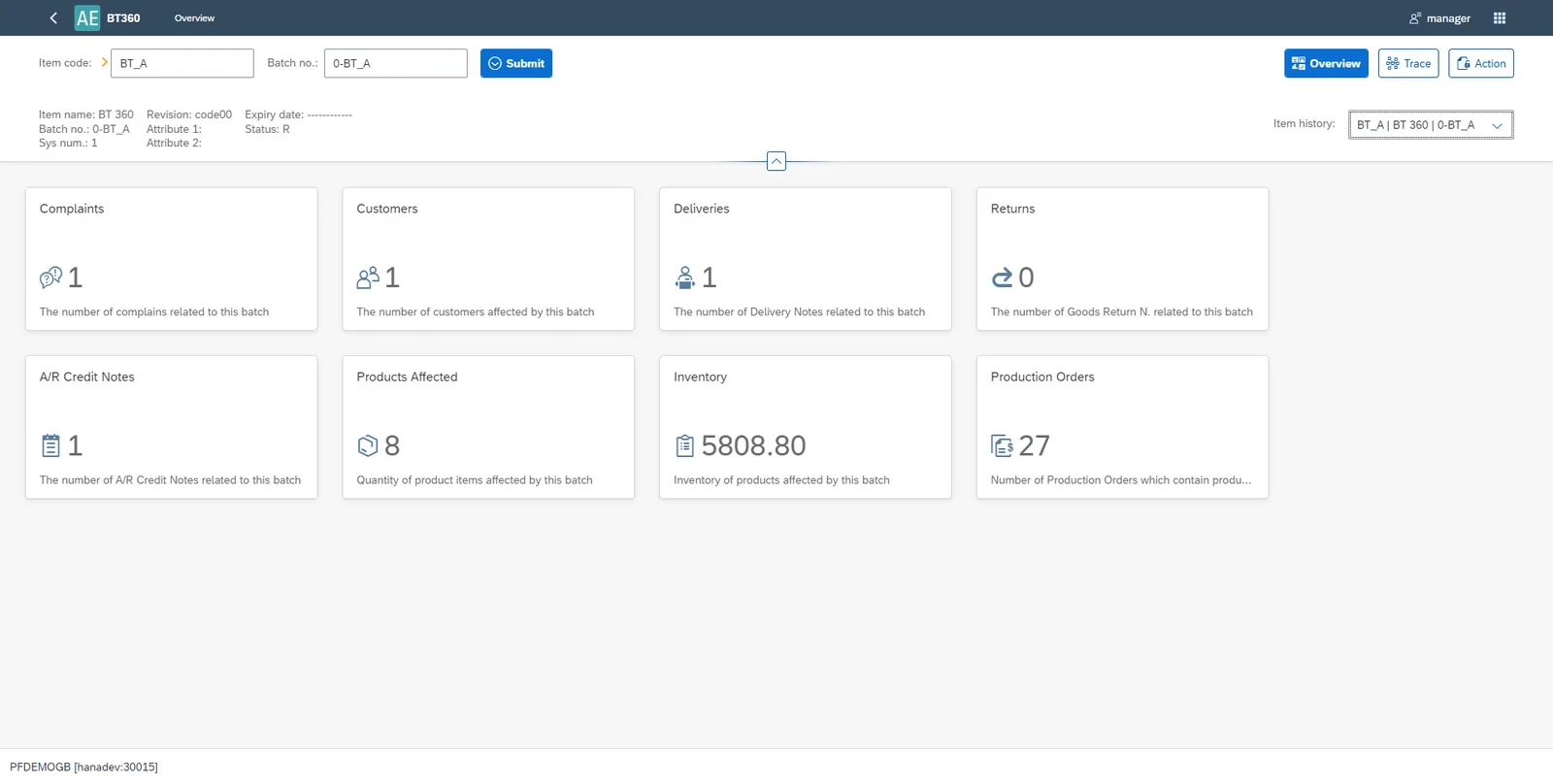
This is a big step forward for inventory traceability, particularly for regulated industries with very demanding traceability needs. The Batch Traceability 360 app gives you a detailed overview of the following aspects of each batch, including graphical statistics and links to relevant SAP Business One and CompuTec ProcessForce documents:
- Manufacturing Orders related to the batch (both at earlier and later stages of the batch’s lifecycle)
- All inventory items with any kind of relationship to the batch
- Products affected by the batch
- A/R Credit Notes associated with the batch
- Complaints made about the batch
- Customers who purchased the batch
- Deliveries of the batch (including a map function)
- Returns of goods related to the batch
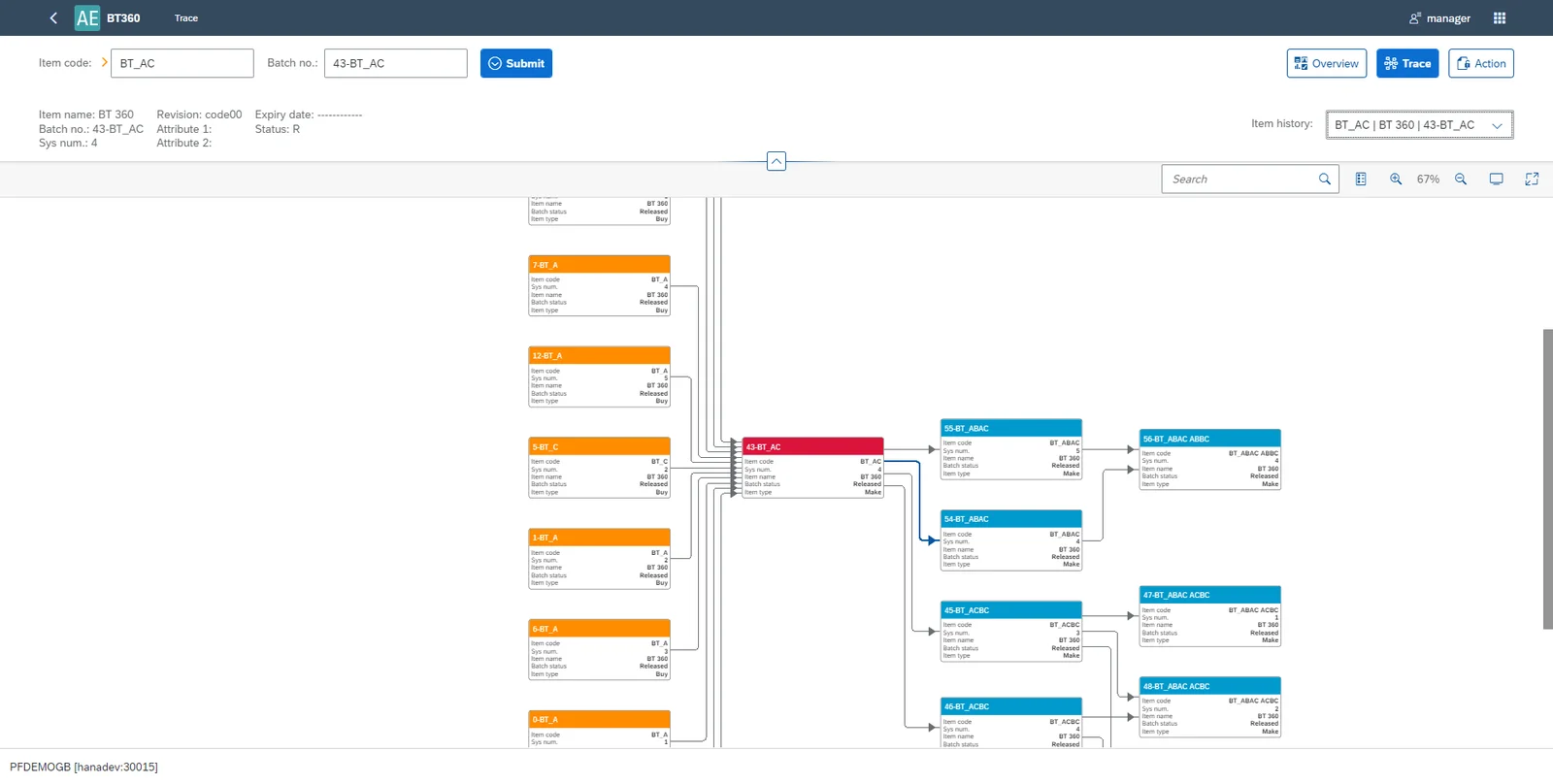
There is also an interactive traceability graph which includes the following:
- The ability to switch back and forth between different related batches with ease.
- A function to highlight the connections between specific batches.
- Direct links from the graph to all related SAP Business One and CompuTec ProcessForce documents.
We’ve got a screenshot here, but we really recommend you watch the video at the end of this blog post to gain a proper understanding of how the graph works. Because of the visualization’s interactive nature, an image is not the best medium to demonstrate its capabilities.
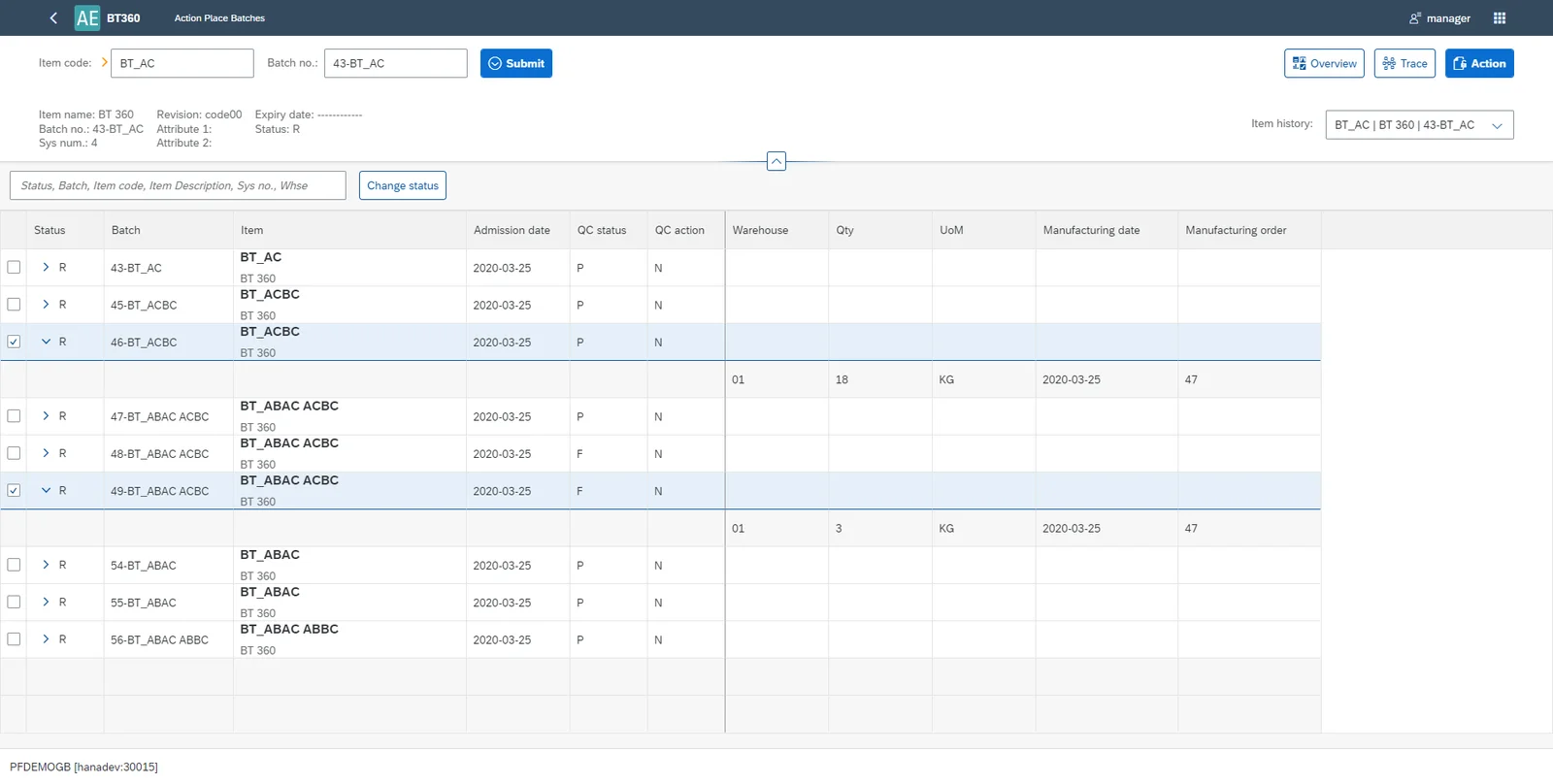
There is also the ability to update the status of one batch or multiple batches simultaneously. This change will be instantly reflected in the SAP Business One database. So if you have a contaminated or defective batch, you can stop that batch, along with any components or products made with the batch, from being used in production or being sent out to your customers in a couple of seconds.
Because Batch Traceability 360 is an app, we can release updates separately from CompuTec ProcessForce releases. This is good for everyone, because we will be able to release new versions of both Batch Traceability 360 and CompuTec ProcessForce more quickly.
Batch Traceability 360 opens in your web browser, which is actually pretty handy if you are using multiple screens too. You can have the SAP Business One desktop on one screen and Batch Traceability 360 running on another so you won’t have to flip between windows, and all the orange arrows will still work properly. You can also run it embedded inside the SAP Business One desktop client. But overall, one of the biggest advantages of Batch Traceability 360 is simply its ease of use.
As we already mentioned, the best way to understand Batch Traceability 360 is probably by watching this video demonstration, which will take you through everything step by step. You can also read more about the app in the CompuTec AppEngine documentation.