In certain extremely highly regulated industries, mainly the pharmaceuticals industry, but also some food sectors such as infant food production, serialization is a standard requirement. For those not familiar with the term, it simply refers to the ability to manage serialized inventory in batches. In those industries, being able to trace inventory by batch number just isn’t precise enough, but managing serialized items individually is often time-consuming and extremely inconvenient.
Our support for serialization is twofold. Firstly, we offer an app based on CompuTec AppEngine which is simply called “Serialization”. This app allows users to assign serial numbers to batches based on highly customizable rules in a process called “clustering”, and also to later reorganize serialized batches if required.
We have also introduced support for serialization in CompuTec WMS to allow warehouse operators to pack and repack the serialized inventory correctly with the aid of barcode scanners and to record a variety of transactions for serialized batches.
Clustering Using the Serialization App
Using the Serialization app, you can use data to build batches from your serialized items according to your individual requirements.
You can set up templates to automatically generate serial numbers that draw on characters from attributes such as expiry date, manufacture date, product code, and so on.
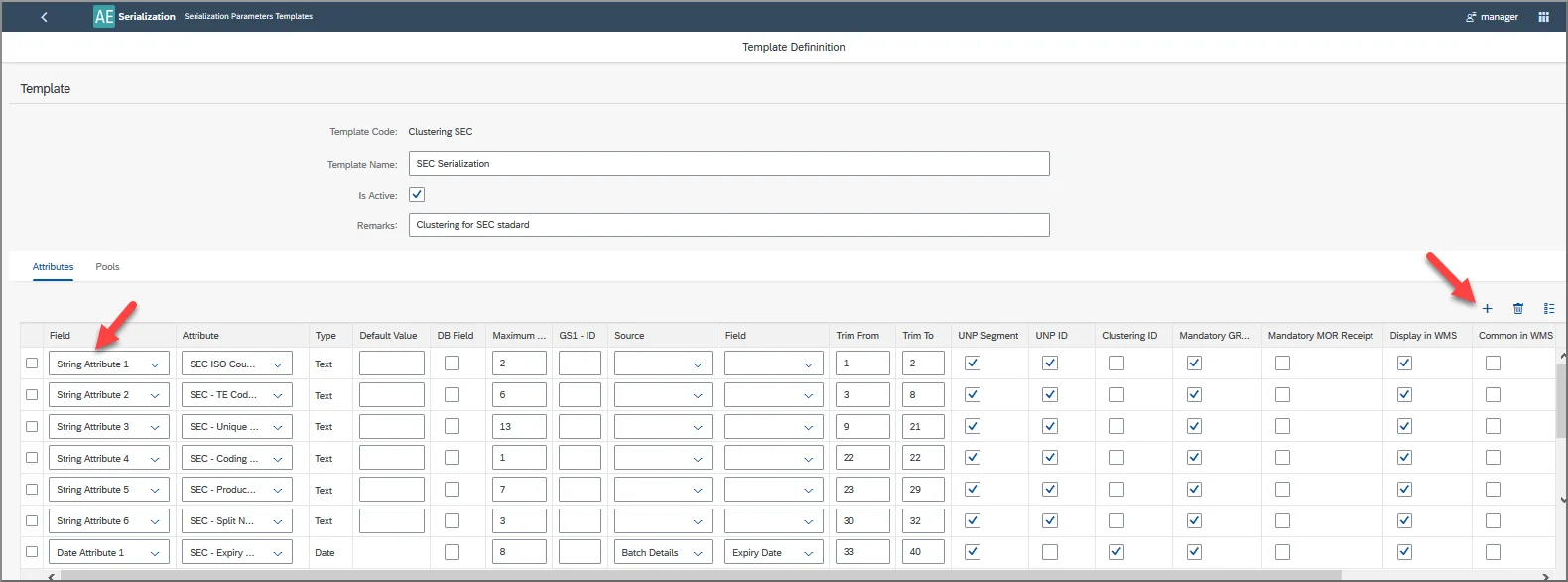
Subsequently, the system can sort your serialized items into batches using the data in the serial number and the batch creation rules that you set up. This means that the system can keep items with certain attributes together in a single batch while allocating those with different attributes to others.
If we then look at this from the warehouse operator’s perspective, they will scan the serialized item and the system will instruct them which Storage Unit to pack the item into. They will then scan the Storage Unit as they put the item away, and the system will notify them if they are indeed putting the item into the correct Storage Unit as well.
If some changes are made, perhaps by the warehouse manager, and the items should be moved, warehouse operators can also use their barcode scanners to check if serialized items are in the correct Storage Unit. If they are not, the employee will receive a notification that they should repack the item, and where they should repack it to. This means that you can be absolutely certain that serialized items are being packed properly.
You can also redefine batch creation rules at a later date, and in a similar manner, warehouse operators will be able to repack serialized items into different Storage Units without risking the muddles and mix-ups that often ensue during such activities.
The Track and Trace Report
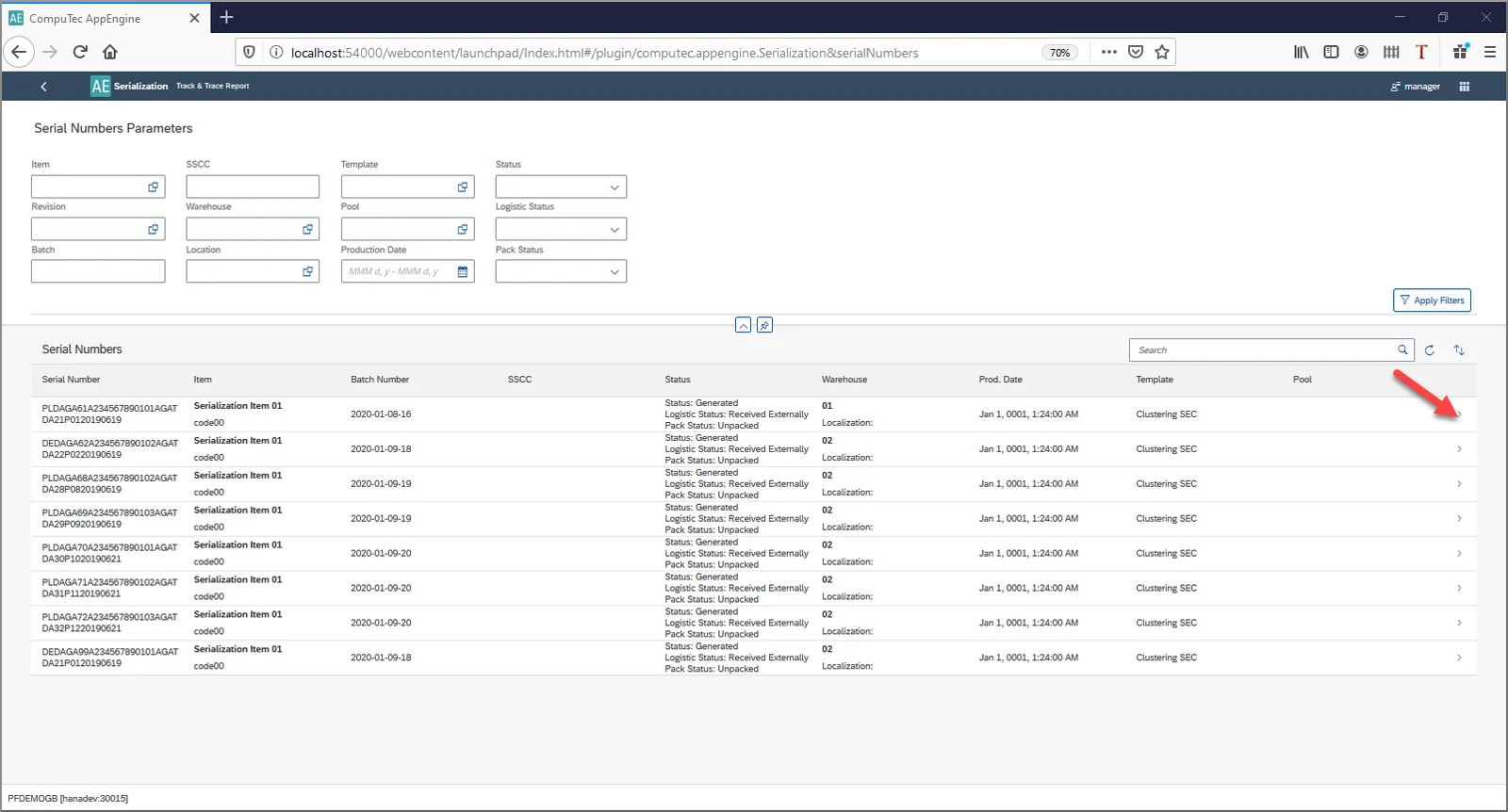
This feature in the Serialization app allows you to trace the history of any serial number, including which batches it has been in until now.
Transactions in CompuTec WMS
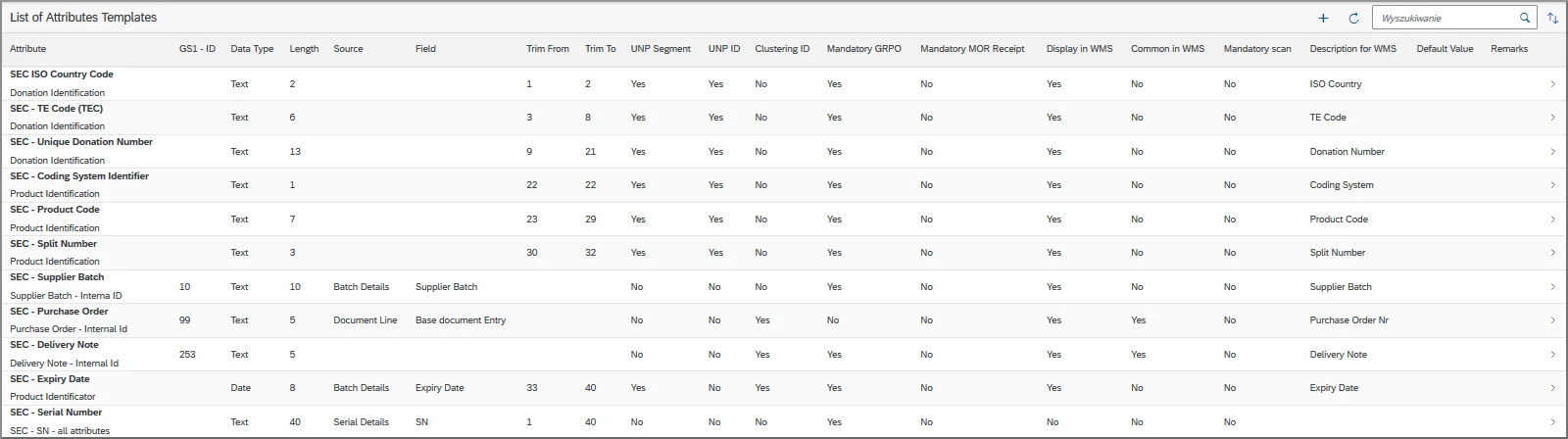
When you have used the Serialization app to configure your serial numbers to include the relevant attributes, CompuTec WMS will be able to identify all the information included in your serial number from a single scan.
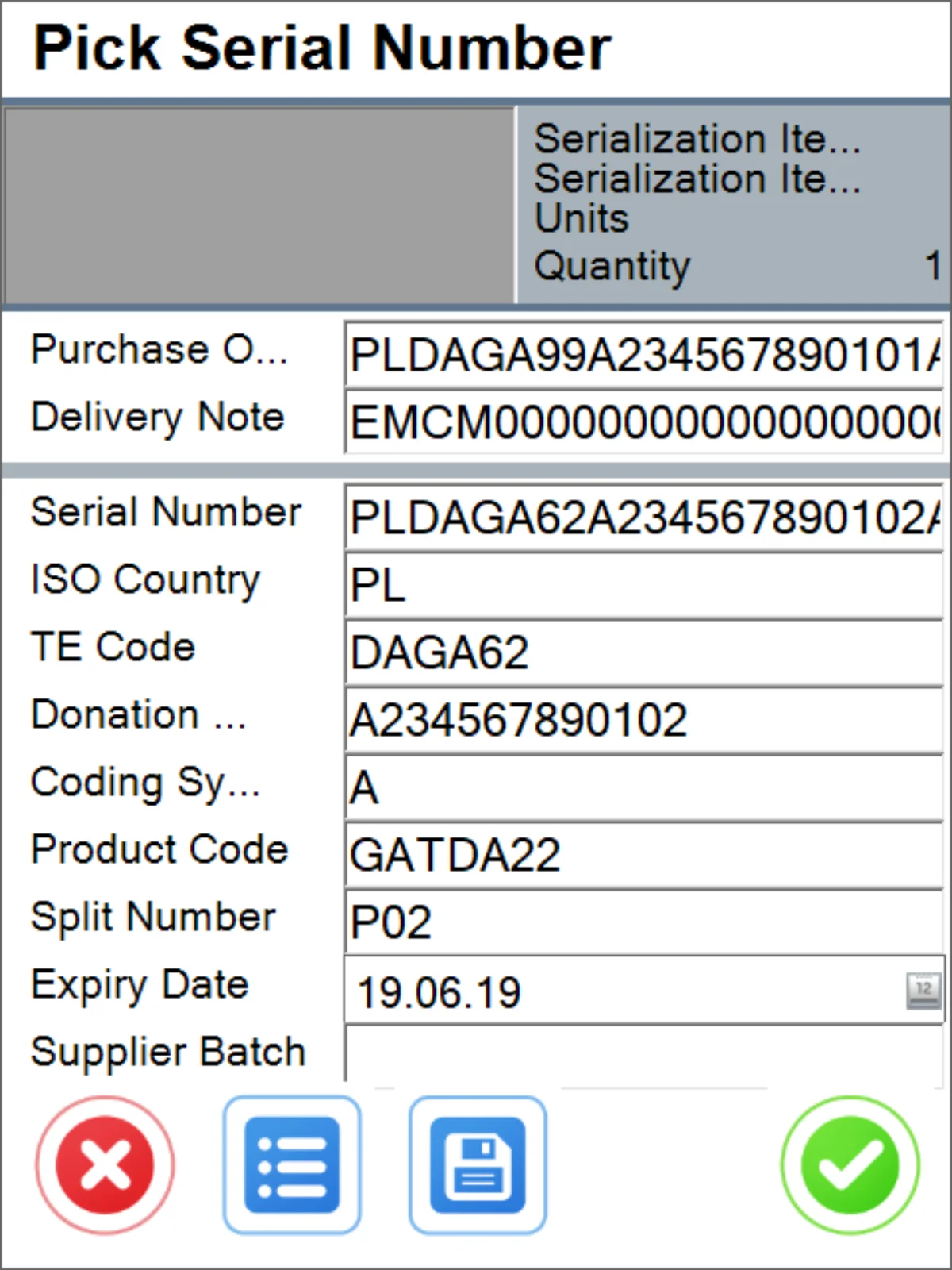
CompuTec WMS supports serialization for quite a number of transactions. Currently, these comprise Goods Receipt, Goods Receipt PO, Stock Transfer, Goods Issue, Delivery, and Storage Unit operations.