
In arguably the most significant news we have this month, the beta version of CompuTec WMS 2.0 is now officially available for download. This beta version is purely for testing purposes and is not suitable for use in a live production or warehouse environment just yet. But for those of you who are curious about how it all works, you can download it via the CompuTec WMS documentation (please note you will need to use your CompuTec portal credentials to access the installers).
Today I am going to give you a quick rundown of the most significant new features that we have packed into CompuTec WMS 2.0. If you would like a bit more detail and the opportunity to ask any questions to our expert, we are running a CompuTec WMS 2.0 webinar for partners on December 12.
Multiple Database Connections
The first new feature I would like to mention is that you can now connect to any number of company databases from a single CompuTec WMS server. Previously, users had to select which database they wanted to access from the CompuTec WMS settings. In CompuTec WMS 2.0, you can select which database you want to access directly from your CompuTec WMS client, which is much more convenient.
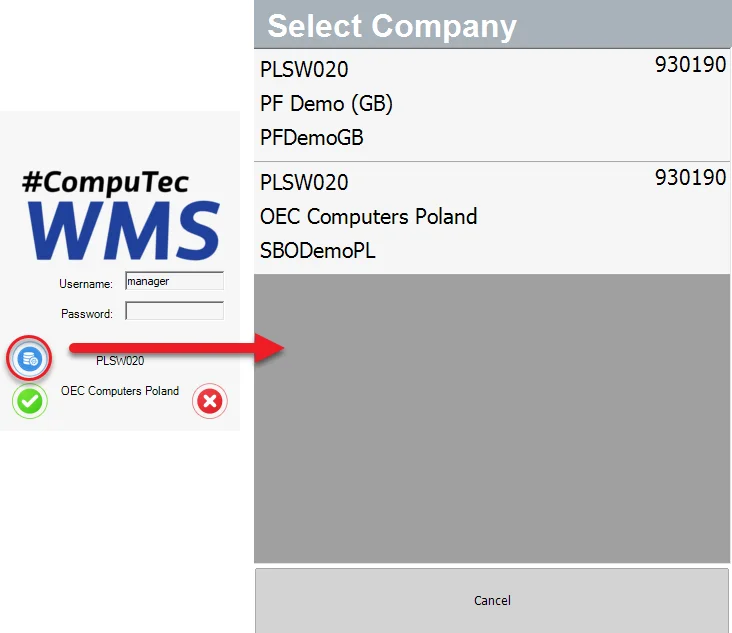
This has allowed us to add an additional feature in which you’ll also be able to determine which databases specific users can log in to.
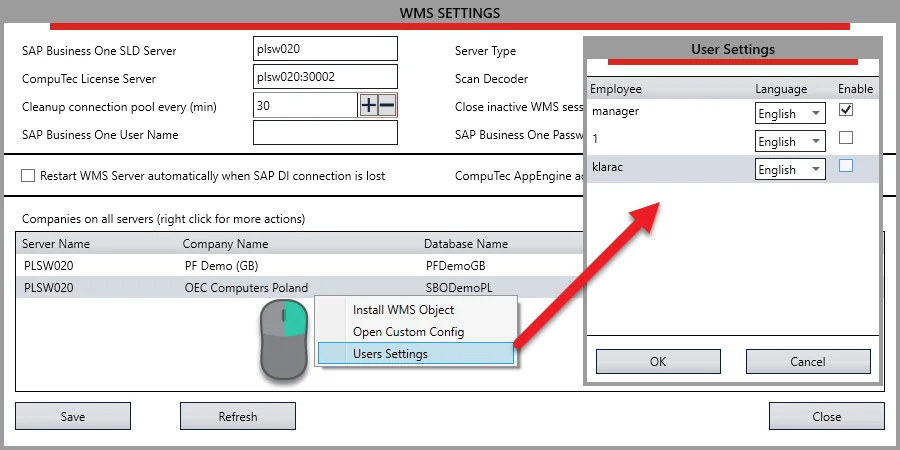
CompuTec Service Manager
We have changed how licensing for CompuTec WMS works. Licenses have a server and a client element now, and you will notice that there are different license types for CompuTec WMS and CompuTec PDC. We have done this not only to make licensing work more transparently and efficiently but also to be able to bring you some useful new features when it comes to customization and to offer you increased data security. You can see how it works in this short video.
Furthermore, it means that you no longer need to have separate licenses for each server you are using, as licenses are managed centrally from the CompuTec Service Manager. Some of the advantages that moving license management to the CompuTec Service Manager has already allowed us to bring you are as follows.
Changes to Database Installations and Custom Configurations
Now you can install database objects via the CompuTec Service Manager, which we think will be much handier for our users.
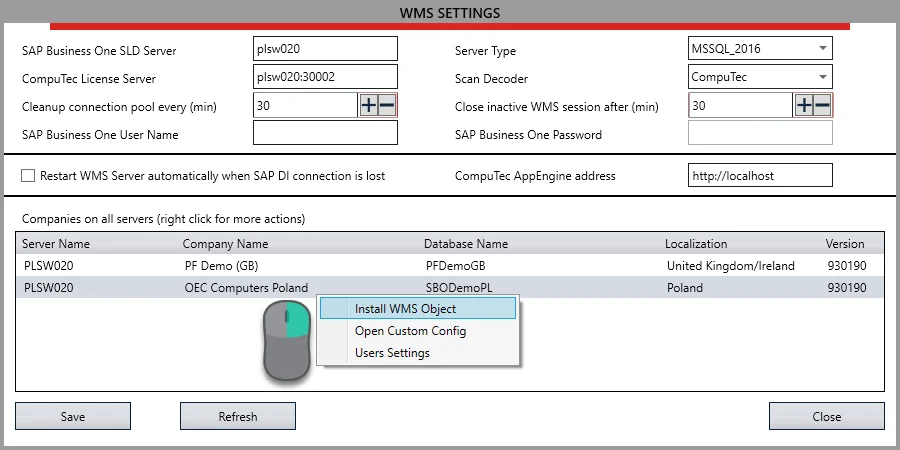
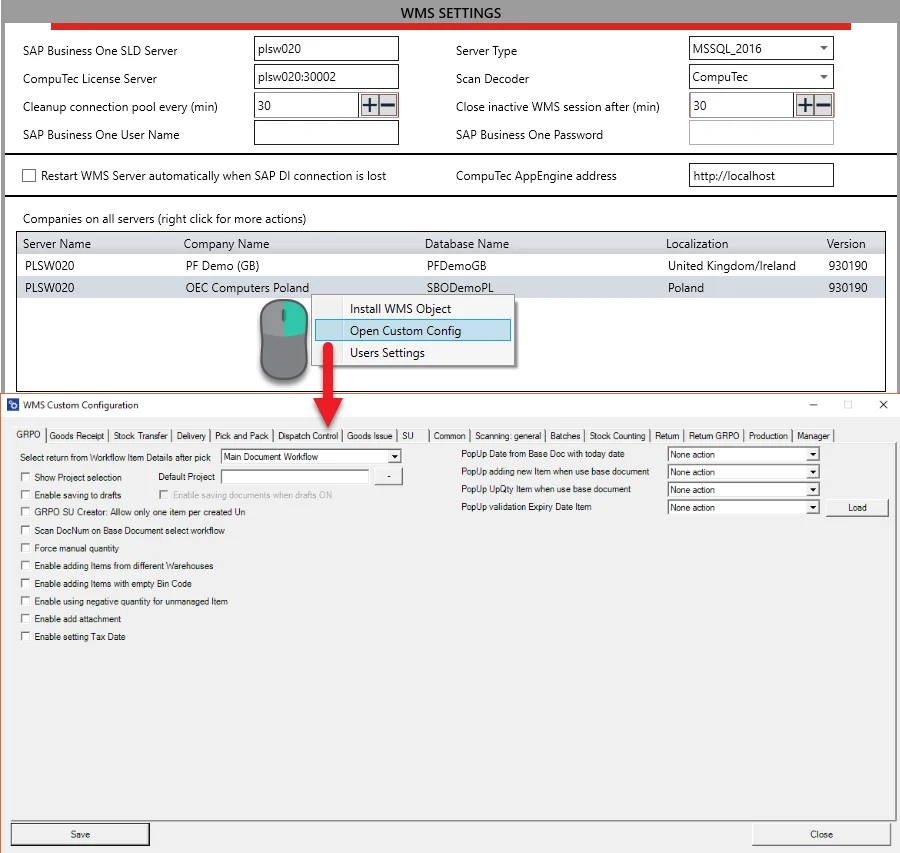
We’ve also improved how custom configurations work in this version. Previously, to customize CompuTec WMS, you had to open the custom configuration folder, and the custom configuration settings that you defined there were applied to all company databases across the board. To offer you more flexibility and ease, we have changed that. Now your custom configurations can also be defined using the CompuTec Service Manager and are saved in each database individually, which means that each database can have its own individual custom configurations.
License Server Connections
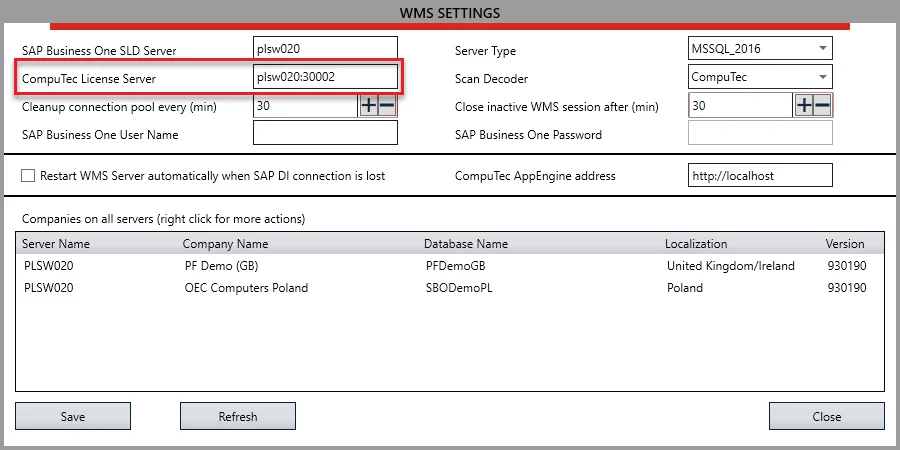
In previous versions of CompuTec WMS, connections to the license server were established from within your CompuTec WMS client. Now you can configure this connection in the CompuTec Service Manager when you select the service “WMS Server”. Now that everything is managed from a central point, this should save you some time and generally make setting up such configurations less troublesome.
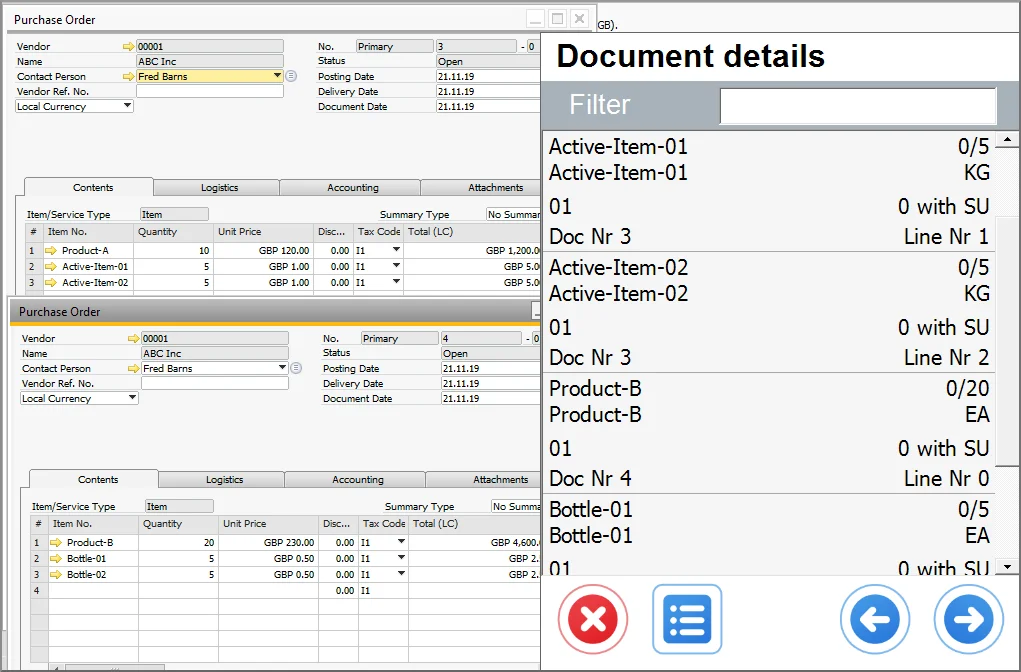
Additional User-Defined Fields on Main List Items
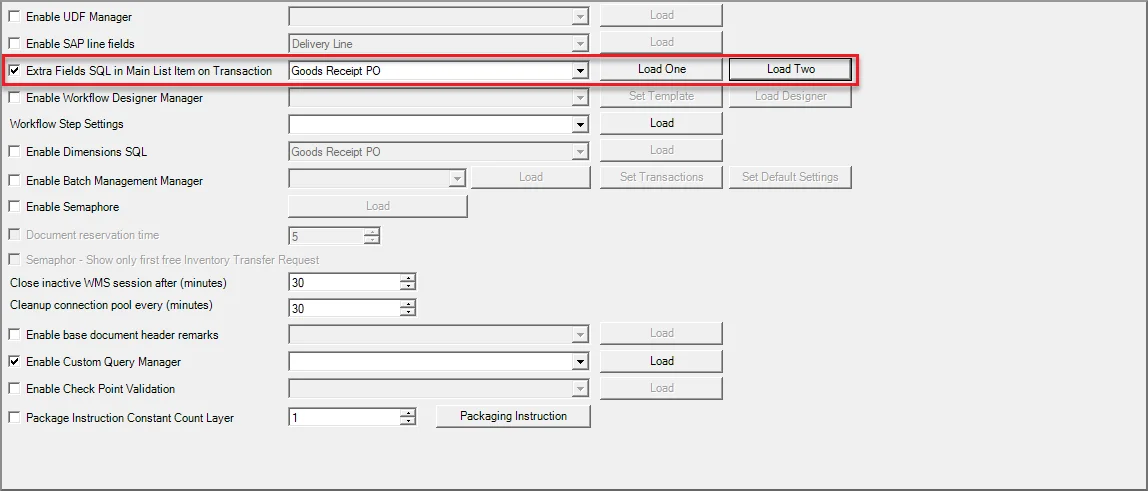
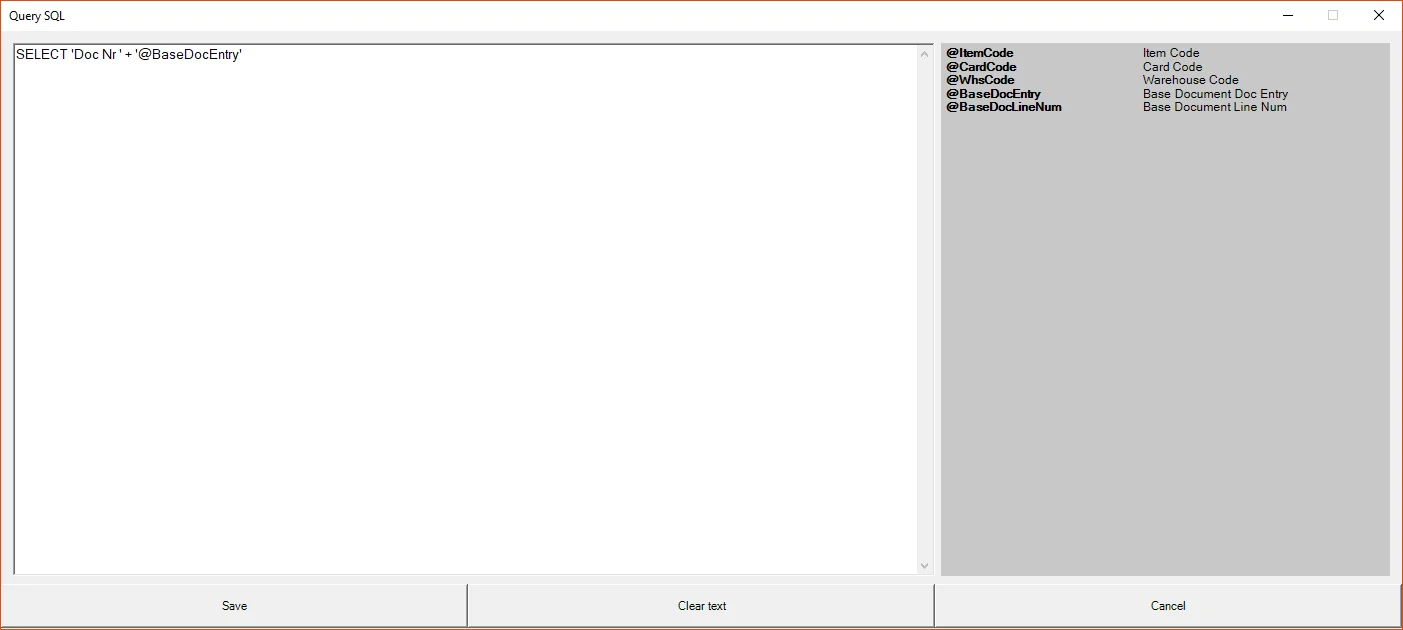
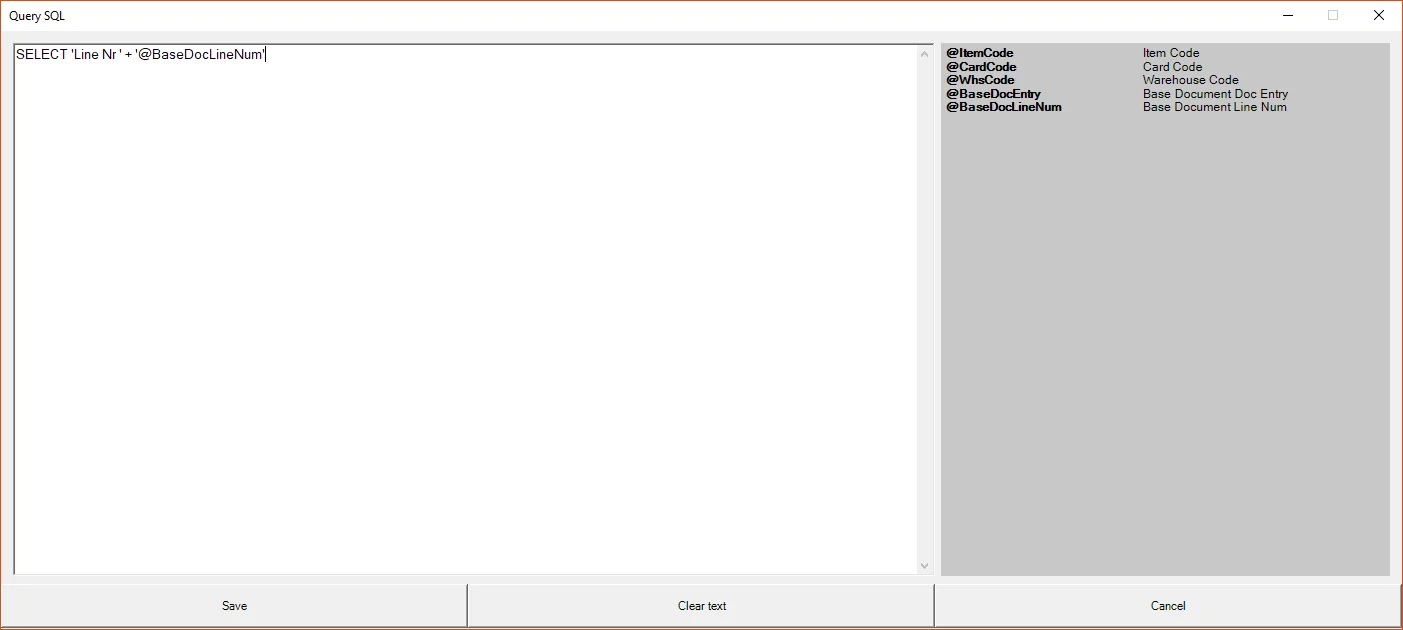
You can now add up to two additional customized values on each Item Row on CompuTec WMS transactions. This can be set up individually for each type of transaction, and the values entered into these fields are determined by SQL queries. You can set this up in WMS Custom Configuration. So you may wish to note any particular properties or classifications here to inform operators of, for example, toxic or hazardous materials. Or you could use these fields to communicate manufacture or expiry dates to users. As this is really very flexible, the world is your oyster here, and you can use this in any way that suits your particular warehousing needs.
Validation
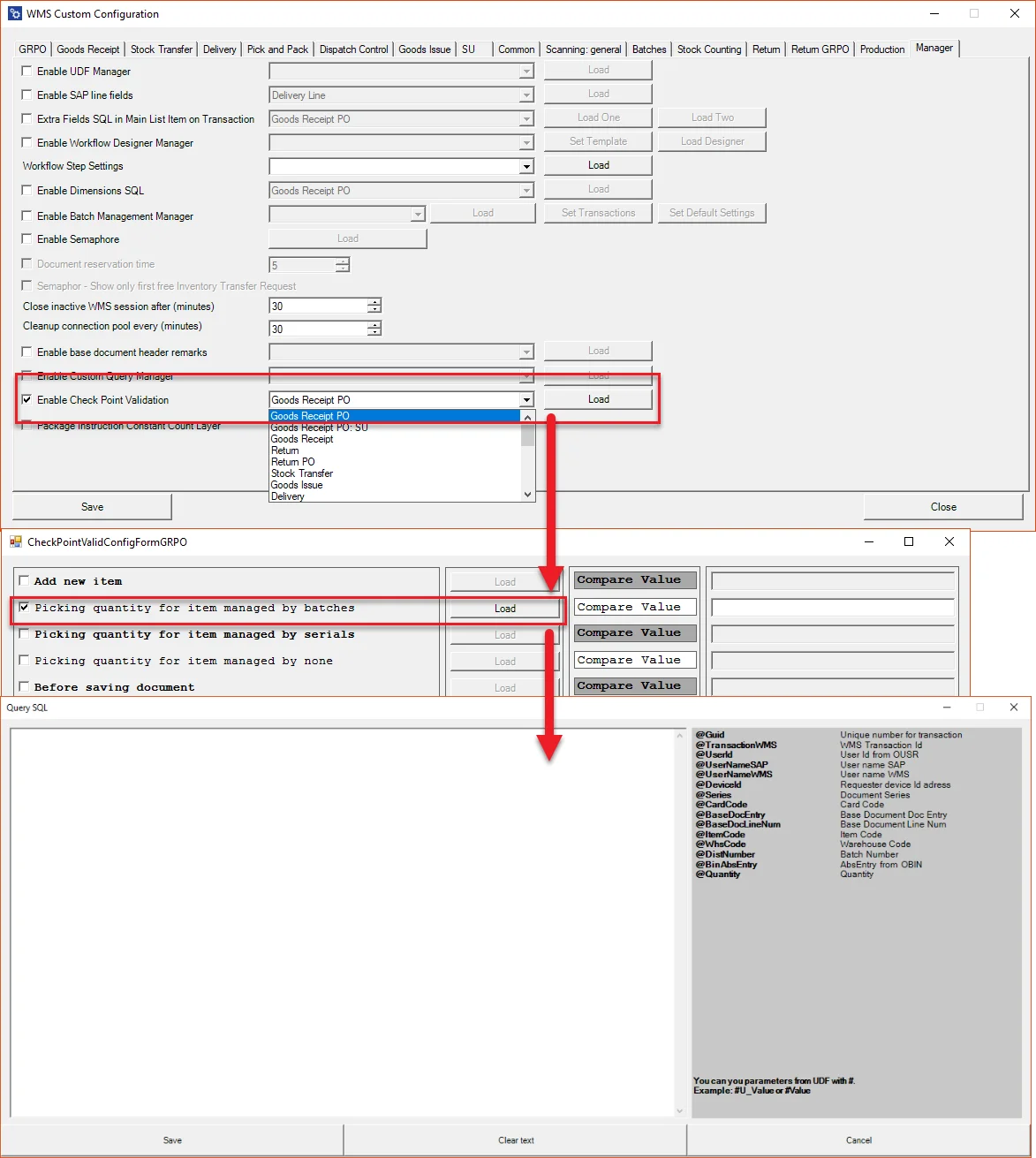
We have added some really great field validation functionality to CompuTec WMS. This has a huge scope for usage, and as such we already dedicated a whole blog post to CompuTec WMS validation earlier this year. All of the features mentioned in that blog are now available in the CompuTec WMS 2.0 beta.
Weight Scales Integration
CompuTec WMS 2.0 comes complete with full weight scales integration. By using weight scales that are connected to CompuTec WMS, your warehouse operators will save huge amounts of time over weighing or counting goods manually. By automating this aspect of receiving goods, picking, or issuing goods to production with CompuTec WMS and weight scales, you can expect a far greater degree of efficiency and precision. You can also connect your weight scales to CompuTec WMS via Wi-Fi for your added convenience.
Timed Pop-Ups
You can now configure CompuTec WMS to produce pop-up windows during SAP Business One and CompuTec ProcessForce transactions at specific times of your choosing. This is an extremely flexible tool that could be used in a multitude of ways. You can set the pop-up to display any kind of message and at any time interval using SQL queries. To give you an idea about how this might work in practice, let’s imagine this scenario. A bakery is issuing goods to production from their warehouse, and they have to put the raw materials into a big vat. After the warehouse operator adds the raising agent to the vat, some time should pass before the remaining ingredients are added to the vat to allow the raising agent to work effectively. So the warehouse operator records adding the raising agent and then, as an example, ten minutes later a pop-up appears on his handheld device telling him that it is now time to add the remaining ingredients.

Photo Attachments to Goods Receipt PO
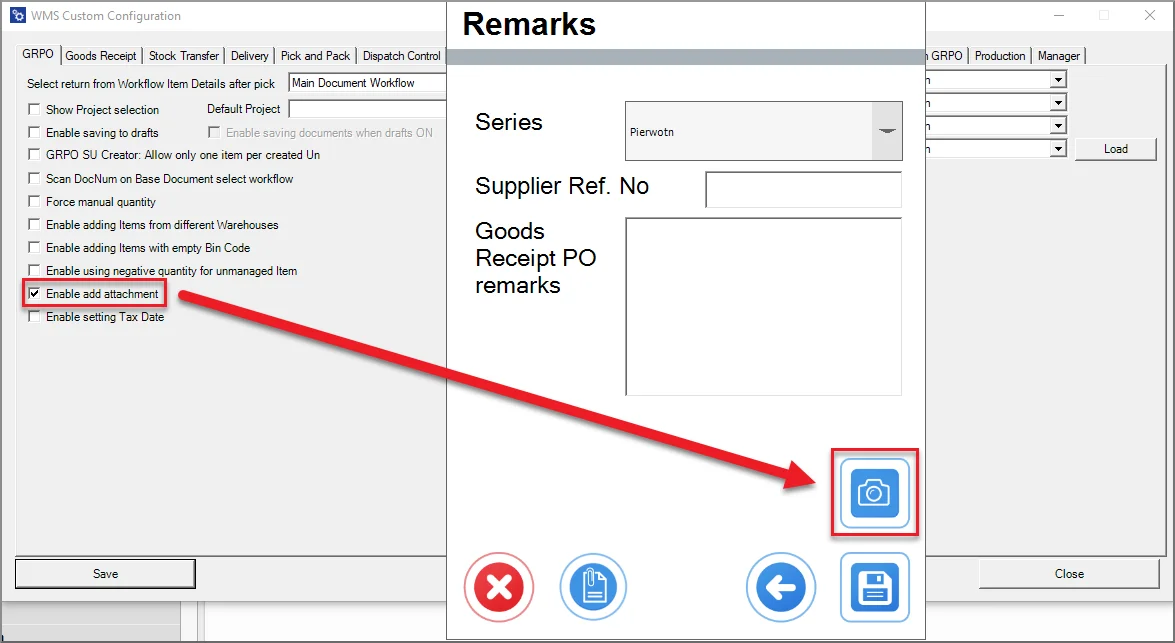
We have now made it possible to attach photographic records to Goods Receipt PO if you have a handheld device with a camera. This is a useful way of maintaining visual records of the condition of shipments for future reference, of recording data about the delivery vehicle such as the license plate number, or anything else you need photographic records of.
Serialization
CompuTec WMS now supports batch serialization, which will be of particular interest to the pharmaceuticals, life sciences, and highly regulated food industries such as the baby food and canned fish industries. Until now, there was a choice as to whether to manage inventory by batch or by serial number. Now you can compose batches of serialized items too. Users can apply their own rules to serial numbers used within batches, define serialization standards on the basis of any attributes of their choosing, and set up templates to determine how and under what circumstances serial numbers are defined.
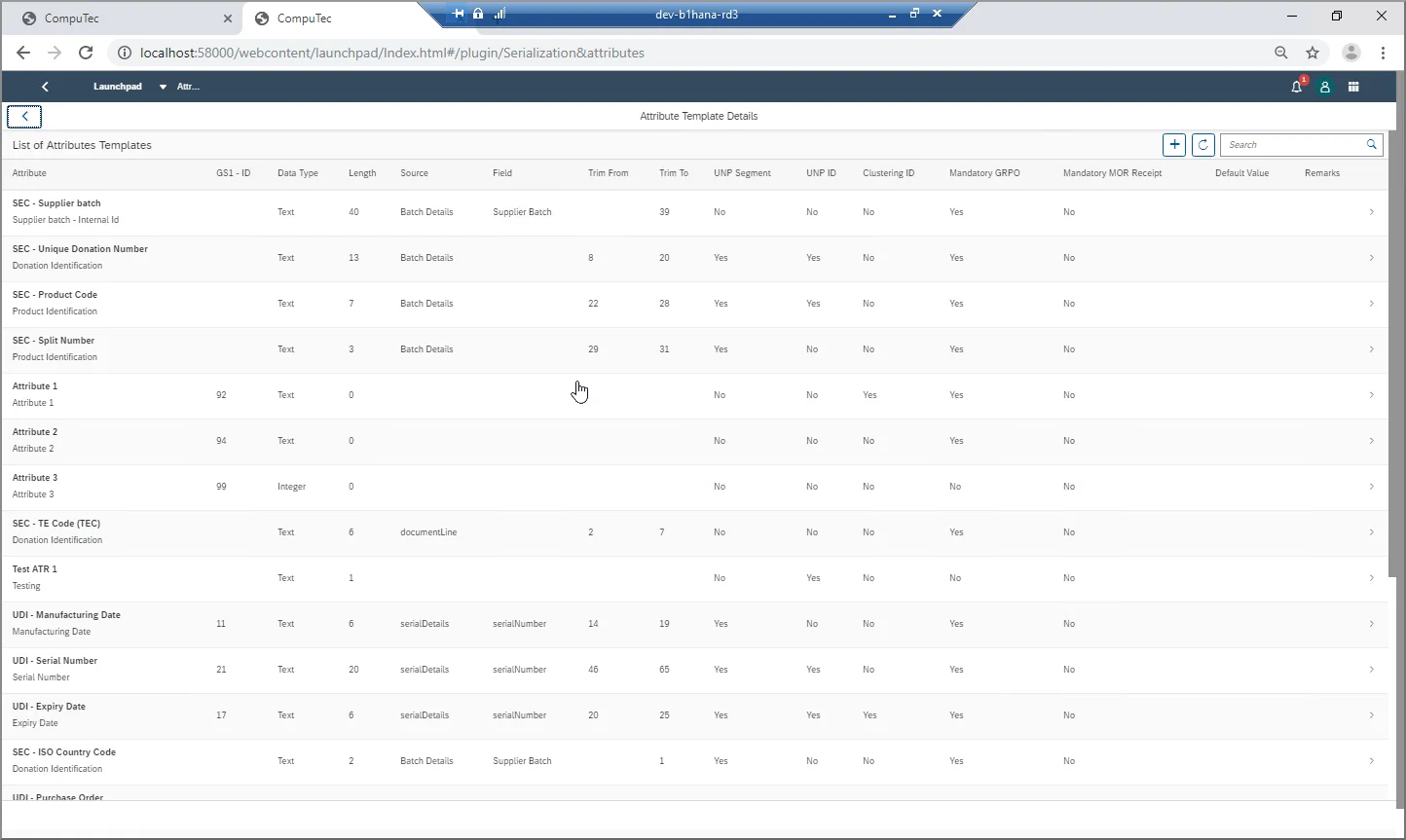
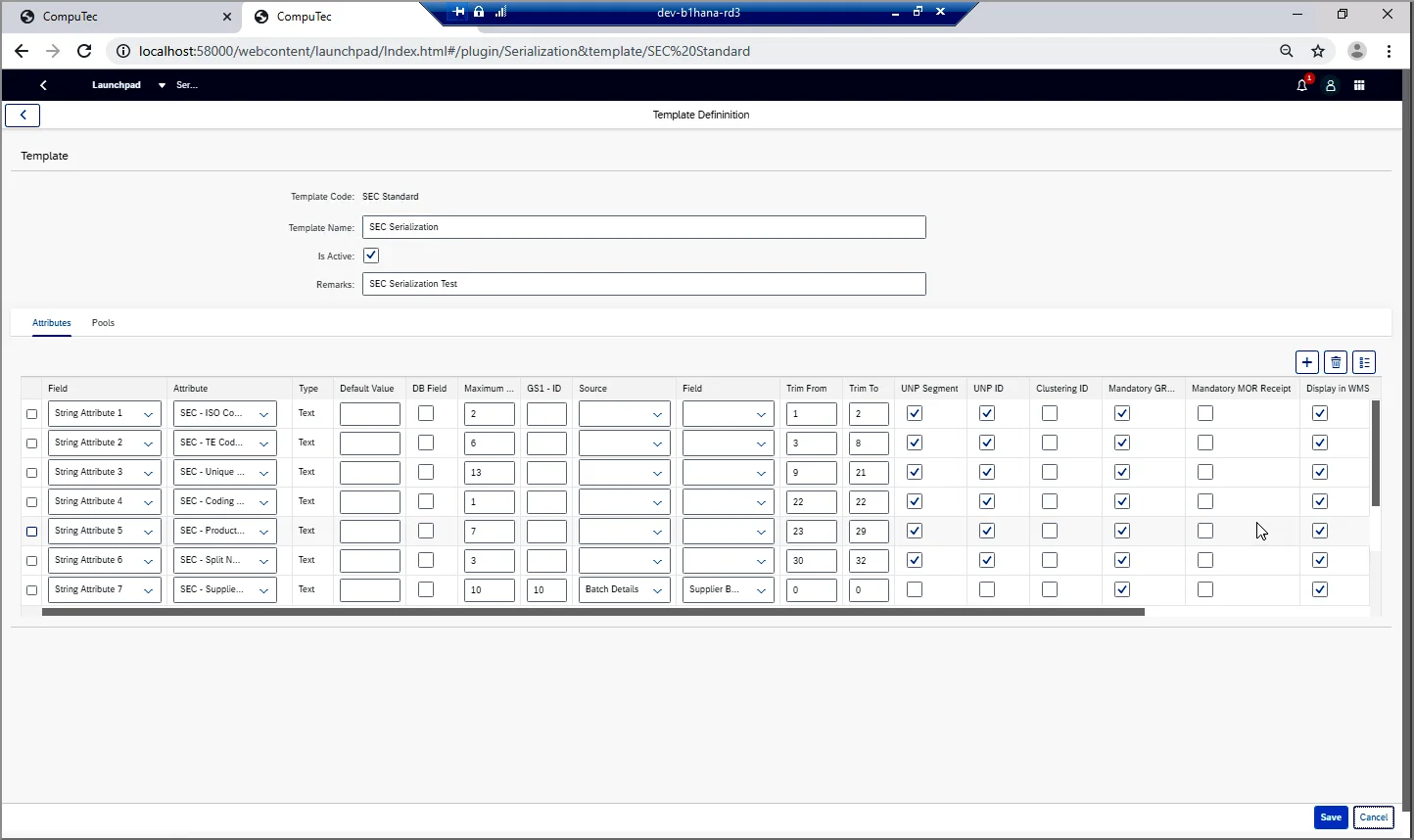
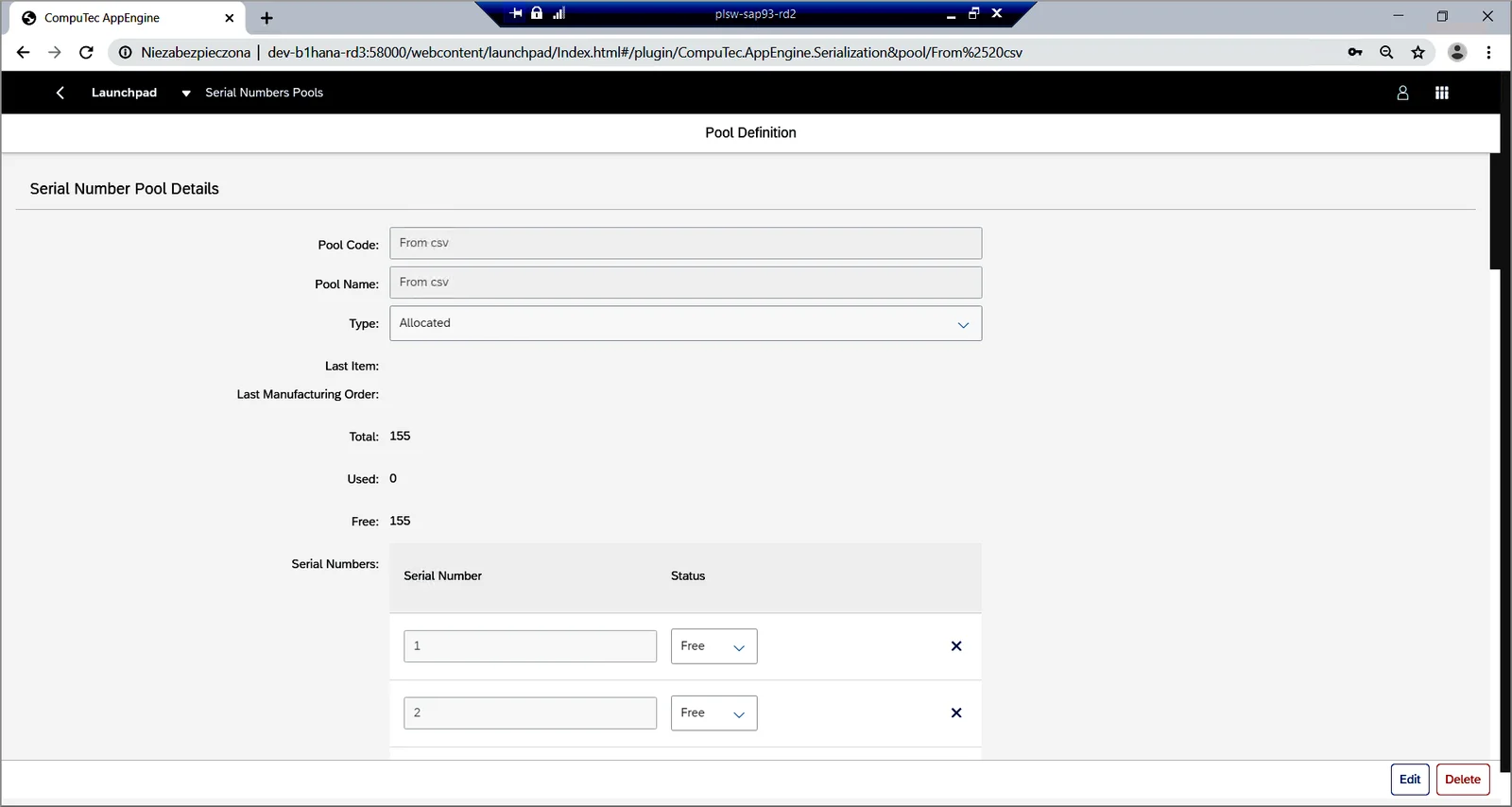
When you organize serialized items into batches or pools, you can also assign rules for their management.
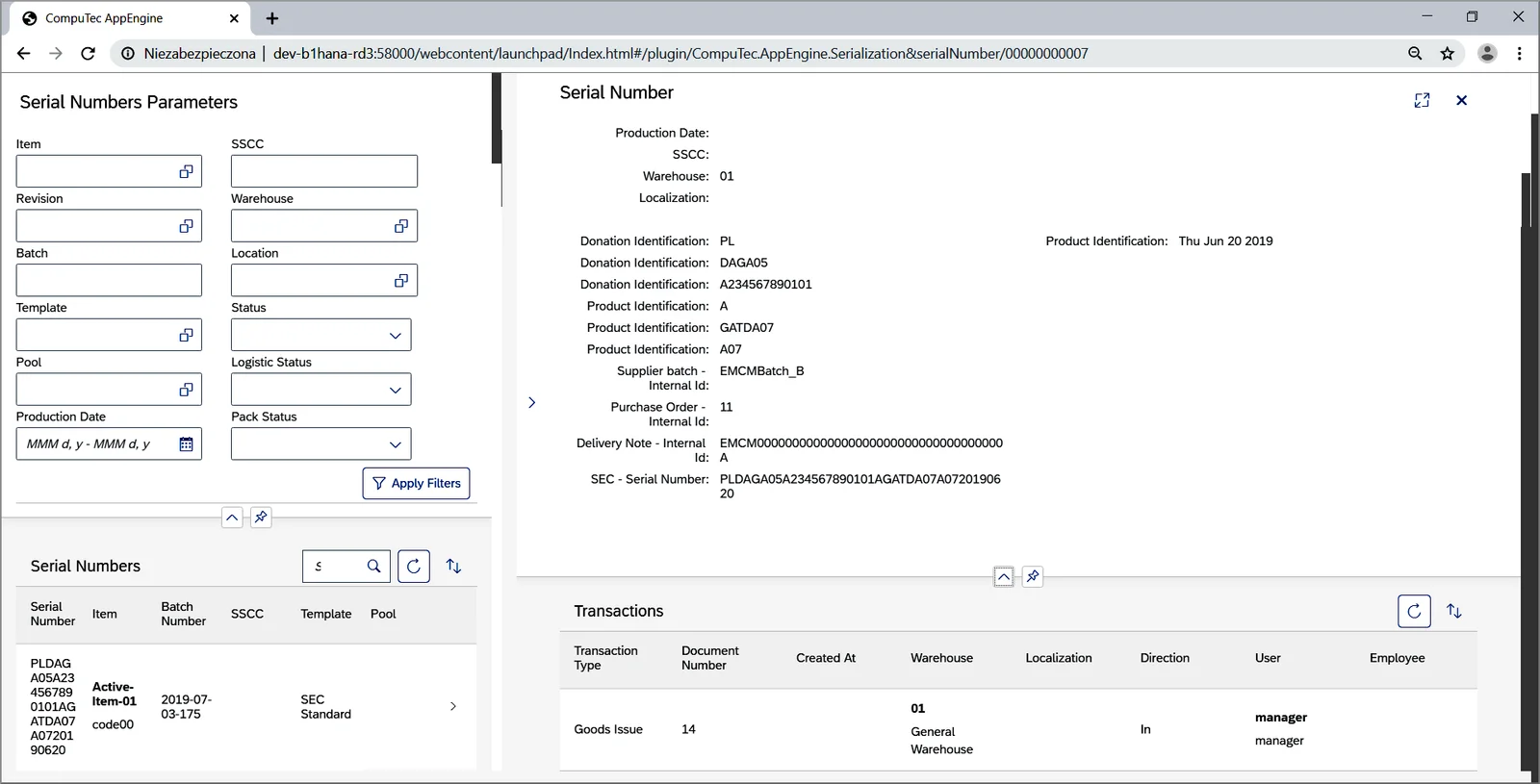
As a result of all of this, you can now generate track and trace reports in CompuTec AppEngine to allow you to check the history of each serial number.
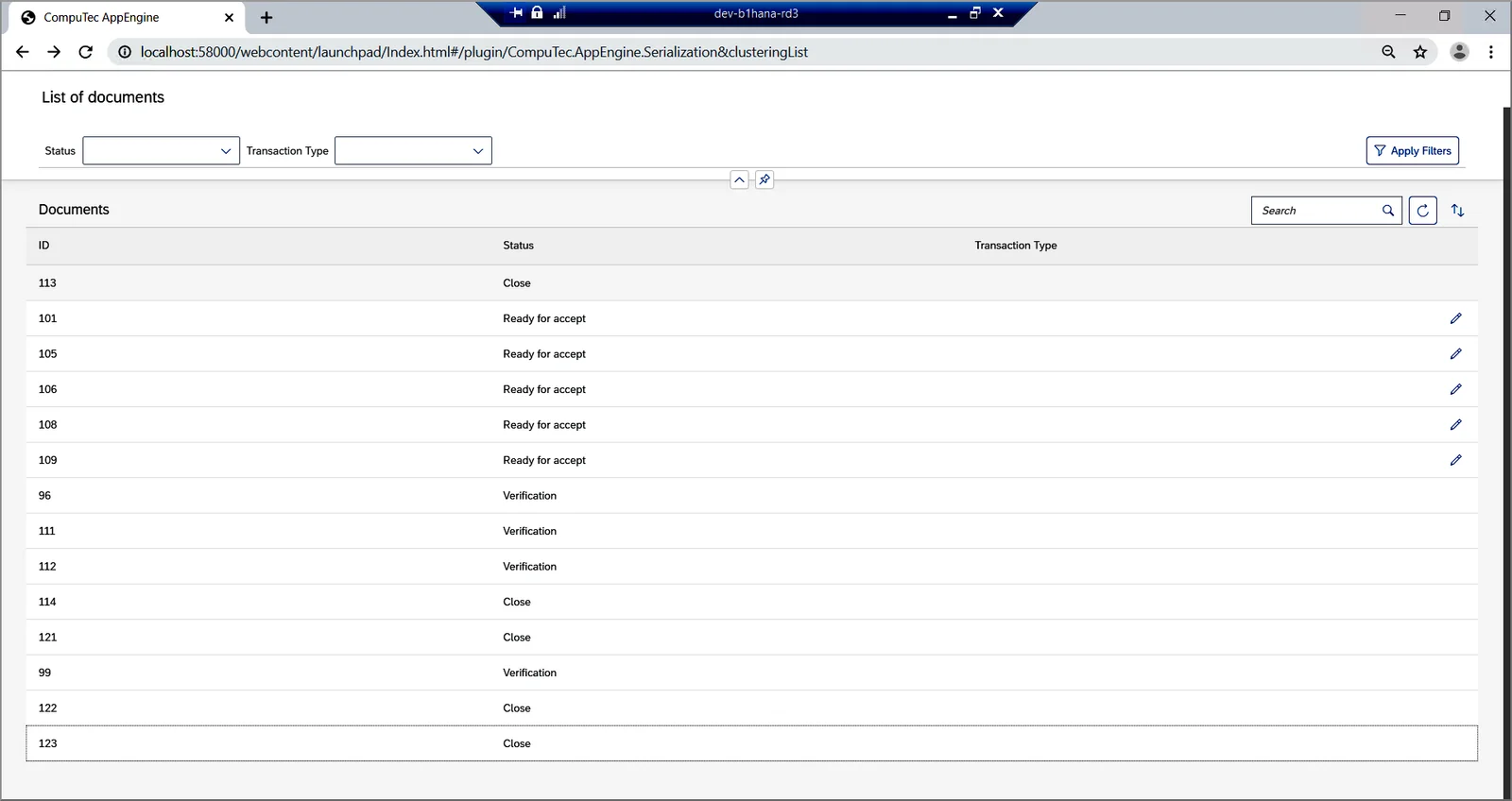
You can organize serialized products into multi-level storage units as well. Again, using CompuTec AppEngine, it is possible to generate CompuTec WMS Packing Hierarchy Documents. These allow users to check the composition of multi-level storage units and amend them if need be.
This is also a great example of how our innovative CompuTec AppEngine platform can be used to provide a positive customer experience based on SAP Fiori concepts and the SAPUI5 framework for the user interface.
Document Numbers
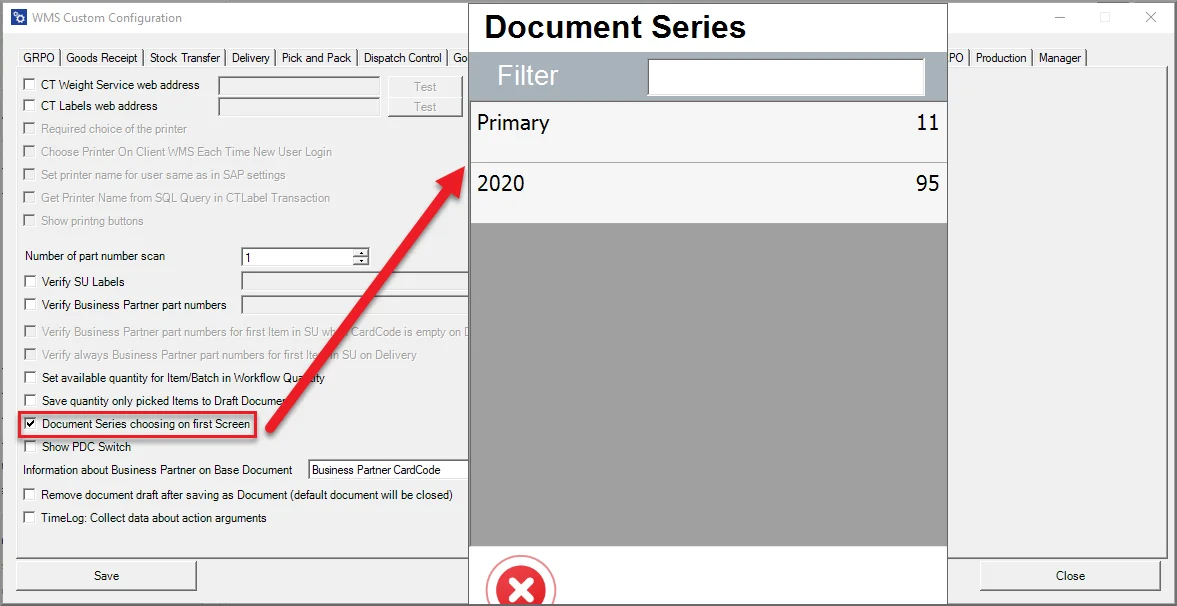
Finally, you can now set up document numbering so that you can choose which document series you want to use at the start of transactions, rather than just at the end of transactions as was the case before.
If you are a CompuTec partner and would like to know more about CompuTec WMS 2.0, as I mentioned at the beginning of this post, our expert, Piotr Wysocki, will be running a CompuTec WMS 2.0 webinar for our partners on this very subject on December 12, 2019.
If you are interested in finding out how CompuTec WMS can help you run your warehousing processes better, please get in touch with our team.