CompuTec WMS 2.0 is on its way, and today I would like to give you a preview of what you can expect from it. We have yet to meet two companies who run their warehouses in exactly the same way, and our development team keep this at the forefront of their mind throughout the entire development process. Never has this been truer than in CompuTec WMS 2.0. In this version, the ability to tailor our solutions to your way of running your business is definitely the name of the game. Along with the new CompuTec WMS User Defined Fields Manager, a new approach to validation opens up a myriad of opportunities to tighten up your warehouse operations and eliminate countless mistakes and miscommunications, along with their sometimes quite serious consequences.
What Is Validation Exactly?
Validation is, simply put, a checking process which ensures the correct data is entered into your system. It ensures that all the data you need is collected and that transactions can only be carried out under the correct conditions.
But Doesn’t Validation Already Exist in SAP Business One?
Yes, it can be defined, but validation in CompuTec WMS is far faster and makes life much easier for the user. Let me expand on that. In SAP Business One, validation can only be performed when you try to save a form. This means that any errors in the form are only detected when you have filled in the entire form, and if there are any issues, you then have to go back through all the data you have entered and hunt them down, which can be a bit of a frustrating process.
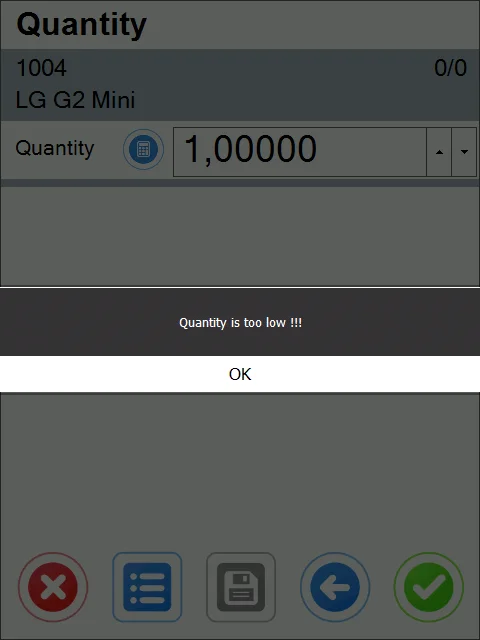
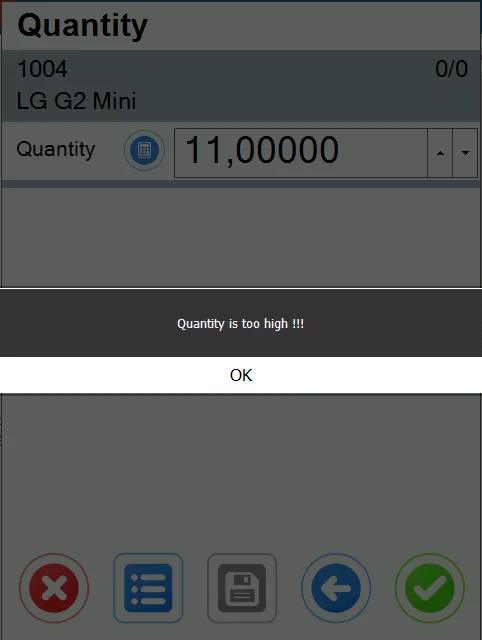
CompuTec WMS alerts you to incorrect fields as the values are entered, so you will always know that the alert you receive is about the field you are currently entering data into, which takes a lot of the hassle out of data entry.
Secondly, I mentioned that validation in CompuTec WMS is faster. This is because any one form can have multiple validation checkpoints (fields on which validation should be performed), so when you save the document, SAP Business One then goes through all of the checkpoints one after the other. If a form only has two checkpoints on it, the form will be saved pretty quickly, but if you have maybe 10 or more checkpoints on the form, it takes much longer for your system to save the document every single time, even if all the data is perfect.
Again, because CompuTec WMS will alert you as soon as any invalid data is entered, you skip that entire sluggish process, so you can save your data very quickly and get on with the next task.
Is It Difficult to Set Up?
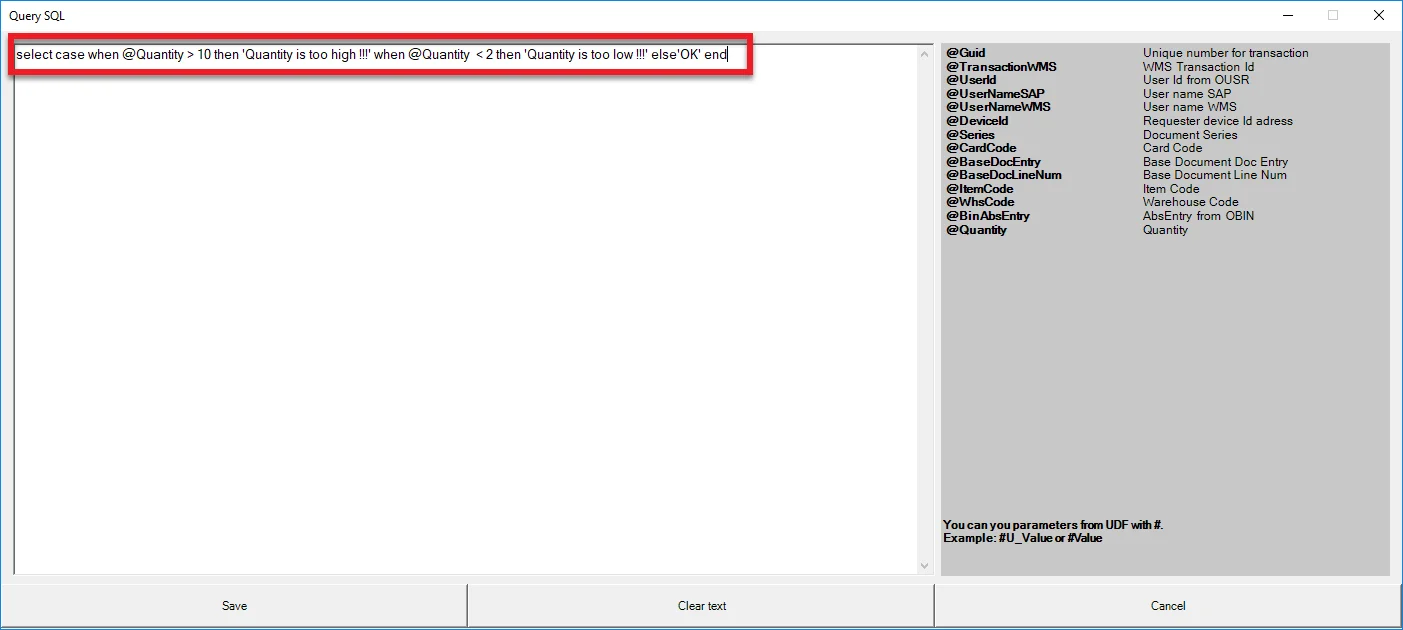
Absolutely not. Anyone competent in SQL queries can set up validation on any CompuTec WMS, CompuTec ProcessForce, or User Defined Field in a matter of seconds.
On Which Warehouse Transactions Can Validation Be Performed?
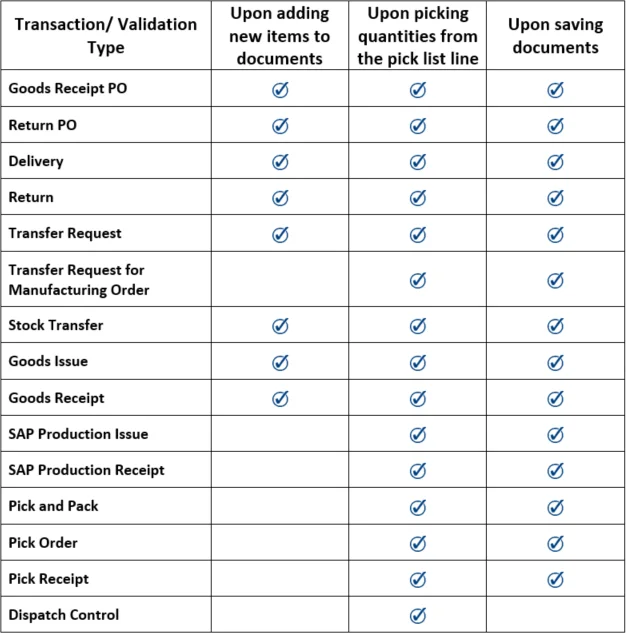
The validation process in CompuTec WMS can be carried out on any CompuTec WMS, CompuTec ProcessForce, or User Defined Field. The table below summarizes on which forms and transactions CompuTec WMS validation is available.
In What Circumstances Would This Be Useful to Me in My Warehouse?
The great thing about CompuTec WMS validation is that how you can use it is only limited by your needs and your imagination. There is such a huge scope for deploying it that I couldn’t possibly describe them all here, but I will give you a few examples:
- Compel your staff to enter all the data you require each and every time
- Make sure you don’t send out deliveries to customers whose accounts are overdue
- Prevent your warehouse operators from receiving goods from blacklisted suppliers
- Accept only the returns which comply with the time constraints of your returns policy
- Define what expiry dates can be issued from your warehouse, either enterprise-wide or on a customer-by-customer basis
- Limit the movements of certain kinds of inventory, e.g. keep your cleaning fluids well away from foodstuffs or make sure hazardous goods are kept in the part of your warehouse designed to accommodate them safely
- Ensure correct inventory is stored in suitable conditions, e.g. at the correct temperature or humidity level
- Prevent defective batches or items from being issued to production or sent out to customers
This is very, very far removed from an exhaustive list. If you have something particular in mind, please do contact our team and we’ll be glad to tell you if the scenario you envisage is a possibility.