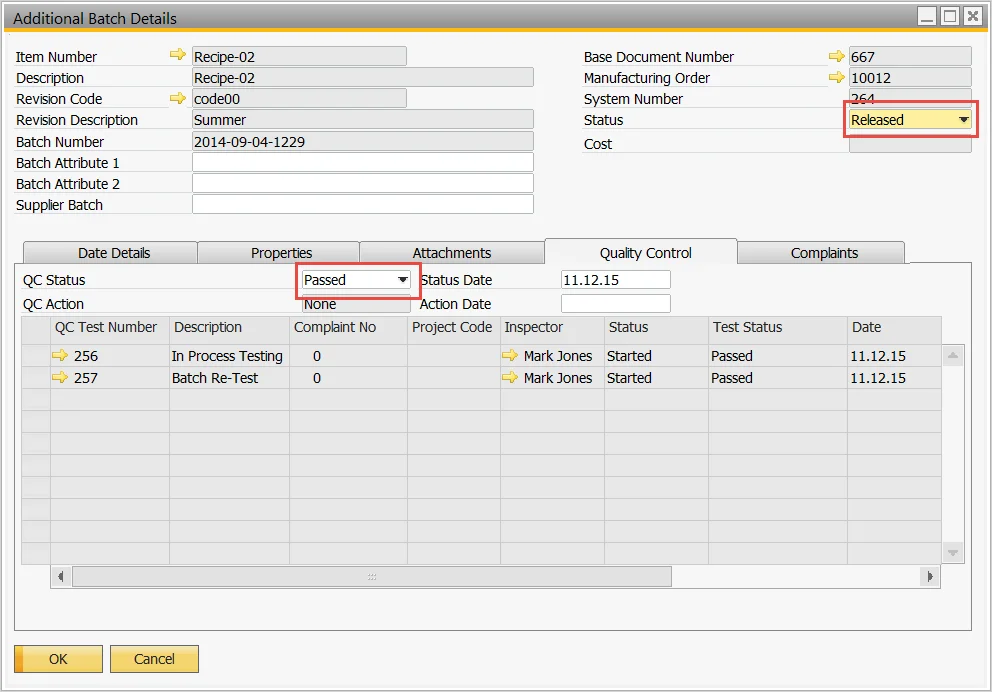
Within the food and beverage industry, a commonly voiced concern is audits and regulatory compliance, and across the industry there are many standards, such as Safe Quality Food (SQF), British Retail Consortium (BRC), and others, which are HACCP-based food safety and quality management systems.
Good Manufacturing Practices (GMP) and Hazard Analysis and Critical Control Points (HACCP) are both systems intended to ensure the safe production of food. GMP is the “first step” to food safety: a series of principles to be fulfilled to ensure that products meet food safety requirements. GMPs are the fundamental components of HACCP, which is a systematic approach to production that is designed to prevent and control hazards before food safety is compromised.
A GMP plan is a combination of management and manufacturing practices, procedures, and policies, which are well documented and designed to ensure food products are consistently processed to comply with safety standards.
How does ERP fit into this? The marriage between GMP and ERP lies in these documented procedures and policies, where the business and the corresponding ERP functions and process flows are cross-referenced.
Depending on the type and nature of the product being produced, and the defined GMP and HACCP protocols, quality control testing may occur at different points of the production process, with quarantine controls for batches in the post-production phase. The illustration below is such an example:
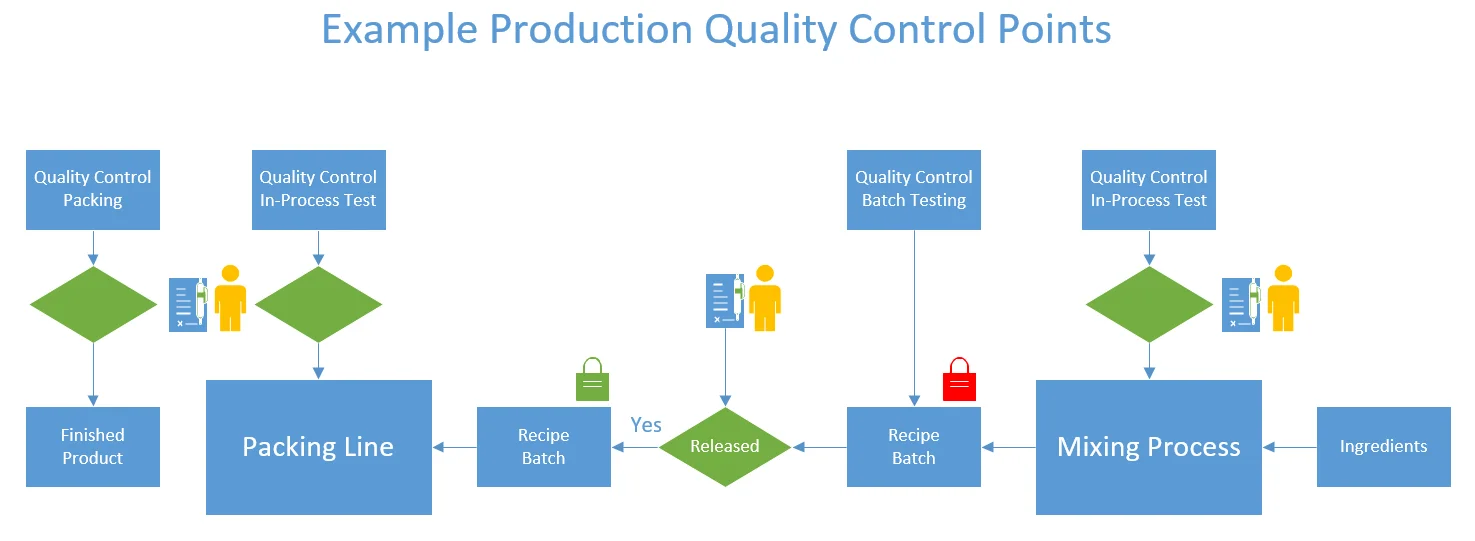
To support such GMPs, how does CompuTec ProcessForce manage this process, and what configuration is required to achieve it? Below are some screen examples.
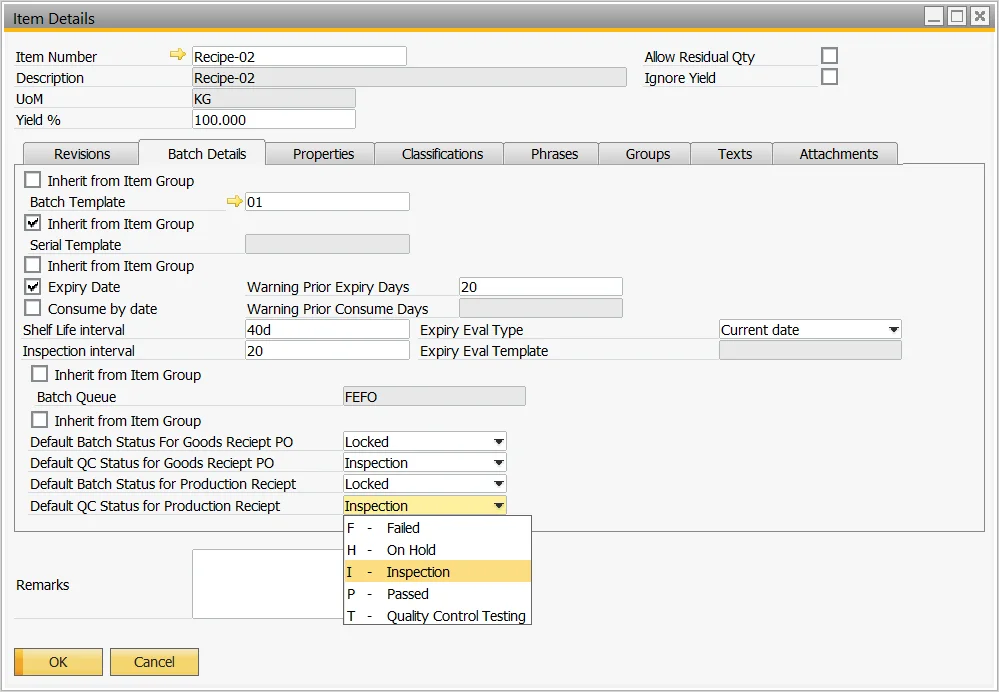
Set the item so that when the batch is produced, it will be “Locked” with the status “Inspection.”
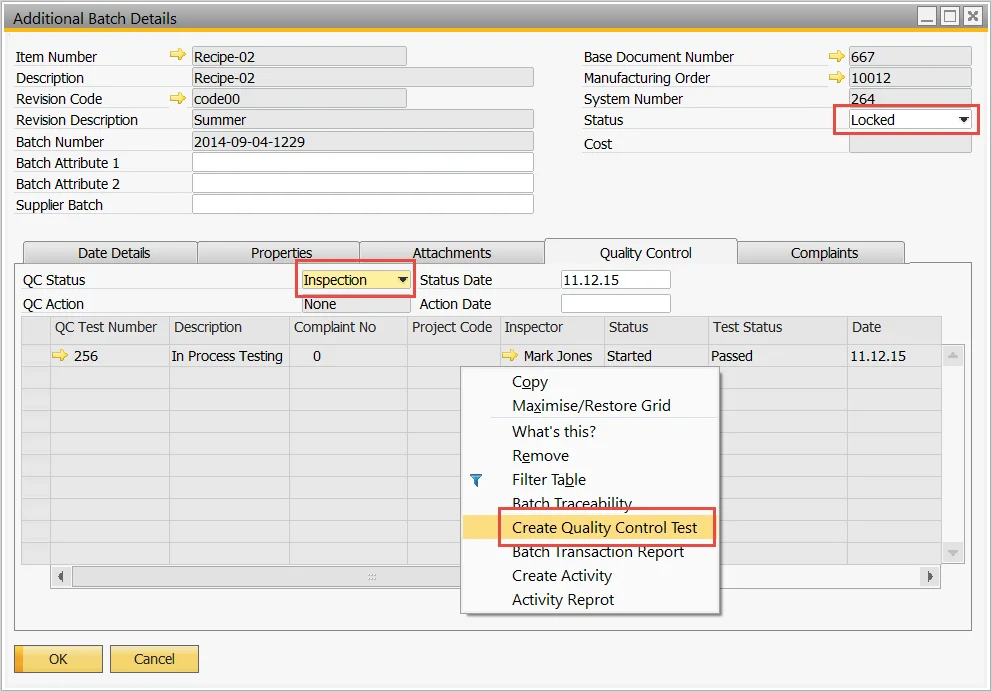
Batch release is based on performing a Quality Control test directly from the batch.
Perform the Quality Control test and validate the results.
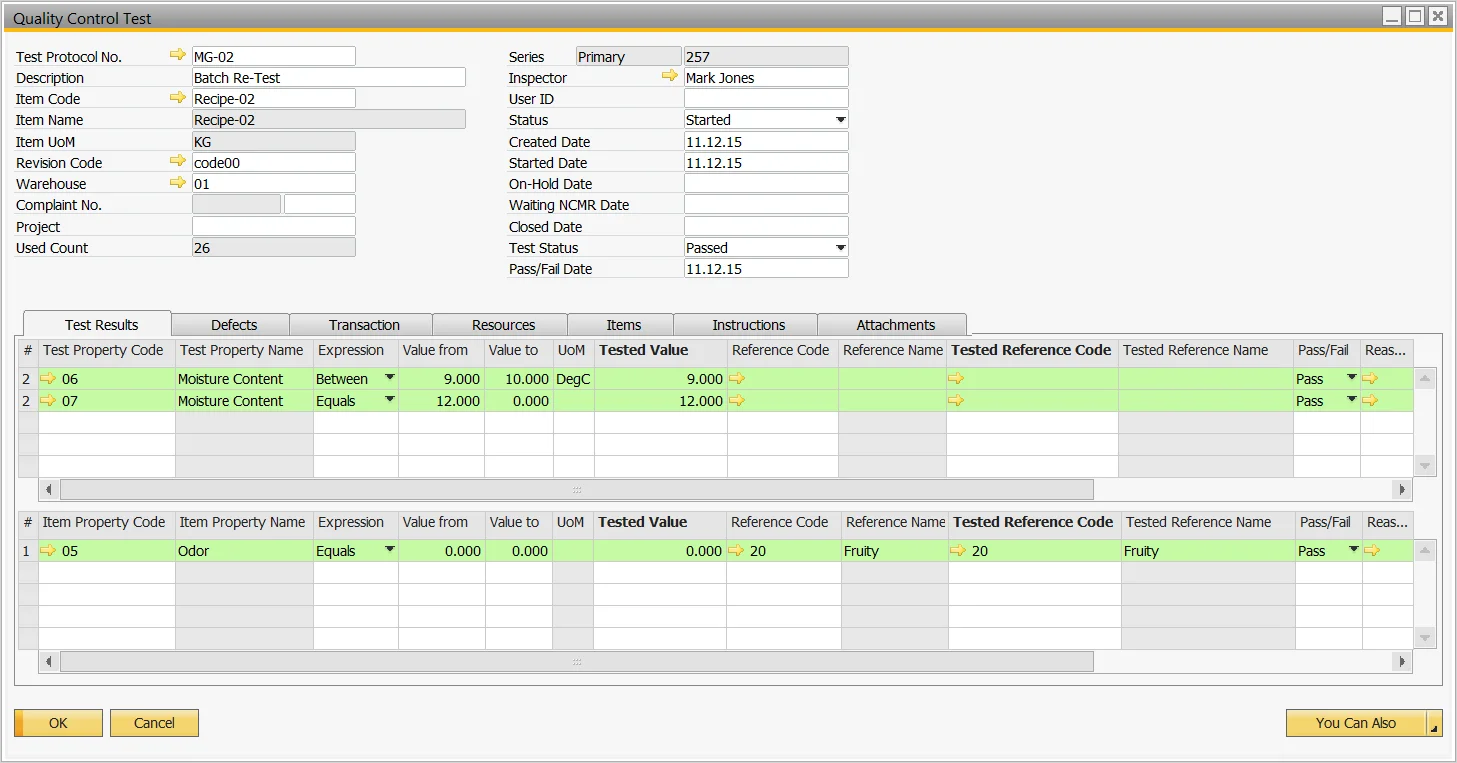
The batch is passed and ready to be consumed for the next phase of production.