In the first half of 2026, mid-size industrial users in the EU paid about €0.18 per kWh for electricity, roughly 43% more than in the second half of 2020, while gas cost about twice what it did then, according to Eurostat. People are scarce too: in July 2026, 17.1% of industry managers named labor shortages as a factor limiting production, the only factor that rose since April (European Commission business survey).
For a mill, that means every tonne costs more to make. A coil, roll or batch that ends up in a lower grade, or in scrap, loses all of that energy and time. Grading output by measurement, as it is produced, keeps more of it at full value and gives you the evidence when a customer asks what they received. This post looks at how CompuTec ProcessForce and CompuTec PDC support that in SAP Business One.
Defining What Each Grade Means
A grade is only as clear as the specification behind it. In CompuTec ProcessForce, you define the properties you measure, such as thickness, tensile strength, moisture or surface finish, each with its unit and the value or range it must meet. A Test Protocol brings them together for a product and sets when testing happens: after a number of batches, at time intervals, or at a particular operation in the routing.
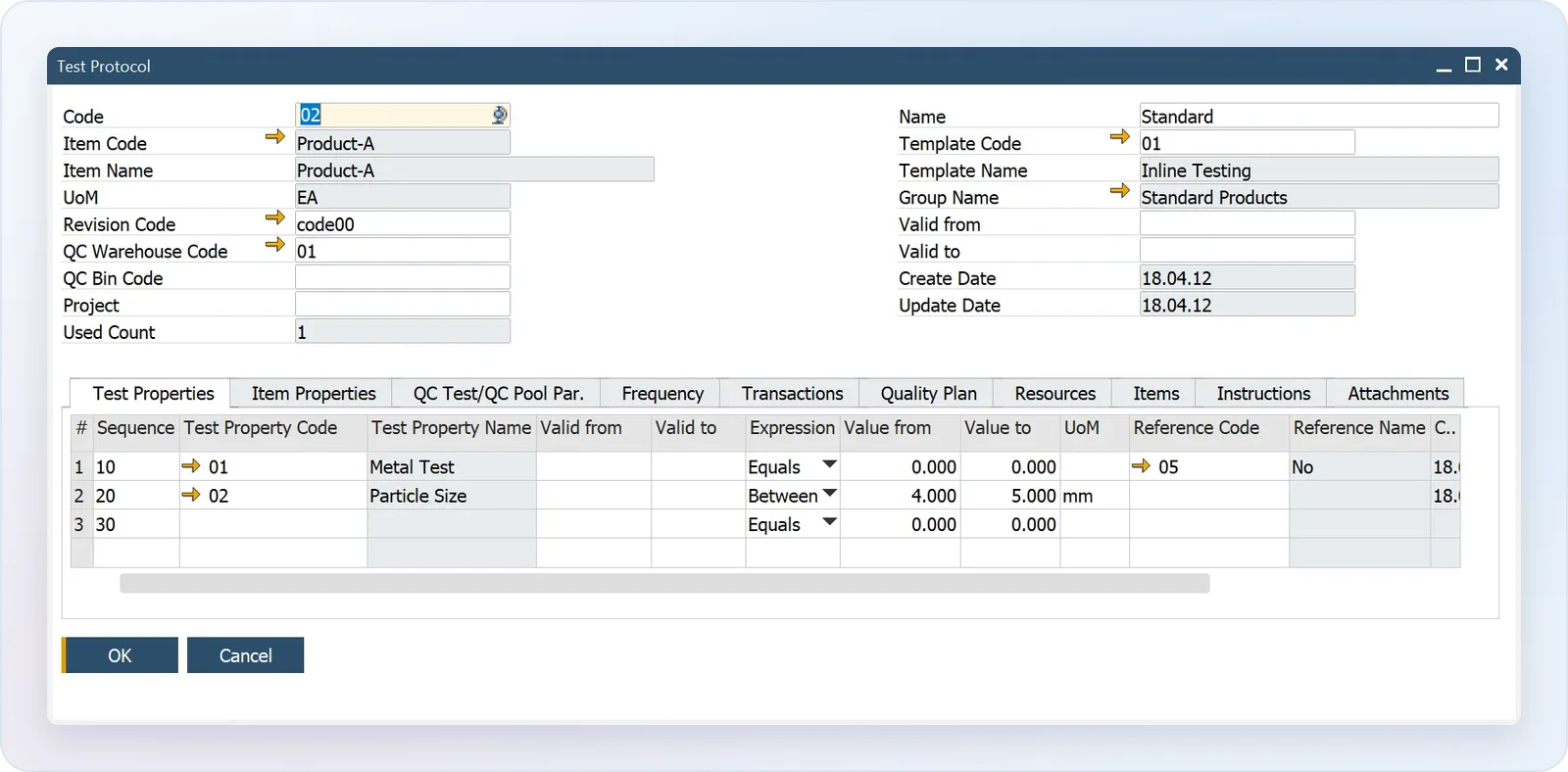
The result is one written specification per product that everyone works to, instead of limits that live in an experienced operator’s head.
Measuring on the Line, Not After the Shift
Continuous production can’t wait for the end of a shift to find out that a property drifted, so measurements need to be recorded where they are taken.
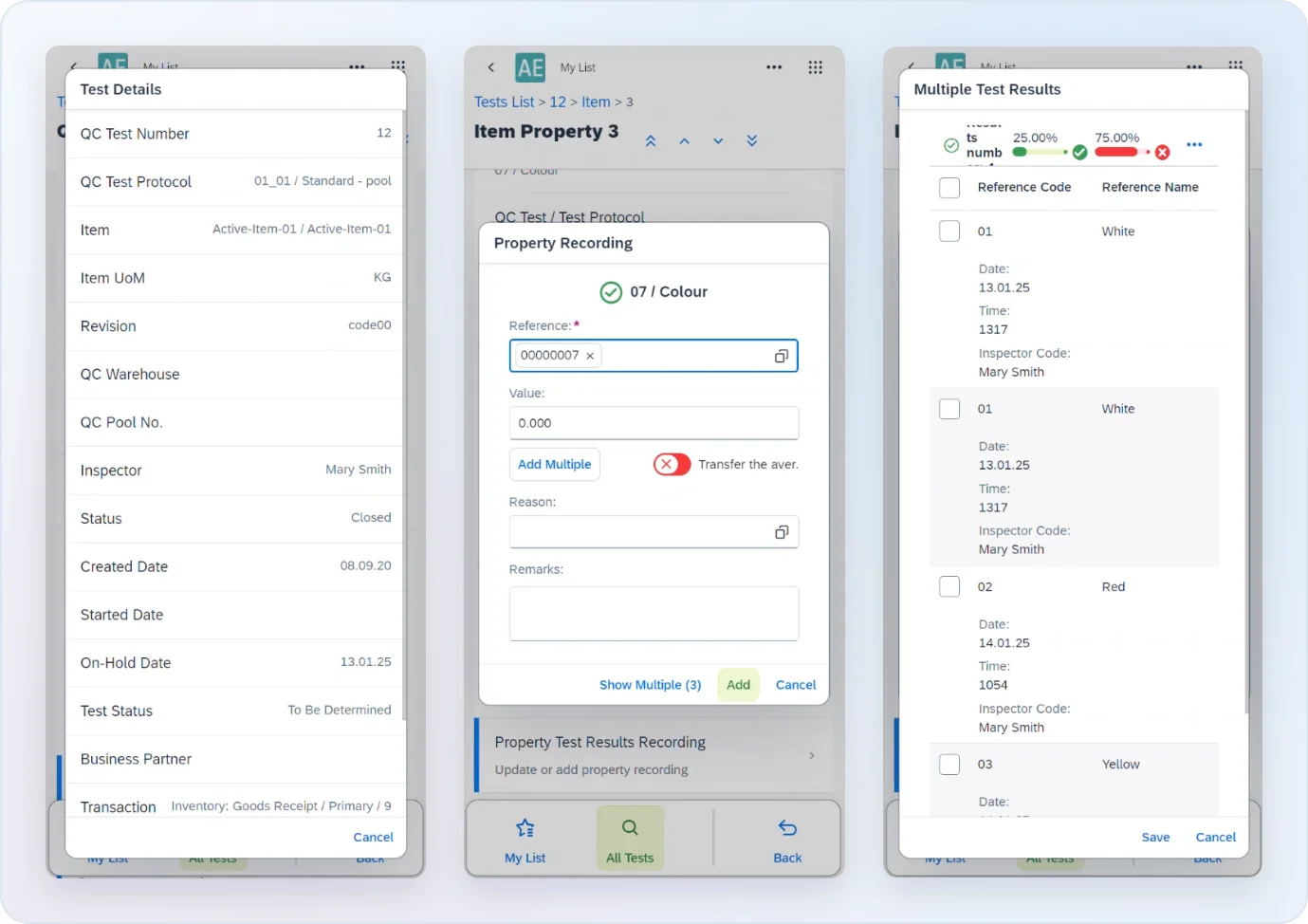
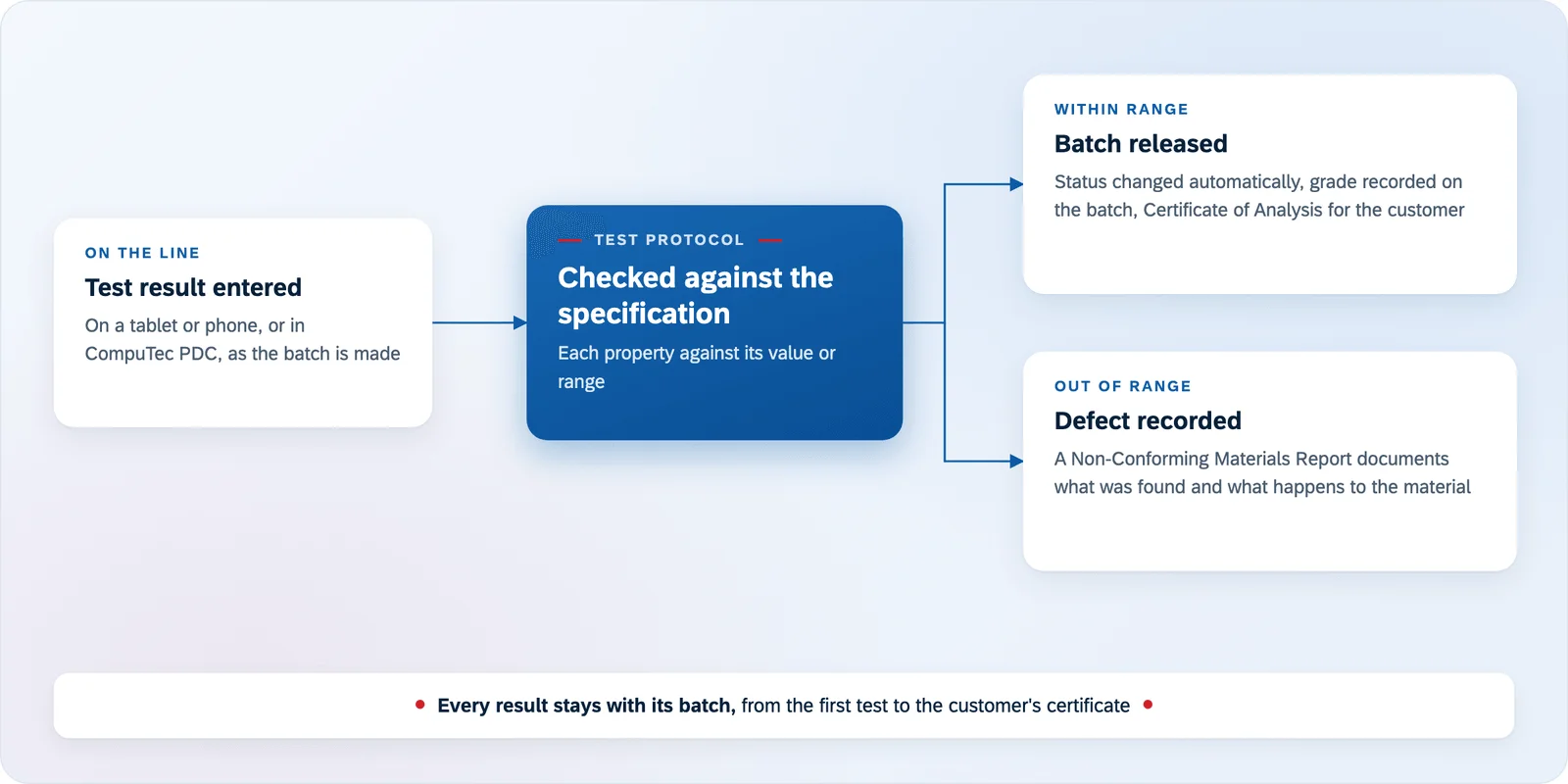
The Quality Testing Mobile app in CompuTec ProcessForce is built for that. A quality technician checking coils along the line or rolls in the warehouse opens the test on a tablet or phone, enters each measurement where the material is, and sees at once whether it passes or fails against its range. Several results can be recorded for one property, and each is saved in CompuTec ProcessForce as soon as it is entered, so nobody retypes figures from a clipboard at the end of the round.
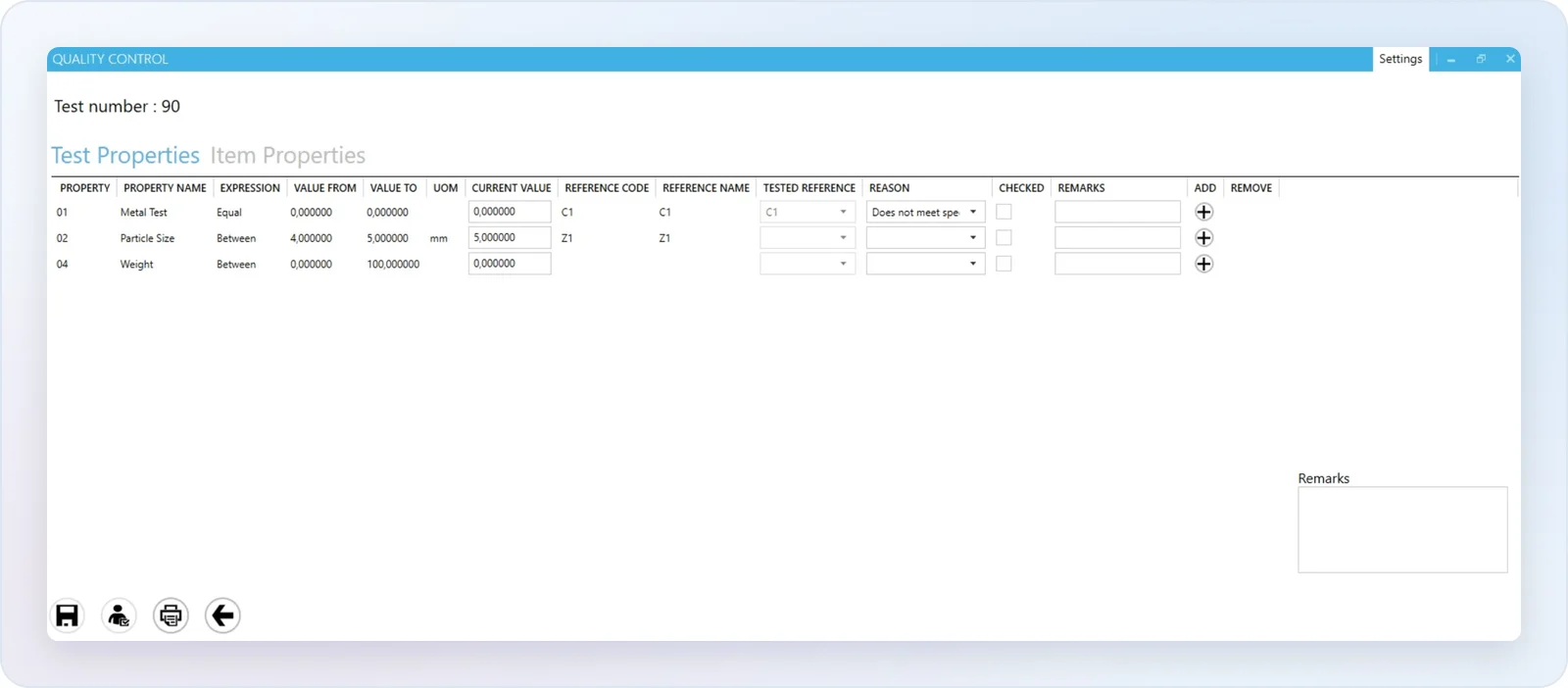
Operators who already work in CompuTec PDC at their machine can record test results there too, and update the status of the Quality Control test from the same screen, without changing devices.
Recording the Grade on Every Batch
Once the results are in, the grade belongs to the batch. Batch properties in CompuTec ProcessForce hold information such as the material grade, so a coil or roll of a different grade is kept as a separate batch with its own record. When a batch passes its tests, its status can change to released automatically, so it is available for sale or the next process without someone remembering to release it.
When a test fails, the defect is recorded against it, and a Non-Conforming Materials Report documents what was found and what was done with the material. For the customer, a Certificate of Analysis can be generated from the test results, showing the measured values for the batch they received.
Knowing Why the Line Stopped
Time on a stopped line is lost output too. In CompuTec PDC, an operator reports downtime from the task they are working on, with a reason from your own list, and it is recorded against the resource, with its start and end time and the technician assigned to fix it. Damaged quantities are recorded with their own reason codes when production is confirmed.
Each stoppage is recorded in SAP Business One alongside the batches and their grades, so the history of a machine is there when you review it.
Keeping Equipment Within Tolerance
Equipment wear can push output out of grade. Plant Maintenance in CompuTec ProcessForce plans preventive maintenance by time, by meter reading, or both, and creates the Maintenance Orders automatically when they are due. Maintenance happens on schedule rather than after the line has started producing off-grade material.
Our Mill Products page covers how CompuTec solutions support mill products manufacturers more broadly, and the Quality Control & Complaints and Plant Maintenance pages describe these functionalities in full. To see grading set up for your own products, you can request a demo.