In the latest versions of CompuTec PDC, 3.93.17.1 and 3.10.8.1, you will find three new settings intended to help you fine-tune the weighing process.
The three new settings are as follows:
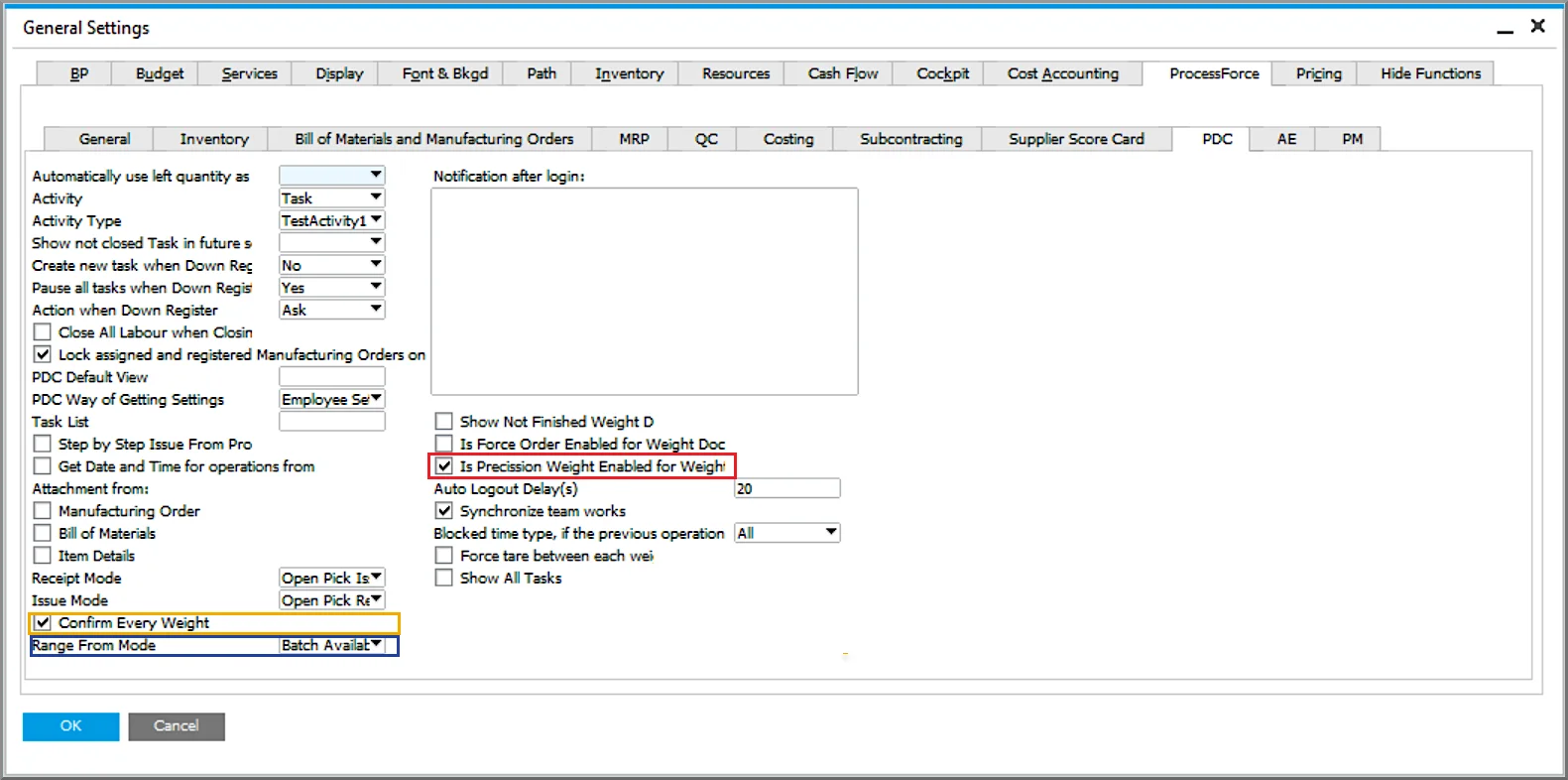
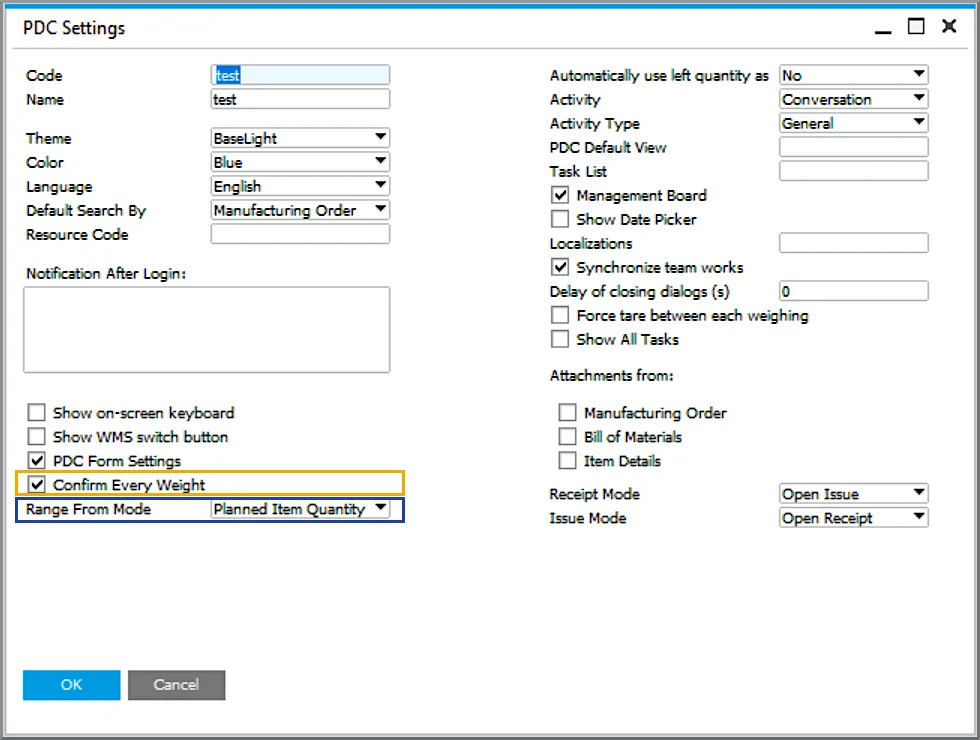
- Weight Measurement Confirmation, marked in gold
- Range From Mode, marked in blue
- Precision weighing and tolerance logic, marked in red
Their location can be seen in the following screenshots. Please note that the first two new settings can be defined in the CompuTec PDC settings for each user or terminal. If those settings are not used, the system will then use the settings as defined in SAP Business One General Settings. The third new setting can only be defined in SAP Business One General Settings.
Weight Measurement Confirmation
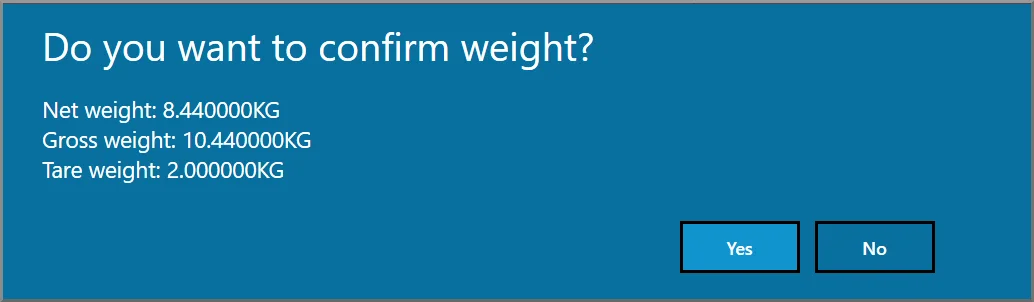
This first new setting, “Confirm Every Weight”, will bring up a pop-up confirmation window after weighing any item(s). The window will display net, gross, and tare weights. If the weight data is confirmed, it will be saved to the database. If it is not confirmed, the goods will need to be reweighed.
Range From Mode
This setting gives you greater control over weight range logic. By selecting Range From Mode, you can add some restrictions to weighing quantities. The drop-down menu has three options to choose from, as follows:
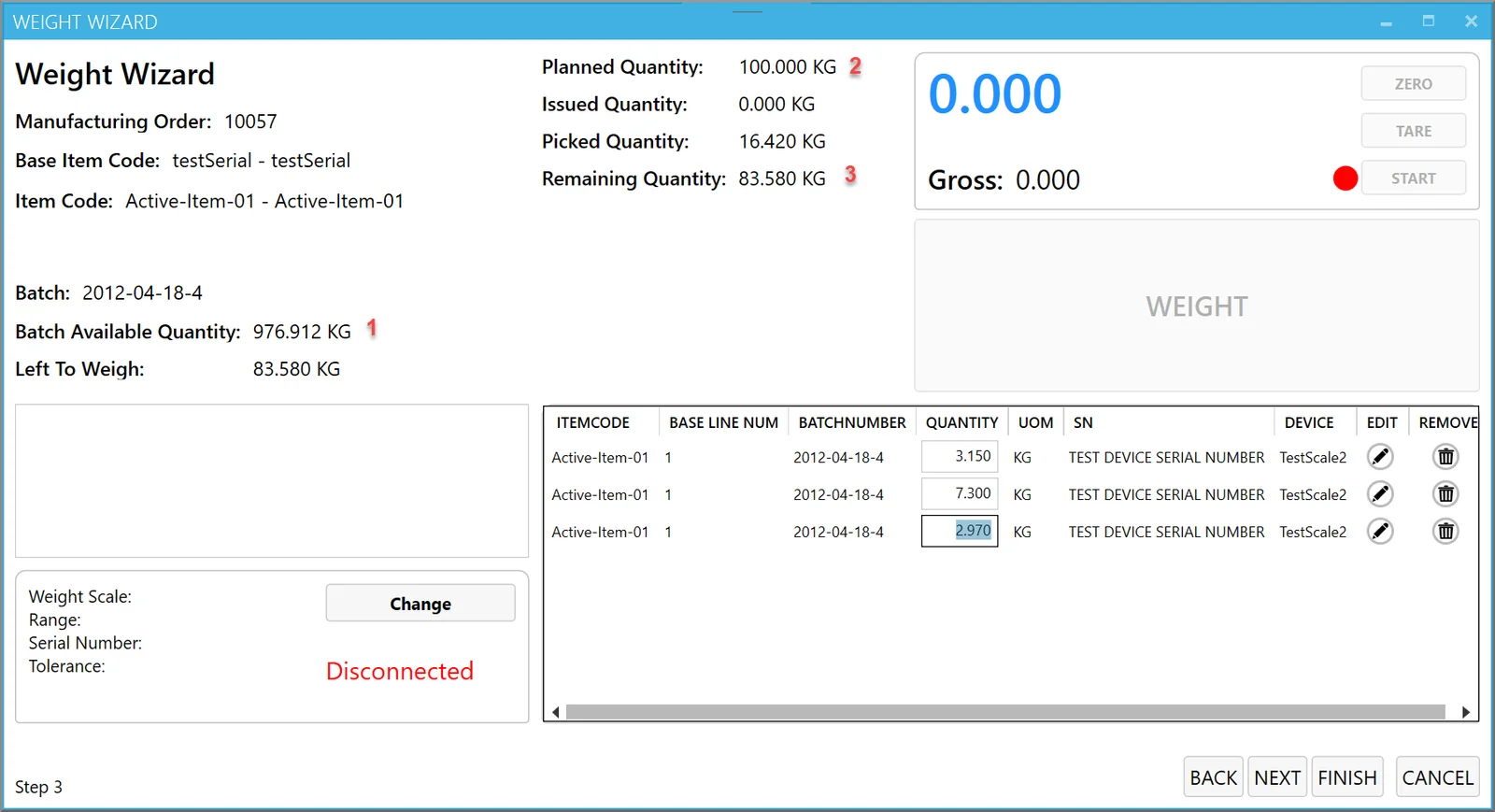
- Batch Available (default): The weight scale value cannot be higher than the batch available quantity. For example, in the example below marked 1, you won’t be able to select this weight scale if Range From is more than 976.912 KG.
- Planned Item Quantity: The weight scale value cannot be higher than the Planned Quantity. For example, in the example below marked 2, you won’t be able to select this weight scale if Planned Quantity is more than 100 KG.
- Remaining Quantity: The weight scale value cannot be higher than the Remaining Quantity. For example, in the example below marked 3, you won’t be able to select this weight scale if Remaining Quantity is more than 83.580 KG.
Precision Weighing and Tolerance Logic
The final new CompuTec PDC setting that we will describe here is “Is Precision Weight Enabled for Weight Documents”.
Precision weighing means that you can only end the weighing process when a specific weight has been reached. For instance, if you are receiving materials to production and you need 100 KG of the material, you will only be able to close the document when 100 KG of the material has been placed on the weight scale.
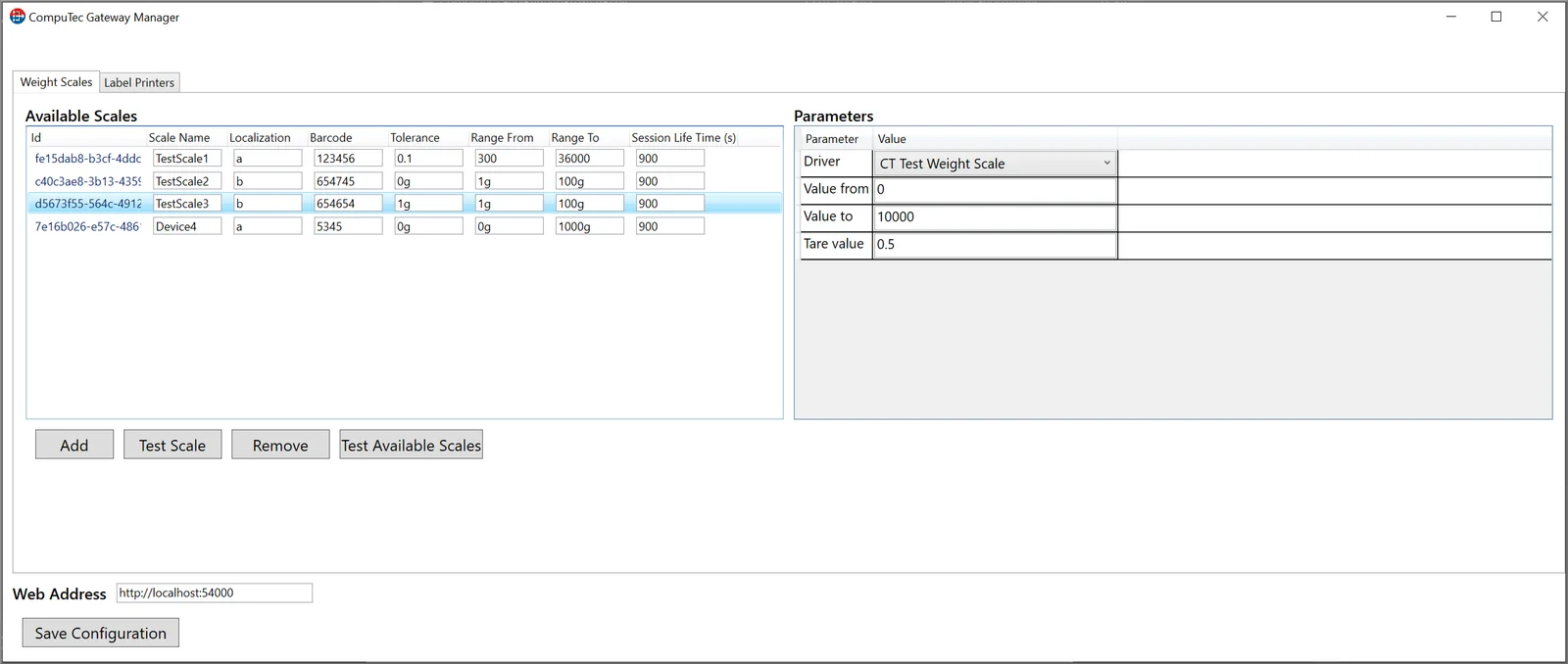
In the real world, in many cases, you might like to allow for some margin of error. Using CompuTec Gateway, you can define a level of “tolerance” for each weight scale.
So, for example, if you need around 100 kg of the material for production and the production process or final product quality won’t be affected by a few grams more or less, you could set a tolerance of, say, 500 g so that your operators can complete the weighing process anywhere in the range of 99.5 kg to 100.5 kg. Or if you need to be fairly precise, as in the example below, you could set a tolerance of only 1 g.