Our newest CompuTec AppEngine app, Manufacturing Order 360, offers CompuTec ProcessForce users additional functionality to better manage work in the factory. The Manufacturing Order 360 app comprises two main functional areas: the Assignment Board and the Gantt Chart.
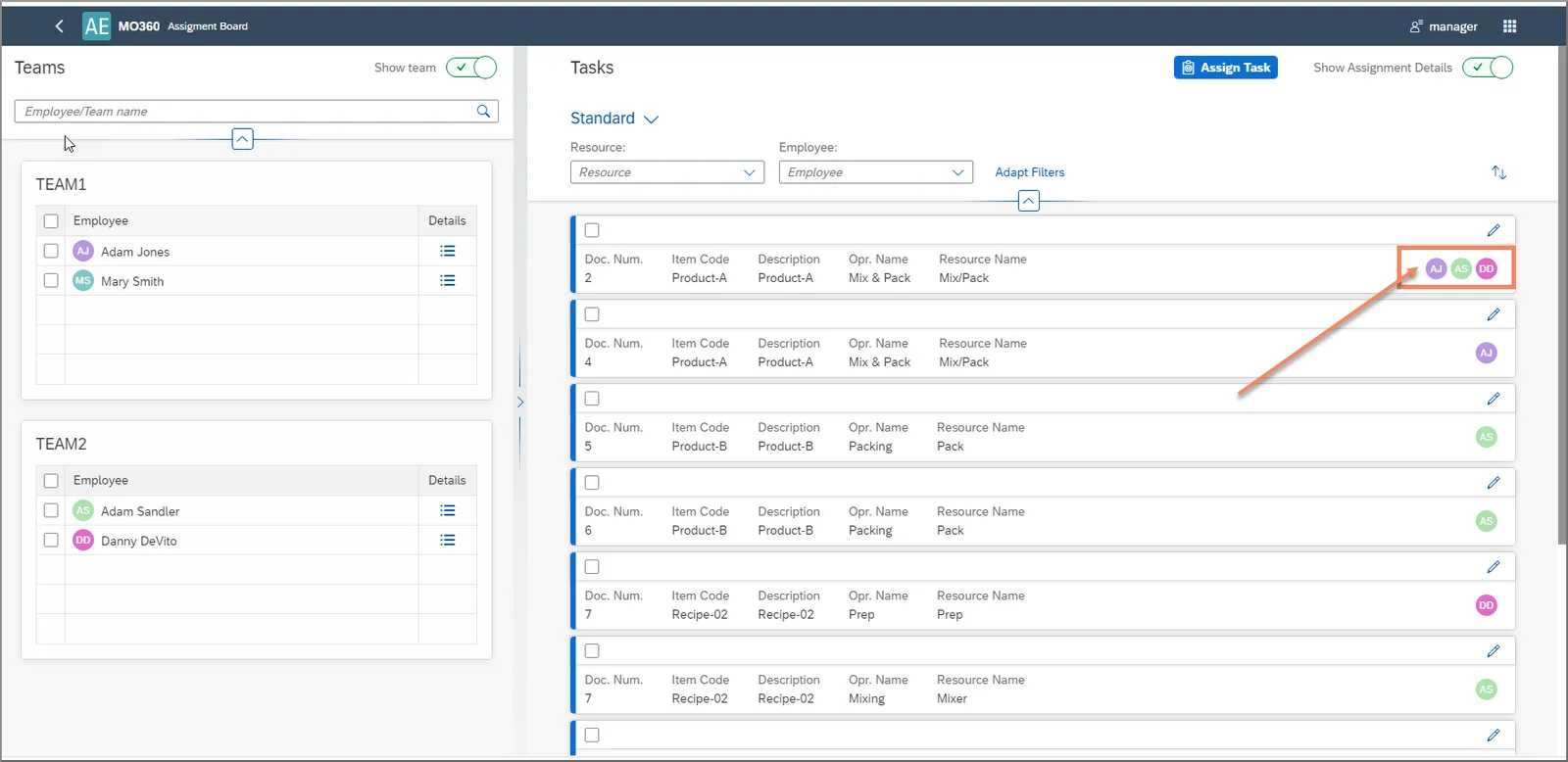
The Manufacturing Order 360 Assignment Board
You can use the Manufacturing Order 360 app to assign tasks to specific employees or groups of employees. There is a wide range of filtering options to allow you to find specific tasks in the system, and you can save your filters so you can save time when you want to reuse filter criteria. You can also see which tasks have already been assigned and to whom, and conversely which tasks have yet to be assigned as well.
After finding the relevant tasks in the system, a manager or other office employee can then assign the task or tasks to the right members of staff. In turn, when an assigned employee logs in to CompuTec PDC (Plant Data Capture) on a mobile device on the shop floor, they will be able to see their assigned tasks there, and then, as per the usual procedure, record data about their work on the task as they complete it.
The Manufacturing Order 360 Gantt Chart
The Manufacturing Order 360 app also has a Gantt Chart, which displays current tasks in progress. This differs from the Gantt Chart in CompuTec ProcessForce in that the CompuTec ProcessForce Gantt Chart is a planning tool. In contrast, the Manufacturing Order 360 Gantt Chart is a live overview, which updates automatically according to a user-defined time period.
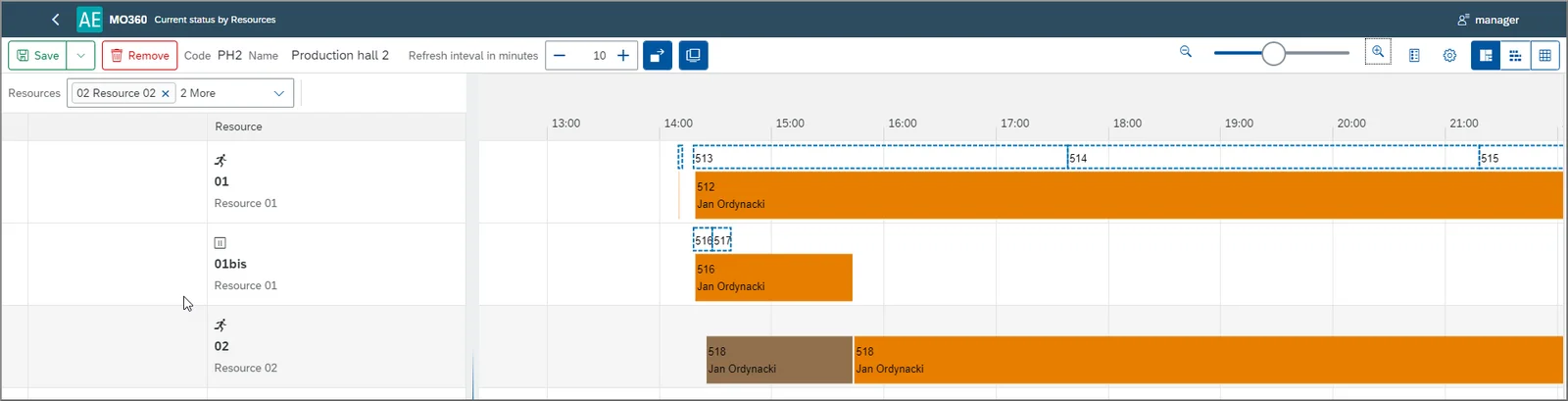
Users can set up customizable Gantt Chart “Views” to allow them to see the resources, production lines, or series of processes that they want to focus on, save those views for later, and navigate quickly between different views. From the Gantt Chart, users have live access to detailed information about each task, including the progress of current tasks.
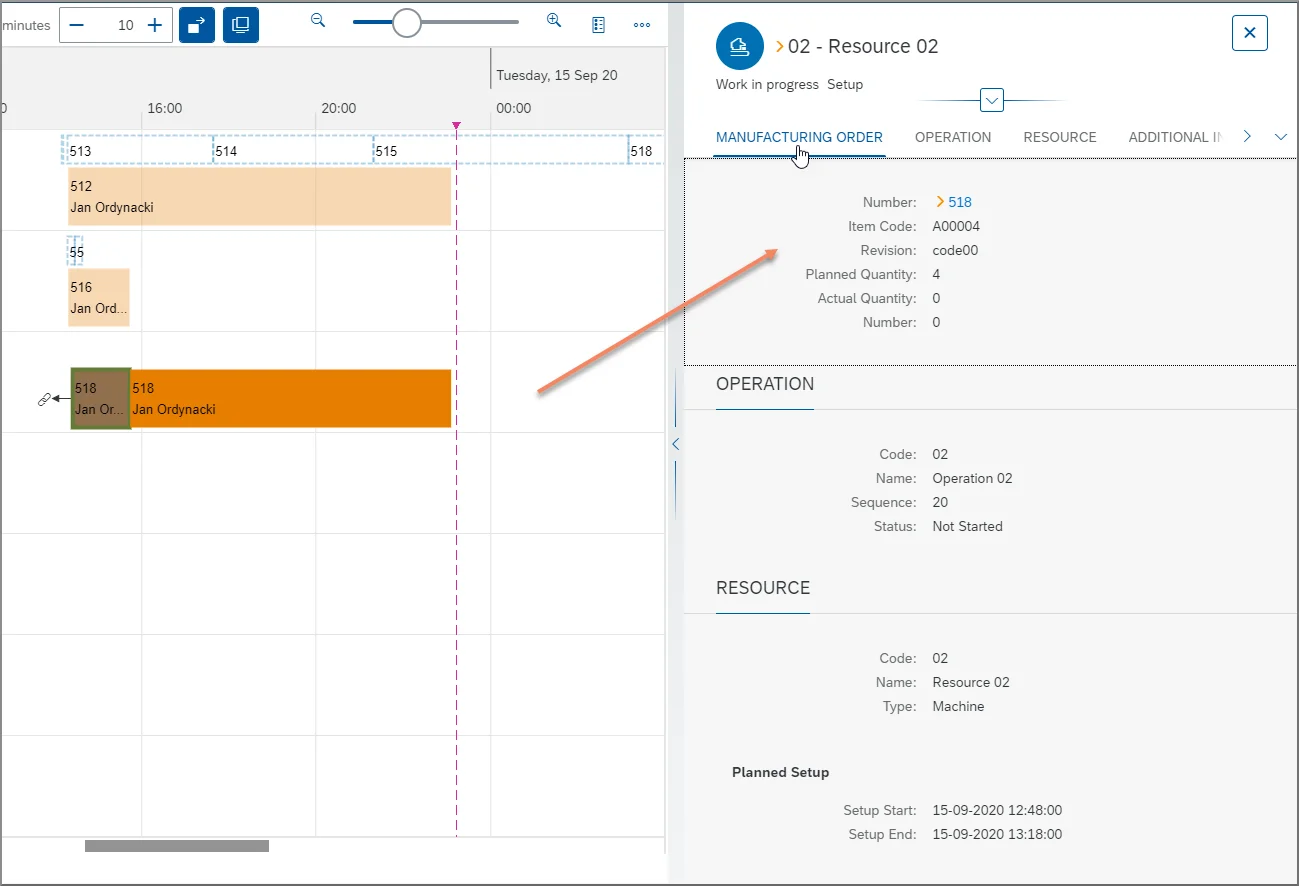
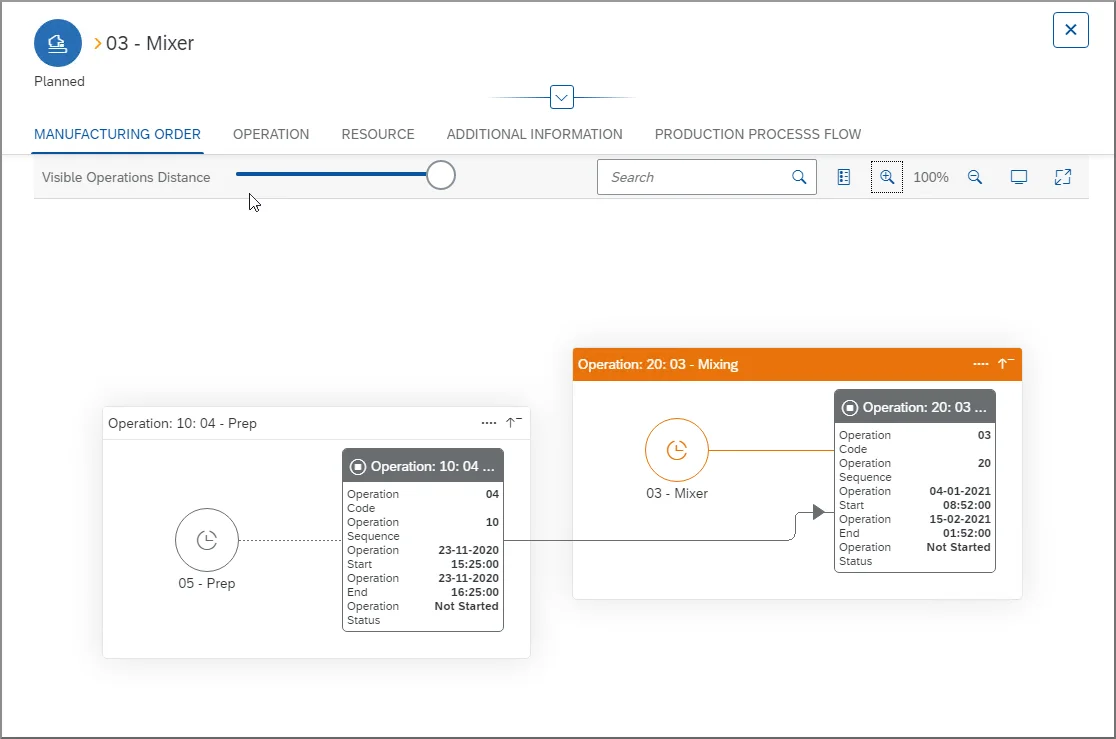
It is also possible to view a graphical representation of the manufacturing process for a Manufacturing Order.
Manufacturing Order 360 is included in CompuTec ProcessForce Limited Logistics and Professional licenses.
You can see a brief explanation and demonstration in the video below. Further details, such as a more extensive explanation of using filters and customizing the Gantt Chart, are available in the CompuTec ProcessForce documentation.