In the latest version of the CompuTec app, Manufacturing Order Wizard, we’ve added a large number of improvements to improve usability.
The Manufacturing Order Wizard is a CompuTec AppEngine app that allows you to create CompuTec ProcessForce Manufacturing Orders based on SAP Business One documents. This is particularly aimed at helping businesses who, on the basis of a single document (e.g., a Sales Order), have to generate multiple Manufacturing Orders that are for different levels of production.
You can find out more about the app in our previous blog post on the Manufacturing Order Wizard.
Source Documents
Generating Manufacturing Orders Based on a Variety of Documents
Previously, Manufacturing Orders could be generated based on Sales Orders. Now it is possible to use Manufacturing Orders, MRP Recommendations, Forecasts, and Sales Quotations as the base document as well. Each option has its own set of filters to help you find the document(s) you want to use quickly.
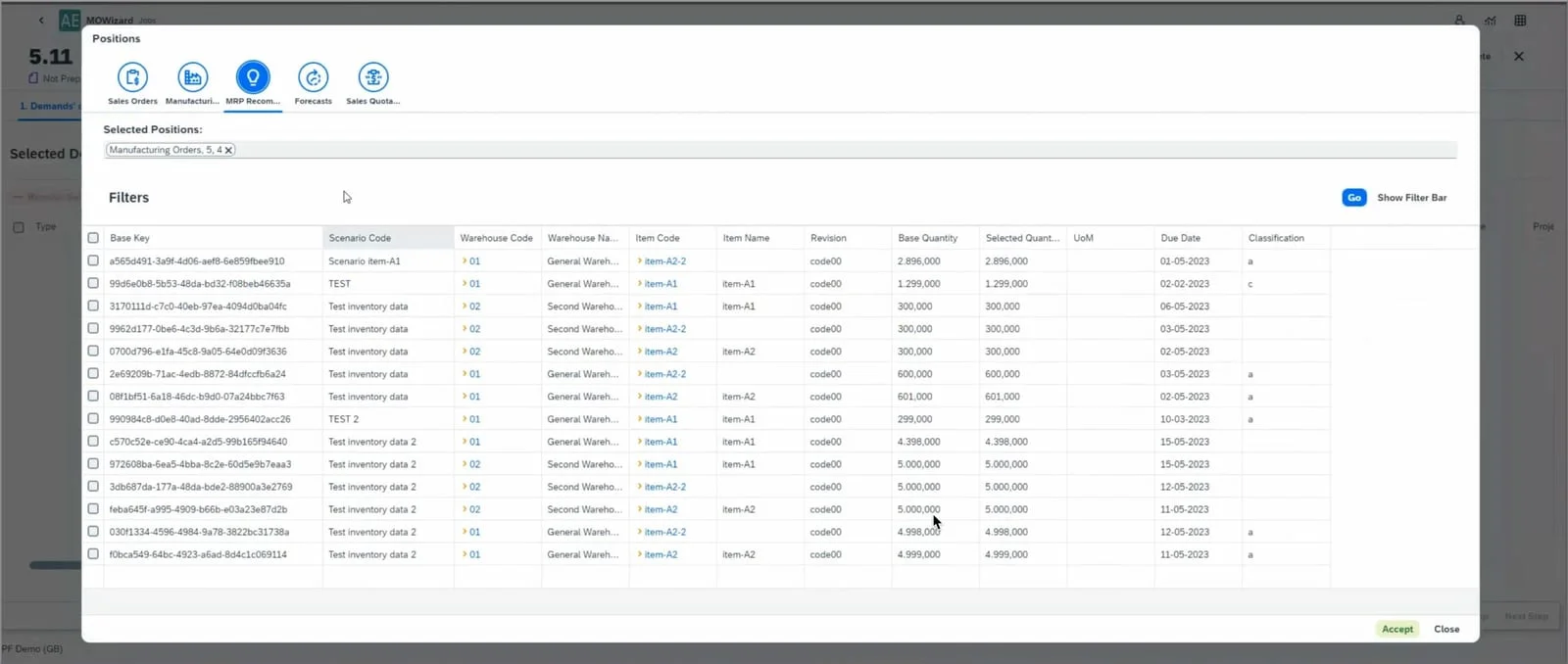
MRP Recommendations as Sources
If Manufacturing Orders are generated using MRP Order Recommendations as the source, Child Manufacturing Orders will be selected automatically.
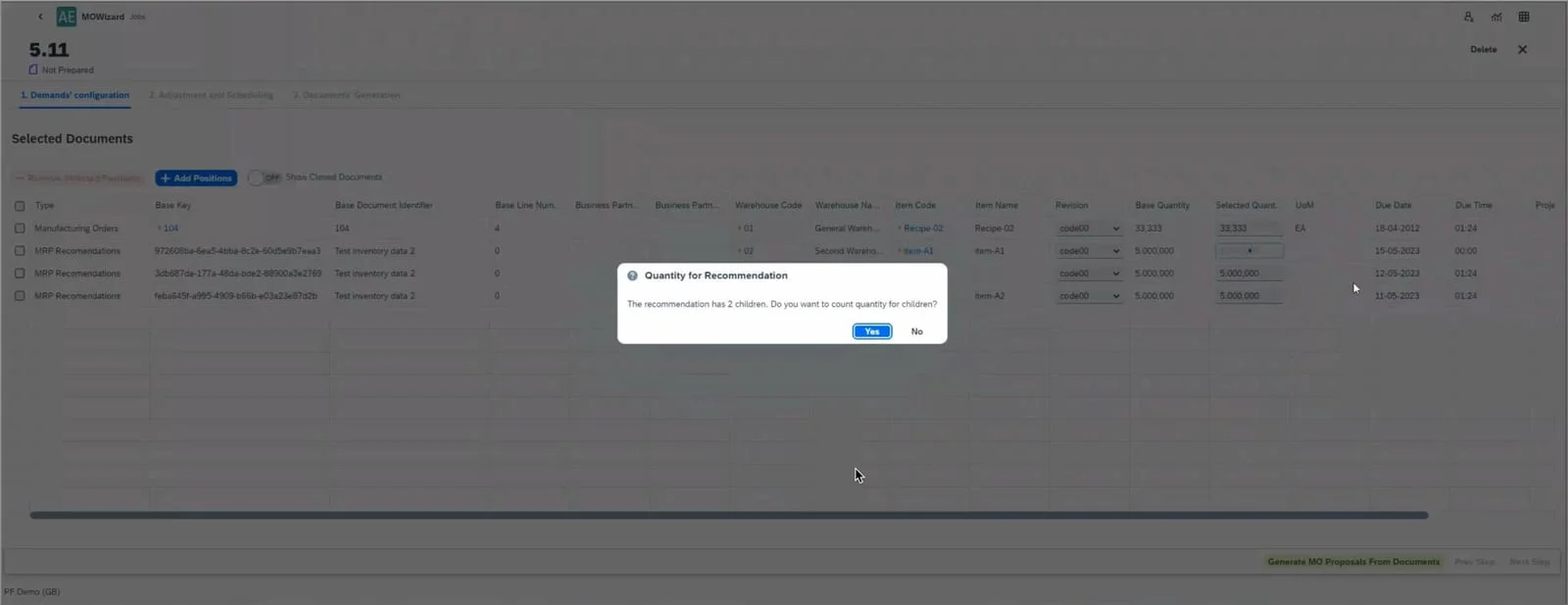
The Manufacturing Order Wizard will also update the open quantity and statuses.
Job List
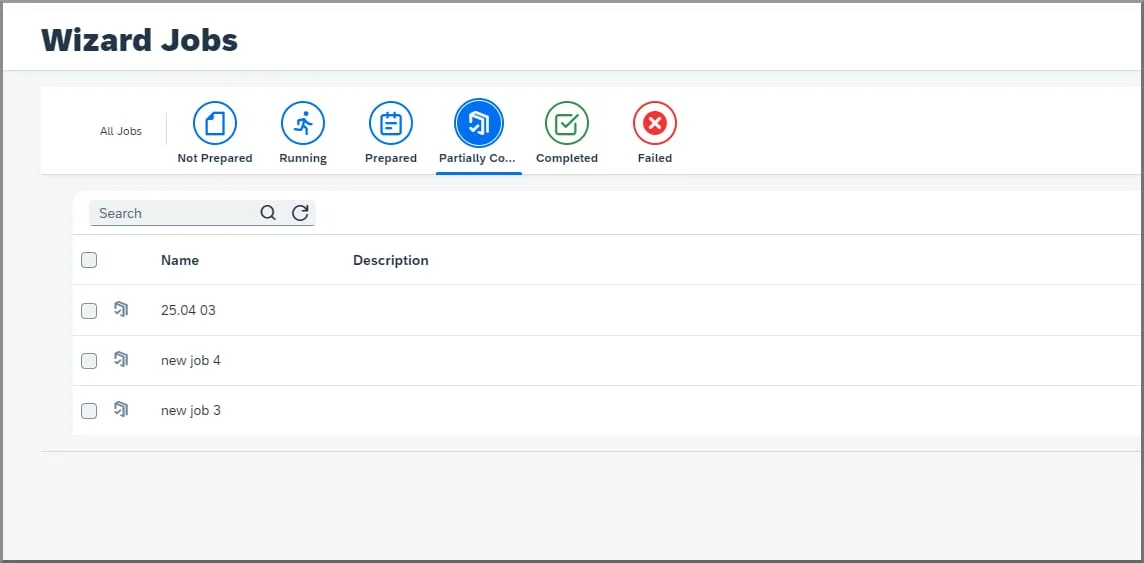
Partially Completed Jobs
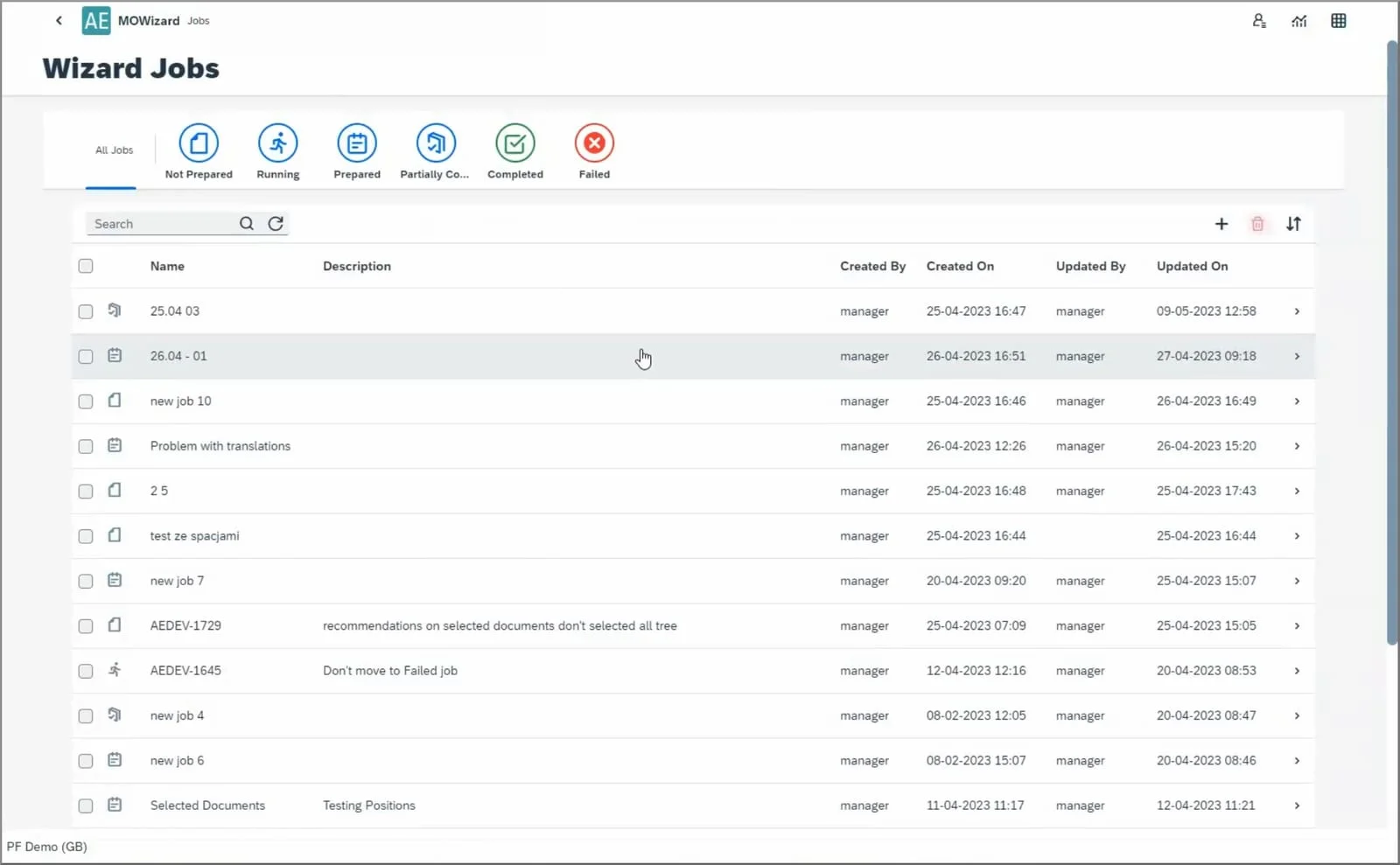
We have added a tab to the Job List where you can view partially completed jobs, i.e., Jobs for which some Manufacturing Orders have already been created, and other Manufacturing Orders are yet to be created.
New Filtering and Sorting Options for the Job List
We’ve added two new columns to the Job List, “Created on” and “Updated on”, which will allow you to see when each job was created and updated respectively. This means that you can now also filter and sort the Job List based on date and time.
Document Number Series
If the Job does not have a document numbering series defined, the user’s default numbering series will be used automatically.
Manufacturing Order Creation
Classification Field
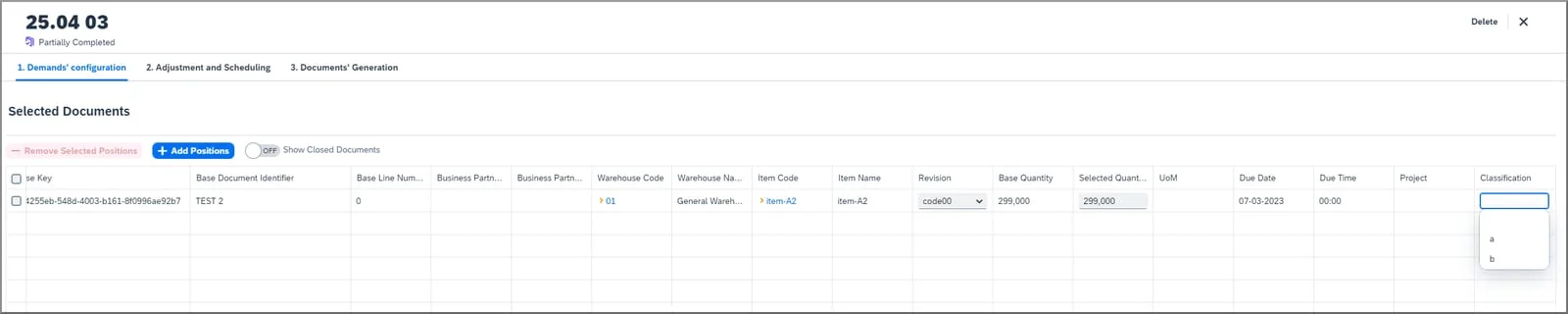
We’ve added a new column, “Classification”, which can be edited by the user when selecting which Manufacturing Orders are to be created on the Demands Configuration and Adjustment and Scheduling tabs. This field can be used to create custom groups of Manufacturing Orders according to the business’s requirements.
Required Rescheduling
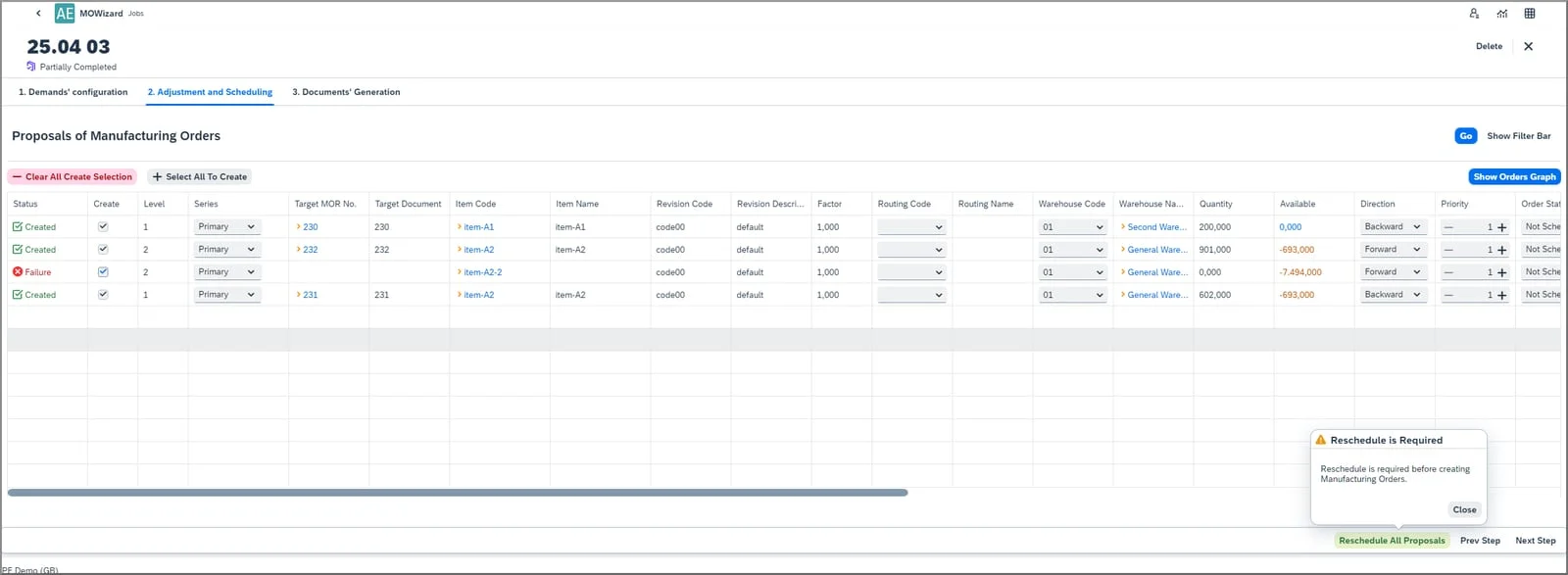
If rescheduling is required to run a Job, the user will be notified of this before Manufacturing Orders are created. The user will also receive information about the available options and instructions on how to proceed in this situation.
To find out more about this update, please refer to the CompuTec AppEngine documentation or contact us.