
The Manufacturing Order Wizard is a CompuTec AppEngine app that allows you to create Manufacturing Orders based on Sales Orders in SAP Business One. It is particularly aimed at helping businesses that, on the basis of a single Sales Order, have to generate multiple Manufacturing Orders for different levels of production.
The CompuTec ProcessForce customer who originally brought the usefulness of such a tool to our attention is a manufacturer of modular hotels. They receive a Sales Order for a hotel. The hotel consists of rooms, and each room has a number of structural, electrical, decorative, and other elements. Typically, a single Sales Order requires the creation of several hundred Manufacturing Orders, or what we might describe as a rather extensive Manufacturing Order tree. This proved to be a cumbersome process using standard SAP Business One features. The Manufacturing Order Wizard app is our solution.
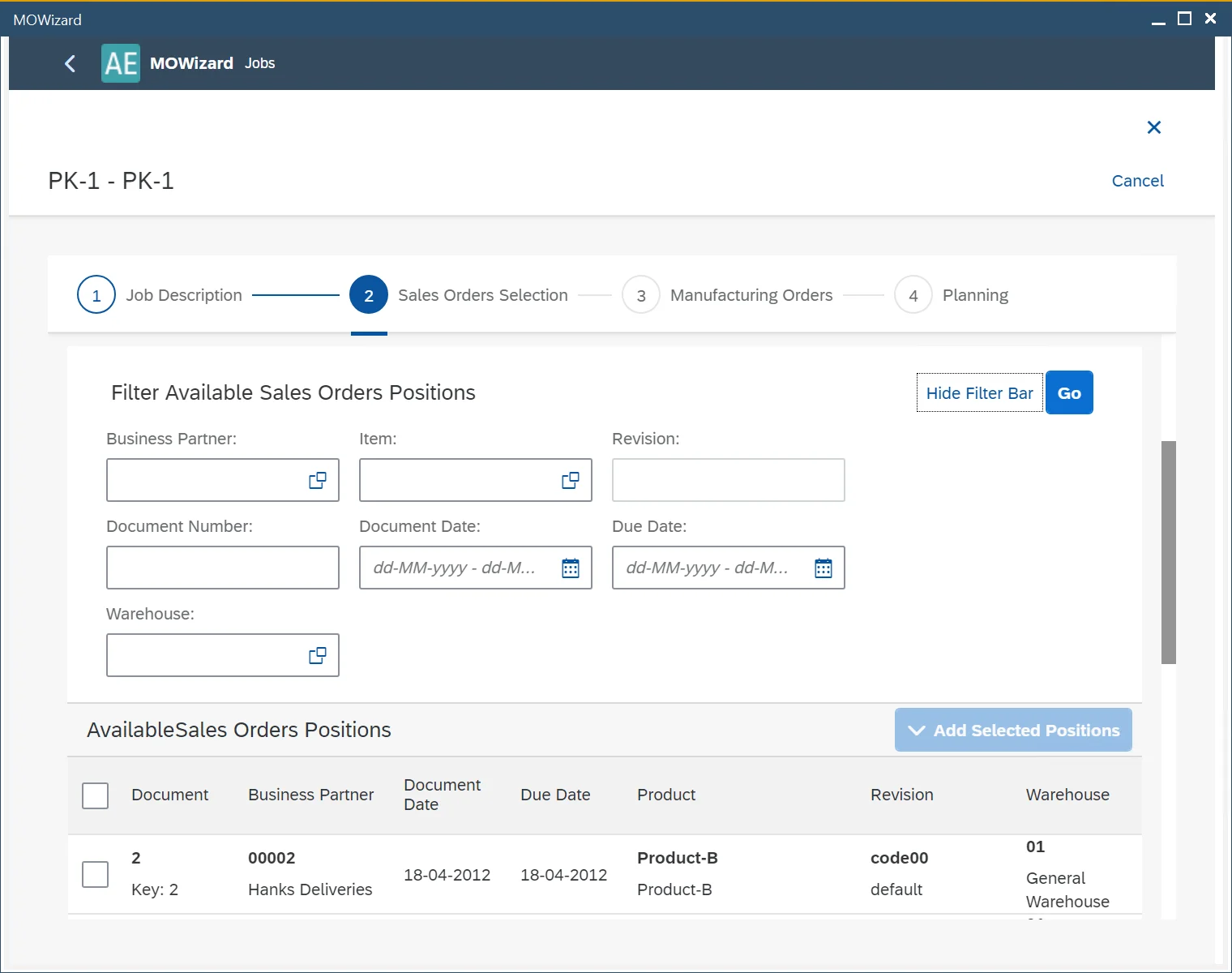
The starting point is a Sales Order or Sales Orders. There is a filtering system to help you select the Sales Order(s) you want:
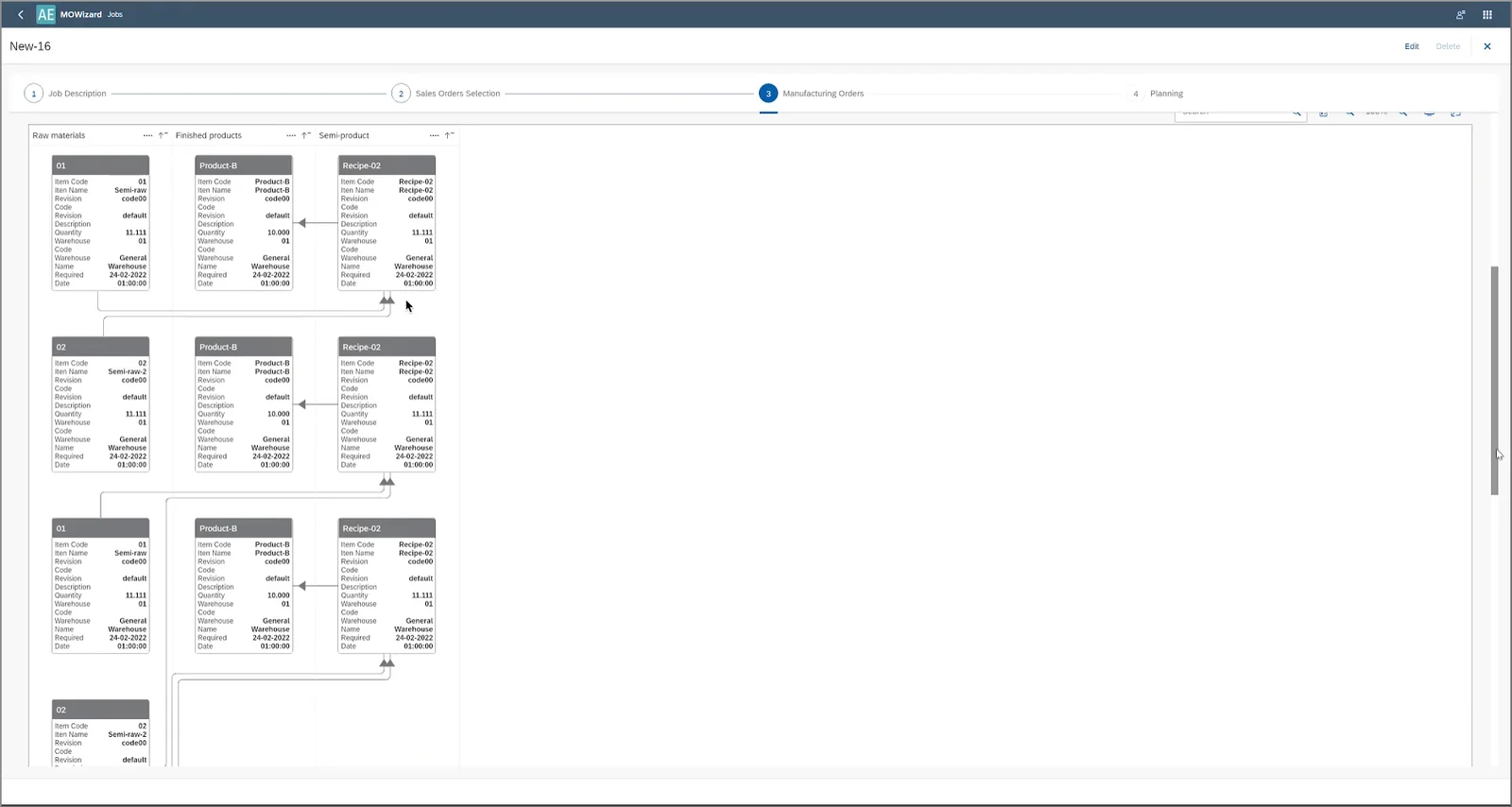
The system will then create a list of all the Manufacturing Orders required to fulfill the Sales Order, even if there are multiple levels of production. It is possible to view these Manufacturing Orders in two ways. One of these is a graphical visualization of the Manufacturing Order tree. Using this graph, it is easy to see the relationships between the Manufacturing Orders. The Manufacturing Orders are also presented as a list in a table.
It is possible to change some of the planning data for the Manufacturing Orders. You will have the opportunity to amend the planning direction, priority, order status, and required dates and times before the Manufacturing Order Wizard creates the Manufacturing Orders in SAP Business One.
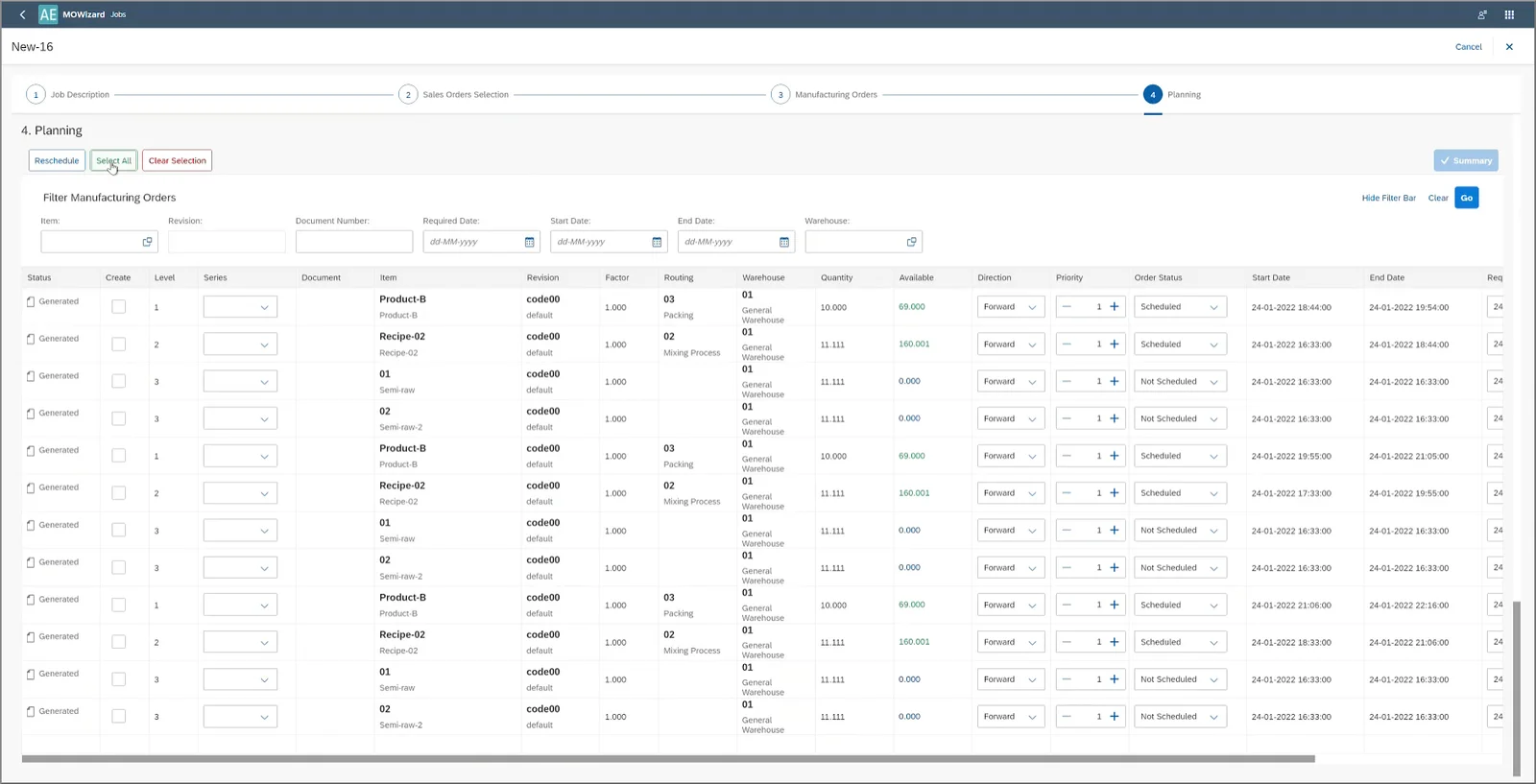
To avoid situations where child Manufacturing Orders are created before parent Manufacturing Orders, you can also choose to prevent the system from creating Manufacturing Orders when previous Manufacturing Orders in the production sequence have not yet been created. This is done at the final step before creating the Manufacturing Orders in the system, by ensuring the “Link Child MORs” checkbox is ticked.
You can create all Manufacturing Orders for a Sales Order at once, or you can choose to create only certain Manufacturing Orders initially and return to that Sales Order later to create the remaining Manufacturing Orders.