
Today we are very pleased to announce that our highly anticipated Plant Maintenance functionality has now been released. It is available in CompuTec ProcessForce versions 10.0 R8 and 9.3 PL14 R4 and higher.
With this completely new functional area, we hope to help CompuTec ProcessForce users keep their machine park running profitably and efficiently by giving them additional tools to:
- Minimize breakdowns
- Keep assets in optimal working condition
- Cut down on time lost due to equipment and machinery failures
- Reduce maintenance costs
- Improve maintenance accountability
Better maintenance of machinery and equipment usually has knock-on effects in the form of improved product quality and overall productivity as well.
Flexibility was at the forefront of our minds when we designed CompuTec ProcessForce’s Plant Maintenance. It was crucial that it be able to accommodate a wide range of machine types and setups, so we purposely created a framework that would be easy to adapt to every production environment.
We use the concept of digital twins to create a Maintainable Item that represents a real machine, tool, or piece of equipment in the SAP Business One database.
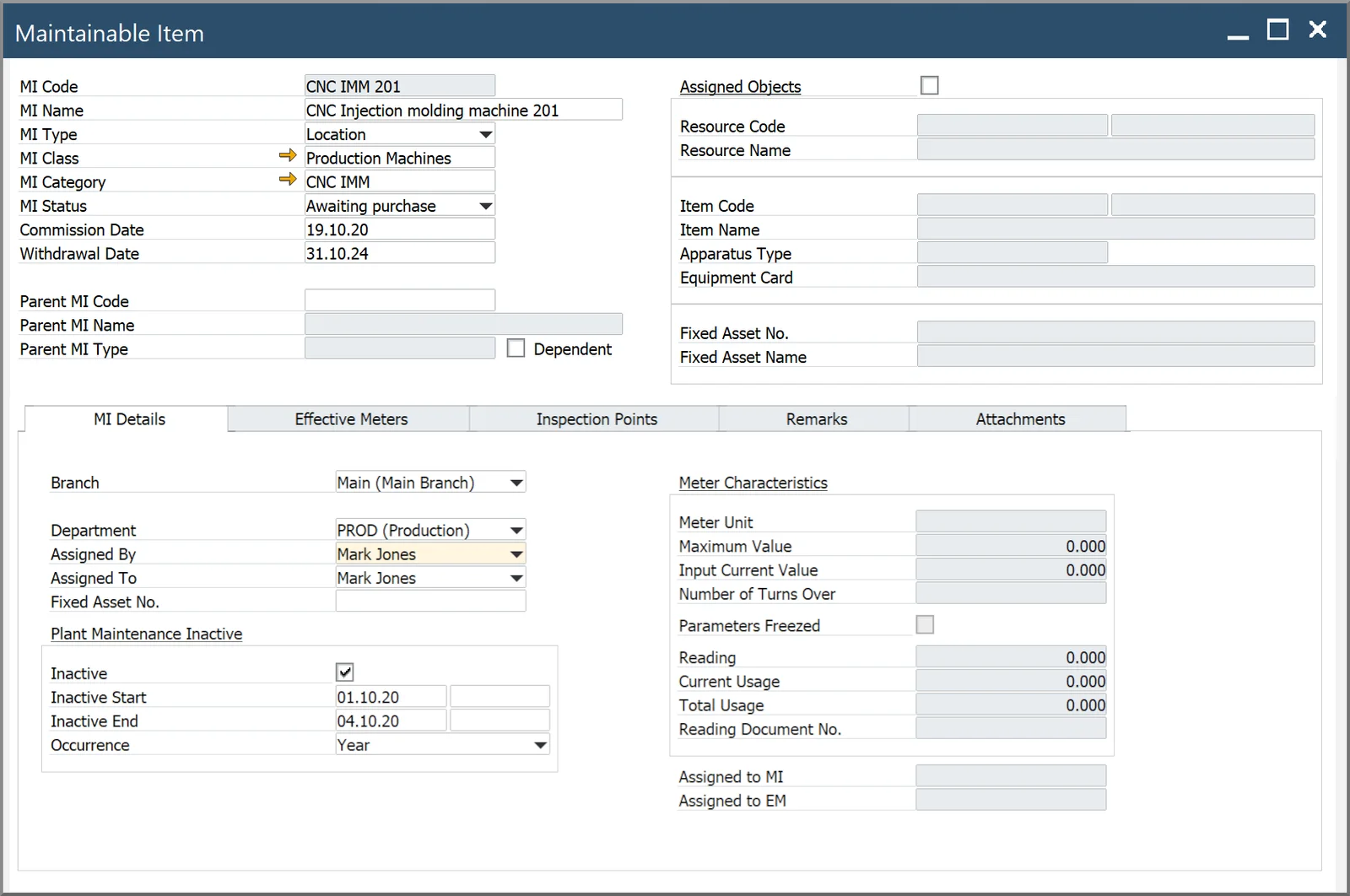
You can then assign Effective Meters to the Maintainable Item, which the employees will be able to collect data from to enter into the database. There are also tools to record and aggregate both effective and physical meter readings and a report to let you quickly review the history of any meter.
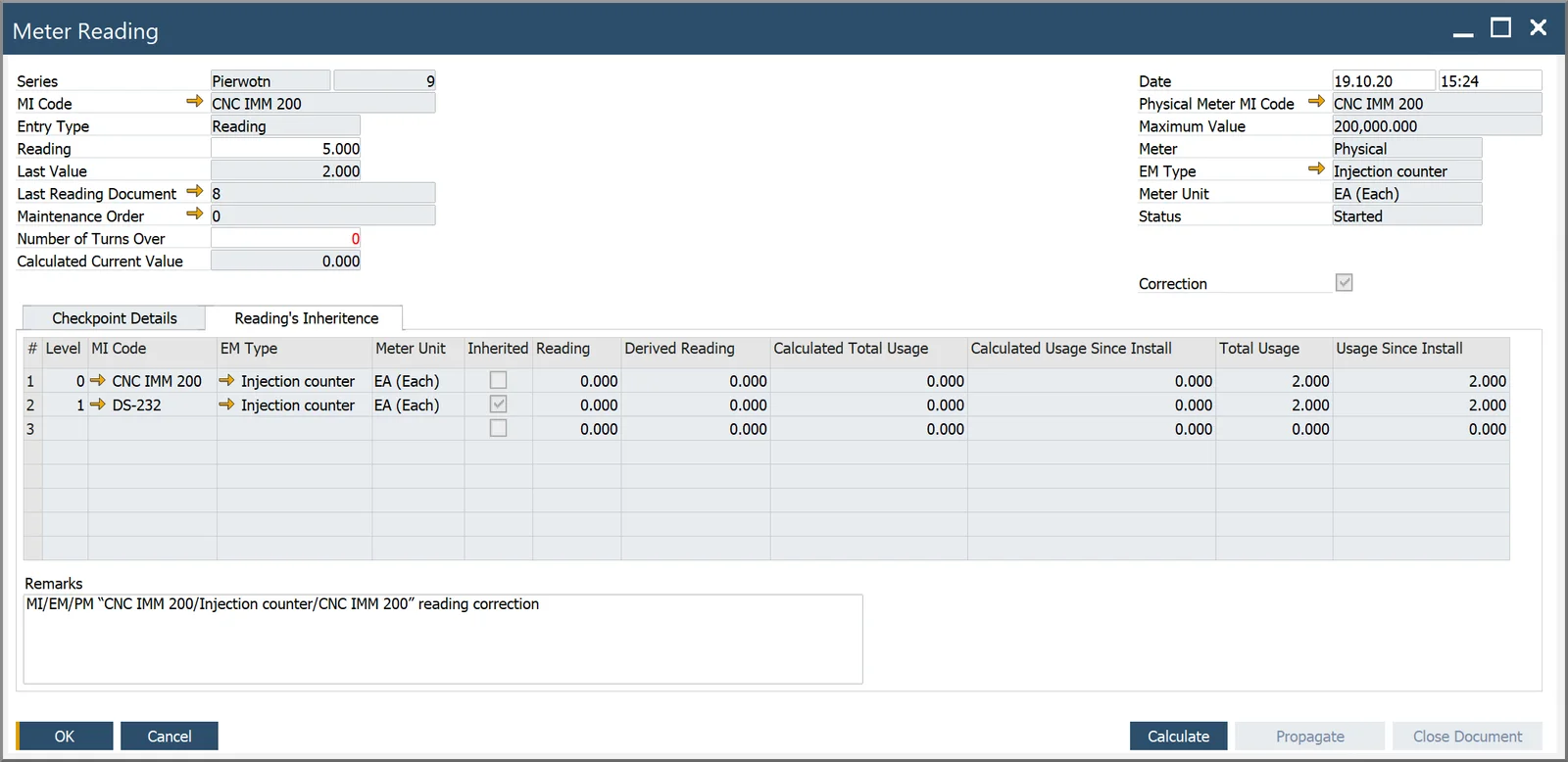
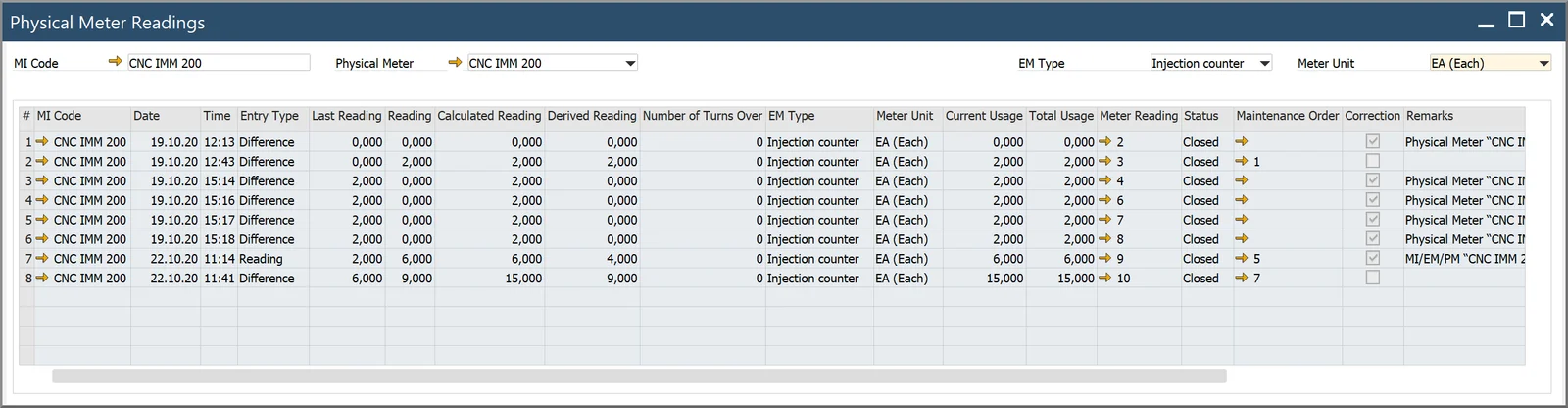
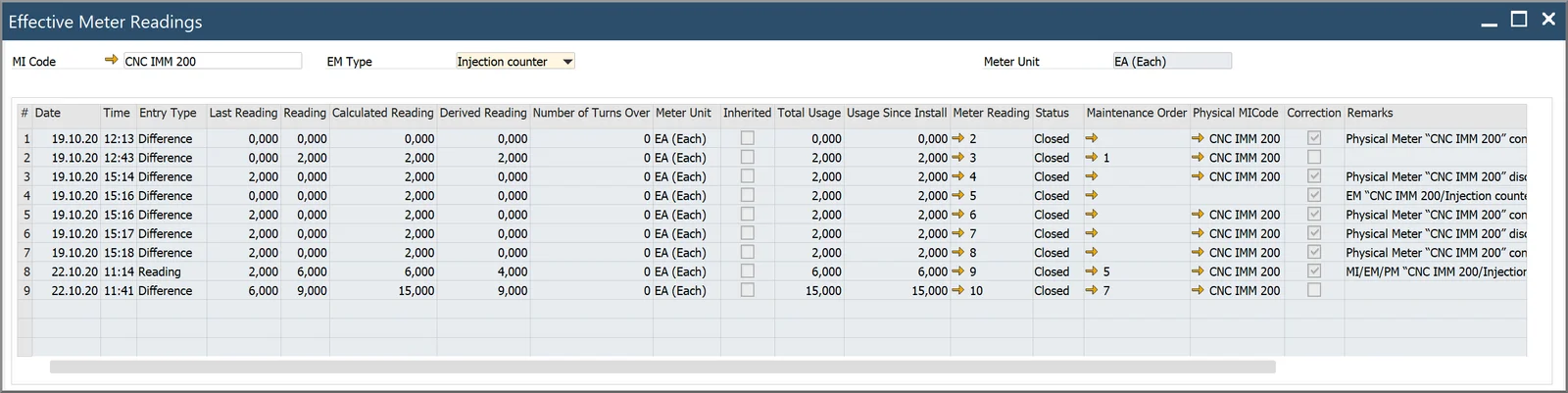
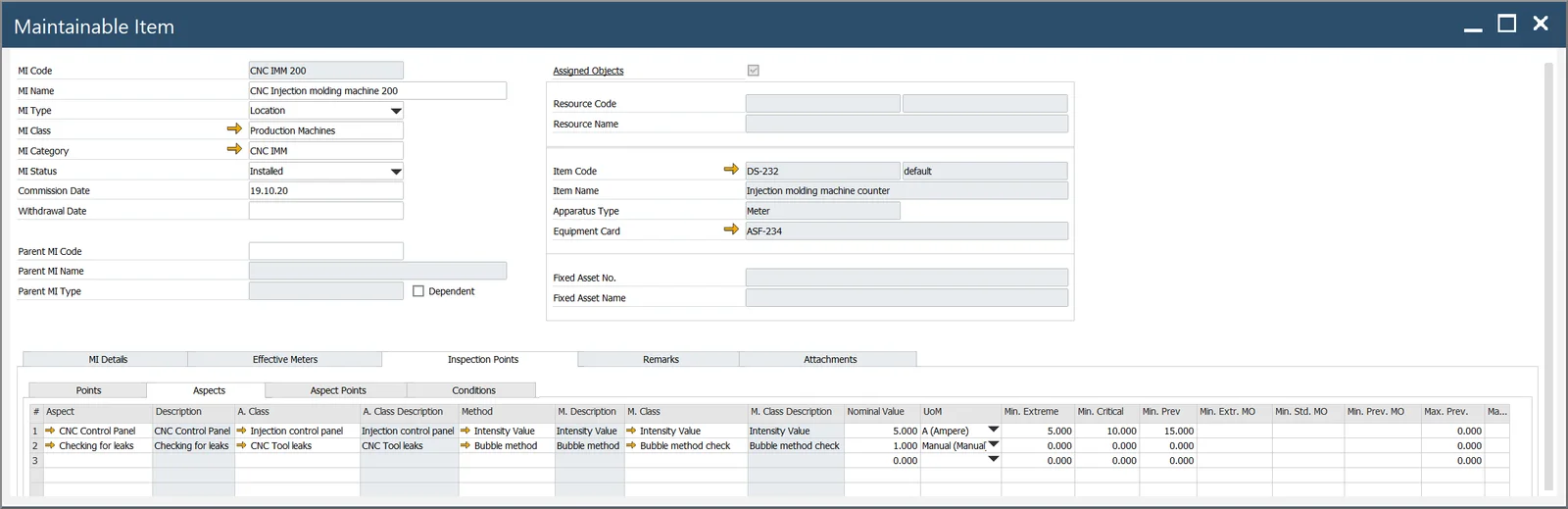
This Maintainable Item can have a number of Inspection Points, i.e., parts of the machine that need to be maintained, and each Inspection Point can have a number of Aspects that should also be inspected. Just one example of how this might be implemented is that your Maintainable Item could be a machine in the factory and one of the checkpoints might be the electronic control panel. The maintenance aspects of the control panel might include the electricity supply to the panel, the fuse, the connections, and so on. The following example shows some of the Aspects of a CNC injection molding machine.
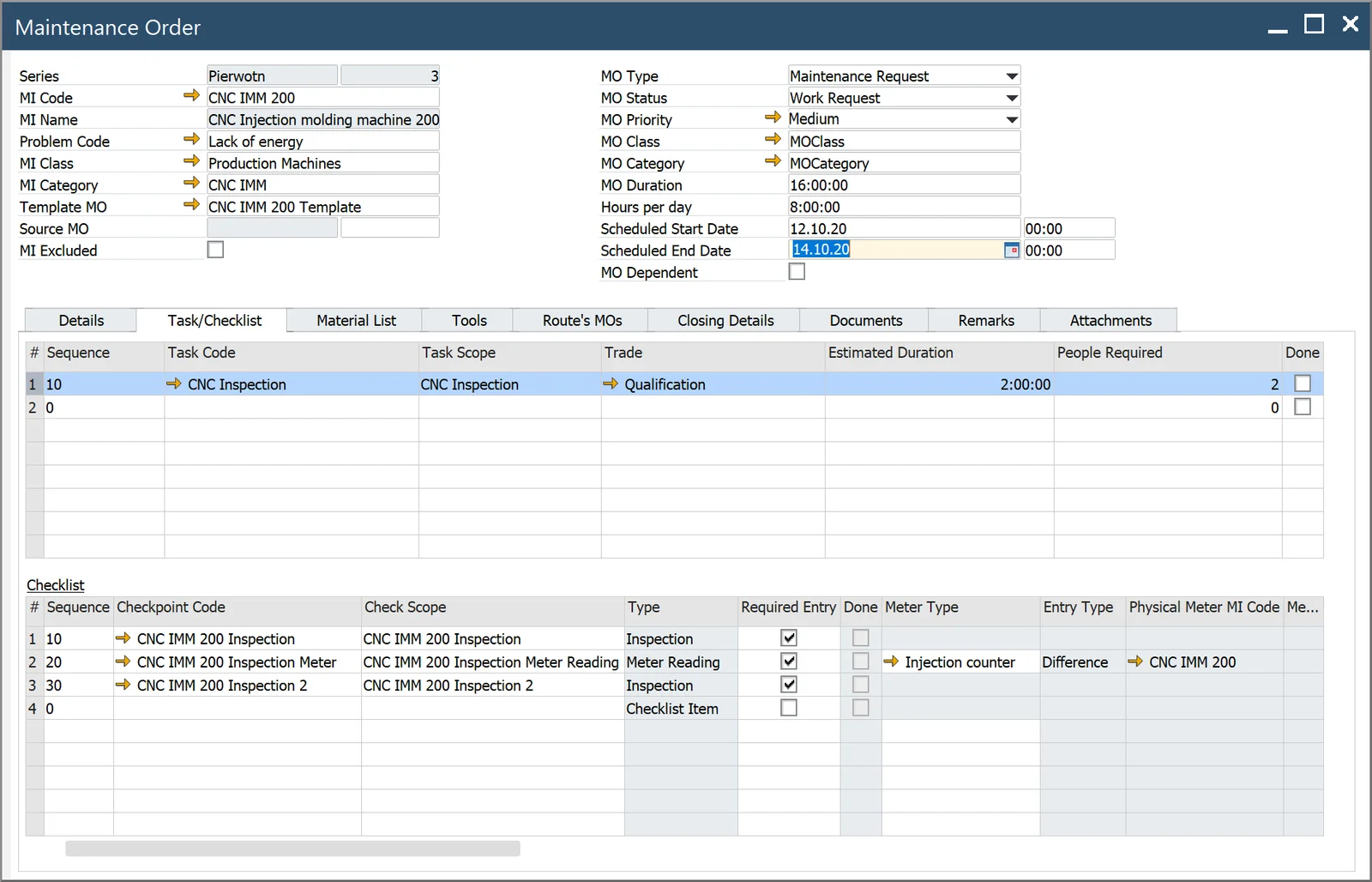
Maintenance work can also be defined according to a similar hierarchy. Maintenance Orders comprise, among other things, several Maintenance Tasks. You then have the ability to assign a series of maintenance Checkpoints, known as a Checklist, to a Maintenance Task. So if we want to carry out maintenance on a delivery van, one Maintenance Task might be to check the tire “health”, which means carrying out a series of maintenance checkpoints, e.g., measuring the tread, checking the pressure, etc.
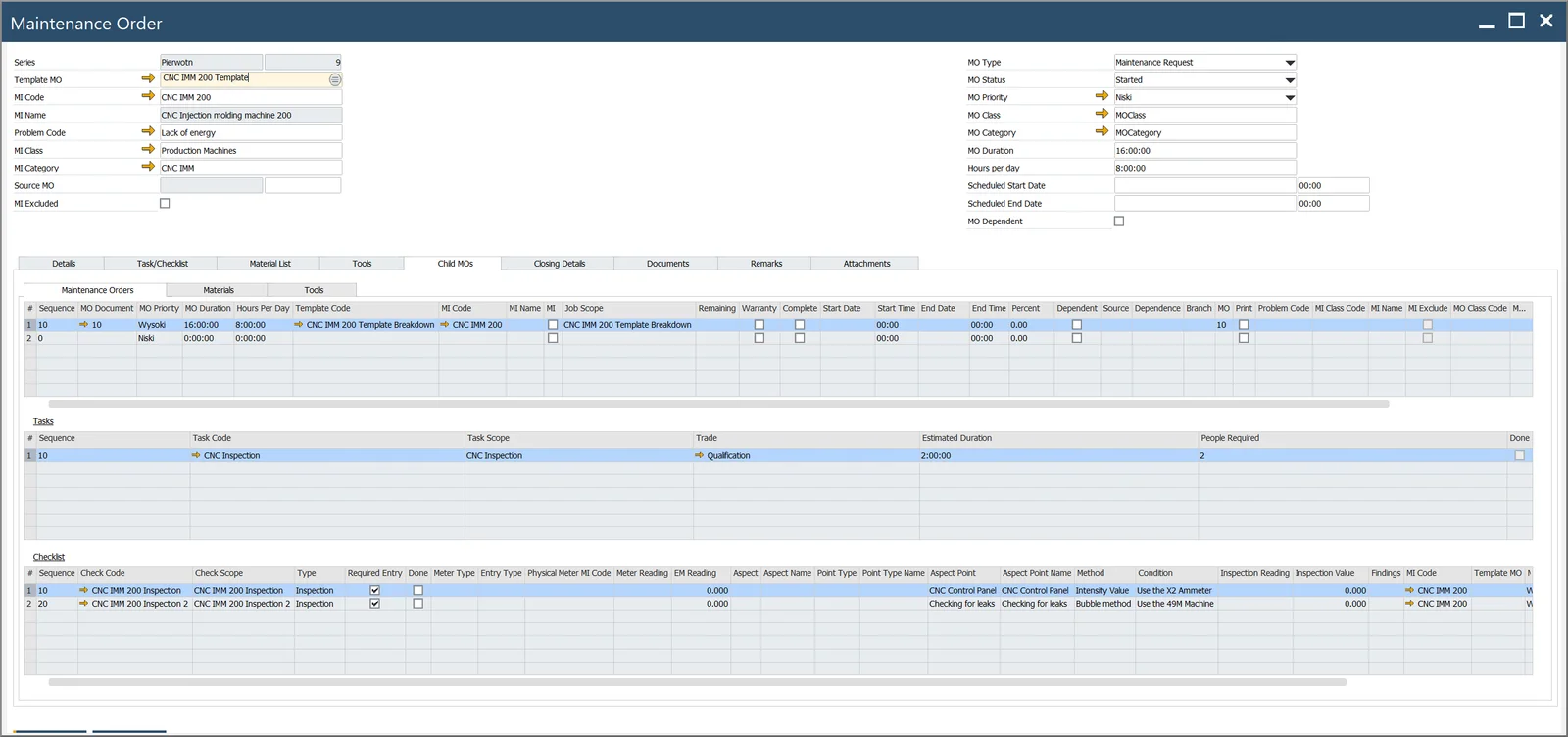
We also support parent and child Maintenance Orders, wherein the parent Maintenance Order can only be closed when all of its child Maintenance Orders have been closed. So staying with our delivery van, you might have a situation where you want to perform a maintenance inspection on the tires every month, on the engine every three months, and then a comprehensive inspection should be carried out on the whole van once every six months. So you can create separate Maintenance Orders (based on templates if you wish) for the tires, the engine, etc., which will be duly carried out at the appropriate intervals. When it comes time for the comprehensive inspection, the Maintenance Order for that can include child Maintenance Orders for the tires and engine. This means that the maintenance procedures for the child Maintenance Orders will be considered part of the whole in the system, and that the Maintenance Order for the whole vehicle inspection can only be completed or closed when the maintenance has been completed on the tires and engine. This has the additional advantage of keeping maintenance procedures consistent throughout the business and making sure that nothing gets missed.
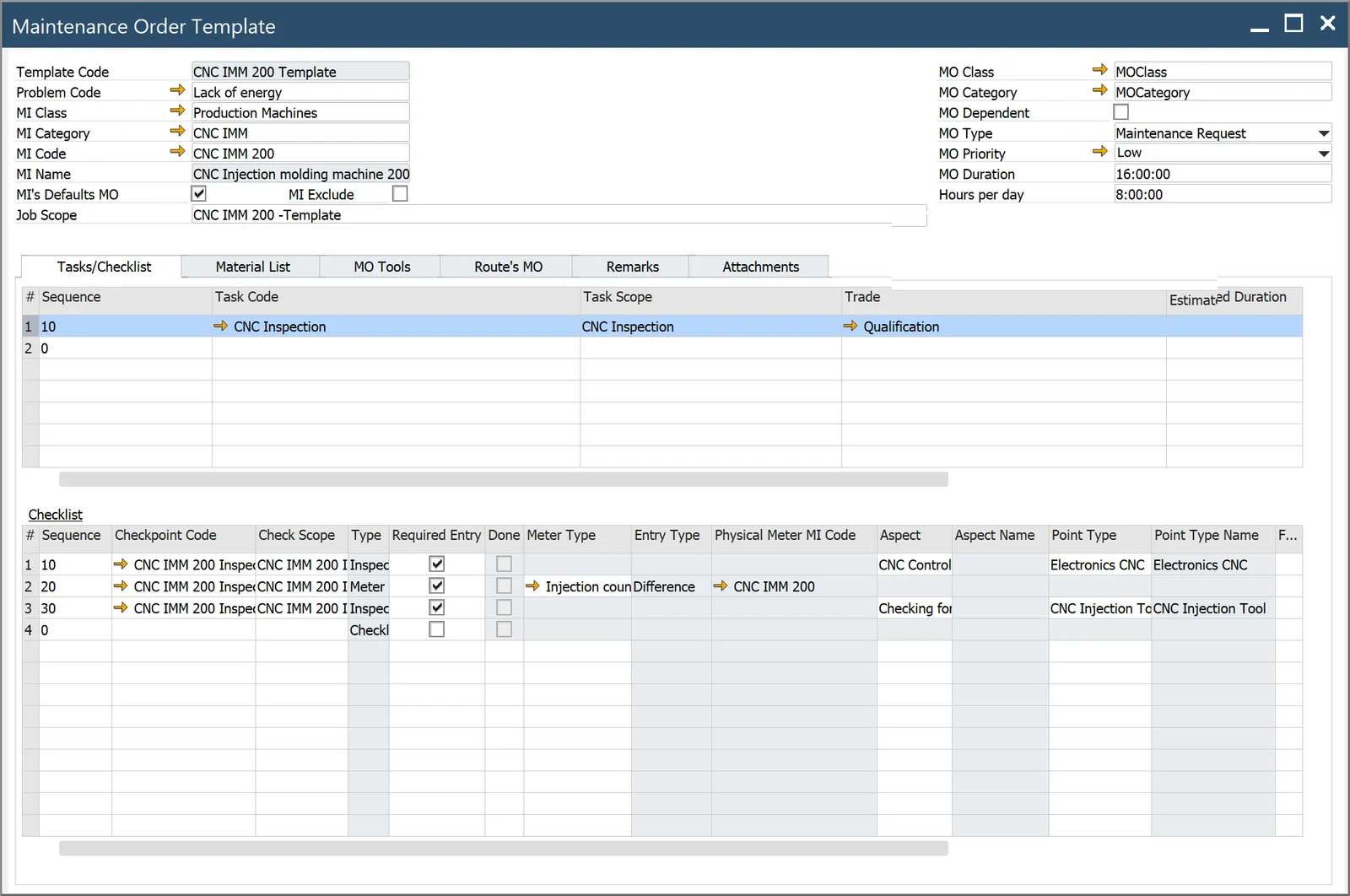
As mentioned previously, to make generating Maintenance Orders faster, easier, and more consistent, they can be based on templates. You can set up templates for specific Maintainable Items, in specific contexts, so that the correct procedures are followed and documented each and every time.
Please note that the above description is a brief overview of CompuTec ProcessForce’s Plant Maintenance. Full descriptions of all documents, templates, tabs, and options are available in the CompuTec ProcessForce documentation. We also encourage you to watch this space or our social media for dates for our upcoming partner enablement sessions.
And what does the future hold for Plant Maintenance? Well, there is a lot more to come. We are releasing Plant Maintenance in three phases, which can be broadly summarized as follows:
- Phase 1 (available now): Initially, we are covering Corrective/Breakdown Maintenance and Planned/Scheduled Maintenance.
- Phase 2: This will be followed by functionalities that support preventive and predictive maintenance, costing improvements, Gantt chart scheduling for Maintenance Orders, and downtime in relation to Manufacturing Order scheduling, as well as CompuTec PDC inclusion.
- Phase 3: Mobile application.
The Plant Maintenance functionality is part of the CompuTec ProcessForce solution, and it is included in the Professional User license (configuration and some advanced functionalities, like the Preventive Maintenance Schedule or Gantt scheduling) and the Limited Logistics User license (day-to-day operations).
To get a glimpse of what CompuTec ProcessForce’s Plant Maintenance has in store, we recommend watching our short introduction video below.