In a previous blog post, we talked about how to manage yield and how this can be different from company to company and product to product, and for expiry date management this is very similar.
The life of a product or an ingredient can vary greatly. For example, when making a frozen ready meal or a sterilized sauce, the expiry date is normally based on a defined shelf life, with the time period for calculating the expiry date based on the date of production. But if you’re in the life sciences industry producing products from blood, tissue, and bones, the life of the finished product will be based on the batch with the shortest expiry date.
To manage such variation in expiry date calculation, CompuTec ProcessForce provides a number of options to determine the time period of calculation, which are illustrated in the screenshot below.
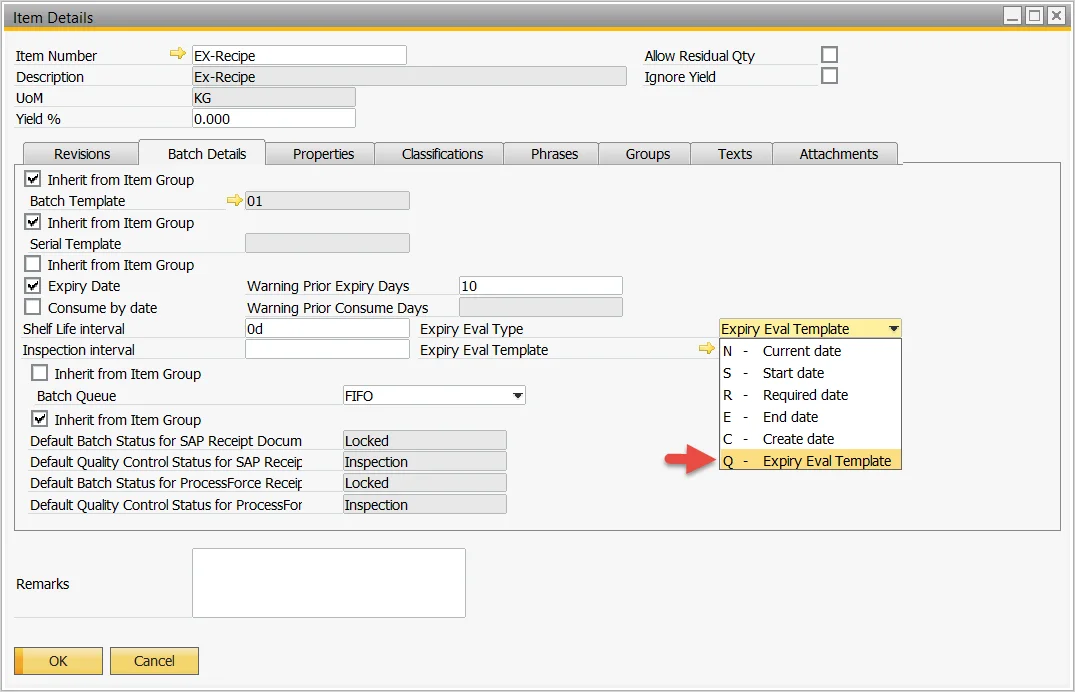
The most complex expiry date calculation is the expiry date inheritance method, otherwise known in CompuTec ProcessForce as the Expiry Eval Template, which allows the business to determine its rules and methods for managing inheritance data. The following screenshots provide such an example.
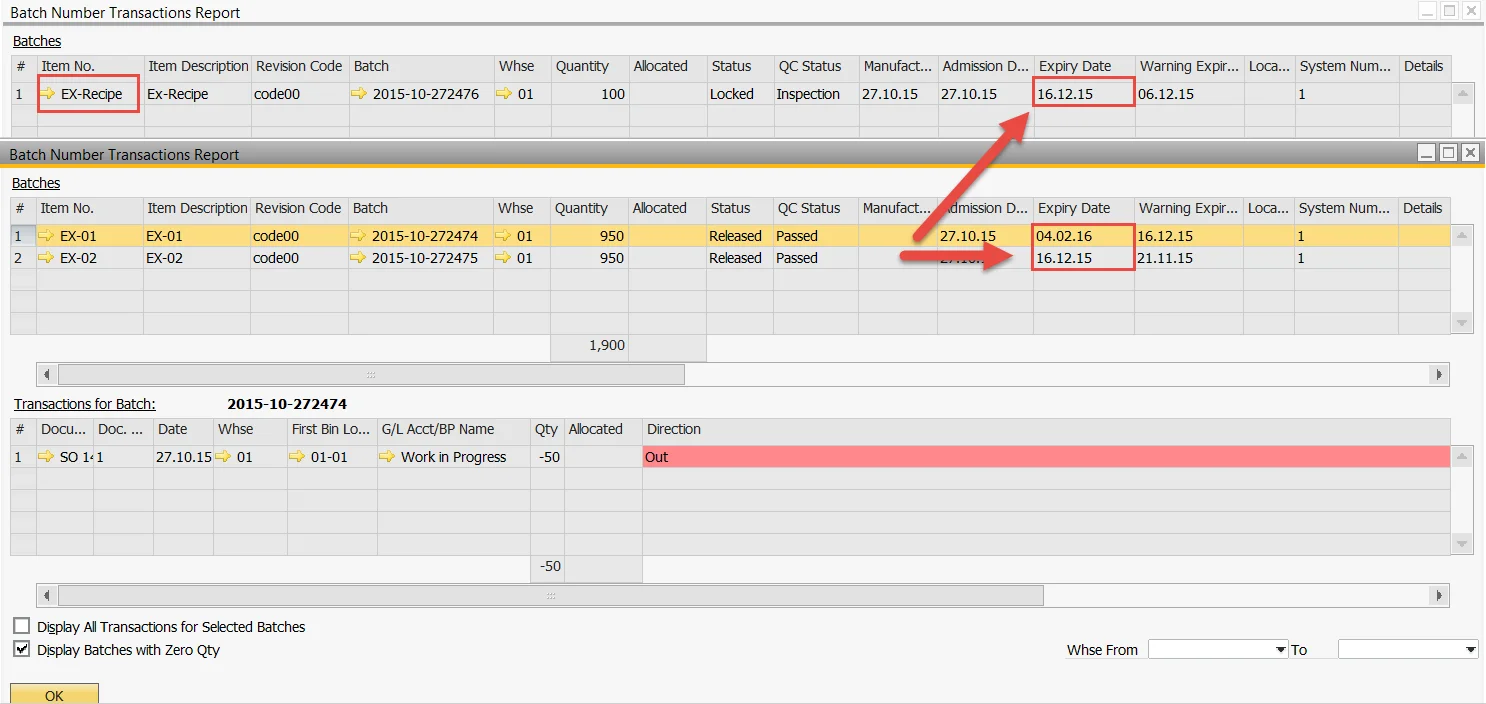
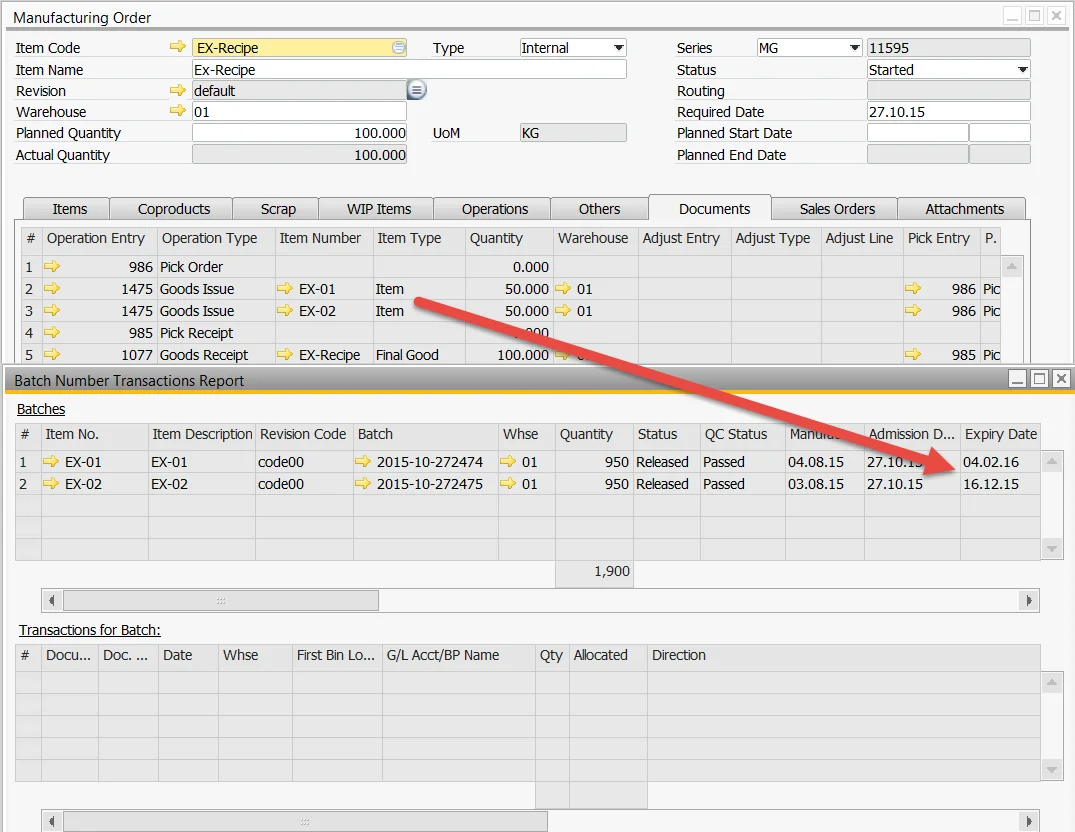
During the production process, the Manufacturing Order consumes two batches of materials, each with a different expiry date, as displayed by the Batch Transaction Report below, with item EX-02 having the earliest expiry date of December 16, 2015.
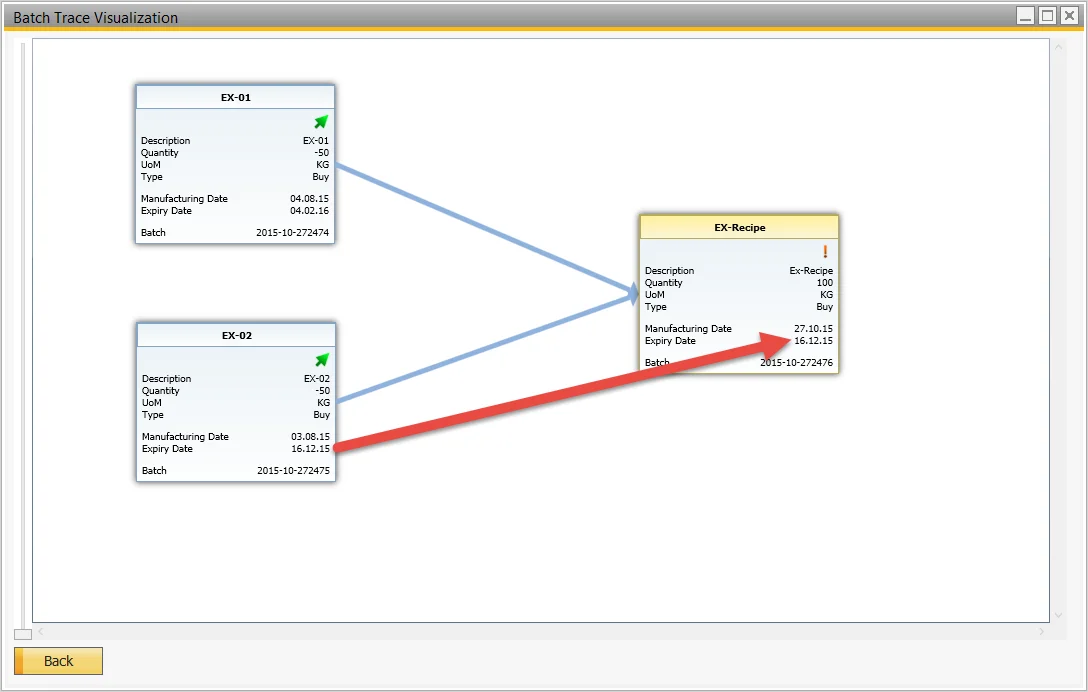
Reviewing the Batch Trace Visualization diagram clearly displays the traceability of the material batches consumed in the finished product batch, and shows the finished product batch expiry date as the same date as the earliest expiry date of the consumed batches, while the Batch Transaction Report provides additional details.