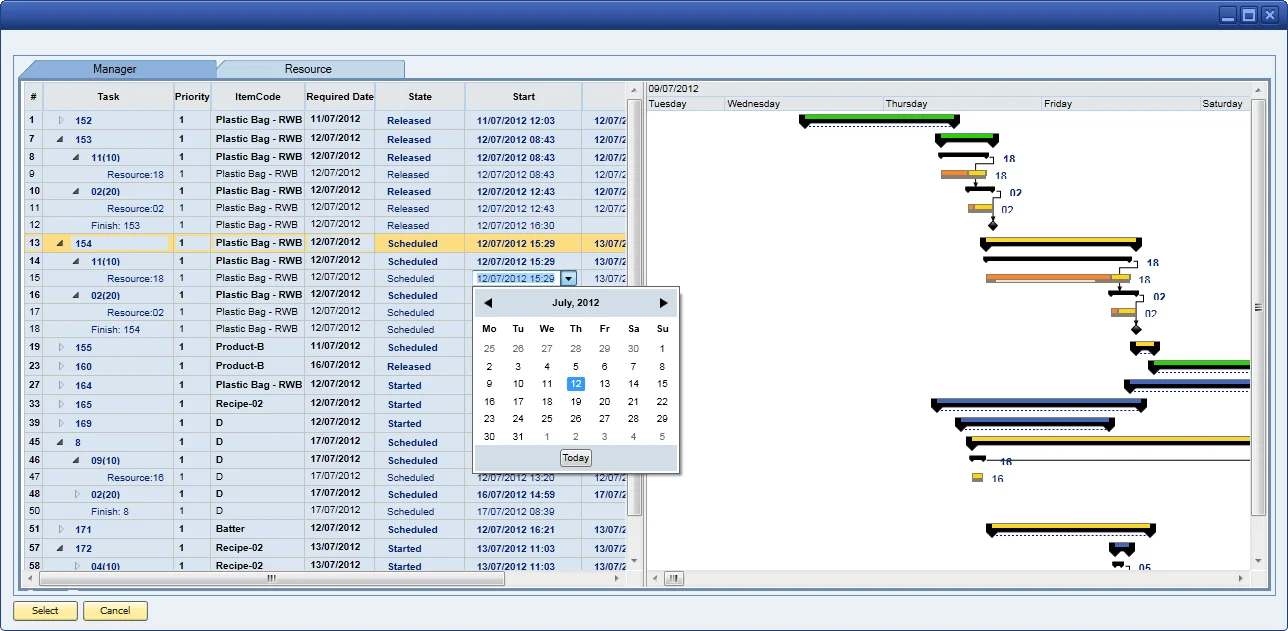
If you’re a make-to-order business, having full visibility of how your current order book consumes your existing capacity goes without saying, but understanding your available free capacity is just as important when you have to provide an accurate delivery date to the customer. Even if you’re a make-to-stock or make-to-forecast business, or a combination of two or all three, having visibility of resource consumption and understanding what is being produced where and when helps to maximize your asset investment and the quality of product production.
Based on a number of resource and time constraints, CompuTec ProcessForce provides a simple but powerful scheduling solution to manage the Manufacturing Orders within the plant and to manually reschedule them by drag and drop. The solution also automatically backward-schedules Sales Orders that are converted to Manufacturing Orders on a back-to-back basis, determining the start and end date and time based on the Sales Order delivery date.
- Direction: forward and backward scheduling methods
- Overlapping Processes: define the overlapping quantity between operations
- Color Status Bar: identify Manufacturing Orders by Scheduled, Released, and Started status
- Display Time Types: color-coded setup and production run times
- Drag and Drop: move Manufacturing Orders forward and backward and view the impact on available capacity, as well as move them or split them onto another resource
- Alternative Resources: define and select alternative resources, and view the time impact
- Variable Rates of Time: define fixed time, units per time, and time per unit for setup and run time
- Stock and Queue Times: define stock and queue time between operations, for example cooling-down time
- Resource Units: define the number of similar resources
- Detailed Capacity View: view the detailed capacity profile for a selected resource
- Cycle Production: manage material throughput via fixed batch sizes to reflect quantity-based constraints, for example ovens, mixing vessels, kilns, and freezers
- Calendars: define and manage capacity calendars for each resource, with shift patterns and exceptions such as downtime and company holidays
- Dual Resource Scheduling: schedule machine and multiple tool availability constraints at the same time