
In CompuTec ProcessForce 10.0 R26, we have changed how Revision status works, and certain Revision statuses now have new knock-on effects. These improvements will make your processes more consistent and efficient, leaving less room for mistakes.
What Are Revisions?
A Revision, sometimes referred to as a Bill of Materials variant, simply refers to the ability to manufacture a single product in different ways. To take a straightforward example, it would be possible to make the exact cake with either A. self-rising flour only or B. plain flour with the addition of baking powder and baking soda. So, we have two possible recipes with the same result. These are Revisions.
This means that manufacturers can, in their system, have a single type of final good that can be made in many ways, according to the situation, instead of having many disparate final goods in the system. Using Revisions as a way to organize related Bills of Materials is far more convenient than managing many different versions of the same good or component individually. In fact, CompuTec ProcessForce is one of the few manufacturing solutions for SAP Business One that allow businesses to have an unlimited number of simultaneously active Revisions.
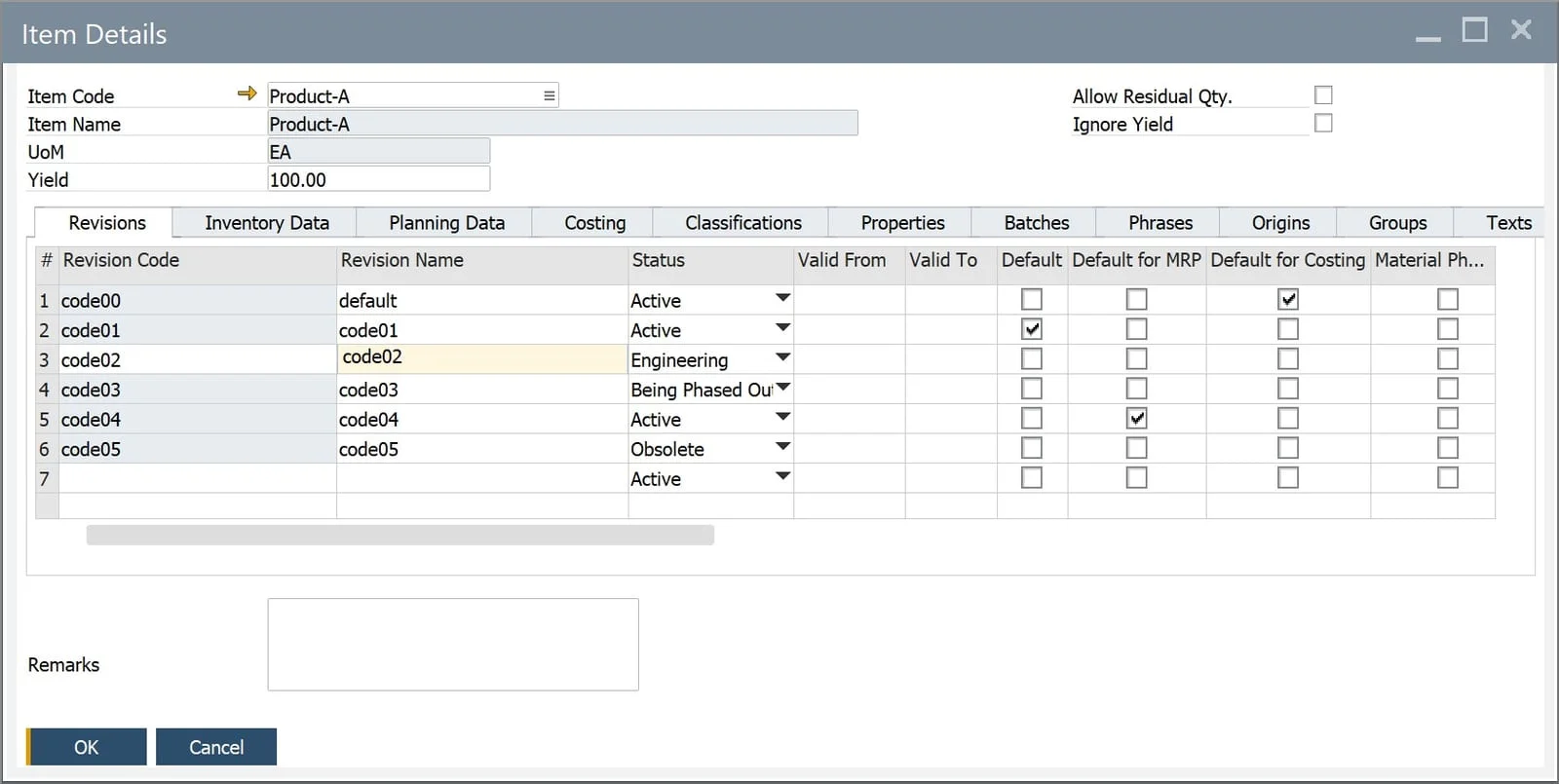
This is a crucial feature in ERP systems because manufacturers need to use Revisions in several situations.
- Material Availability: Supply chain issues, poor planning, unexpected outside events, and many other obstacles can mean manufacturers should have a backup plan or an alternative way of manufacturing goods when supplies run low. Revisions allow them to do this in their ERP system. They can also choose to use Revisions which will consume any excess stock they already have in the warehouse.
- Material Costs: Some manufacturers manufacture goods using the most economical Revision at a given moment. CompuTec ProcessForce’s Bill of Materials allows you to compare the costs of different Revisions and decide which will provide you with the best profit margins.
- Customer-Specific Revisions: White-label manufacturers often produce similar products to slightly different specifications for their various customers, so each customer needs their own Revision.
- Revisions to Reduce Waste: Some manufacturers can reuse byproducts, scrap, or even flawed final goods in subsequent manufacturing processes. This would require a different Revision from the standard one. To give an example, if from time to time a machine pressure issue leads to warped plastic in the production of plastic toys, that plastic could be melted down and added to other materials and could thereby be used again in the manufacturing process.
- Seasonal Product Variations: Some food businesses might add unique seasonal flavorings to specific products and use Revisions to manage this.
- Other Uses: Sometimes, our customers use Revisions in non-standard ways, i.e., to manage closely related but non-identical final goods. A good example is a clothing manufacturer that uses Revisions to manage various sizes. Each size, although it generally looks the same as the others, requires a different amount of raw materials, possibly a different pattern, etc.
The Role of Revision Status as of CompuTec ProcessForce 10.0 R26
Each Revision in CompuTec ProcessForce has a status that helps you manage the Revision’s lifecycle, which can be defined in the Item Details form. The possible Revision statuses are:
- Active: Revisions that can be used in Manufacturing Orders
- Being Phased Out: Revisions that will soon become obsolete
- Engineering: Revisions that are being refined and tested
- Obsolete: Retired Revisions that are no longer in use
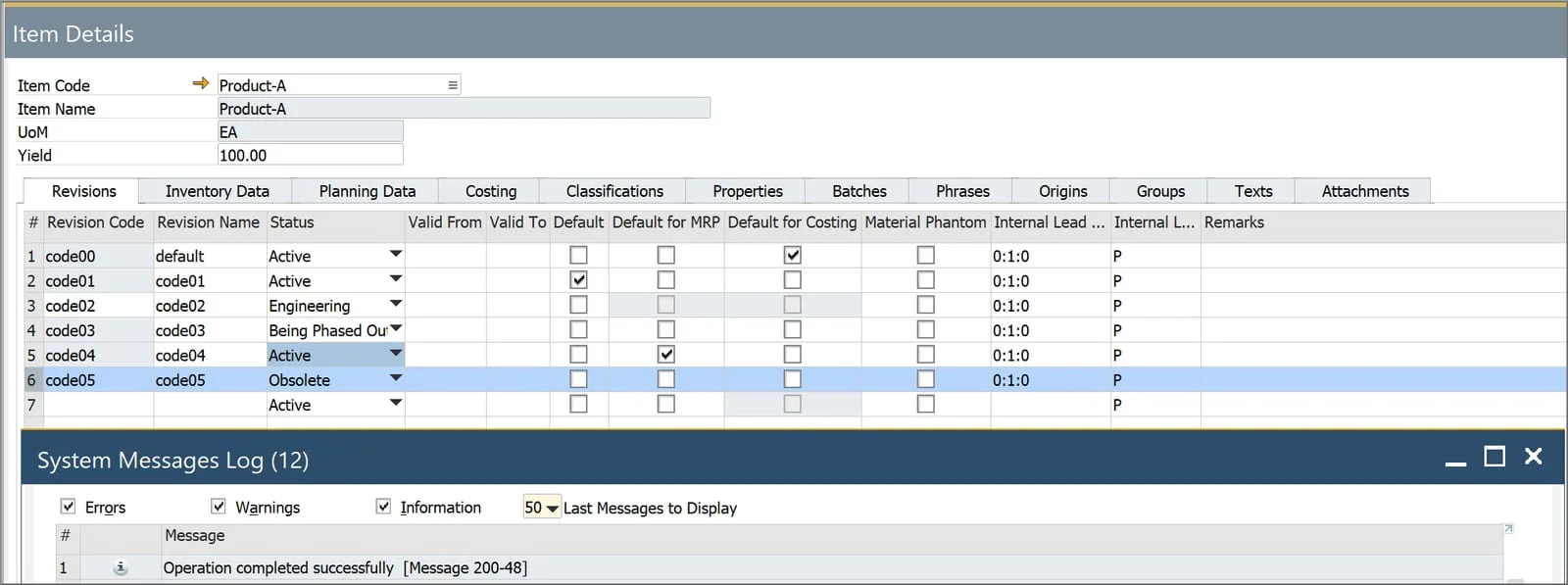
According to the Revision status, certain restrictions are placed on the Revision as follows.
Active
There are no system restrictions on Active Revisions.
Being Phased Out
Revisions with the “Being Phased Out” status can’t be used in sales and purchase documents. They are, however, available for Goods Issue, Goods Receipt, and Inventory Transfer documents.
In the case of components, you also cannot create new Bills of Materials that include Revisions with the “Being Phased Out” status.
Engineering
Similarly to the “Being Phased Out” Revision status, Revisions with the “Engineering” status are not available for use in sales and purchase documents. They can be used in Goods Issue, Goods Receipt, and Inventory Transfer documents.
Obsolete
A Revision can only be assigned the “Obsolete” status when there are no active Manufacturing Orders for that Revision.
This also means that you cannot assign the “Obsolete” status when the Revision is a component of an open Manufacturing Order or a Bill of Materials with the Active, Being Phased Out, or Engineering status.
You cannot add new Bills of Materials or update existing Bills of Materials when including Obsolete Revisions as final goods, components, coproducts, or scrap. This also applies to Manufacturing Orders. Indeed, you cannot select Obsolete Revisions anywhere in CompuTec ProcessForce documents, although they can be used in reports.
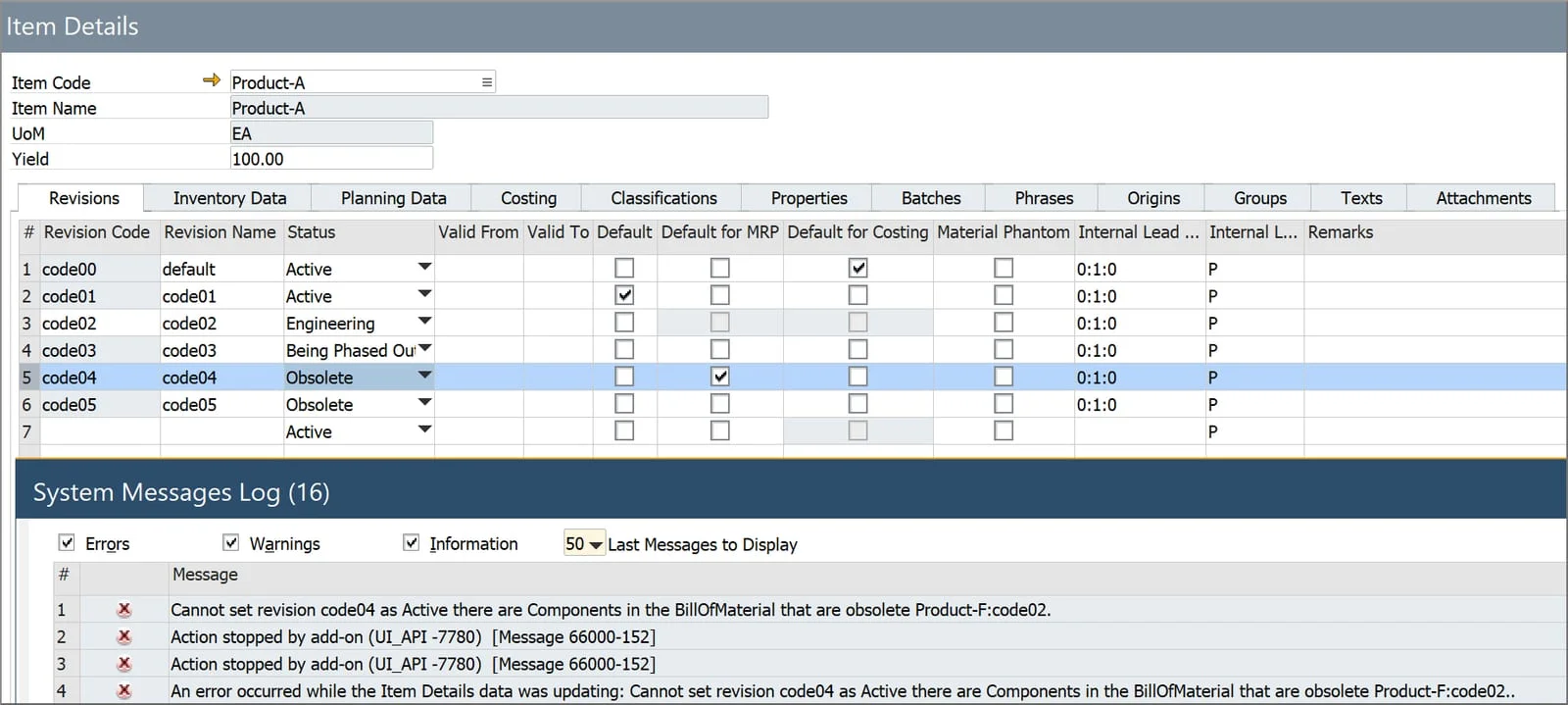
If you would like to know more about Revisions or CompuTec ProcessForce in general, please get in touch with us.