We are very pleased to announce the release of phase one of CompuTec ProcessForce MRP II, which we have designed specifically to cater to the demands of advanced manufacturers.
In general, MRP looks at the consumption patterns of products, and on the basis of those consumption patterns and some other information you enter into the system, MRP can give you recommendations about what you need to order and, of course, also generate the subsequent documents. There are already existing MRP functionalities that come as standard in SAP Business One; however, our CompuTec ProcessForce customers, as advanced manufacturers, can now benefit from our new MRP calculation engine, which will allow them to take the following into consideration:
- Item Revisions
- Internal lead time
- Vendor-specific lead time and internal lead time
- Batch Status and expiry dates
The basic parameters for MRP II are largely defined in SAP Business One itself using SAP Business One and CompuTec ProcessForce fields; however, MRP II also uses three CompuTec AppEngine apps.
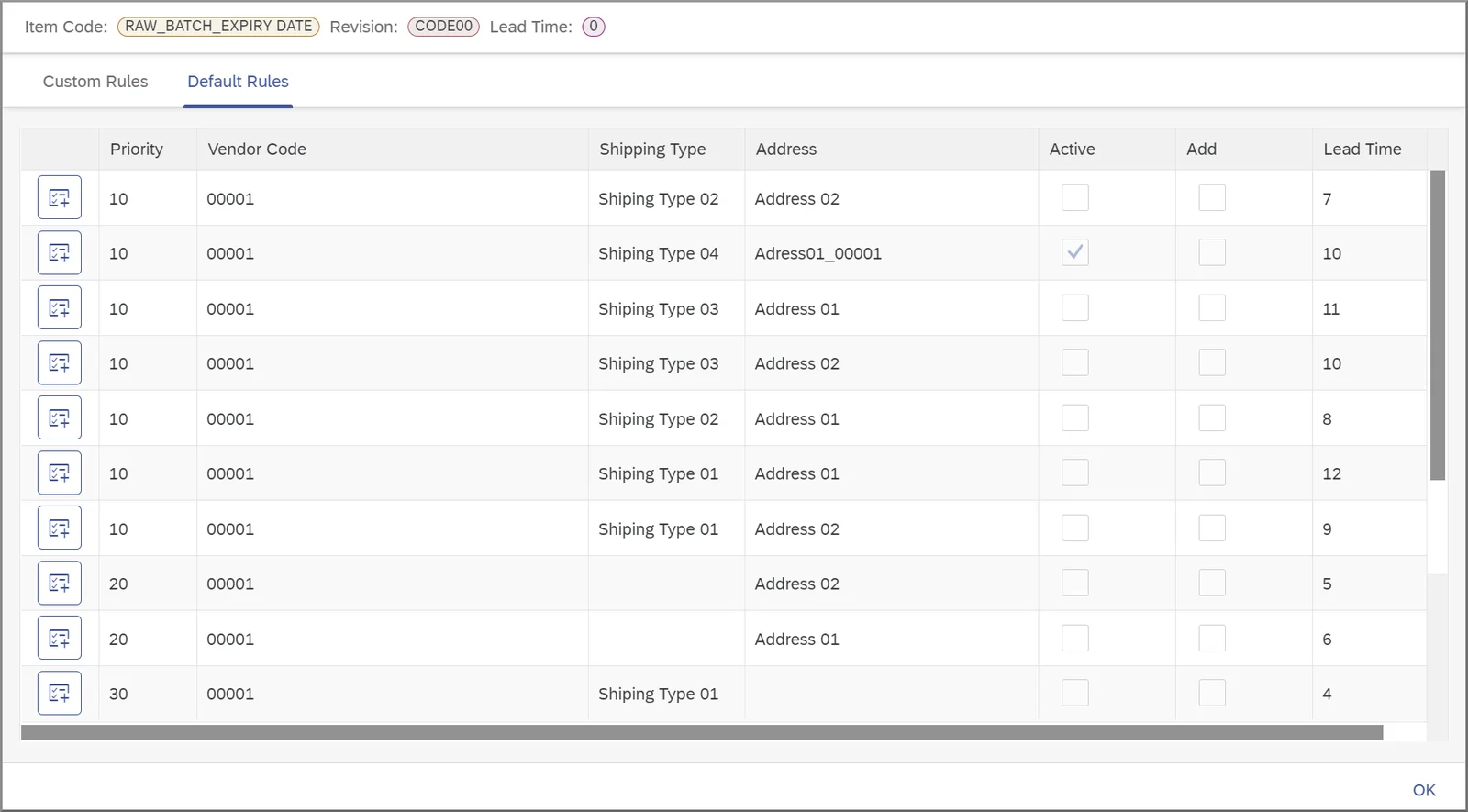
Vendor Lead Time
This app allows us to define rules about lead time specific to each vendor, delivery address, and shipping type.
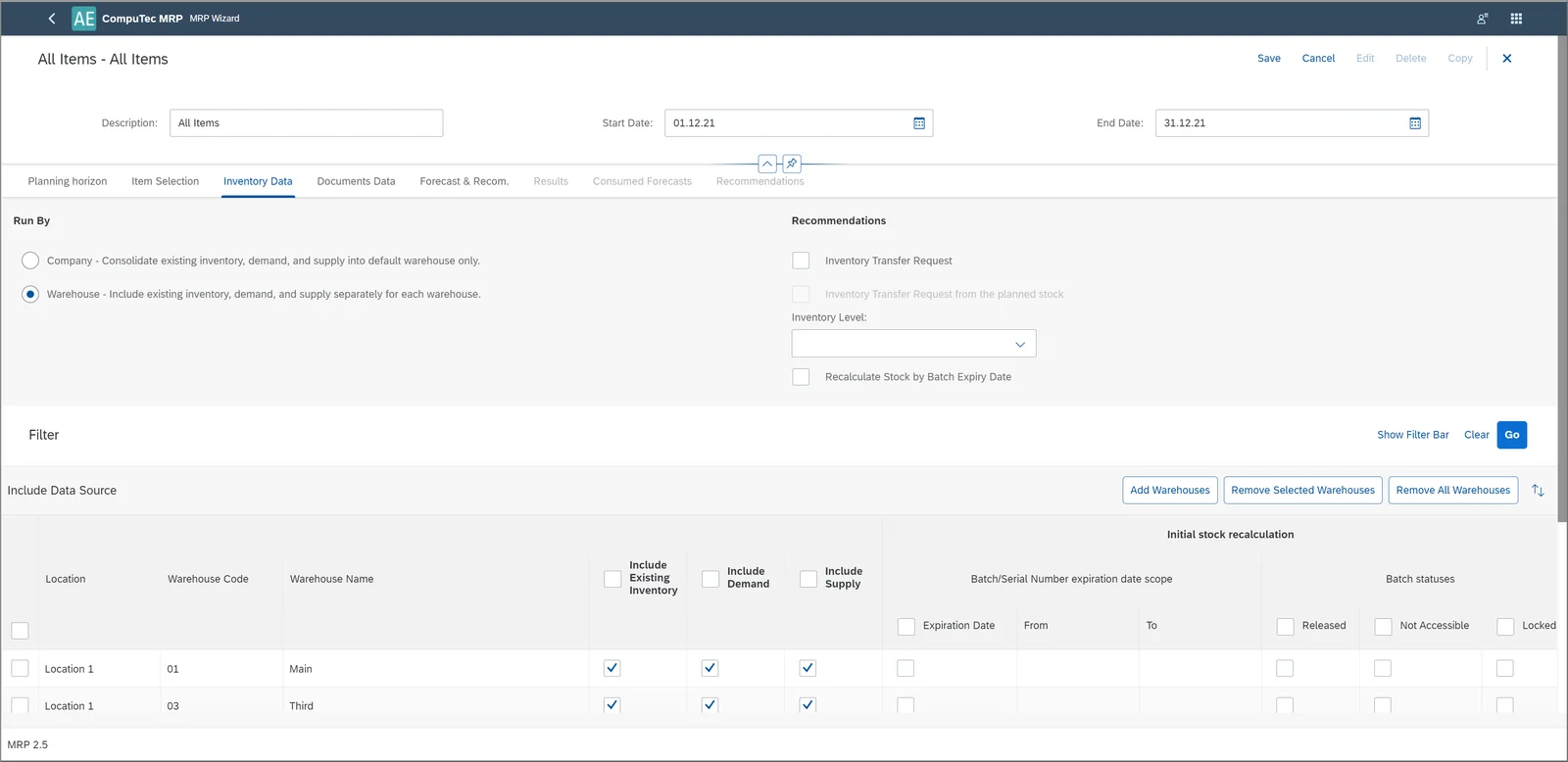
MRP Wizard
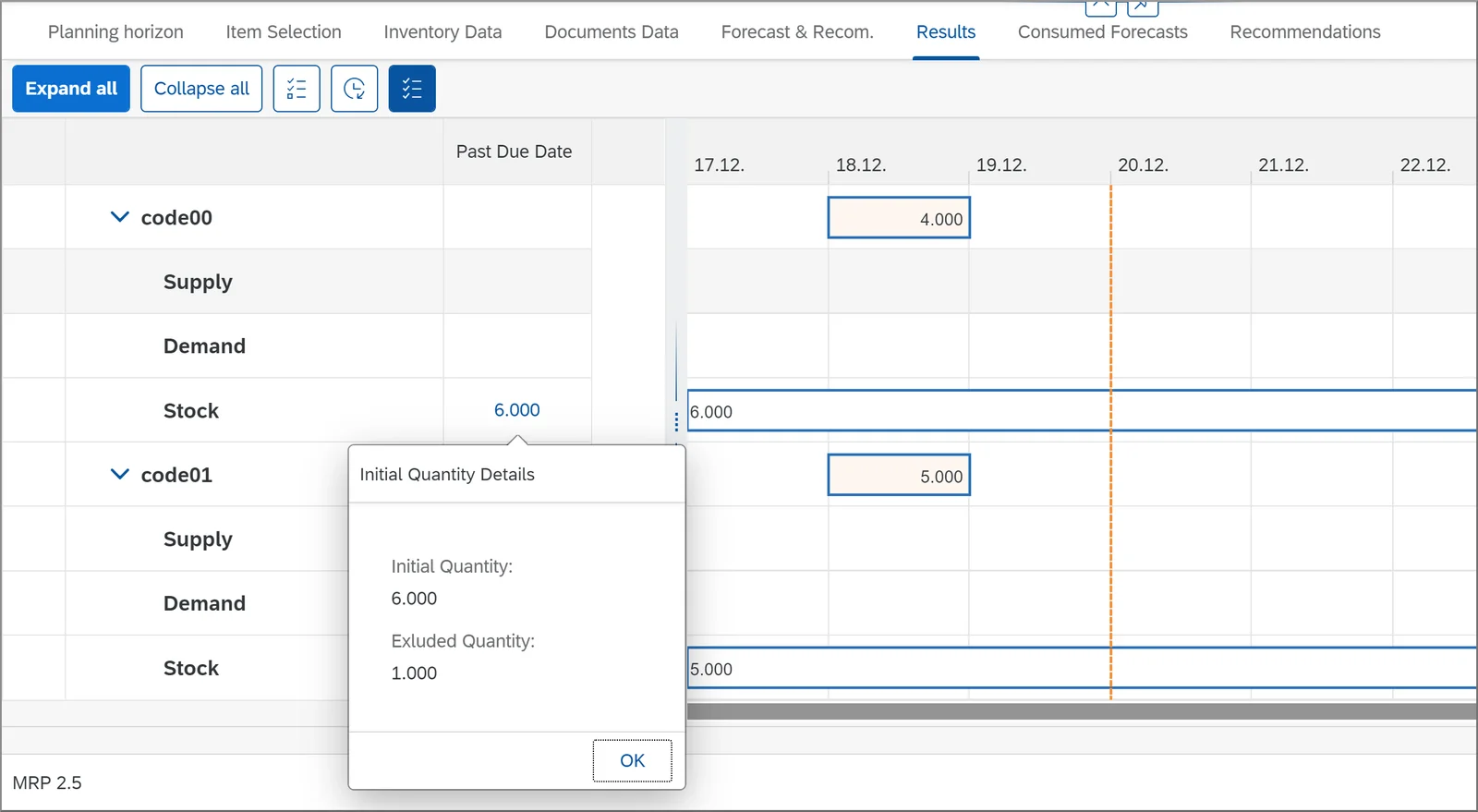
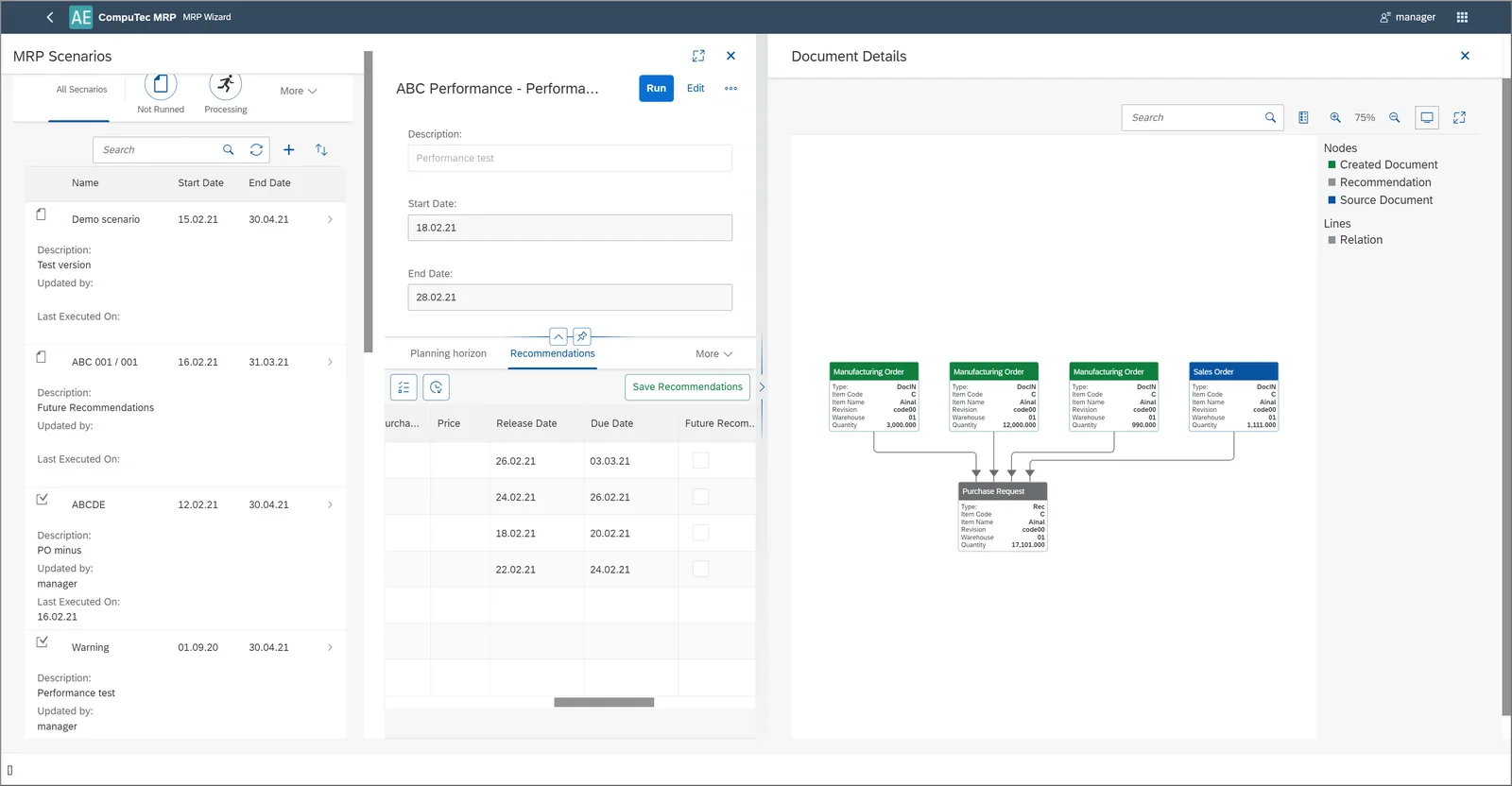
Our MRP calculation engine. You create an MRP Scenario by entering information about the MRP horizon and scope and all the other factors you want to be taken into consideration. After running the wizard, you’ll receive MRP recommendations in the form of a Gantt Chart and a list of document recommendations. There is also a visualization tool that displays the relationships between documents, both those currently in the system and those recommended.
Order Recommendation
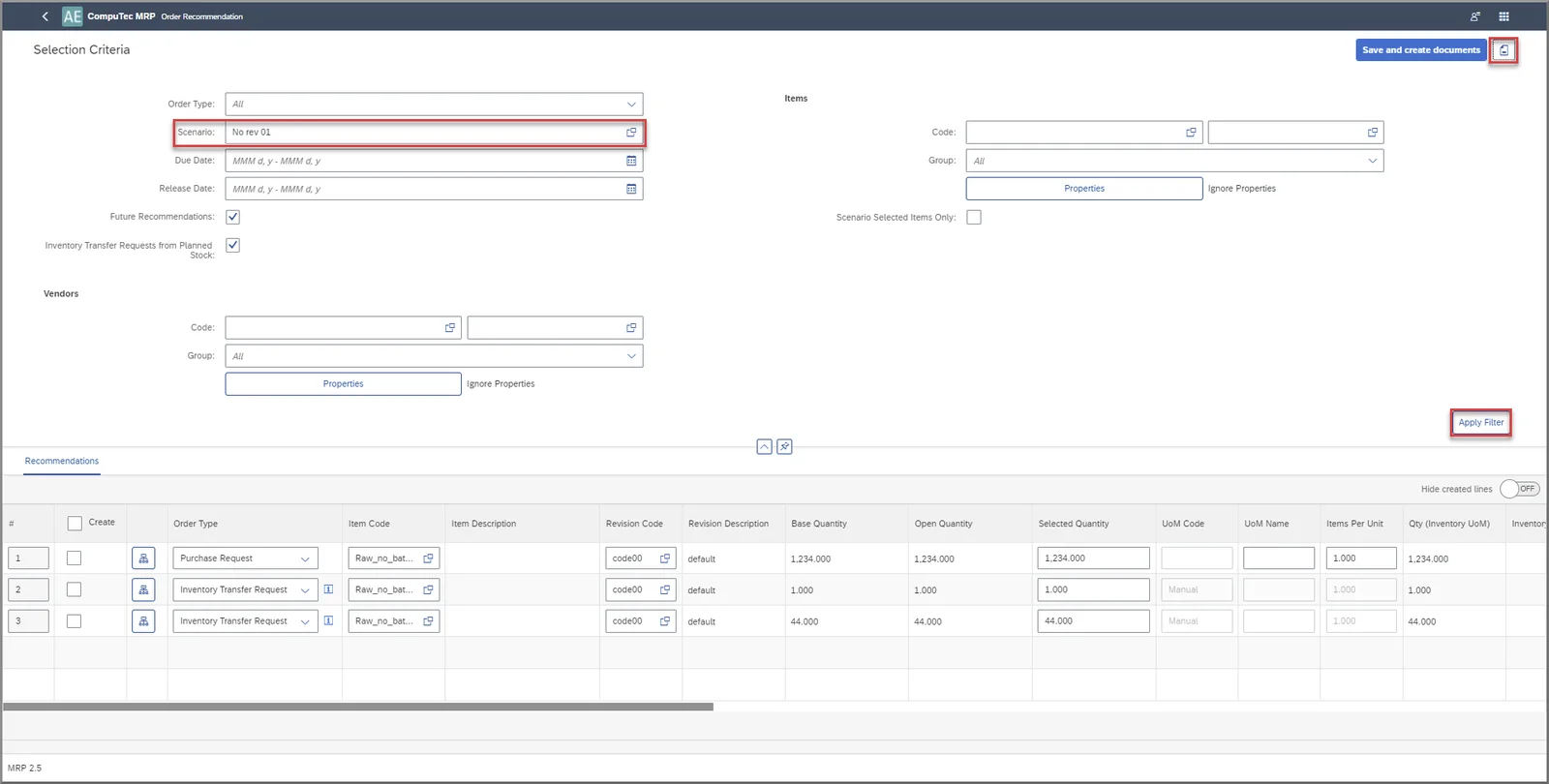
After running the MRP Wizard and saving the recommendations it makes, the Order Recommendation application gives you a quick and easy way to create the recommended documents in the system.
As there is quite an extensive range of functionalities, we recommend watching the video demonstration below, which will walk you through the key features of MRP II and allow you to see how everything fits together. Please bear in mind that this video is fairly concise and does not cover all potential usage scenarios. If you have questions about how MRP II can accommodate the needs of your business, please get in touch with your CompuTec partner or contact us directly.
In the video, we also give you a quick summary of what we’ve got planned for MRP II phase two as well.