
We’ve made several important changes in the latest version of CompuTec AppEngine to improve usability for our partners and customers. To see a full description of the changes, please read the release notes. The highlights are as follows.
UI5 Theme: Horizon
CompuTec AppEngine now uses the new Horizon theme, which is an evolution of the SAP Fiori design system designed to improve the user experience in web applications. You can read more about the benefits of the Horizon theme on SAP’s blog. The Horizon theme is also coming to the SAP Business One Web Client in Feature Pack 2208, so we are perfectly aligned.
License Server Validation
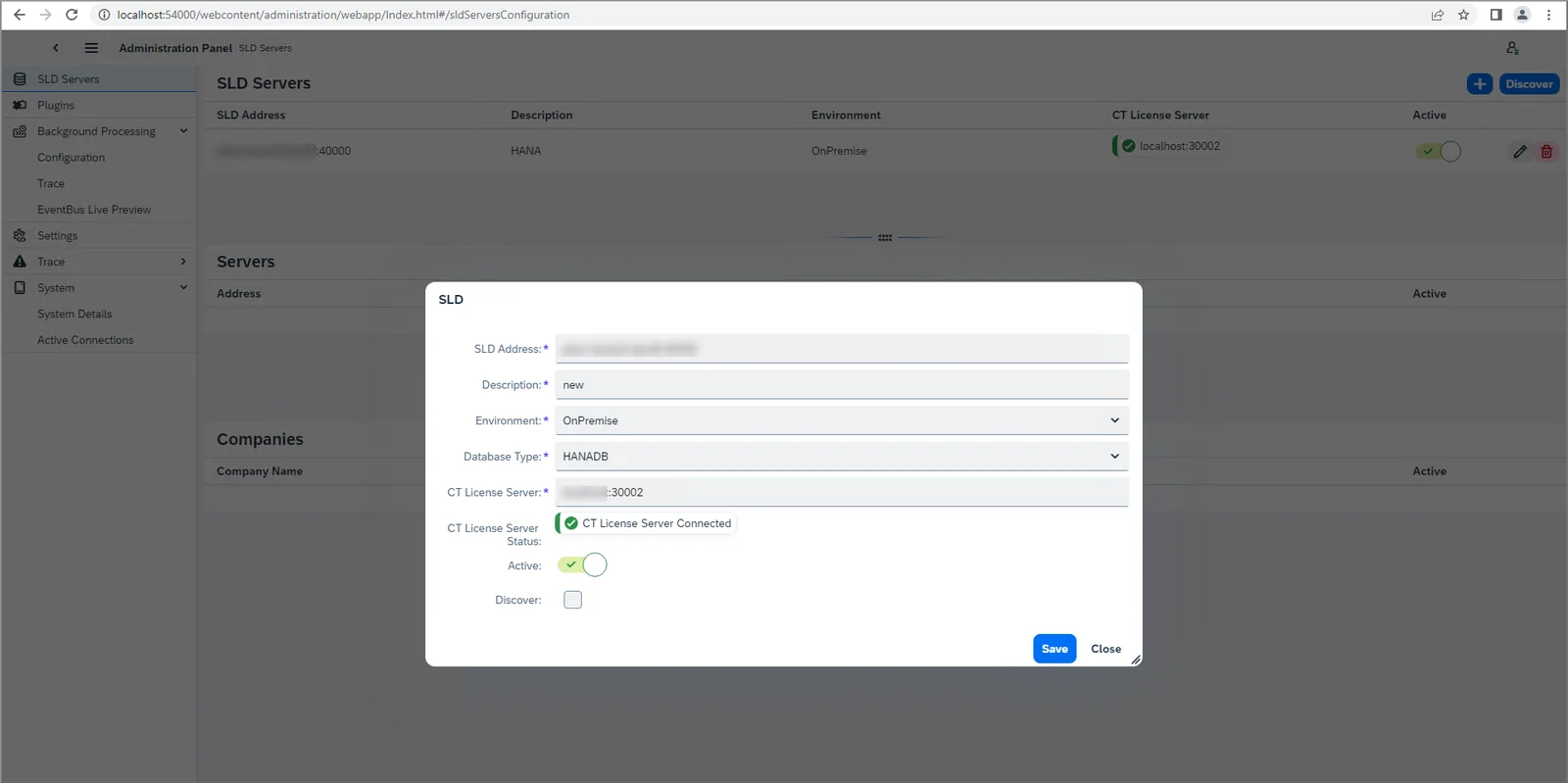
The CompuTec License Server address is now validated in the Administration Panel, in the SLD Servers list, and when an SLD Server is added. By testing the connection in this way, certain hiccups that sometimes occurred later on will now be avoided completely.
System Details Download
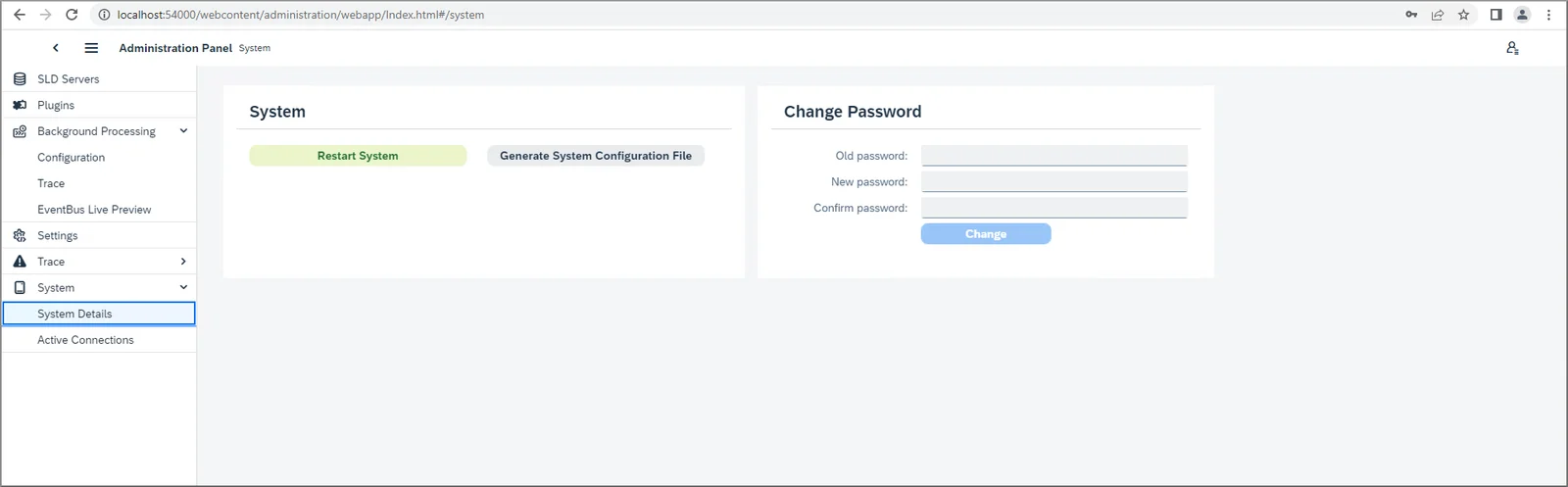
You can now download a configuration file that contains comprehensive details about CompuTec AppEngine and CompuTec AppEngine apps for the specific installation in question. This will be useful for support purposes because it will make it faster and easier to identify problems and subsequently solve them. In future releases, we will use the data in this file to make suggestions to the user about how issues may be resolved. Watch this space for more information!
Multiple Background Job Triggers
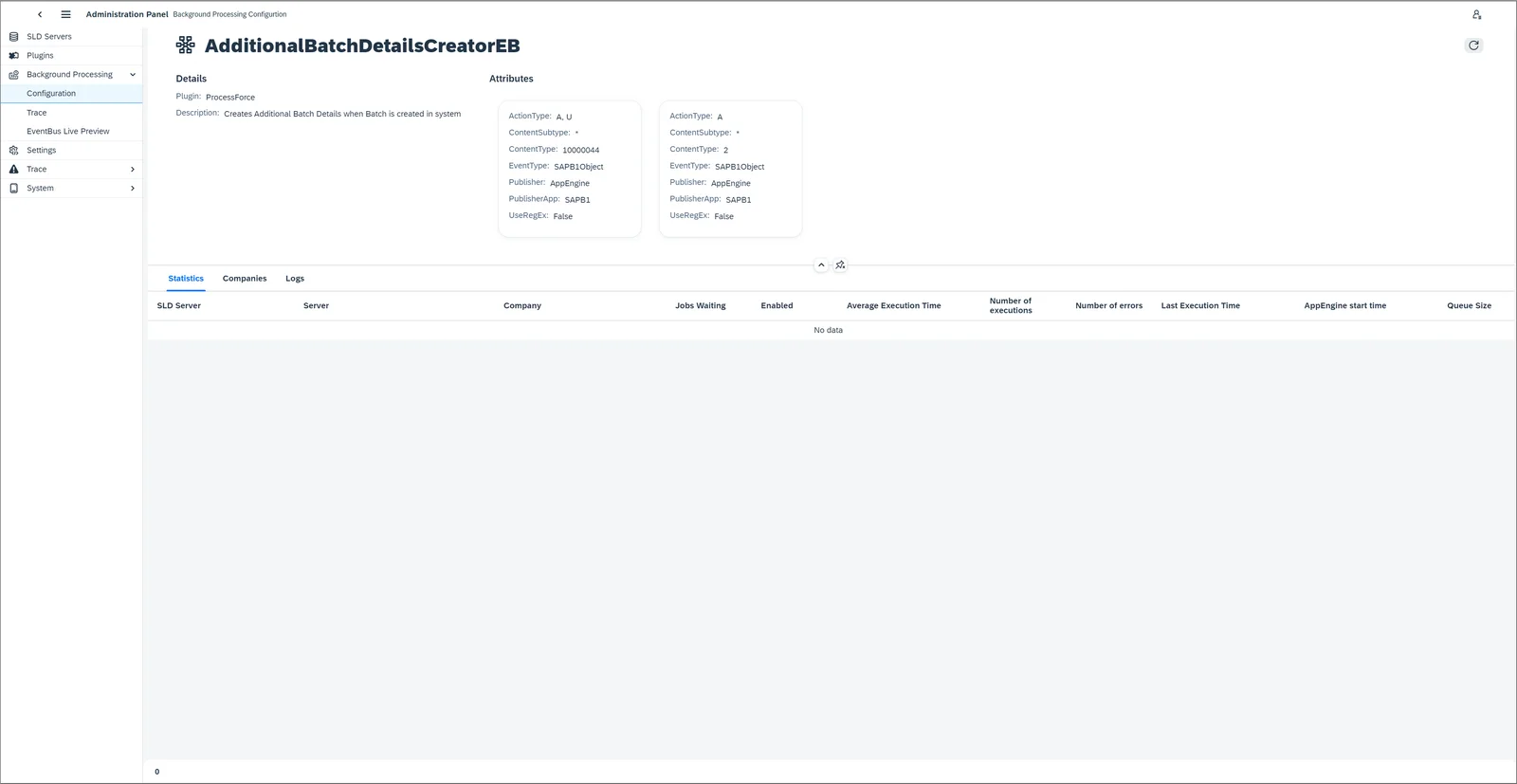
Now jobs can react to multiple events rather than just one, as in the past. For example, previously the job might have been triggered by adding a certain kind of document, but now you can trigger the event either when a document is added or when it is updated. This is highly configurable, so there are an infinite number of ways in which to take advantage of this new possibility.
Managing Disconnections
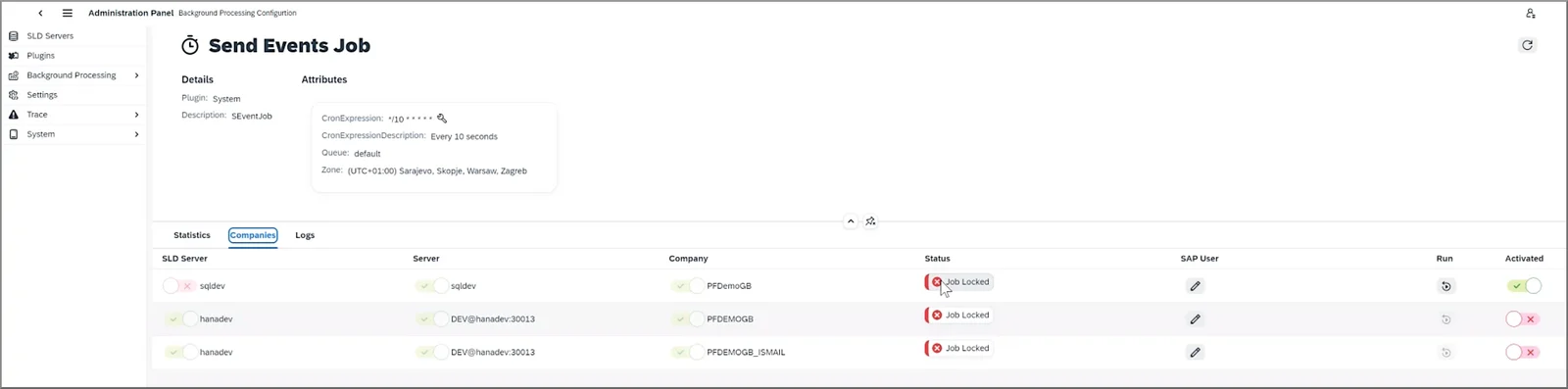
Sometimes users are disconnected from a job because they disconnect the license, change their SAP Business One password, and so on. In such cases, the job would previously continue to try to reconnect indefinitely, thereby overloading the server. Now, to preserve server resources, after three unsuccessful reconnection attempts, the job will be locked. You will be able to unlock the job manually at any time.
For further information about other changes in CompuTec AppEngine 2.0.8, please see the release notes in the CompuTec AppEngine documentation.