
In the latest version of CompuTec WMS, we’ve added the ability to add signatures to a number of CompuTec WMS documents.
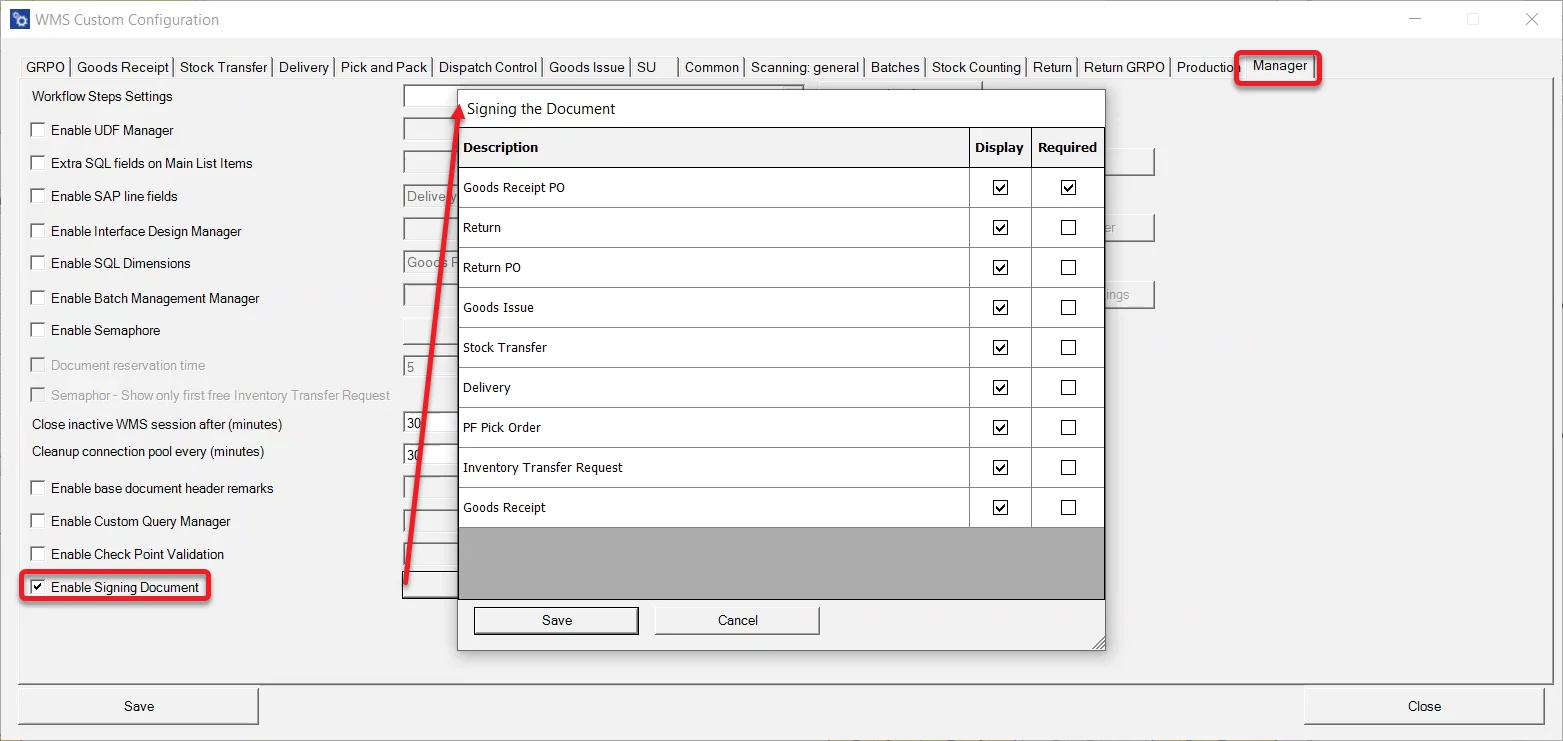
You can easily customize which documents signature records will be kept for, and you can choose whether a signature is required for the document to be saved or if a signature can be recorded optionally.
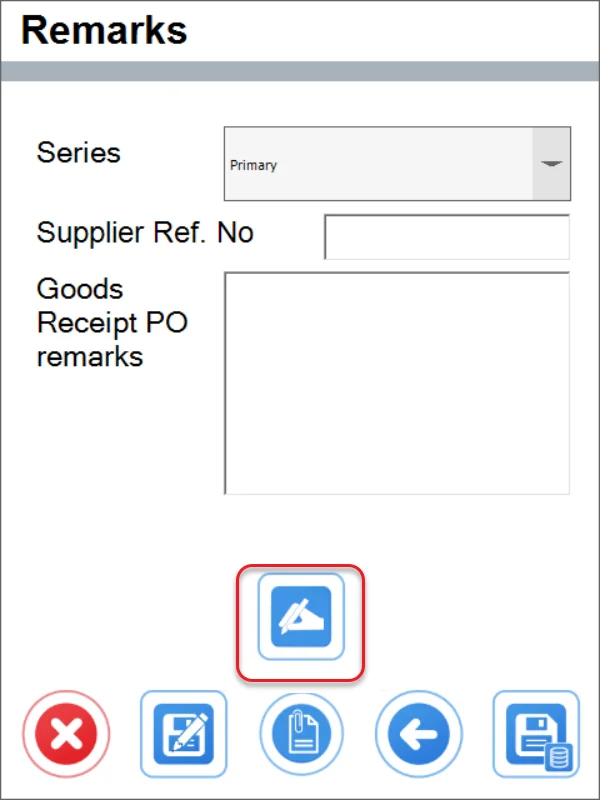
When document signatures are enabled, an icon, as marked below, allows you to record the signature.
By selecting the Add Signature icon, you will be taken to the following screen, which allows you to write the signature on your mobile device.
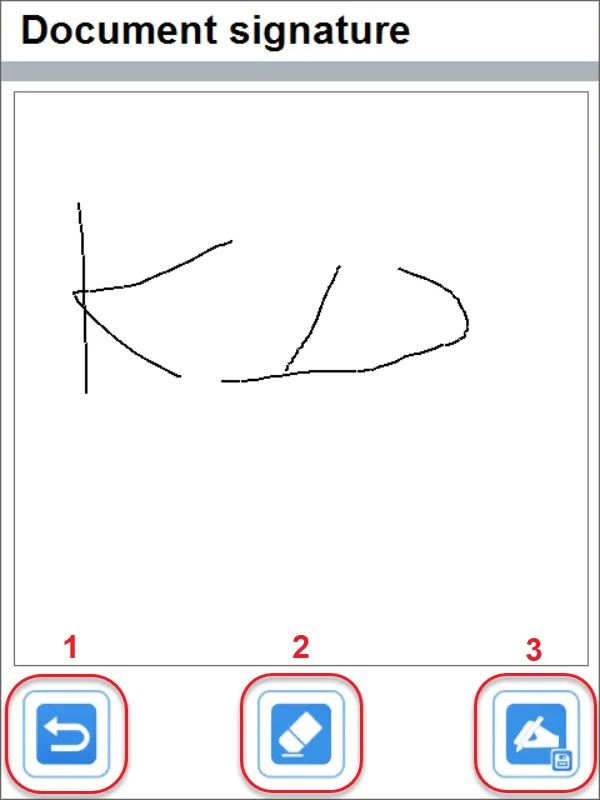
The three icons at the bottom of the screen have the following functions:
- Return to the previous screen (without saving the signature)
- Erase the signature on the screen (so you can start again)
- Save the signature
You can read more about this new feature in the CompuTec WMS documentation.