
We’ve just released CompuTec PDC 2.93.08.1 and 2.92.11.3. Here’s a quick rundown on what we’ve added to these versions.
Firstly, you’ll find quite a useful new option in CompuTec PDC (Plant Data Capture) settings. You can now force tare weight to be recalculated every time you use your industrial weight scales to weigh something. This is really handy if you are using a variety of different containers for your inventory and you want to be sure that your inventory is being weighed accurately each time. It also means your weighing operators won’t be able to accidentally double-click on the “Weigh” button without resetting tare weight and consequently entering inaccurate results into your system.
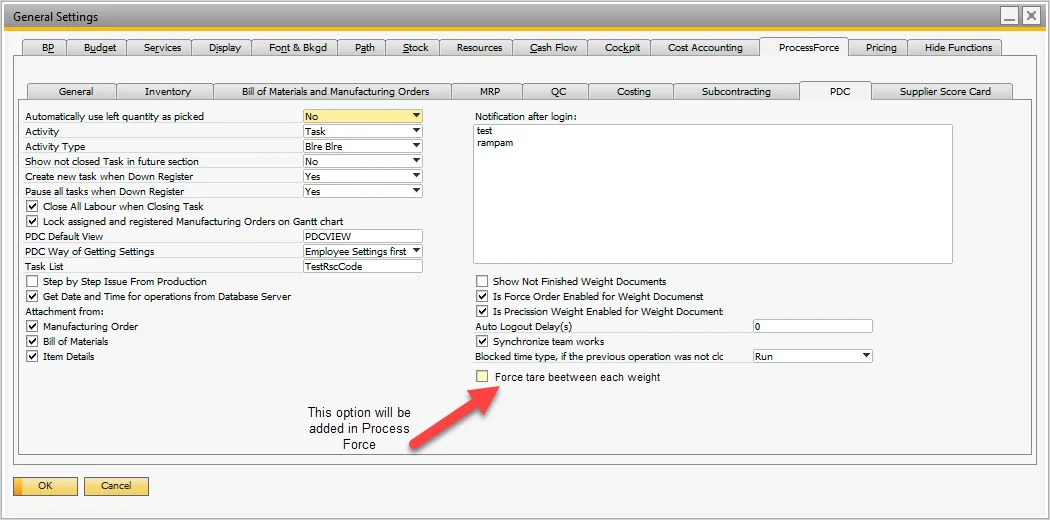
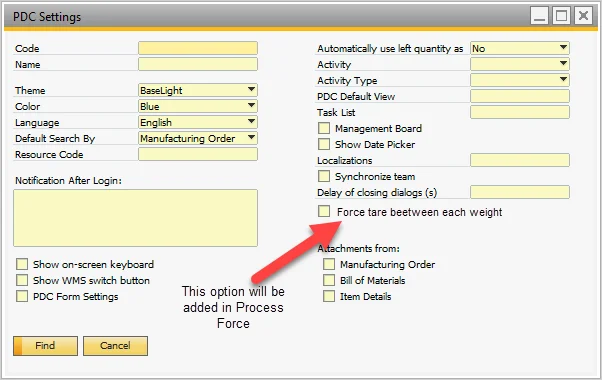
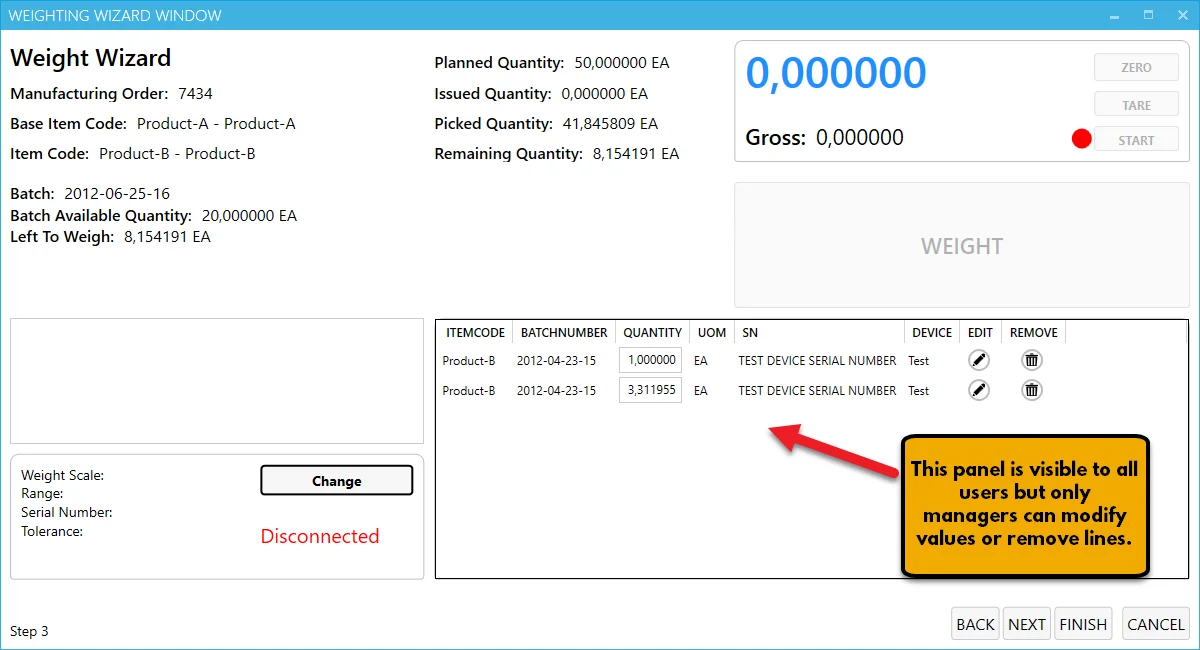
Secondly, in CompuTec PDC’s Weight Wizard, the action log table is now visible to regular users. Previously the action log table was only available to users with Management Board privileges, but now your operators will be able to see their weighing history. Modifying the action log table is still restricted to managers only.
We’ve also done some fine-tuning on how adding tasks via barcode scanners works, and you should find a significant improvement to performance if you are running a large database. Adding tasks by barcode now is much faster. We’ve cut down the processing time of adding each task to just a couple of seconds on even the largest databases we tested on.
And finally, we’ve added a scrollbar to the “Pass to” employee list, just to make life a little bit easier for our users.
If you’d like to find out more, you can read about CompuTec PDC or drop us a note.