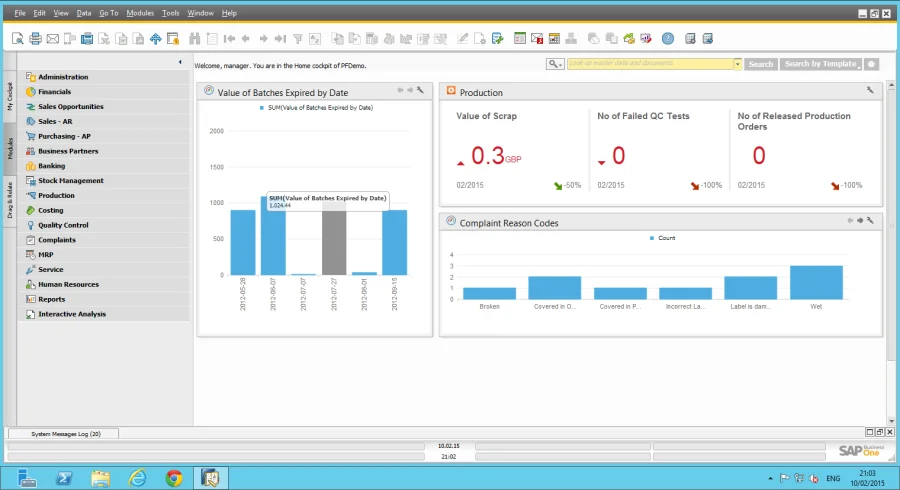
If you’re looking at SAP Business One 9.1, there are a number of innovations, such as “Branches”, while on SAP HANA there are the new Fiori-style UI and the enhanced dashboard designer. When we started to build CompuTec ProcessForce, it was critical that we developed the solution correctly, to offer both partners and customers the same user experience as SAP Business One, providing seamless integration and intuitive navigation. CompuTec ProcessForce version 9.1 is available for both SAP HANA and Microsoft SQL Server, and below are a number of example screenshots of our solution.
Branches
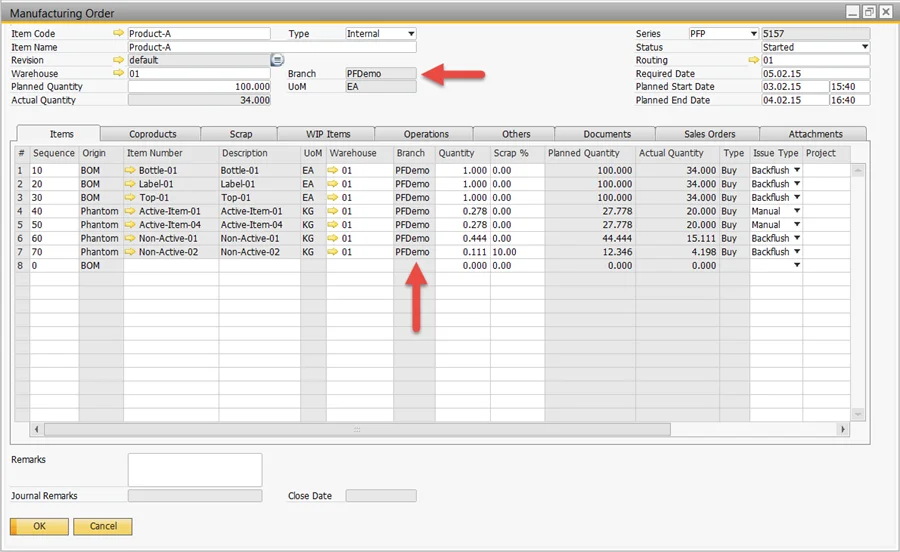
Branches are linked to a specific warehouse, so when the Manufacturing Order is created, the branch is copied into the Manufacturing Order based on the Bill of Materials’ default warehouse. In turn, all the items in the Manufacturing Order also inherit the branch ID, which is copied to all related production transactions, with the resulting posted journals containing the branch ID. Guess what? CompuTec ProcessForce follows the same business logic as provided by SAP Business One, just as it uses SAP Business One cost dimensions, distribution rules, and projects.
SAP Fiori-Style Cockpit
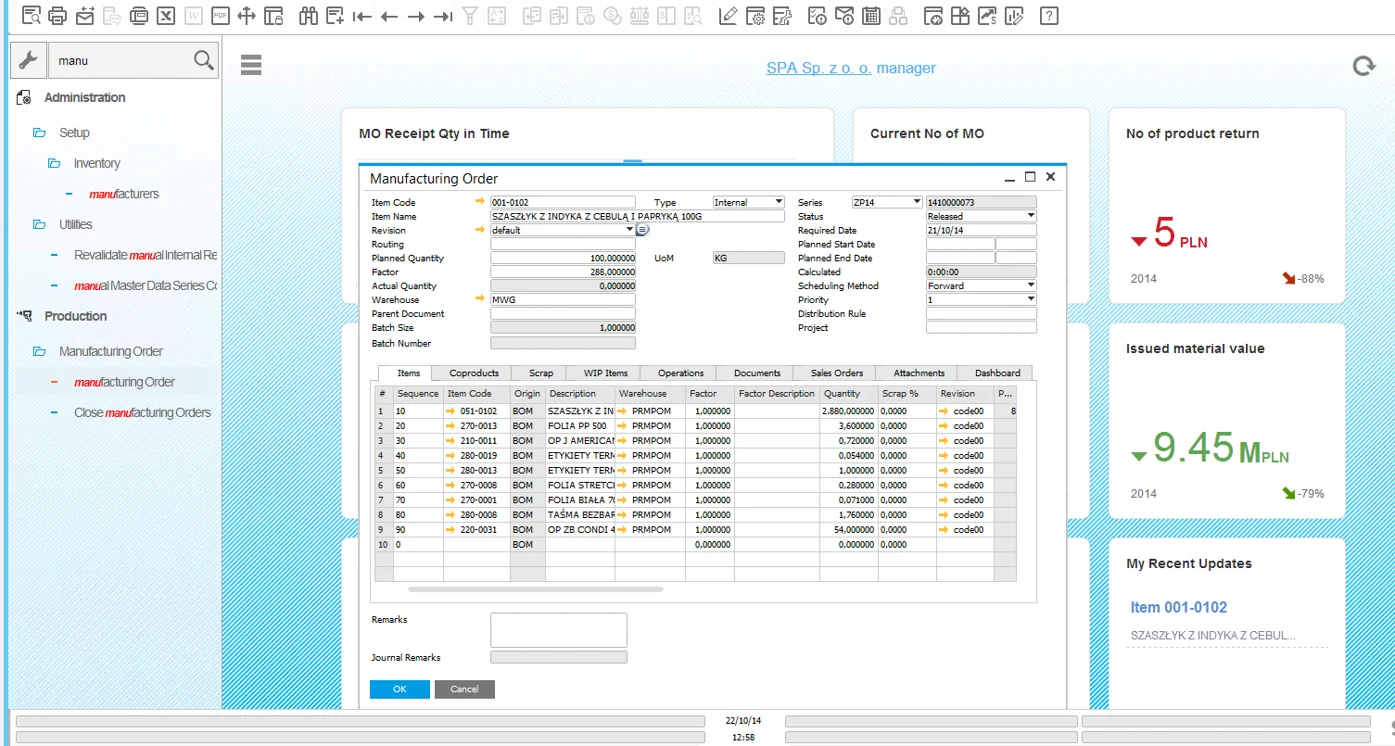
Simple: just go to General Settings, select the Cockpit tab, and check Fiori Style Cockpit. SAP Business One and CompuTec ProcessForce will display the new SAP Fiori UI and cockpit. You can even use the new menu finder to find the CompuTec ProcessForce menu item you need.
SAP HANA KPIs and Dashboards
It’s easy: just create a query in the Query Manager, save it, open the new Pervasive Analytics Designer, select the KPI or Dashboard option, choose the query, select your X and Y axes and dimensions, save, refresh, and your new CompuTec ProcessForce analytic is there. Simple!