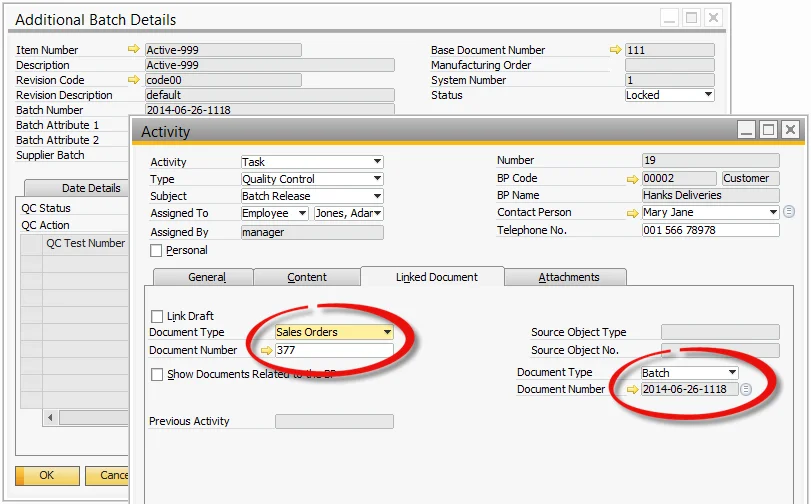
So how do your sales and quality control departments contact each other to have a specific batch of product reviewed because the expiry date is short or the batch is locked? A sticky note? A phone call? An email? A walk to the quality control office?
This all takes time, reduces efficiency, and adds cost to the business.
So how can CompuTec ProcessForce help to manage this situation? Below is an example workflow to achieve this:
-
The salesperson takes a Sales Order and uses ATP to check stock availability, but the main warehouse does not have enough stock to fulfill the Sales Order.
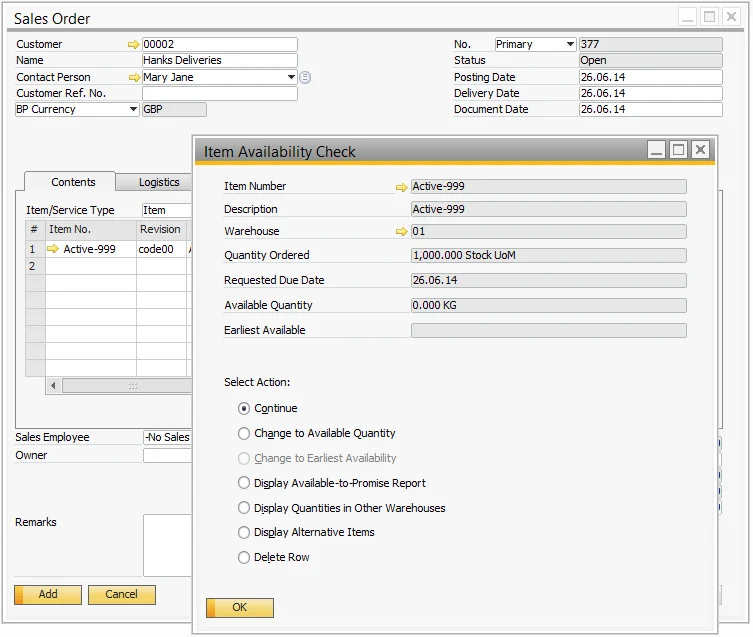
-
The salesperson selects “Display Quantities in Other Warehouses”: the Sales Order quantity is available, but the stock is in the Quality Control warehouse.
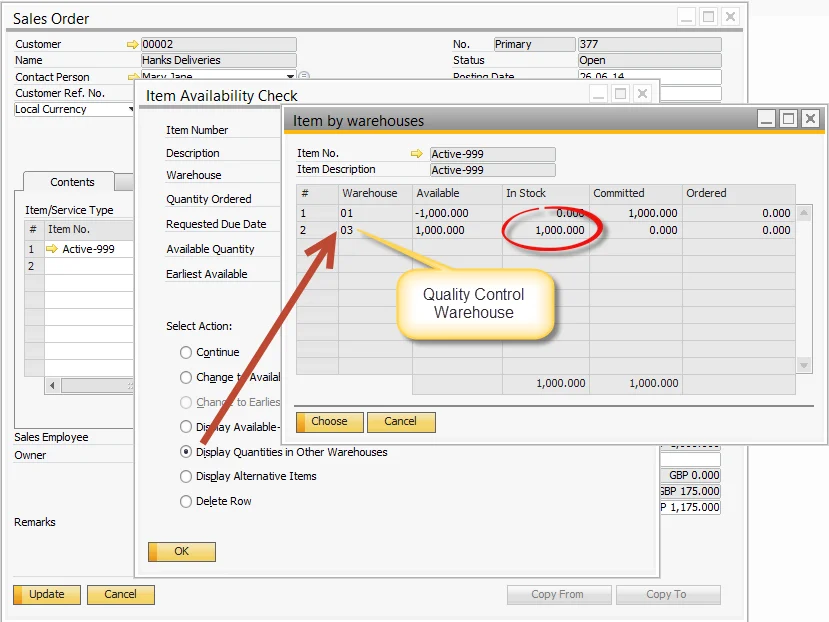
-
The salesperson sees that the batch has the status “Locked” and the Quality Control status “Inspection”.
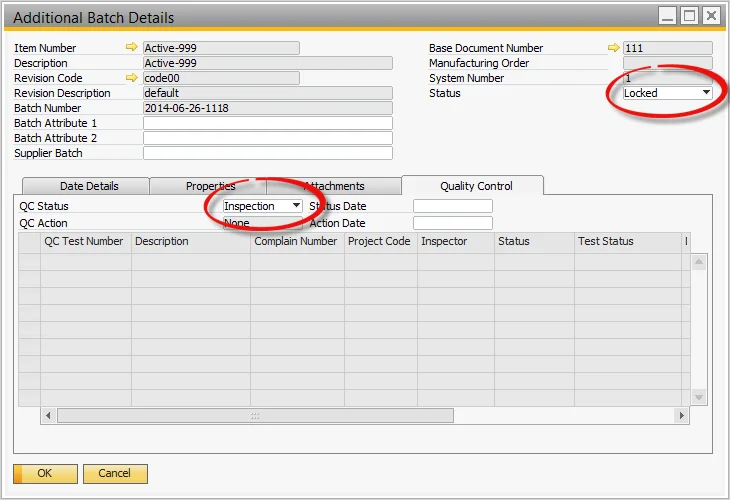
-
The salesperson creates an Activity, which is posted to the quality control department with a comment.
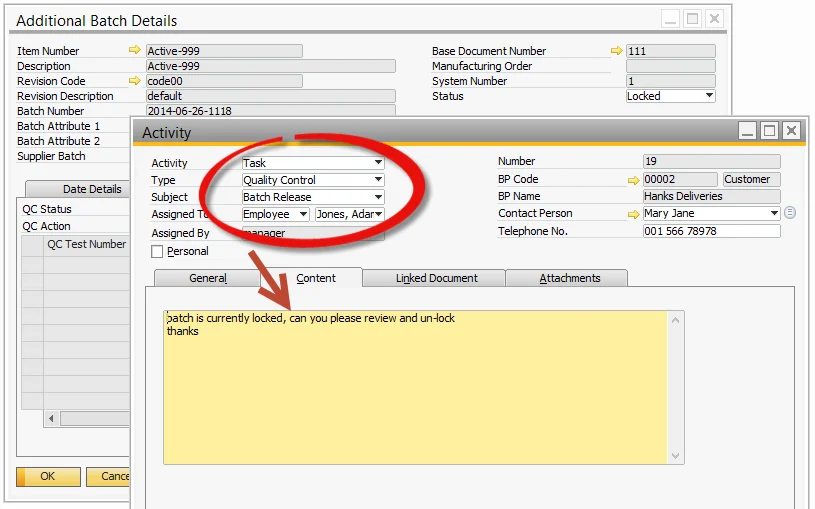
-
The quality control person receives the Activity, with the Sales Order and batch number as references.